


Verified review
Common Ninja has amazing no-code widgets that would beautify a website built on any builder. It is very easy to use and customise. It has as many widgets for almost everyone willing to make their website impressive.
The Common Ninja AI Chatbot is a free, no-code widget that automates customer support, qualifies leads, and answers visitor questions in natural language on any website.
The chatbot crawls your site, accepts uploaded files and FAQs as a knowledge base, returns product cards and images inline in e-commerce replies, and collects every chat interaction so you can route handoffs to a human.
Paste one line of embed code on 200+ platforms including Shopify, WordPress, Squarespace, Joomla, and Google Sites.
Cover the 80% of repeated questions that take up support hours: shipping policy, return windows, product specs, password resets, account questions. The chatbot answers 24/7 from your site content and uploaded files; when a question falls outside the knowledge base, the dead-end message routes the visitor to a human or a contact form.
Toggle product cards on for stores and the chatbot can surface product images, titles, and prices directly inside a reply. Useful for shoppers asking 'do you have this in red' or 'what's the return policy on shoes'. The same widget that answers support questions also helps qualify buyers.
Course platforms, documentation sites, and SaaS knowledge bases benefit from a chatbot that answers in natural language instead of forcing a keyword search. Upload course materials, FAQ docs, or help center exports; visitors ask in plain English and the chatbot cites the right page.
Every chat is logged to the dashboard so you can review questions, spot gaps in your knowledge base, and follow up on visitors who showed buying intent. Predefined suggested questions guide the conversation toward conversion paths (book a demo, request a quote, start a trial).
Point the chatbot at your site URL to crawl public pages, upload FAQ docs and PDFs, paste plain-text blocks, and add a list of suggested starter questions. The chatbot uses everything you connect as the answer source.
Pick a tone of voice (friendly, formal, technical), set a dead-end message for questions outside your knowledge base, choose a skin that matches your brand, and toggle product cards for e-commerce replies. Add custom CSS if you need pixel-level styling.
Copy the embed snippet and paste it on any page. The chatbot loads inline, captures every interaction to the dashboard, and pushes any knowledge-base update you make in the editor without re-pasting the embed.
Point the chatbot at your site URL and it crawls public pages to learn product details, policies, and FAQs. No manual data entry; the crawl re-runs when you ask it to refresh. Pages you don't want indexed can be excluded from the crawl scope.
Enrich the knowledge base with uploaded PDFs and docs, hand-written FAQ pairs, and free-form text blocks for anything that isn't on a public page (pricing tables, internal policies, training scripts). All three sources combine into a single answer pool.
For e-commerce sites the chatbot can render a product card (image, title, price, link) inline in a reply. Visitors ask a question, see the product, and click through without ever leaving the conversation. Toggle off when not relevant to your site type.
Match the chatbot to your brand: pick a tone (friendly, formal, expert, casual), choose a skin from the library, and fine-tune with custom CSS. The widget is mobile-responsive out of the box and inherits the embed container width without horizontal scroll.
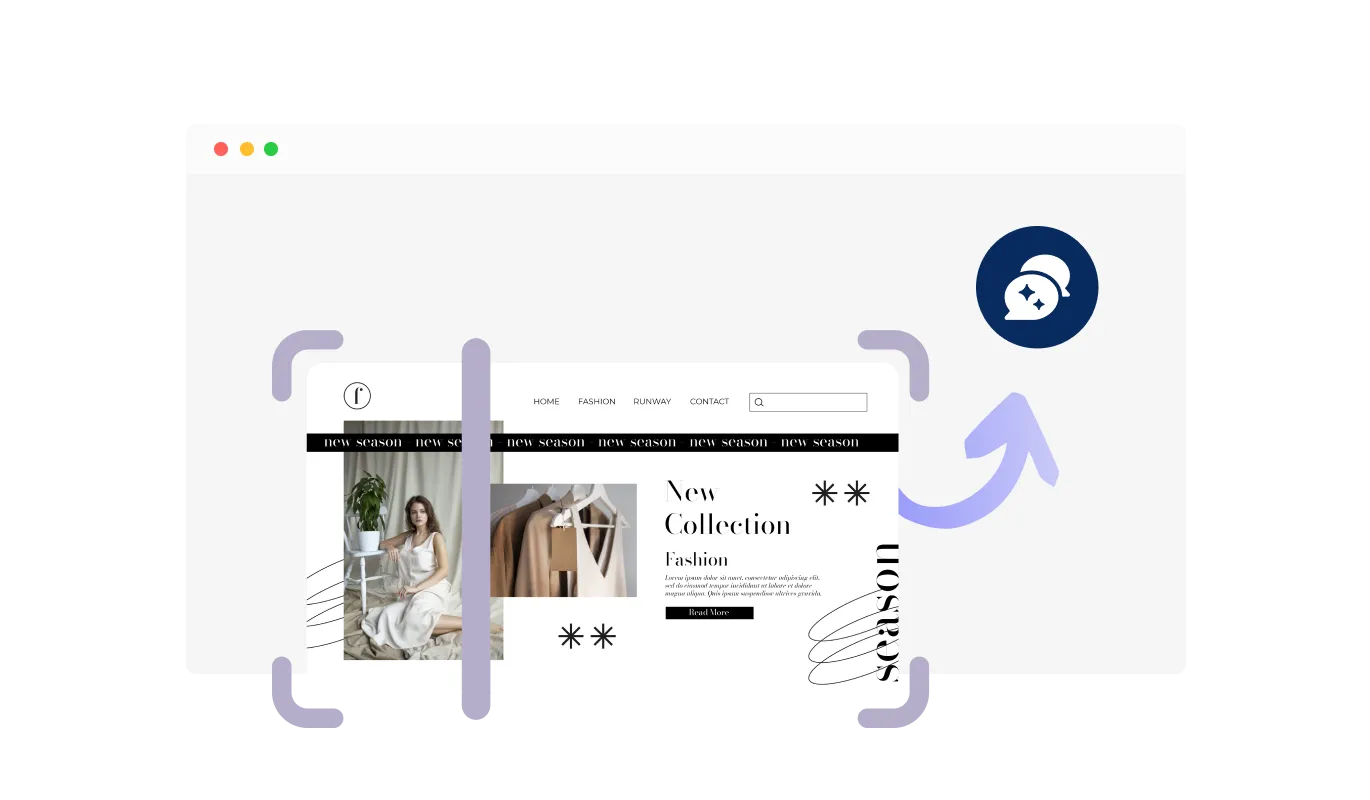
The AI Chatbot allows you to define its knowledge base by scanning and integrating content from your website. You can choose to include the entire website, specific sections, or just a single page, ensuring the chatbot provides accurate and relevant responses. This flexibility helps tailor interactions to your business needs, making customer support more efficient and informative.
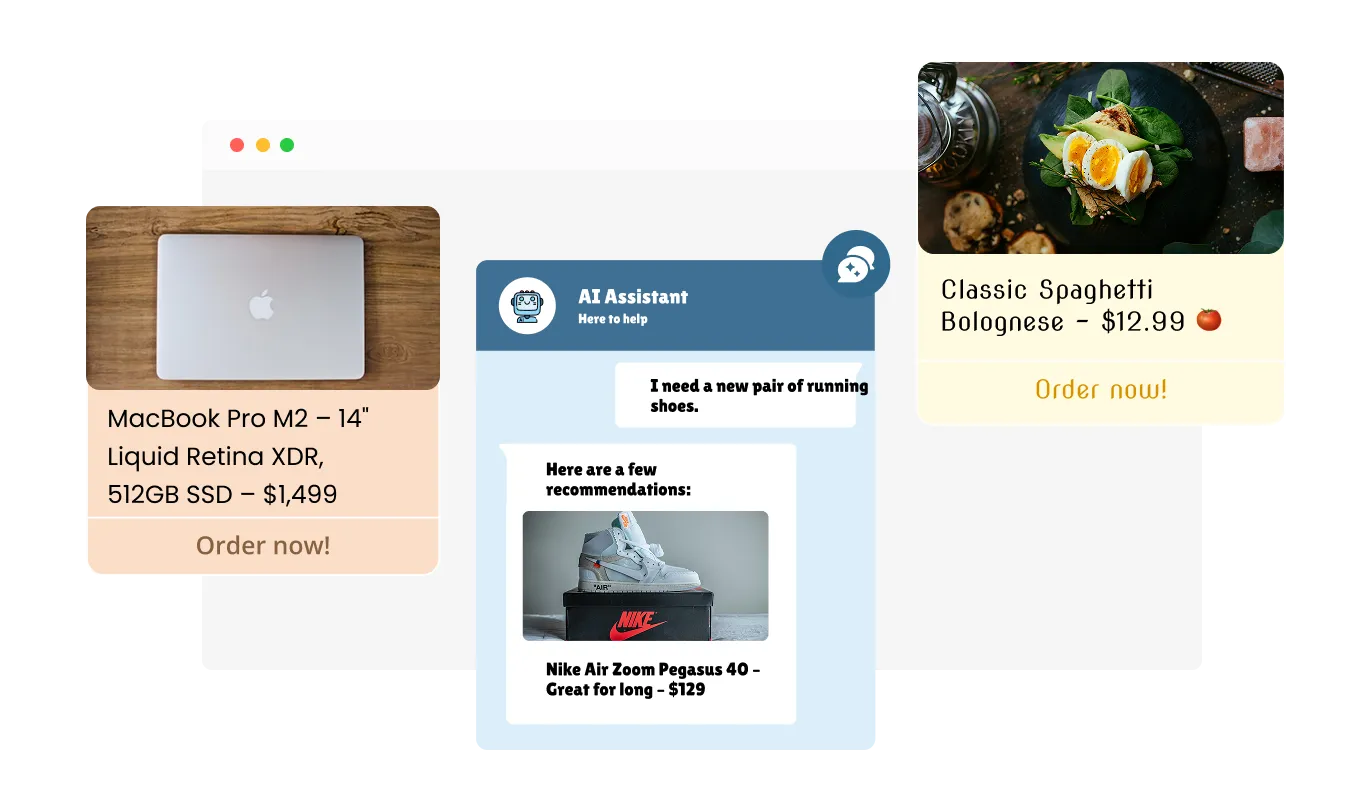
The AI Chatbot enhances user interactions by automatically displaying product cards and images when referencing a product or service. This feature makes responses more visually engaging and informative, helping users quickly understand key details. By integrating images and structured product information, your Virtual Assistant improves the customer experience and boosts conversions.
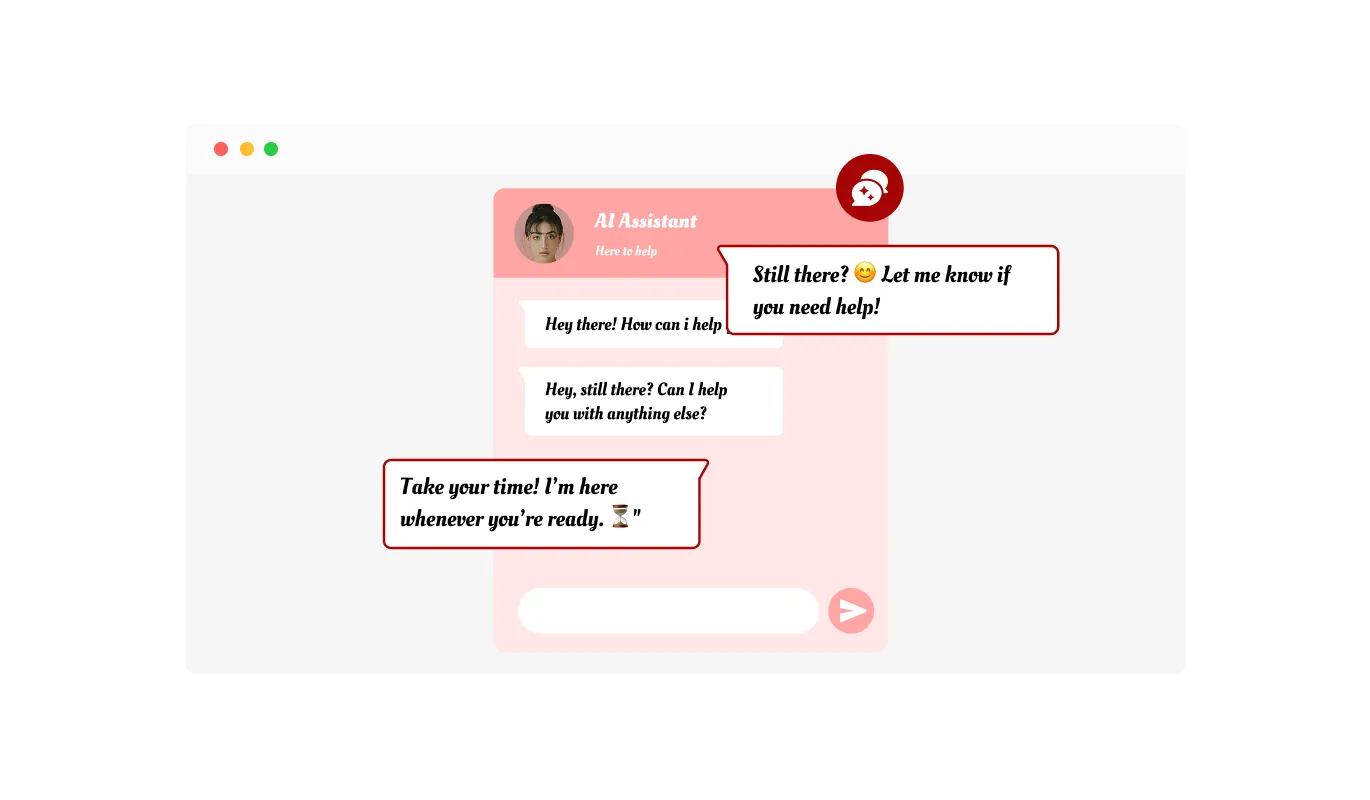
The Automated Chat Support can send proactive messages to keep users engaged and improve interaction. You can set custom automatic messages to appear after a specific time, ensuring visitors receive timely assistance. This feature helps reduce drop-offs and encourages users to continue their journey on your site.
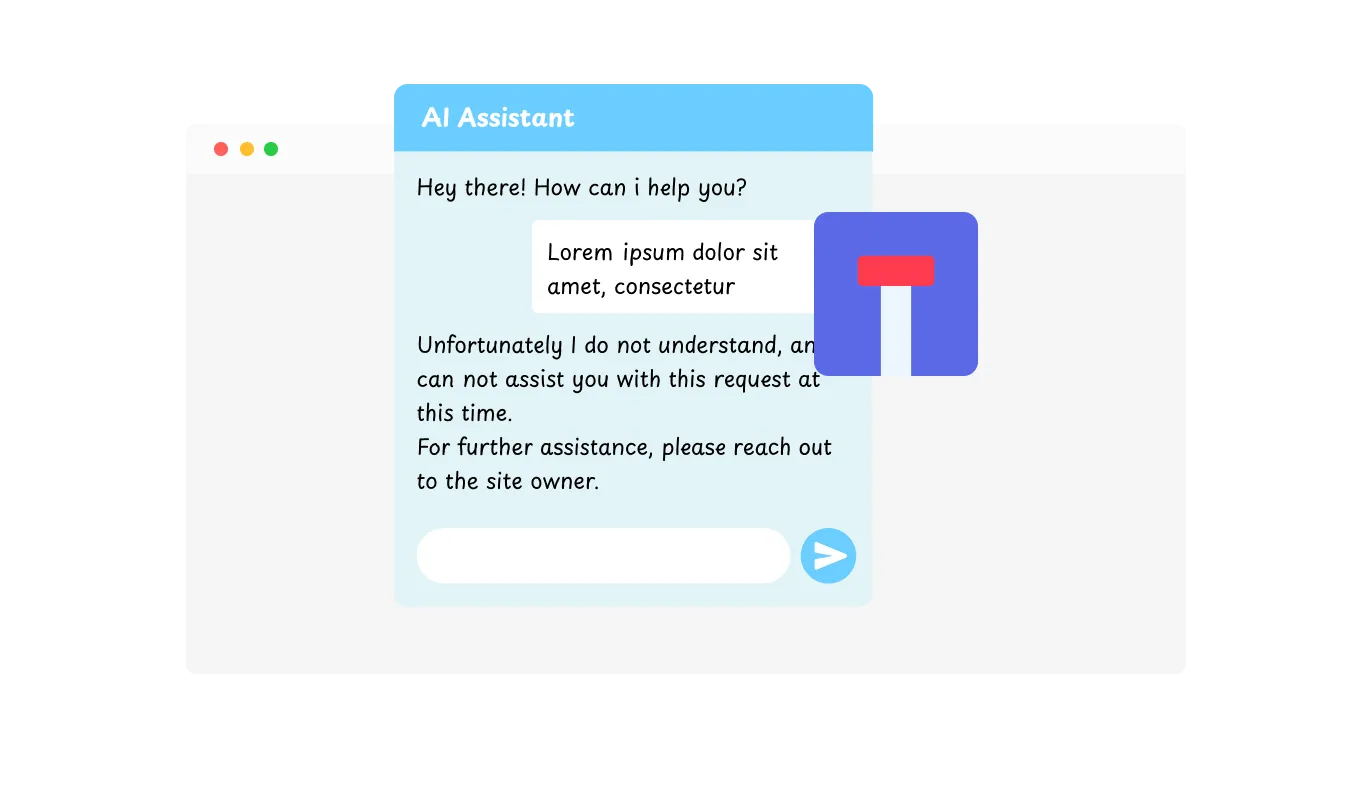
The AI Chatbot ensures a smooth user experience by providing a Dead-End Message when it can't answer a question. Instead of leaving users without support, it allows you to add a custom message along with helpful link for further assistance. This feature keeps visitors engaged and directs them to the right resources when the chatbot reaches its limit.
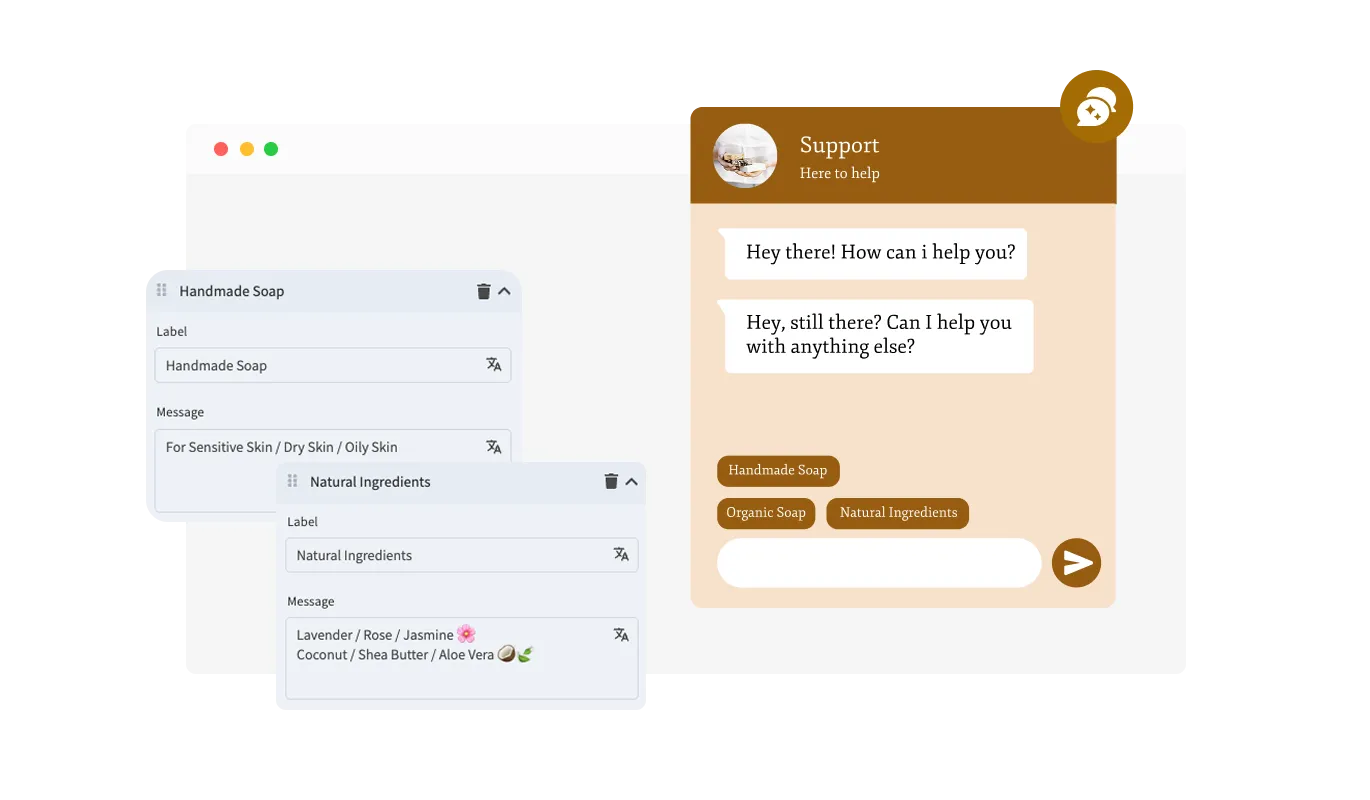
The AI Chatbot allows you to set predefined message suggestions to help users start conversations quickly. These ready-made prompts provide instant guidance, making it easier for visitors to find the information they need. By streamlining interactions, your Automated Chat Support improves engagement and reduces response time.
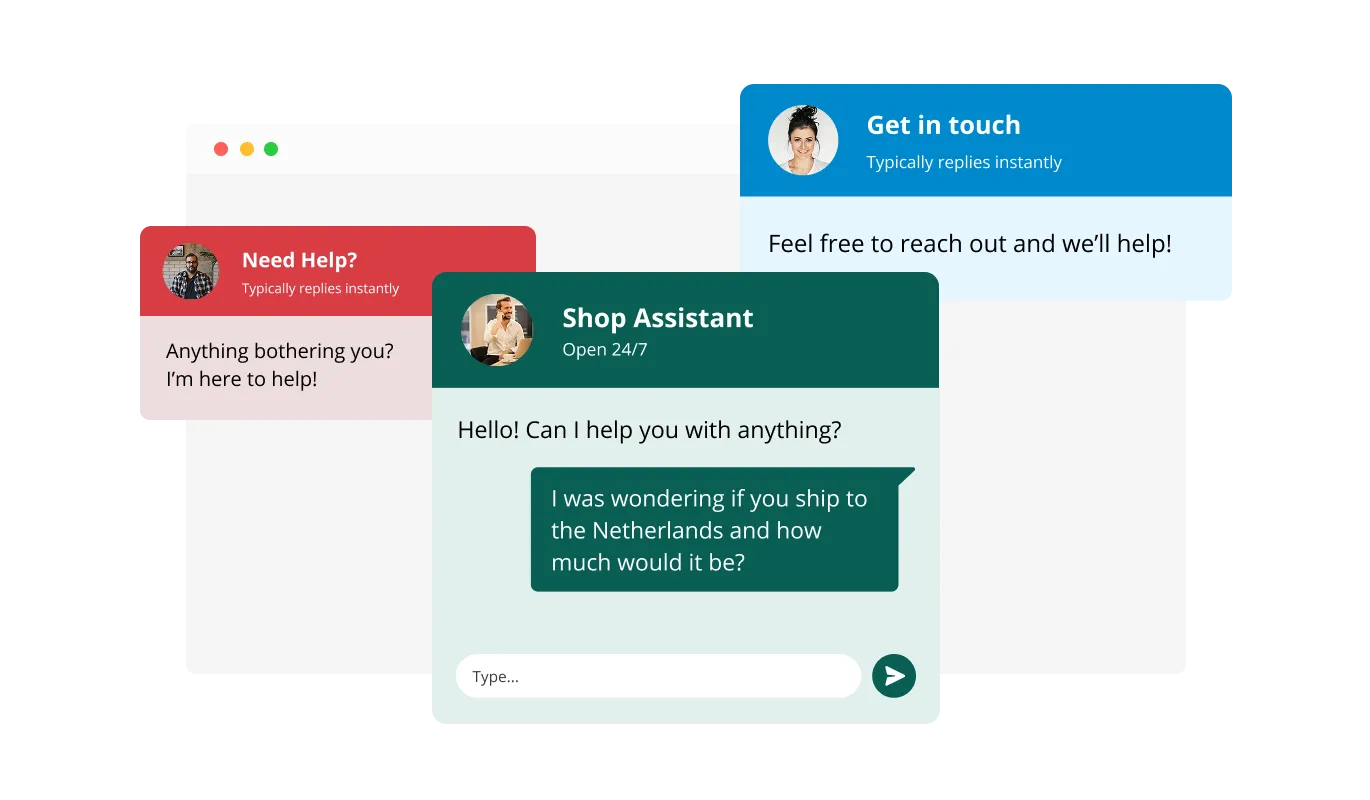
The Virtual Assistant comes with multiple pre-designed skins, making it easy to match the chatbot’s look to your brand’s style. These skins save time on customization while ensuring a polished and professional appearance. Whether your site has a modern, minimalist, or bold design, there’s a skin to complement it perfectly.
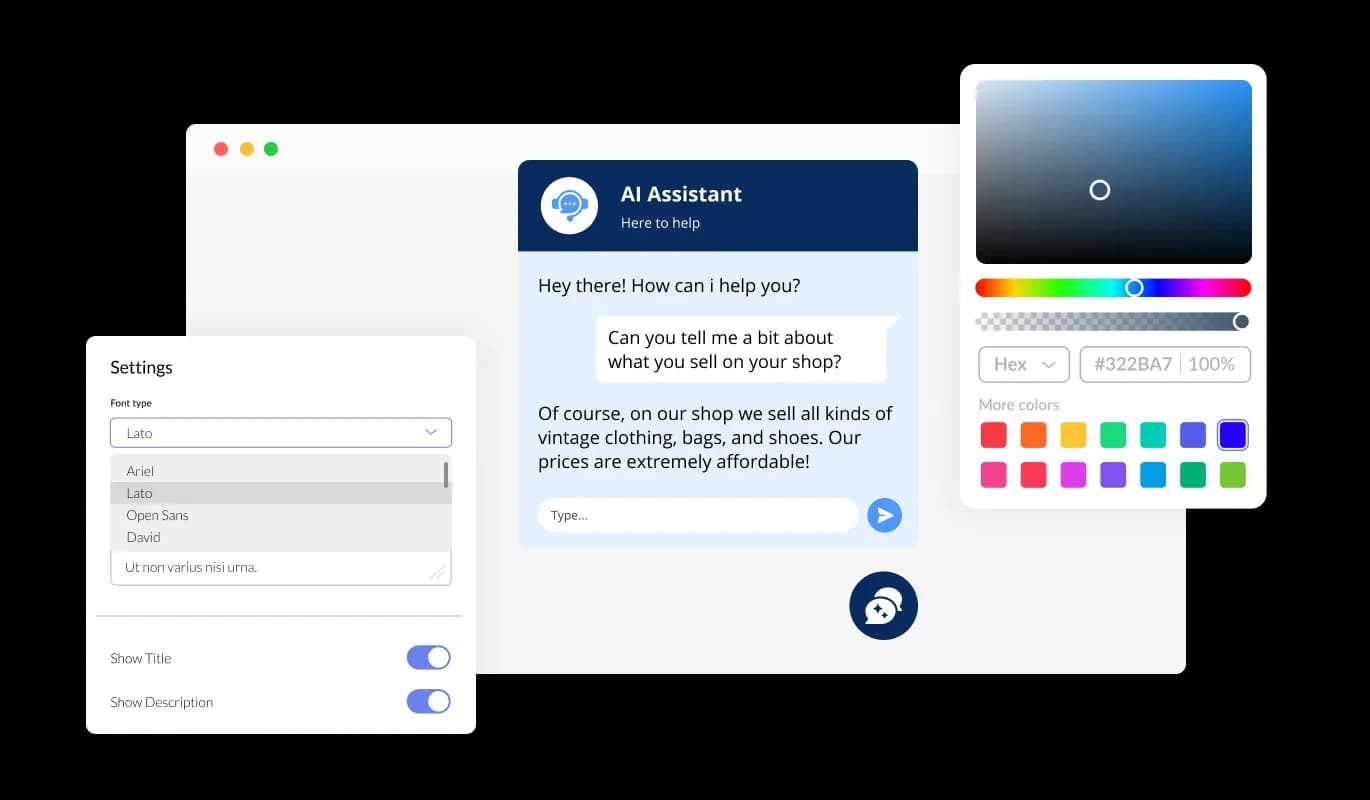
With extensive customization options, the Automated Chat Support allows you to adjust colors, fonts, spacing, and more to align with your brand. You can tailor every detail to create a chatbot that feels like a natural part of your website. This level of flexibility ensures both aesthetic consistency and functional efficiency.
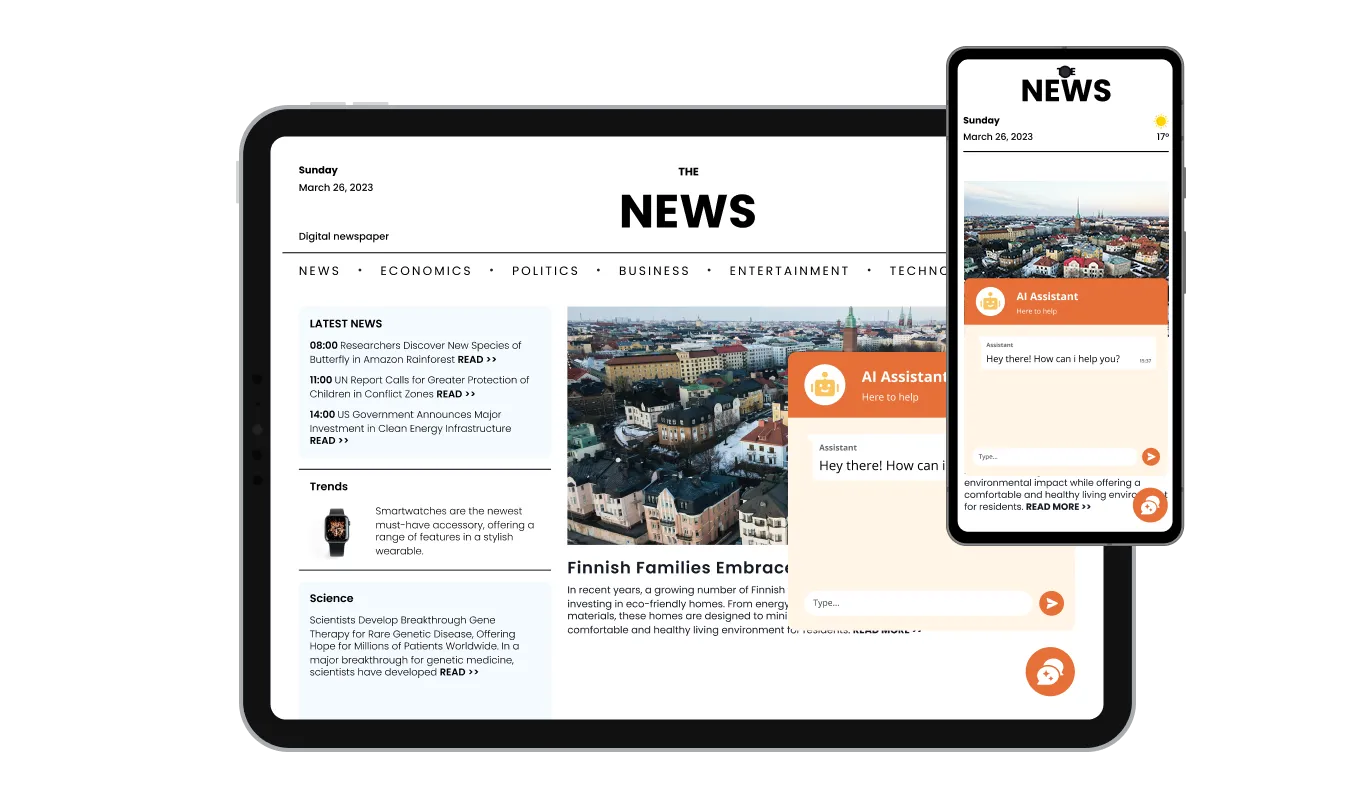
The AI-Powered Chat is fully responsive, ensuring a seamless experience across all devices, including desktops, tablets, and smartphones. This guarantees users can engage with the chatbot without issues, no matter how they access your website. A responsive design helps maintain a smooth and professional user experience.

For those looking for deeper customization, the Virtual Assistant supports custom CSS, allowing advanced design modifications. This feature is perfect for developers and designers who want to fine-tune the chatbot’s appearance and functionality. It ensures the chatbot can be uniquely tailored to fit your specific website needs.

Embedding the AI-Powered Chat on your website is simple and requires just a single line of code. Once installed, the chatbot updates automatically with any changes you make in the settings. This hassle-free integration ensures your chatbot remains up-to-date without additional effort.
The AI-Powered Chat allows you to enhance its knowledge base by uploading files such as PDFs, Word documents, and other formats. This ensures the chatbot can provide detailed and accurate responses based on official resources. By integrating structured documents, your Virtual Assistant becomes more reliable and efficient in answering user inquiries.
The AI-Powered Chat can automatically extract information from your website’s FAQs and custom text blocks, ensuring users get fast and accurate responses. This feature allows you to optimize your chatbot’s knowledge base without additional manual effort. By utilizing existing content, your Automated Chat Support becomes more efficient and reliable in handling user inquiries.
The AI-Powered Chat lets you tailor its communication style to match your brand’s personality. Choose from options like Professional, Friendly, Witty, Empathetic, Casual, Technical, Persuasive, or Quirky to ensure the chatbot aligns with your audience. This flexibility helps create a more engaging and personalized user experience.
The AI Chatbot is designed for effortless integration and use, requiring no coding skills. Its intuitive interface allows you to configure settings, customize responses, and manage interactions with ease. This makes it accessible to businesses of all sizes, regardless of technical expertise.
Common Ninja has amazing no-code widgets that would beautify a website built on any builder. It is very easy to use and customise. It has as many widgets for almost everyone willing to make their website impressive.
Outstanding service. I use their widgets to help me with my web design business and whenever I need help they are very quick to help.
Excellent company with excellent service!!! We used it to build a survey, it was very user friendly. The service was perfect. Amit helped us with every problem and question we had, thank you very much!!!
Common Ninja saved the day when building our website and the customer service Daniel, the co-founder and CEO, provided was amazing.
Yes. The free plan covers one AI Chatbot widget with no time limit and no credit card. Upgrade only when you need additional widgets, premium skins, higher monthly chat volume, or expanded knowledge-base size.
From three sources you control: a crawl of your public site URL (re-runnable on demand), uploaded files and PDFs added to the knowledge base, and hand-written FAQ pairs or free-form text blocks for anything not on a public page. The chatbot blends all three into one answer pool and stays on-topic to your content rather than answering from generic world knowledge.
Yes. Toggle product cards on and the chatbot can render an image, title, price, and link to a product inline in a reply. Useful for shoppers asking about sizing, return policies, or availability. Add the embed snippet to your Shopify theme or to a WooCommerce page through any block that accepts HTML; the same widget works for both.
Create a Custom HTML module (or use a third-party HTML extension), paste the Common Ninja embed snippet, and assign the module to the positions where you want the chatbot to appear. The widget renders inline on every assigned page and inherits your Joomla template's container width without horizontal scroll.
Configure a custom dead-end message that fires when a question falls outside the connected knowledge base. The message can route the visitor to a contact form, a support email, a WhatsApp handoff, or any URL you choose. You can also review unanswered questions in the dashboard and add them to the knowledge base so the next visitor gets a real answer.
Yes. Pick a tone (friendly, formal, expert, casual) so the chatbot's voice matches the rest of your brand. Choose a skin from the library for the chat bubble, header, and message styling. Fine-tune with custom CSS for typography, spacing, or brand colors. Mobile-responsive by default; the embed inherits its container width.
In the Squarespace editor, add an Embed (or Code) block to the page where you want the chatbot, paste the Common Ninja embed snippet, and save. The chatbot renders inline on the published page and pushes any knowledge-base or tone update without editing the block again.
Point it at your root URL and it crawls public pages within the domain. You can scope which paths to include or exclude (no policies, no internal admin pages, just the public help content for example). The crawl re-runs when you click refresh in the dashboard, so a product or policy update is picked up the next time you trigger the crawl.
Different category. ChatGPT and the like are general-purpose AI tools you interact with on their own site. A Telegram chat widget routes site visitors into a Telegram channel. The Common Ninja AI Chatbot is a website embed that answers visitors using your own site content and uploaded knowledge base, with optional product cards for stores and dead-end handoff for unanswerable questions. It stays on your page rather than redirecting visitors elsewhere.
200+ platforms including Shopify, WordPress, Squarespace, Joomla, Google Sites, Wix, Webflow, Framer, BigCommerce, WooCommerce, PrestaShop, HubSpot, Bubble, Moodle, GoDaddy, Hostinger, Elementor, Avada, Divi, Tilda, and any custom HTML page that accepts an embed snippet.
Pick your platform. Each takes under 4 minutes.

Allow users to send messages or inquiries, save submissions, enable notifications, and more
Displays common questions and answers for quick reference
Add a WhatsApp chat button to your website, allowing users to start a chat using WhatsApp.
Comments system with upvote/downvote, email notifications, reply threads, and moderation tools.

Easily craft engaging, personalized popups to boost conversions.
Showcase customer testimonials using a rotating slider
The AI Chatbot is an interactive tool that provides automated responses to user queries on your website. It uses AI-powered processing to answer questions, guide visitors, and enhance customer support efficiently.
Yes! You can customize responses by adding knowledge sources such as website content, FAQs, text blocks, and uploaded files. This ensures the chatbot provides accurate and relevant answers to your users.
The AI-Powered Chat can scan your entire website, specific pages, or selected sections to build its knowledge base. This allows it to pull real-time information and provide accurate responses.
Absolutely! The Virtual Assistant supports file uploads, including PDFs, Word documents, and other formats. This helps provide detailed, structured responses based on official documents.
Yes, you can set predefined message suggestions to help users start conversations. These quick prompts make it easier for visitors to find relevant information and interact with the chatbot efficiently.
Yes! The AI Chatbot is fully responsive and works seamlessly on desktops, tablets, and mobile devices, ensuring a smooth user experience across all platforms.
Yes, the Automated Chat Support offers multiple design skins and full customization options, including colors, fonts, and button styles, to match your brand’s aesthetics.
Yes! You can customize the chatbot’s tone of voice, choosing from options like Professional, Friendly, Witty, Empathetic, Casual, Technical, Persuasive, or Quirky, to match your brand’s personality.
Yes, the AI-Powered Chat can automatically enhance responses by displaying product cards and images when referencing a product or service. This makes answers more engaging and informative.
If the chatbot reaches a dead-end, it can display a custom message and provide helpful links for further assistance. This ensures users are still guided in the right direction.
Embedding the AI Chatbot is easy and requires just a single line of code. Once installed, it updates automatically whenever you make changes in the settings.
Yes! The Virtual Assistant supports multiple languages, allowing you to provide AI-driven chat support to a diverse audience.
Yes, the chatbot provides insights and analytics on user interactions, helping you refine responses and improve engagement.
No coding is required! The Automated Chat Support is user-friendly and can be set up with simple configurations through an intuitive interface.
Yes, once installed, the AI Chatbot updates automatically with any modifications you make to its settings, ensuring it remains up-to-date at all times.
Automate customer support, qualify leads, and answer visitor questions in natural language using your own site content, uploaded files, and FAQs. Embed on 200+ platforms including Shopify, WordPress, Squarespace, Joomla, and Google Sites.
Create your AI ChatbotNo credit card · Setup in under 5 minutes