


Verified review
Common Ninja has amazing no-code widgets that would beautify a website built on any builder. It is very easy to use and customise. It has as many widgets for almost everyone willing to make their website impressive.
Try the editor, no signup
Pick a template, customize it, and watch it update live, no signup.
No credit card · Free forever plan
No credit card · Free forever plan
The Common Ninja AI Chatbot is a free, no-code widget that automates customer support, qualifies leads, and answers visitor questions in natural language on any website.
The chatbot crawls your site, accepts uploaded files and FAQs as a knowledge base, returns product cards and images inline in e-commerce replies, and collects every chat interaction so you can route handoffs to a human.
Paste one line of embed code on 200+ platforms including Shopify, WordPress, Squarespace, Joomla, and Google Sites.
Point the AI chatbot widget at your URL and it crawls your public pages, so it already knows your shipping policy, your product specs and your opening hours. Scope which paths it reads, and re-run the crawl whenever the site changes.
Upload PDFs and docs, write FAQ pairs by hand, or paste plain text for anything that never made it onto a public page. All three sources blend into one answer pool the chatbot draws from.
For stores, replies can carry a product card with the image, title, price and a link straight to the page. A shopper asks about waterproof jackets and sees two, without leaving the conversation.
Set a dead-end message for questions outside the knowledge base, and route those visitors to a contact form, a support inbox, a WhatsApp thread or any URL you choose. Nobody gets a shrug.
Pick a tone of voice, friendly, formal, expert or casual, choose a skin, and push it further with custom CSS. The chat widget is responsive by default and inherits the width of whatever you drop it into.
Read what your visitors actually asked, spot the questions the chatbot could not answer, and add them to the knowledge base. The gaps in your own site content show up here first.
Point the chatbot at your site URL to crawl public pages, upload FAQ docs and PDFs, paste plain-text blocks, and add a list of suggested starter questions. The chatbot uses everything you connect as the answer source.
Pick a tone of voice (friendly, formal, technical), set a dead-end message for questions outside your knowledge base, choose a skin that matches your brand, and toggle product cards for e-commerce replies. Add custom CSS if you need pixel-level styling.
Copy the embed snippet and paste it on any page. The chatbot loads inline, captures every interaction to the dashboard, and pushes any knowledge-base update you make in the editor without re-pasting the embed.
Common Ninja has amazing no-code widgets that would beautify a website built on any builder. It is very easy to use and customise. It has as many widgets for almost everyone willing to make their website impressive.
Outstanding service. I use their widgets to help me with my web design business and whenever I need help they are very quick to help.
Excellent company with excellent service!!! We used it to build a survey, it was very user friendly. The service was perfect. Amit helped us with every problem and question we had, thank you very much!!!
Common Ninja saved the day when building our website and the customer service Daniel, the co-founder and CEO, provided was amazing.
Yes. The free plan covers one AI Chatbot with no time limit and no credit card. Upgrade only when you need more widgets, premium features or a higher monthly chat volume. Current plans and prices are on the Common Ninja pricing page.
Create your AI chatbot widget in the editor, copy the one line of embed code, and paste it into your site. No coding is needed, and it works on 200+ platforms including Shopify, WordPress, Wix, Squarespace and Webflow. Knowledge-base changes you make later update on your site without re-pasting the code.
From three sources you control: a crawl of your public site, files and PDFs you upload, and FAQ pairs or free text you write yourself. It blends all three and stays on your content rather than answering from general world knowledge.
It sends the dead-end message you configured, which can point the visitor at a contact form, a support email, a WhatsApp handoff or any URL. Those unanswered questions also land in the dashboard, so you can add them to the knowledge base and close the gap.
Yes. Turn product cards on and a reply can carry an image, title, price and link inline. Useful for sizing, availability and returns questions. Add the embed to a Shopify theme section or to any WooCommerce block that accepts HTML.
Pick a tone of voice, choose a skin for the bubble, header and messages, and add custom CSS for typography, spacing or exact brand colours. It is mobile-responsive out of the box and takes the width of its container.
Point it at your root URL and it crawls public pages on that domain. You choose which paths to include or exclude, so you can feed it your help content and leave the admin pages out. Re-run the crawl from the dashboard whenever your content changes.
ChatGPT is a general-purpose tool you visit on its own site. A Telegram widget pushes your visitors into Telegram. This one stays on your page and answers using your content, with product cards for stores and a handoff for anything it does not know.
Over 200, including Shopify, WordPress, Squarespace, Wix, Webflow, Framer, Lovable, Base44, Google Sites, BigCommerce, WooCommerce, HubSpot, Moodle, Elementor and any page that accepts an embed snippet.
Pick your platform. Each takes under 4 minutes.

Allow users to send messages or inquiries, save submissions, enable notifications, and more
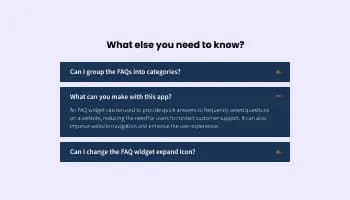
Displays common questions and answers for quick reference
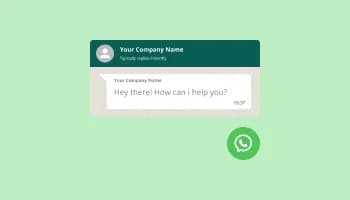
Add a WhatsApp chat button to your website, allowing users to start a chat using WhatsApp.
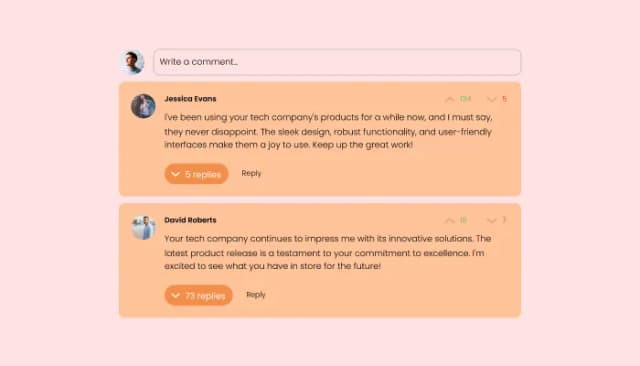
Comments system with upvote/downvote, email notifications, reply threads, and moderation tools.

Easily craft engaging, personalized popups to boost conversions.
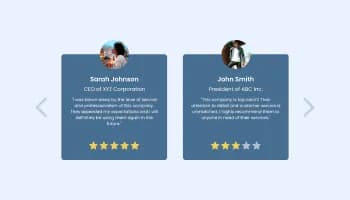
Showcase customer testimonials using a rotating slider
Automate customer support, qualify leads, and answer visitor questions in natural language using your own site content, uploaded files, and FAQs. Embed on 200+ platforms including Shopify, WordPress, Squarespace, Joomla, and Google Sites.
Create your AI ChatbotNo credit card · Setup in under 5 minutes