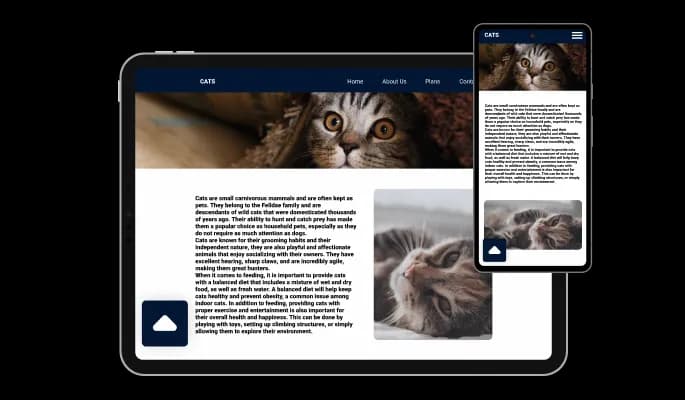
Back to Top Button for CS Cart

Back to top button that improves navigation, speeds up browsing, and helps visitors move smoothly through long pages for a better user experience.

Create a Back to Top Button

loved by 500K+ businesses

CS Cart
plugineditor

Why Should You Use the Back to Top Button Widget+?

Streamlined Browsing with the CS Cart Back to Top button

The CS Cart Back to Top button makes navigating the site effortless for users; the click of a button will quickly return them to the top of the page. If you have a lot of text, this option eliminates the need for excessive scrolling.

Improved User Experience

The Back to Top button's improved navigation will surely enhance the user's experience on your CS Cart store, making them more likely to return for another visit. The time-saving feature of quickly returning to the top of the page with one click enhances the user experience on your CS Cart store.

Use a Back to Top button for More Engagement

With simple navigation to the top of the page, users will be able to engage with other elements on your website, for example, with call-to-action buttons, additional links, videos, images, and more. This, in turn, can lead to increased engagement, higher conversion rates, and ultimately, a boost in overall website success.

Large Selection of Skins for your CS Cart store

Customization is made simple with the CS Cart Back to Top Button addon and its selection of beautiful skins. addon's user-friendly design allows for easy customization to enhance the unique style and aesthetic of your CS Cart store.
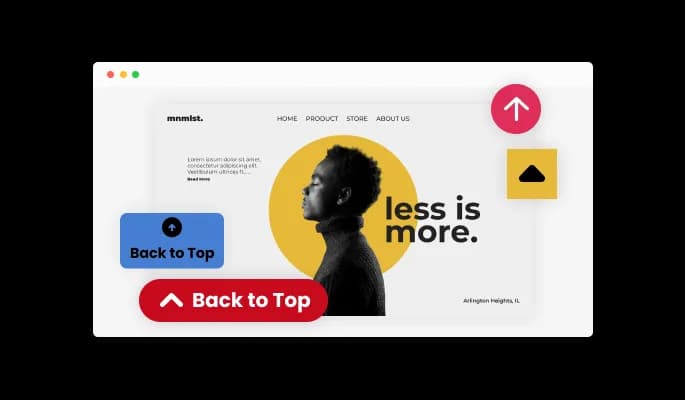
Back to Top Button - Large Selection of Skins for your CS Cart store

Easily customizable addon

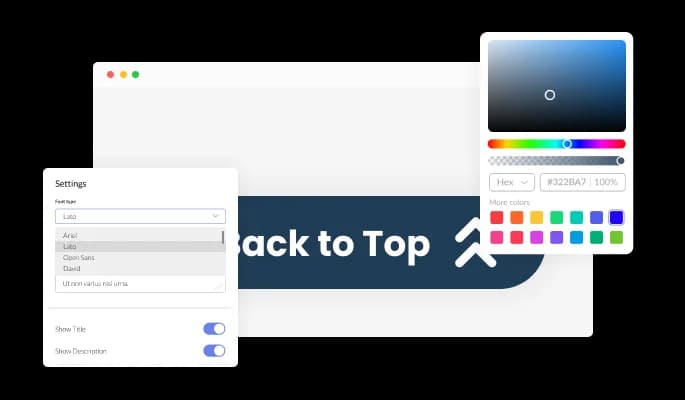
The Back to top button for CS Cart is designed to provide complete customization options, allowing you to edit the design to fit your needs perfectly. The Back to top button for CS Cart offers complete customization options, so you can tailor the design to meet your needs. It is possible to change the colors of different elements in the Back to top button addon. In order to create a visually appealing and cohesive design that matches the look and feel of your store, you can modify the background color, the text color, and even the hover effects color. Changes to fonts are another customization option. Various fonts can be selected to create a unique and visually appealing design. Business owners who want to establish a consistent brand identity on all their online platforms will find this particularly useful.

Back to Top Button - Easily customizable addon

Fully Responsive Design for your CS Cart store

This feature can give you a significant advantage over your competitors in today's mobile-first world, as the CS Cart Back to top button addon is fully responsive and will look great on any device. As more and more people access the internet through their smartphones and tablets, your store must be optimized for mobile devices. Back to top button addon's responsive design ensures that it will automatically adjust to the device size and resolution it is being viewed on, providing a seamless and consistent user experience.

Back to Top Button - Fully Responsive Design for your CS Cart store
Back to Top Button - Quick Button Re-positioning

Quick Button Re-positioning

The Back to Top button for CS Cart offers the flexibility to adjust the button's position to suit your preference - left, right, or center. The adaptable nature of the button makes it a perfect fit for the design of your CS Cart store, contributing to an improved user experience and navigation.

Back to Top Button - Icon Designs

Icon Designs

Get the Back to Top Button addon for CS Cart and select from multiple arrow icons. Choose the one that enhances the look of your CS Cart store. This customization allows you to tailor the button to your store's appearance, ensuring a harmonious and visually pleasing user interface.

Back to Top Button - Selection of Stunning layouts for CS Cart Back to top button

Selection of Stunning layouts for CS Cart Back to top button

Customize the look of your store with the multiple layout options provided by the CS Cart Back to top button addon.

Back to Top Button - A Simple to use addon

A Simple to use addon

Back to top button for CS Cart do not require any coding knowledge. Using the drag-and-drop feature on our intuitive dashboard, you can customize the addon in any way you see fit.

Back to top button for CS Cart CSS Customization

You can also insert custom CSS into any of Common Ninja's addons, including Back to top button for CS Cart. Custom CSS allows you to create styles and design elements not available through built-in customizations. You can create visually striking designs tailored to your needs using custom CSS.

Back to Top Button - Back to top button for CS Cart CSS Customization

Simple To Embed On Your CS Cart store

Copy and paste just one line of code into your store's HTML to embed the Back to top button for CS Cart. You can easily add the Back to top button addon to your CS Cart store without any complicated setup or installation. You won't have to manually update the Back to top button addon every time you make a change once the addon is embedded.

Back to Top Button - Simple To Embed On Your CS Cart store

Compatible With All Site Builders, E-Commerce Platforms and Websites

webflow logoshopify logowix logowordpress logobigcommerce logosqurespace logoweebly logojoomla logoduda logojimdo logomagento logoshift4hsop logounbounce logocarrd logo
View all supported platforms

FAQ

A Back To Top button is a user interface element commonly found on websites, especially with a lot of content. It is typically represented by an upward-facing arrow or a "Top" label and placed at the page's bottom. When clicked, the button takes the user back to the top of the page, allowing for quick navigation without having to scroll all the way up manually. The Back To Top button is often used to improve the user experience, especially for long pages, and is a common feature of modern websites.

A Back To Top button can significantly improve the user experience on your website, especially for pages with a lot of content. Here are some ways a Back To Top button can help your website visitors:

  1. Ease of navigation: With a Back To Top button, visitors can quickly return to the top of the page without having to scroll up manually. This saves time and effort, especially for long pages.
  2. Improved accessibility: For users with mobility or accessibility issues, a Back To Top button can be a game-changer. It makes it easier for them to navigate your website and access the necessary information.
  3. Better user experience: A Back To Top button can contribute to your website's overall user experience by making navigation more convenient and accessible. This can help increase user engagement and reduce bounce rates.
  4. Increased efficiency: By allowing visitors to quickly return to the top of the page, a Back To Top button can help increase efficiency and streamline navigation, making it easier for visitors to find what they're looking for.

Yes, you can easily do so from the “Templates” tab.

Yes, there are lots of beautiful skins that you can choose from to save time and start using the widget as quickly as possible.

It’s simple. All you need to do is to sign up and start using the free version.

Common Ninja’s Back to Top Button widget is free to use. It is limited to a certain amount of views, however.

Common Ninja’s Back to Top Button widget is compatible with ALL current and future website builders.

Yes, the Back to Top Button widget is GDPR-compliant.

No. Using our Back to Top Button widget is very simple. The widget comes with an intuitive drag-and-drop interface and fully customizable options. Once you’ve finished editing the widget to your liking, all you need to do is copy the provided code and add it to your website.

Yes. We are eager to hear your request. Please visit our Feature Request page.