
Appointment Booking for WooCommerce

Manage appointments with an appointment booking widget that lets visitors schedule easily, syncs calendars, sends reminders, and creates a smoother booking experience.

Create a Scheduler

loved by 500K+ businesses

WooCommerce
plugineditor

Why Should You Use the Appointment Booking Widget+?

Streamline Booking Processes

The WooCommerce Booking plugin simplifies the process of managing appointments, enabling clients to book their meetings directly on your WooCommerce store. This automation reduces the administrative burden on your staff, allowing them to focus on more critical tasks. By offering a direct booking option, you enhance customer satisfaction and improve the overall efficiency of your scheduling operations.

Increase Engagement and Conversion Rates

Embedding a Booking plugin on your WooCommerce store not only makes it more interactive but also serves as a powerful call-to-action. By facilitating immediate action from visitors, you're likely to see an increase in engagement and higher conversion rates. As clients can instantly secure their spots without leaving your site, the likelihood of bookings translates directly into improved business outcomes.

Maximize Resource Utilization

The Booking [app_type for WooCommerce offers real-time updates and calendar synchronization, ensuring that your resources are utilized efficiently. This feature prevents overbooking and scheduling conflicts, helping you manage your appointments and staff allocation better. By optimizing your resource scheduling, you ensure that every appointment slot is used to its fullest potential, contributing to increased productivity and revenue.

Personalized Booking Pages

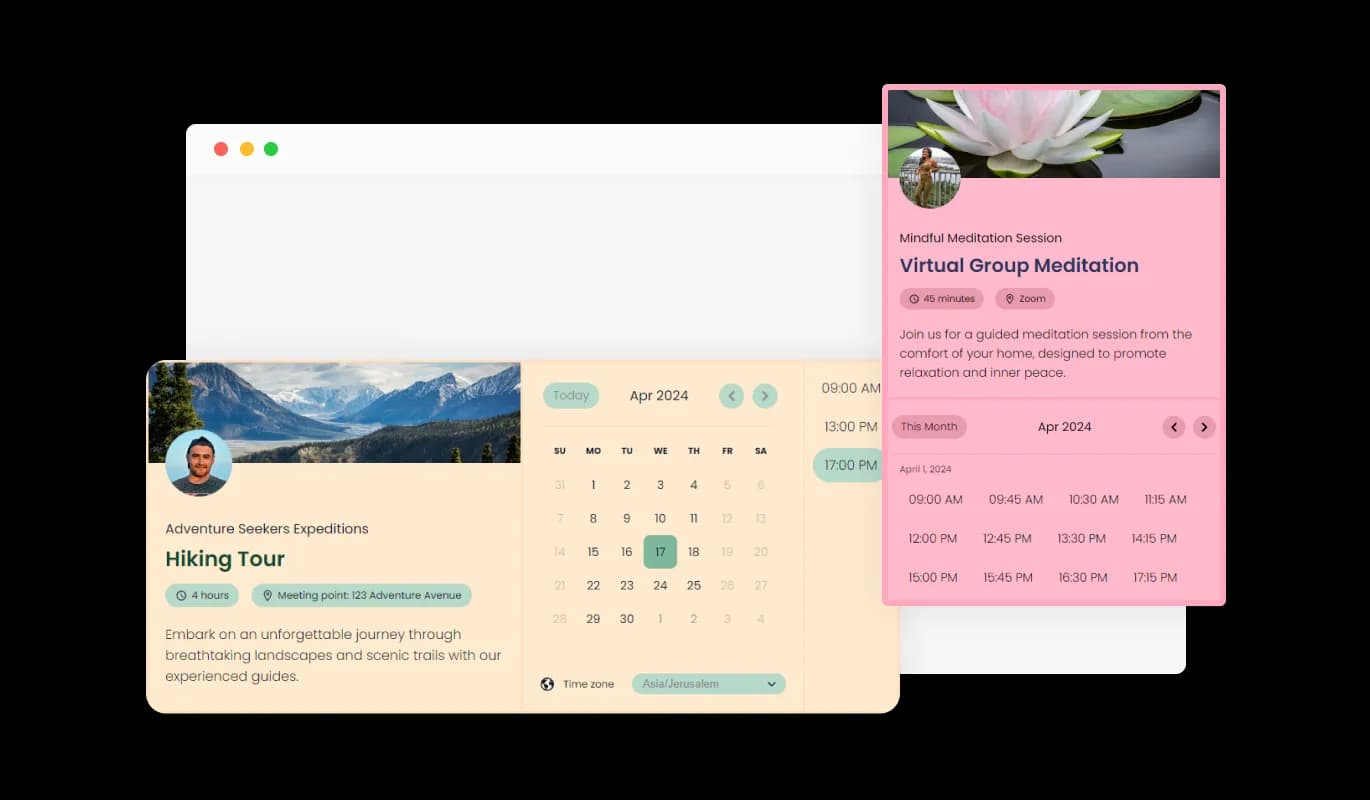
The WooCommerce Booking plugin enhances user experience with customizable booking pages, where users can set a unique URL, and personalize with a cover image, profile photo, and service descriptions. This feature boosts brand presence and streamlines the booking process, making it straightforward for clients to connect and understand the services offered.

Appointment Booking - Personalized Booking Pages

Smart Scheduling with WooCommerce Booking plugin

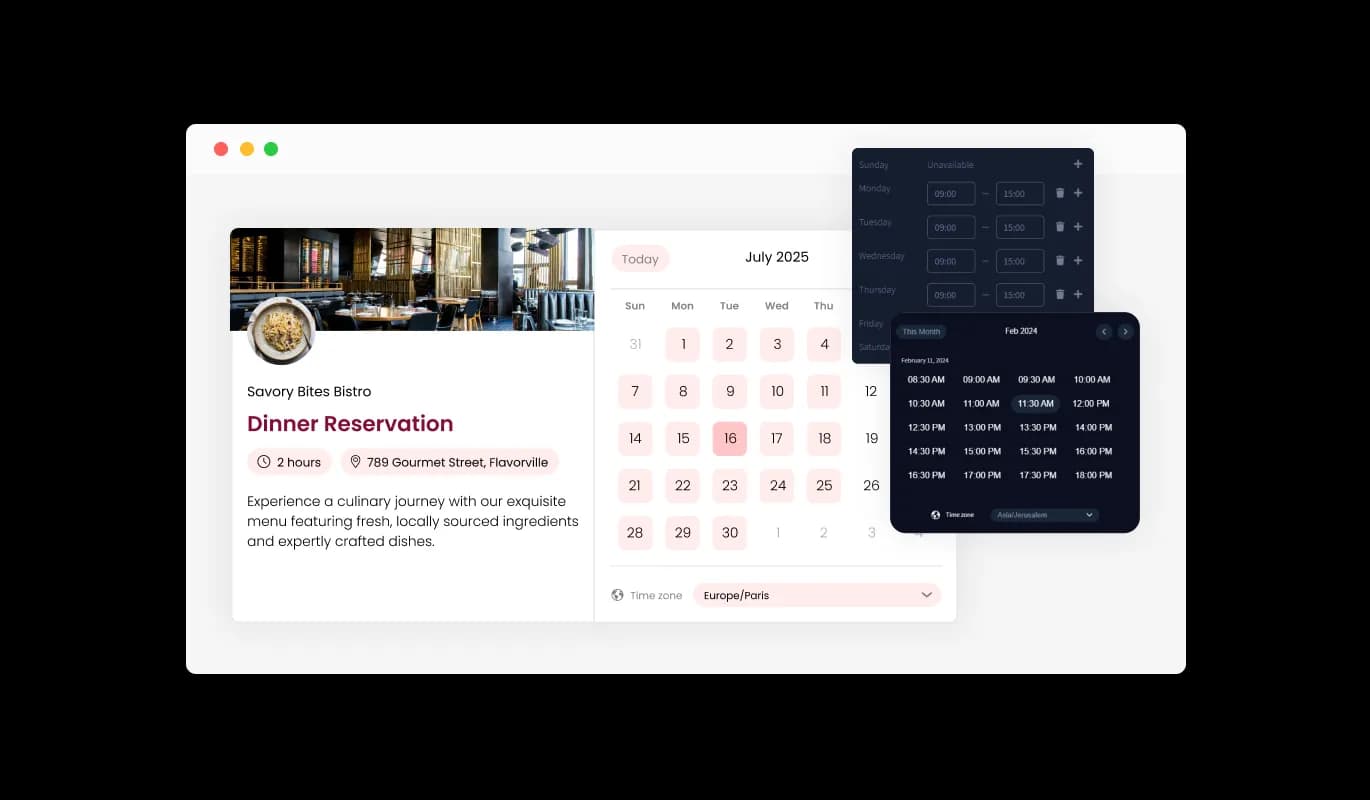
The WooCommerce Booking plugin features smart scheduling, dynamically displaying available times for booking based on the user's defined availability, preferred lead times before meetings, and desired intervals between appointments. This intelligent system ensures a smooth scheduling process, optimizing the calendar to fit both the user's and their clients' needs efficiently.

Appointment Booking - Smart Scheduling with WooCommerce Booking plugin

Select from Multiple Booking plugin Design Skins

Featuring a range of beautiful design skins, the Booking plugin enables you to select a look that aligns perfectly with your WooCommerce store's brand identity. This capability not only boosts your store's visual appeal but also simplifies customization, catering to diverse design preferences from modern to traditional.

Appointment Booking - Select from Multiple Booking plugin Design Skins

Fully Customizable WooCommerce Booking plugin

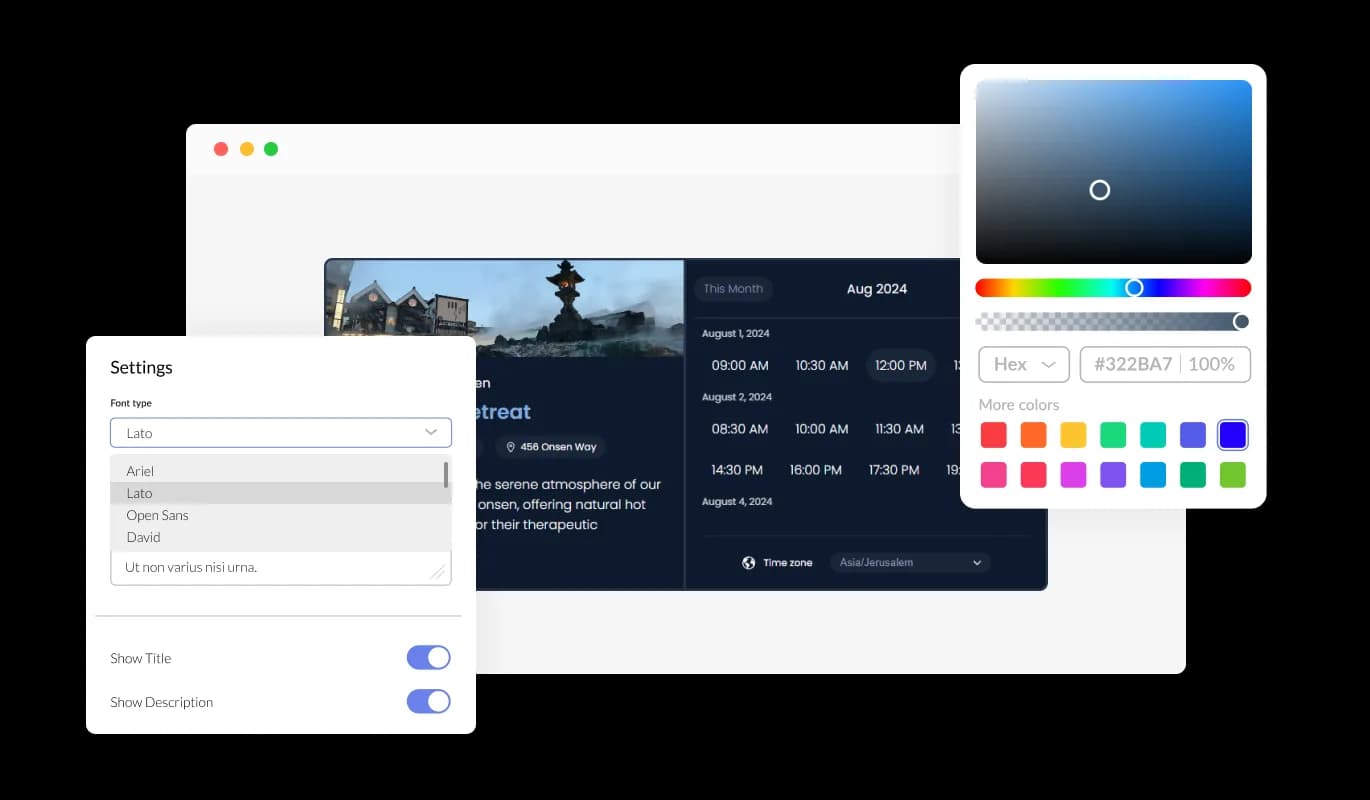
With extensive customization options, the WooCommerce Booking plugin allows you to adjust colors, fonts, spacing, and more, providing the freedom to tailor its appearance to your exact needs. This level of flexibility ensures your booking page not only functions optimally but also visually aligns with your WooCommerce store.

Appointment Booking - Fully Customizable WooCommerce Booking plugin
Appointment Booking - Integration with Calendars

Integration with Calendars

The WooCommerce Booking plugin seamlessly integrates with major calendar services, including Google Calendar, Outlook, and even Zoom, ensuring all your appointments and meetings are automatically synced. This feature simplifies scheduling by avoiding double bookings and keeping your schedule organized across different platforms, making it an essential tool for efficient time management.

Appointment Booking - Customizable Email Reminders

Customizable Email Reminders

The Booking plugin for WooCommerce offers customizable email reminders, allowing users to set and personalize email notifications for themselves and their clients. Whether it's for booking confirmations, rescheduling notices, or cancellations, this feature ensures everyone is informed and up-to-date. Tailor the tone and content of these emails to match your brand, enhancing communication and customer experience.

Appointment Booking - Easy To Use WooCommerce Booking plugin

Easy To Use WooCommerce Booking plugin

This WooCommerce plugin is engineered for ease of use, requiring no coding skills for customization. Its intuitive interface makes adjusting the Booking plugin straightforward, enabling you to adapt it to your WooCommerce store effortlessly, regardless of technical expertise.

Perfectly Responsive Booking plugin for WooCommerce

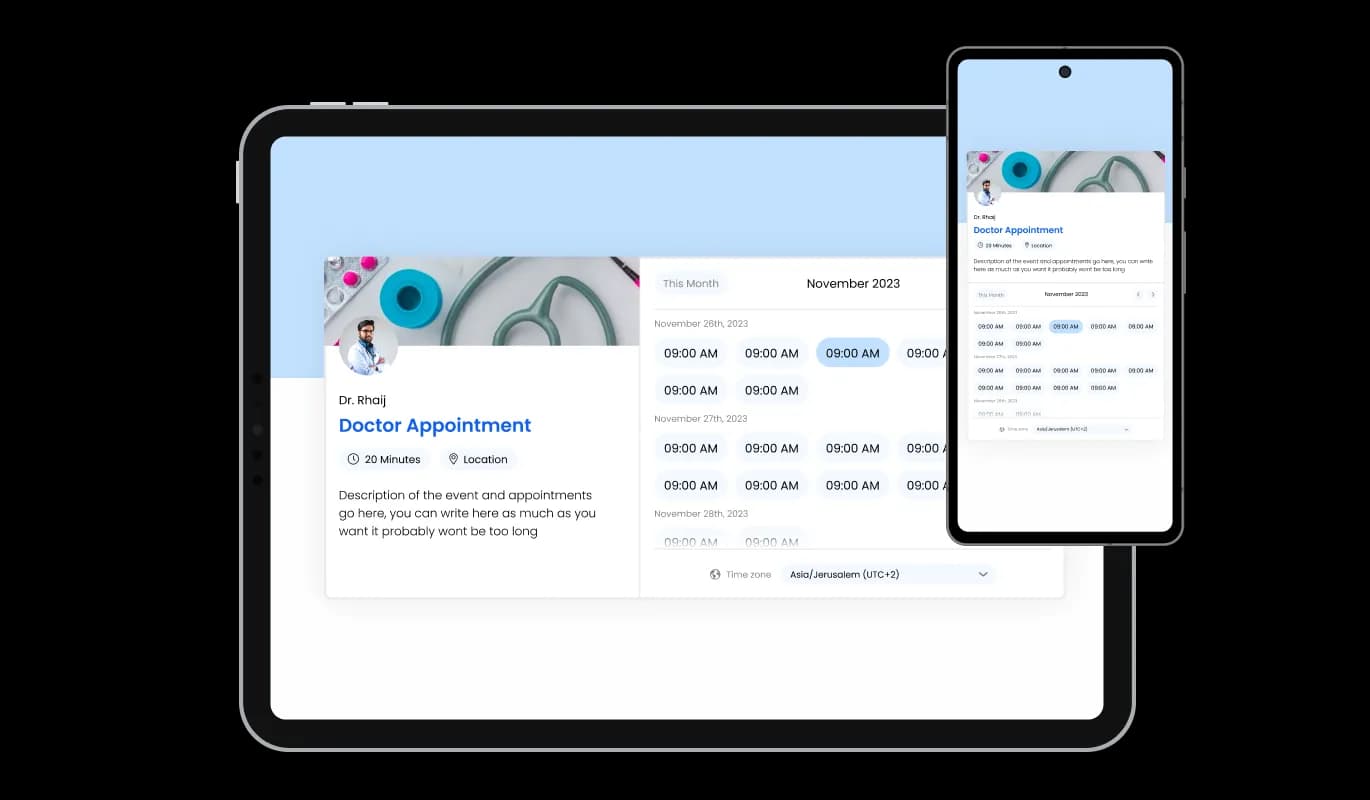
Designed to be fully responsive, the WooCommerce Booking plugin guarantees a flawless display on any device. This responsiveness is crucial for maintaining a consistent and accessible booking experience across desktop and mobile platforms.

Appointment Booking - Perfectly Responsive Booking plugin for WooCommerce

Custom CSS for Enhanced Creativity

Supporting custom CSS, the WooCommerce Booking plugin offers an avenue for creative customization, allowing developers and designers to apply their unique styling and functionality. This feature encourages a higher degree of personalization, ensuring the booking experience on your WooCommerce store is distinct and branded.

Appointment Booking - Custom CSS for Enhanced Creativity

Effortless Embedding on WooCommerce stores

Embedding the Booking plugin on your WooCommerce store is simple, involving just a single line of code. With automatic updates reflecting any changes made, this feature ensures your website always showcases the latest version of the plugin, minimizing maintenance efforts.

Appointment Booking - Effortless Embedding on WooCommerce stores

Compatible With All Site Builders, E-Commerce Platforms and Websites

webflow logoshopify logowix logowordpress logobigcommerce logosqurespace logoweebly logojoomla logoduda logojimdo logomagento logoshift4hsop logounbounce logocarrd logo
View all supported platforms

FAQ

To integrate the Booking Widget into your website, simply embed the provided line of code where you want the widget to appear. The process is straightforward and does not require any coding knowledge. Our user-friendly dashboard will guide you through customizing your booking page to fit your website’s design

Yes, the Booking Widget seamlessly integrates with Google Calendar, Outlook, and Zoom. This integration ensures that your appointments are automatically synced across your calendars, preventing double bookings and keeping your schedule organized.

The Booking Widget offers extensive customization options. You can set a custom URL, choose a cover image, upload a profile photo, and provide detailed descriptions of your services. Additionally, you can personalize the design to match your brand, including colors, fonts, and layout.

You can customize and send various email reminders through the Booking Widget, including booking confirmations, rescheduling notices, and cancellation alerts. These emails can be personalized to align with your brand and communication style, ensuring your clients receive timely and relevant information

Smart scheduling in the Booking Widget allows you to define your available times, how much notice you require before a meeting, and how much time you prefer between meetings. The system then automatically displays only the times that meet your criteria, making it easy for clients to book appointments that fit within your schedule.

Absolutely, the Booking Widget is designed to be fully responsive, ensuring it looks and works perfectly on any device, including smartphones and tablets. This guarantees a seamless booking experience for your clients, regardless of how they access your booking page.

Yes, for those who want to dive deeper into customization, the Booking Widget supports the application of custom CSS. This feature is perfect for users who wish to achieve a specific look or functionality beyond the standard customization options.

All bookings made through the Booking Widget can be managed directly from the Editor. Here, you can view, confirm, reschedule, or cancel appointments as needed, providing you with full control over your schedule.

Yes, we offer comprehensive support for the Booking Widget. If you encounter any issues or have questions, you can reach out to our support team for assistance.

Yes, the Booking Widget allows you to set a maximum number of appointments that can be booked in a single day, helping you manage your workload and prevent overbooking. This feature ensures you have full control over your daily schedule.

You can configure the Booking Widget to require bookings to be made a certain number of hours or days in advance, effectively preventing last-minute appointments. This setting helps manage your schedule more efficiently and gives you ample preparation time.

Yes, the Booking Widget allows you to set a maximum number of appointments per day, ensuring you're not overbooked and can manage your schedule according to your capacity. This feature helps maintain a balanced workload and ensures quality time is allocated to each meeting.

Absolutely, the Booking Widget includes a feature that allows you to block off times when you're unavailable or need breaks. This ensures that these times are not available for booking, helping you manage your schedule more effectively and prevent burnout.