


Verified review
Common Ninja has amazing no-code widgets that would beautify a website built on any builder. It is very easy to use and customise. It has as many widgets for almost everyone willing to make their website impressive.
Try the editor, no signup
Pick a template, customize it, and watch it update live, no signup.
No credit card · Free forever plan
No credit card · Free forever plan
The Common Ninja Card Slider widget is a free, no-code embed that displays a horizontally sliding set of content cards on your website, each card carrying an image, a title, a block of text, and an optional button or link.
Build each card in the editor (image, title, text, button URL), set the slide speed and looping, choose a hover effect, pick a skin or layer Custom CSS, and paste a one-line embed snippet on WordPress, Squarespace, Wix, Webflow, Shopify, and 200+ other platforms.
Use it to showcase product highlights, team member cards, service offerings, testimonials-as-cards, featured blog posts, portfolio pieces, or pricing tiers in a compact carousel that keeps the page tight and the content scannable.
Product highlights, team cards, service tiles, featured posts, portfolio pieces, pricing tiers. The slider cycles rich content cards through a single frame, so the page stays tight instead of stacking a dozen blocks down the screen. Keep the section clean and let the content rotate.
Each card can carry its own button or link, so a 6-card slider becomes 6 separate calls to action: route product cards to product pages, service cards to booking, team cards to profiles, blog cards to articles. The slider stops being a passive carousel and starts driving clicks.
Set how fast cards advance and whether the slider loops back to the start or stops at the last card. Slow it down for content-heavy cards visitors need to read, speed it up for a glanceable logo or product strip, and let looping keep the motion continuous.
The same widget covers product showcases, team grids, service menus, testimonials-as-cards, and featured blog rows. Because every card holds an image, a title, text, and a link, you shape the meaning by what you put in, not by picking a different widget for each job.
Add a card for each item and fill in its image, title, and text. Give each card its own button or link so visitors can route straight to the matching product, profile, article, or landing page. Reorder cards by drag-and-drop and the live slider updates without re-paste.
Adjust the slide speed, turn looping on or off, enable swipe gestures, and pick a hover effect so cards feel responsive. Choose how many cards show per view, style the arrows and pagination, then pick a skin from the design library or layer Custom CSS for a pixel-level brand match.
Copy the one-line embed snippet and paste it on WordPress, Squarespace, Wix, Webflow, Shopify, or any of the 200+ supported platforms. Edits in the Common Ninja editor push to every embed without re-paste, so swap a card, re-order the set, or change the skin and the live page updates.
Each card holds an image, a title, a text block, and an optional button or link. Fill them in per card in the editor to build product highlights, team profiles, service offerings, or featured posts without touching code.
Control how fast cards advance and whether the slider loops continuously or stops at the last card. Enable swipe gestures so the carousel stays natural on touchscreens, and the timing reflows across every breakpoint.
Set a custom URL on every card. Each card becomes a discrete call to action, product pages, landing pages, blog posts, profiles. Combine with hover effects and the slider doubles as a curated content nav for high-engagement sections.
Pick from a library of pre-designed skins for a fast brand match, then layer Custom CSS for pixel-level control over card spacing, arrow shapes, pagination dots, hover-state finesse, and typography. Every card reflows responsively across mobile, tablet, and desktop.
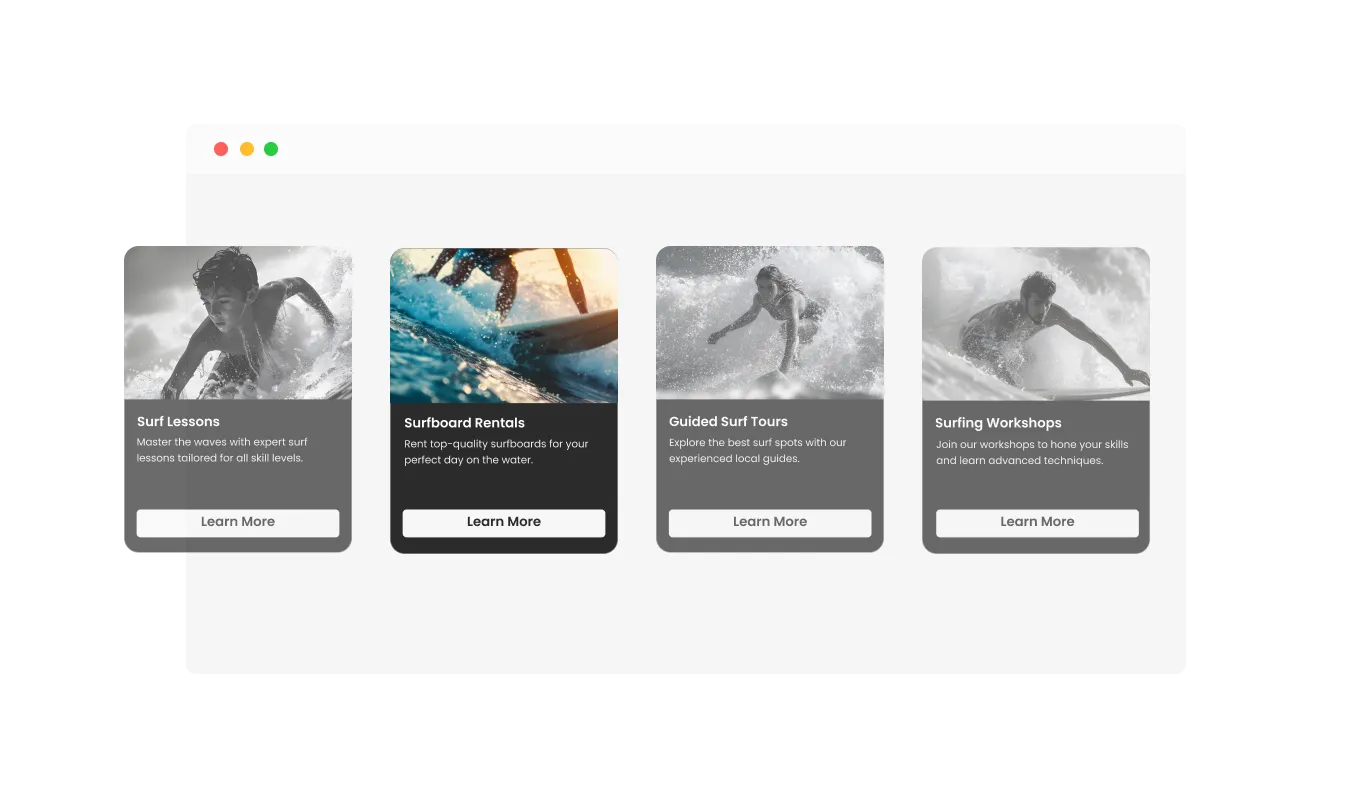
The Card Slider widget includes hover effects that bring an extra layer of interactivity to your content. These effects make your images and cards come to life when users hover over them, creating a more engaging and enjoyable browsing experience. The subtle animations draw attention to your content, encouraging users to interact with the slider and explore your website further.
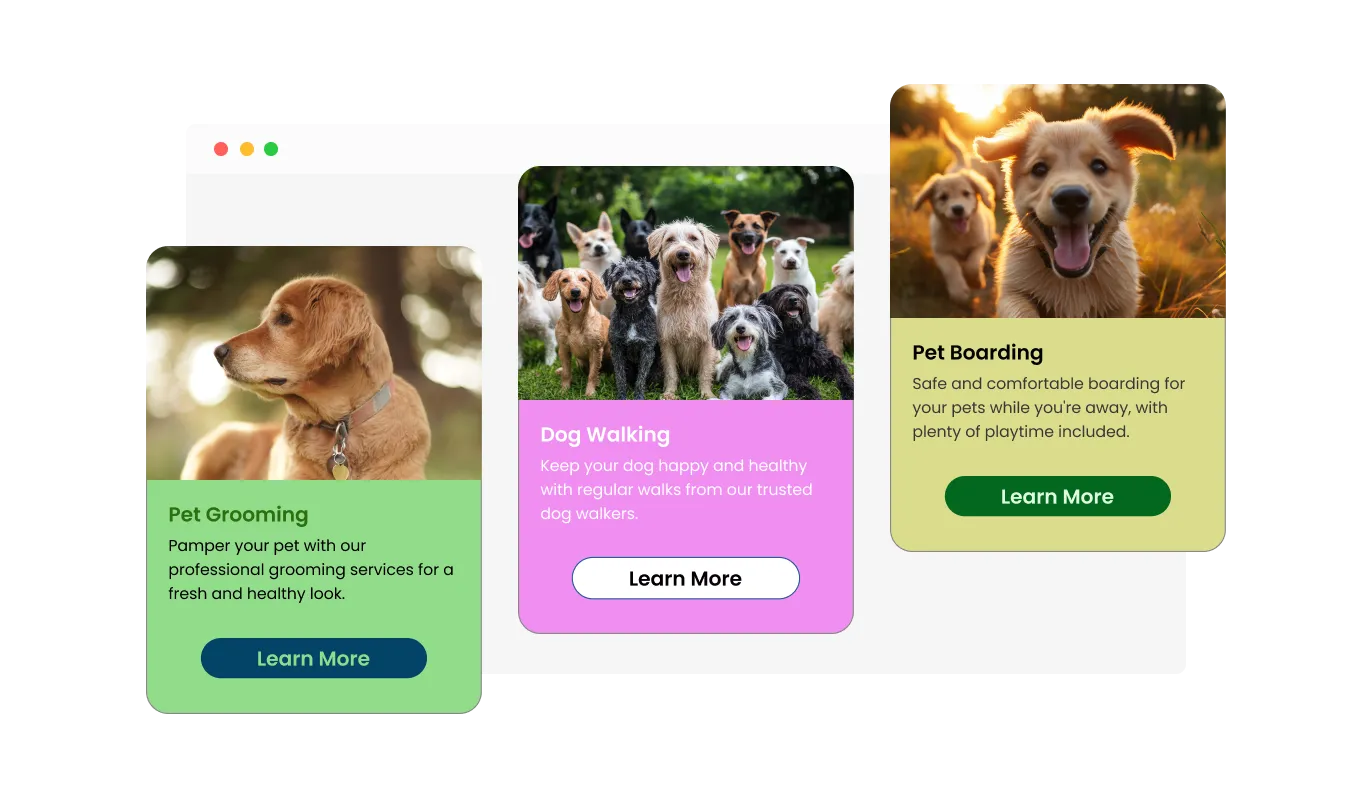
The Card Slider widget offers a selection of beautifully crafted design skins, enabling you to match the slider with your website’s branding effortlessly. These pre-designed skins reduce the time and effort needed to customize the slider, providing a polished look that enhances your site's overall appearance.
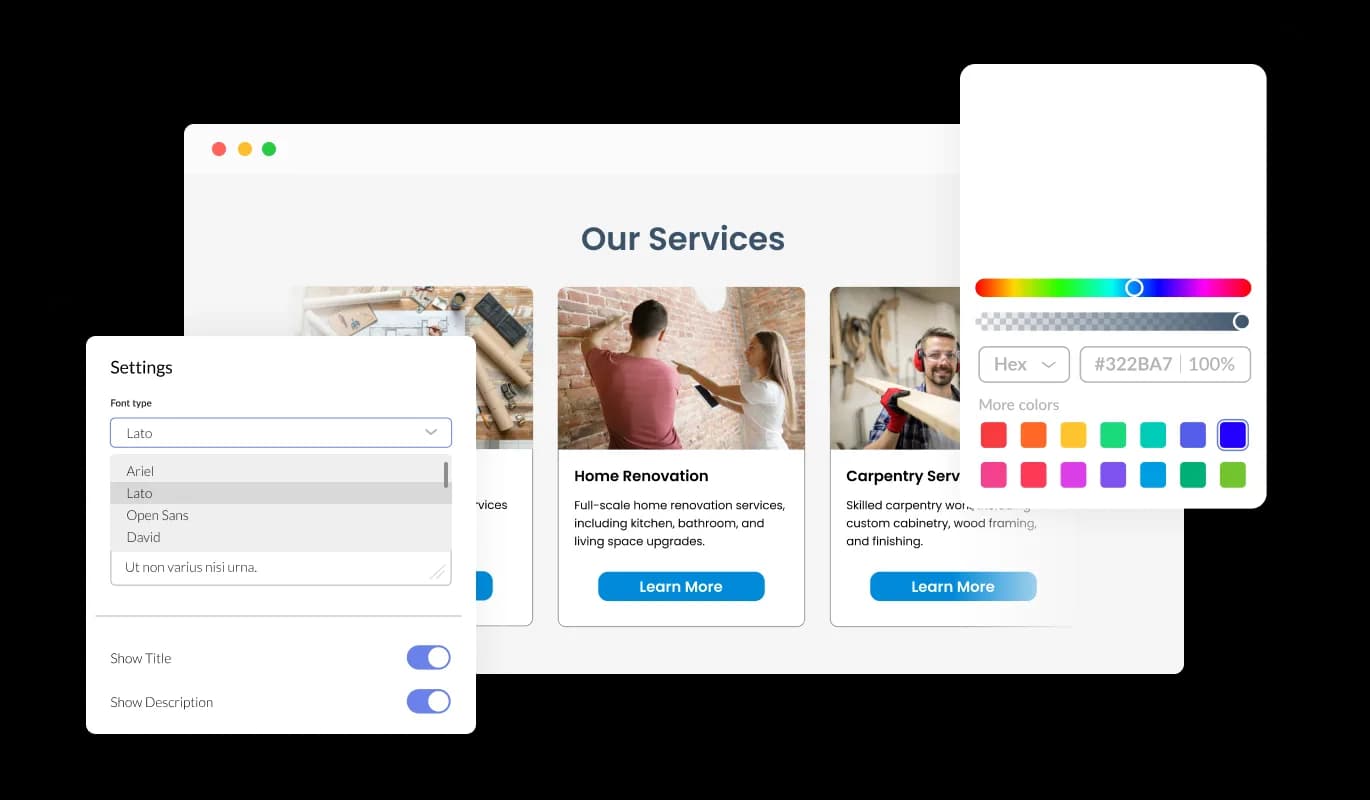
The Card Slider widget is fully customizable, allowing you to modify its design to suit your specific requirements. You can adjust colors, fonts, spacing, and other elements to create a slider that not only looks great but also aligns perfectly with your website’s branding and style.
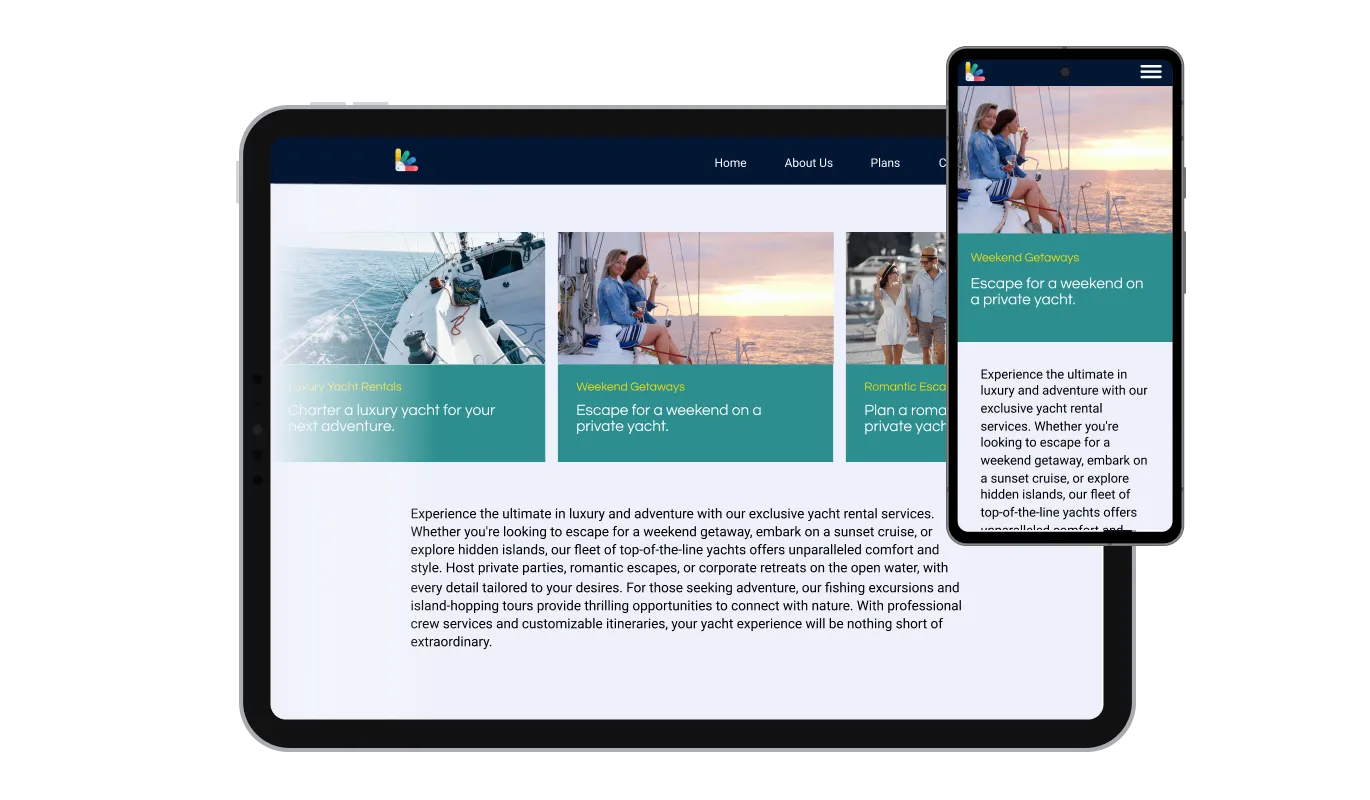
The Card Slider widget is designed to be fully responsive, ensuring it displays beautifully on any device. Whether your visitors are using a desktop, tablet, or smartphone, the slider adapts to provide a seamless and consistent user experience across all screen sizes.

For those looking to add a personal touch, the Card Slider widget supports custom CSS. This feature allows developers and designers to apply unique styles and functionality, ensuring the slider perfectly matches your site’s design vision and interaction needs.

Embedding the Card Slider widget on your website is straightforward, requiring just a single line of code. Once integrated, the widget updates automatically with any changes you make, ensuring your site always displays the most current version of the slider without extra effort.
The Card Slider widget provides full control over the slider's speed and the number of loops. You can fine-tune the rotation speed of the cards to match the pace that best suits your content and audience. Additionally, you can decide how many times the slider should loop, whether you want it to run continuously or stop after a set number of cycles. This level of customization allows you to create a viewing experience that is both engaging and comfortable for your users.
The Card Slider widget allows you to easily add buttons to each card, providing clear and actionable calls to action. Whether you want visitors to learn more, make a purchase, or sign up for a service, these buttons make it simple to guide users toward the next step. Fully customizable in terms of text, color, and style, the buttons can be tailored to align perfectly with your website’s branding and objectives, enhancing both functionality and user engagement.
The Card Slider widget is user-friendly, requiring no coding expertise for customization. Its intuitive interface allows you to easily adjust settings and design elements with just a few clicks, making it accessible for users of all technical levels.
Turn your content into a carousel that clicks
Open the editorNo credit card · Setup in under 5 minutes
Common Ninja has amazing no-code widgets that would beautify a website built on any builder. It is very easy to use and customise. It has as many widgets for almost everyone willing to make their website impressive.
Outstanding service. I use their widgets to help me with my web design business and whenever I need help they are very quick to help.
Excellent company with excellent service!!! We used it to build a survey, it was very user friendly. The service was perfect. Amit helped us with every problem and question we had, thank you very much!!!
Common Ninja saved the day when building our website and the customer service Daniel, the co-founder and CEO, provided was amazing.
Yes. The free plan covers one Card Slider widget with no time limit and no credit card. Upgrade only when you need additional widgets, more cards per slider, premium skins, advanced hover effects, or features like conditional card visibility and per-card analytics tracking.
Each card can hold an image, a title, a text block, and an optional button or link. Fill them in per card in the editor, then reorder cards by drag-and-drop. The live widget updates without re-paste, so you can add, edit, or remove a card any time.
Yes. Set how fast cards advance and whether the slider loops back to the start or stops at the last card. Slow it down for content-heavy cards visitors need to read, speed it up for a glanceable strip, and enable swipe gestures so it stays natural on touch.
Yes. Give every card its own button or link in the editor, pointing anywhere on or off your site. A 6-card slider turns into 6 separate calls to action, so product cards route to product pages, service cards to booking, and blog cards to articles.
Common uses include product highlights, team member cards, service offerings, testimonials-as-cards, featured blog posts, portfolio pieces, and pricing tiers. Because every card holds an image, a title, text, and a link, the same widget adapts to each job by what you put in it.
Build the widget in the Common Ninja editor (add cards, set speed and loop, customize the skin), copy the embed snippet, and paste it into your site: WordPress via a Custom HTML block or the Common Ninja plugin; Wix via an Embed HTML element; Shopify via a Custom Liquid section or an embed block. Edits in the editor push to every embed without re-paste.
No. Card images load lazily and are served from a CDN with WebP and AVIF format negotiation, so Core Web Vitals stay healthy even with image-heavy cards. You can also tune image quality and size in the editor for tight mobile-data budgets.
Yes. Cards reflow across mobile, tablet, and desktop breakpoints, card sizing scales to viewport width, swipe gestures replace arrow buttons on touchscreens, and pagination dots resize to stay tappable. Hover effects switch to tap behavior on mobile so the slider stays interactive without breaking touch input.
Pick your platform. Each takes under 4 minutes.

Displays a series of images in a slideshow format

Showcases images in a rotating or sliding manner
Showcases videos in a rotating or sliding manner

Showcase customer testimonials using a rotating slider

Displays multiple logos in a scrolling or rotating manner

Displays images and captions in diverse layouts and grids, presenting visually appealing arrangements for showcasing multiple images
The Card Slider widget allows you to create interactive sliders featuring cards that display images, text, and buttons, enhancing the presentation of your content.
Yes, the Card Slider widget offers extensive customization options, including colors, fonts, spacing, and the ability to add custom CSS for unique designs.
Absolutely! The Card Slider widget is fully responsive and adapts to any device, ensuring a smooth user experience on desktops, tablets, and smartphones.
Yes, you can easily add customizable buttons to each card to create clear calls to action, driving user engagement.
The Card Slider widget provides settings to adjust the rotation speed and the number of loops, allowing you to tailor the slider’s behavior to your needs.
You can include images, text, and buttons on each card, making it versatile for showcasing various types of content.
Yes, the widget includes multiple design skins that you can choose from to quickly match your website’s style.
Embedding the Card Slider is simple. Just copy and paste a single line of code into your website, and the widget will be ready to use.
Yes, the widget supports custom CSS, allowing developers and designers to apply advanced styling and functionality.
No coding expertise is needed. The widget is designed to be user-friendly, with an intuitive interface for easy customization.
Yes, the Card Slider widget automatically updates on your website with any changes you make in the editor.
Yes, you can set the slider to stop after a certain number of loops or have it continue indefinitely based on your preference.
Yes, you can configure the layout to show multiple cards simultaneously, depending on the design and purpose of your slider.
No, the widget is optimized for performance and will not significantly impact your website’s loading speed.
Support is available through Common Ninja’s customer service, offering assistance with any technical or usage questions.
Slide through content cards with an image, title, text, and a button on each. Adjustable speed and looping, hover effects, multiple skins, and Custom CSS. Embed on 200+ platforms including WordPress, Squarespace, Wix, Webflow, and Shopify.
Create your Card SliderNo credit card · Setup in under 5 minutes