Comments for Jersey Watch

Add a comments system with replies, voting, and moderation to boost engagement and build an active community on your site.

Create Comments

loved by 500K+ businesses

Jersey Watch
plugineditor

Why Should You Use the Comments Widget+?

Drive User Engagement Upwards with Comment Integration

Boost your site's activity rates by incorporating the Comments app on your platform. This feature gives your visitors the ability to express their thoughts, opinions, and inquiries, thereby cultivating a community feel and motivating them to spend more time on your site.

You can foster trust and authenticity on your platform with the help of a comments section.

Using a comments section, you can effectively enhance the trust and authenticity of your platform. When new visitors see active discussions and positive feedback, it can reassure them about the quality of your content, products, or services.

Jersey Watch Comments widget: Keep Your Users Coming Back

Implementing the Jersey Watch comments widget can boost the user return rate to your Jersey Watch website. By offering them a platform to contribute to conversations and respond to comments, you're making your site a hub of activity that they'll want to return to, thus increasing user retention and loyalty.

Engage in Conversations with Reply Feature

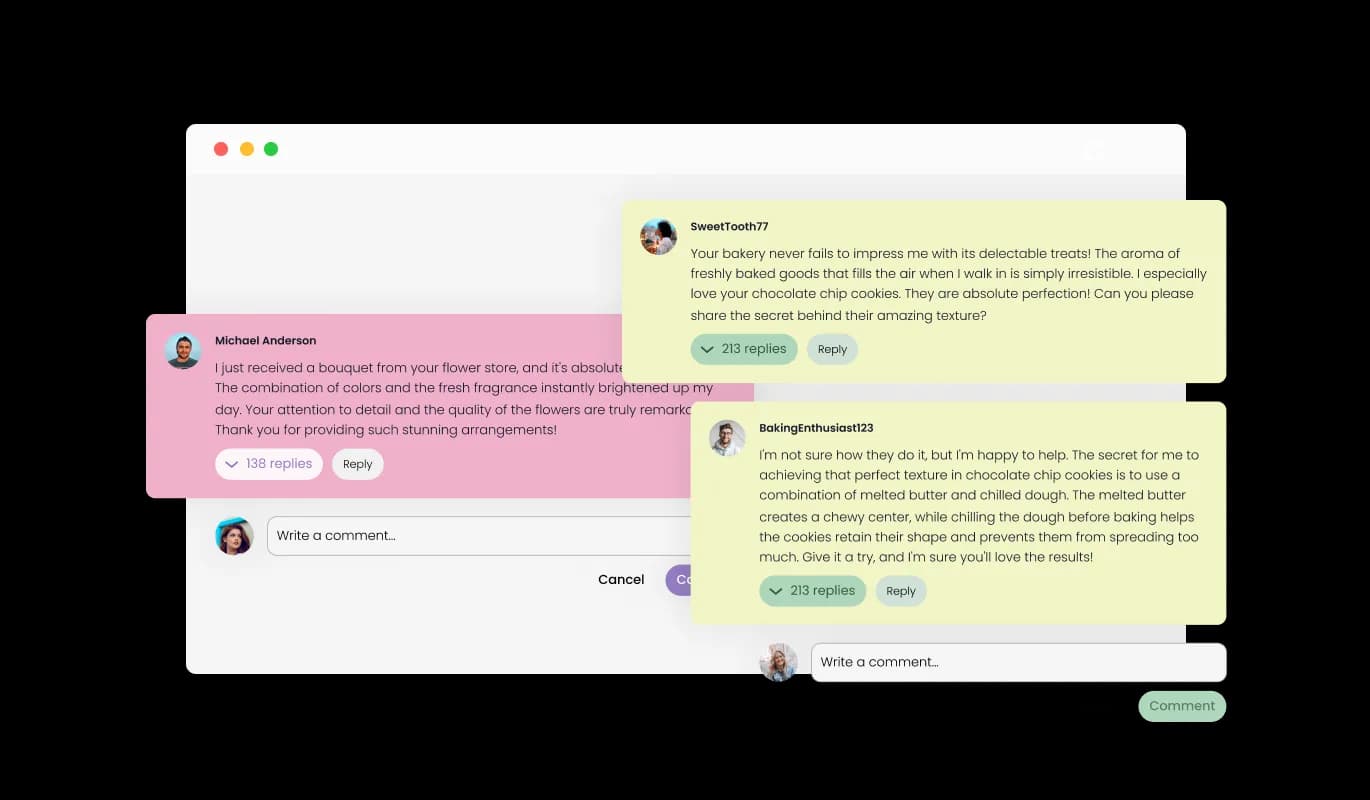
Users can directly engage with other comments using our Jersey Watch Comments widget, thereby creating ongoing dialogues. This paves the way for enhanced user engagement and deeper discussions, making your Jersey Watch website a space for thoughtful dialogues.
Comments - Engage in Conversations with Reply Feature

Streamline Comment Management with Comments widget for Jersey Watch

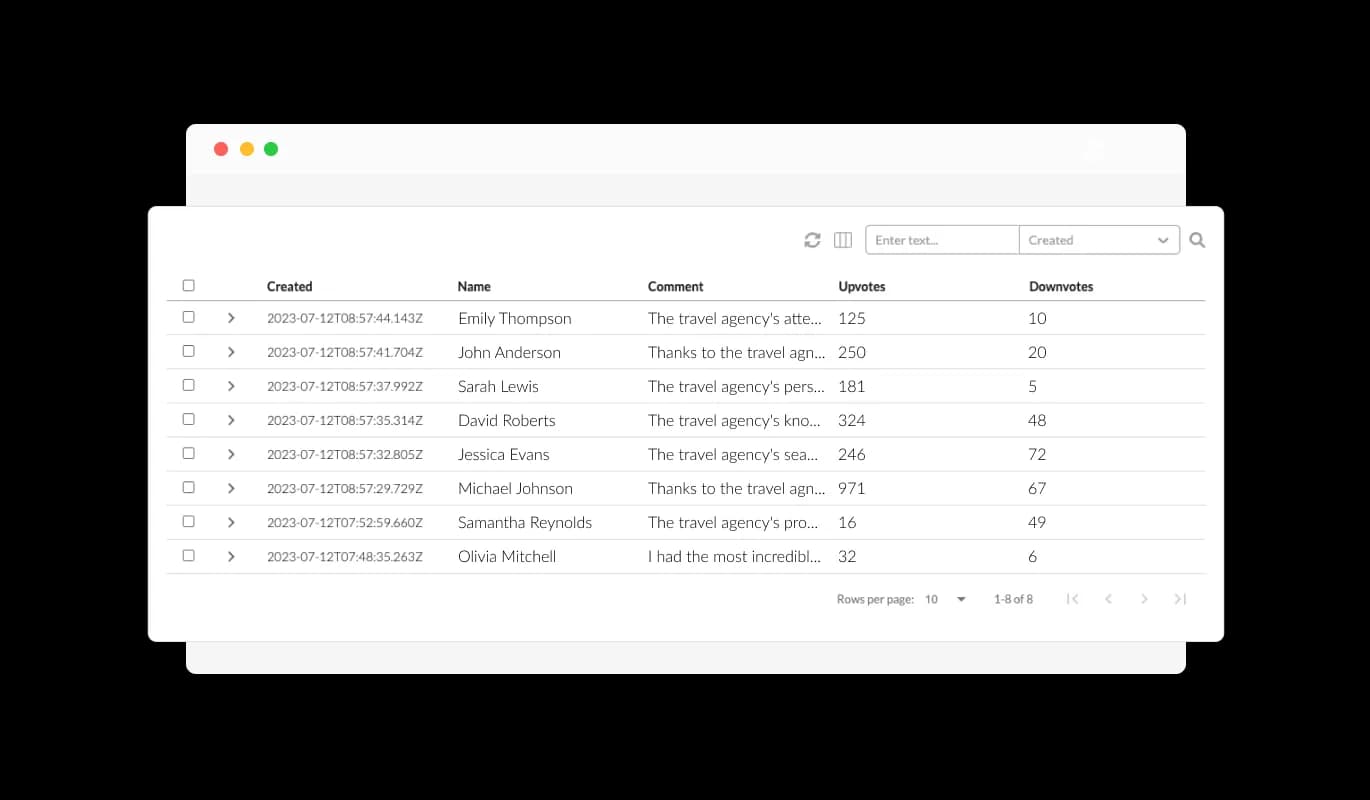
Using the Comments widget for Jersey Watch, you can effectively control and erase any unwanted comments. This helps maintain a positive and respectful environment on your Jersey Watch website, ensuring that all discussions are productive and relevant.

Comments - Streamline Comment Management with Comments widget for Jersey Watch

Create a Unified User Experience with Attractive Comment Skins

For swift and easy customization, the Jersey Watch Comments widget offers a range of attractive skins. You can align the widget's aesthetics with your Jersey Watch website's design, resulting in a cohesive and visually appealing user interface.

Comments - Create a Unified User Experience with Attractive Comment Skins

Tailor Your Experience with Jersey Watch Comments widget

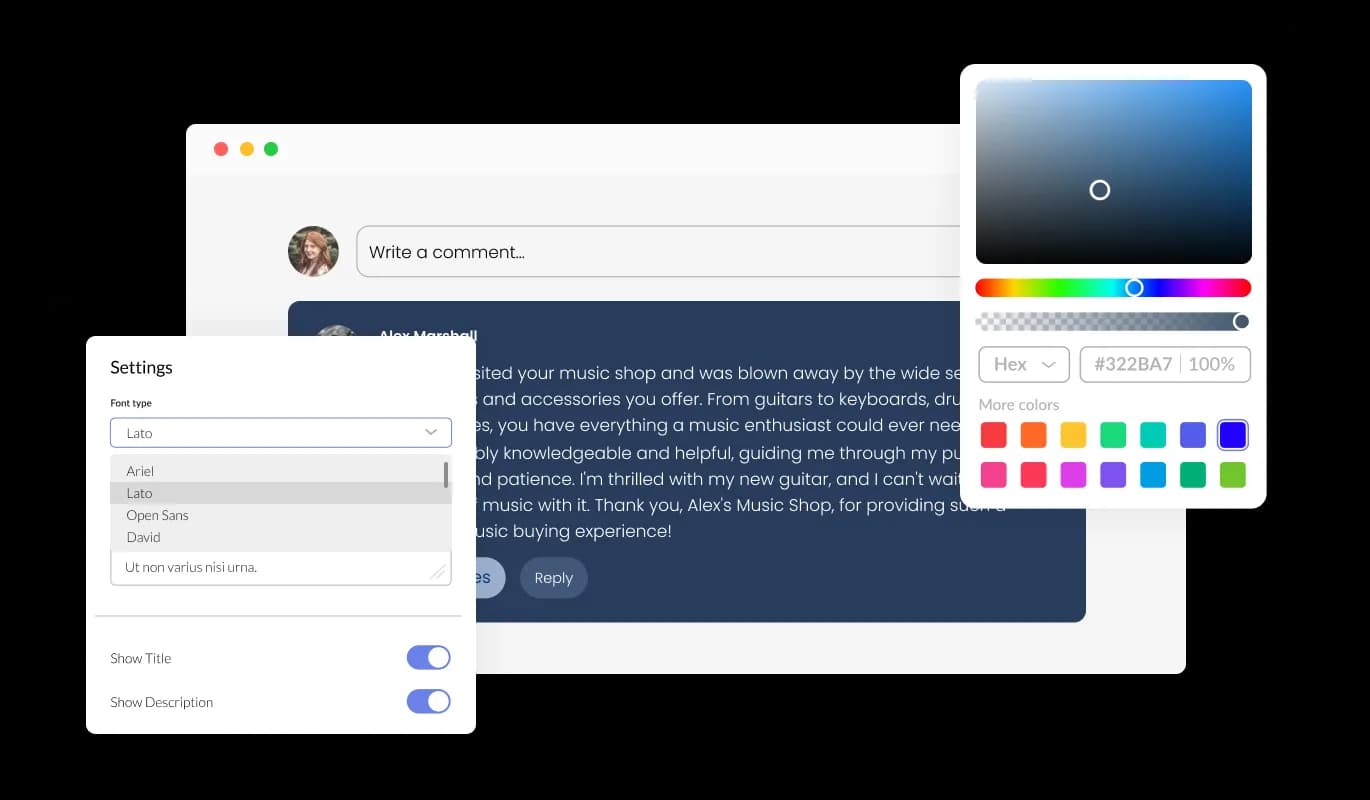
The Comments widget for Jersey Watch provides extensive customization options to meet your needs. Tweak color themes, fonts, spacing, and other aspects to ensure that the widget blends perfectly with your Jersey Watch website's design and aesthetic.

Comments - Tailor Your Experience with Jersey Watch Comments widget
Comments - Empower Users with Comment Voting

Empower Users with Comment Voting

The upvote and downvote functionality in our Comments widget for Jersey Watch offers your users a way to convey their opinions about each comment. It's a straightforward approach for your online community to self-regulate, encouraging healthy dialogues and suppressing unhelpful or adverse comments.

Comments - Be in the Loop with Jersey Watch Comments Email Notifications

Be in the Loop with Jersey Watch Comments Email Notifications

Jersey Watch Comments provides the convenience of choosing email notifications for recent comments to its users. This keeps you engaged and informed, ensuring you never miss out on important discussions or updates on your website.

Comments - Mandatory Email Field: A Move towards Authenticity and Accountability

Mandatory Email Field: A Move towards Authenticity and Accountability

The Jersey Watch Comments widget uses a mandatory email field to ascertain that all comments are from authentic users. This helps maintain the integrity of your Jersey Watch website's discussions and discourages spam or anonymous trolling.

Comments - Intuitive and User-friendly Jersey Watch Comments widget

Intuitive and User-friendly Jersey Watch Comments widget

The design of Jersey Watch Comments emphasizes easy usage, so there's no need for any coding knowledge. Featuring a user-friendly dashboard and drag-and-drop options, you can easily customize the widget.

All-Device Compatibility with Jersey Watch Comments widget

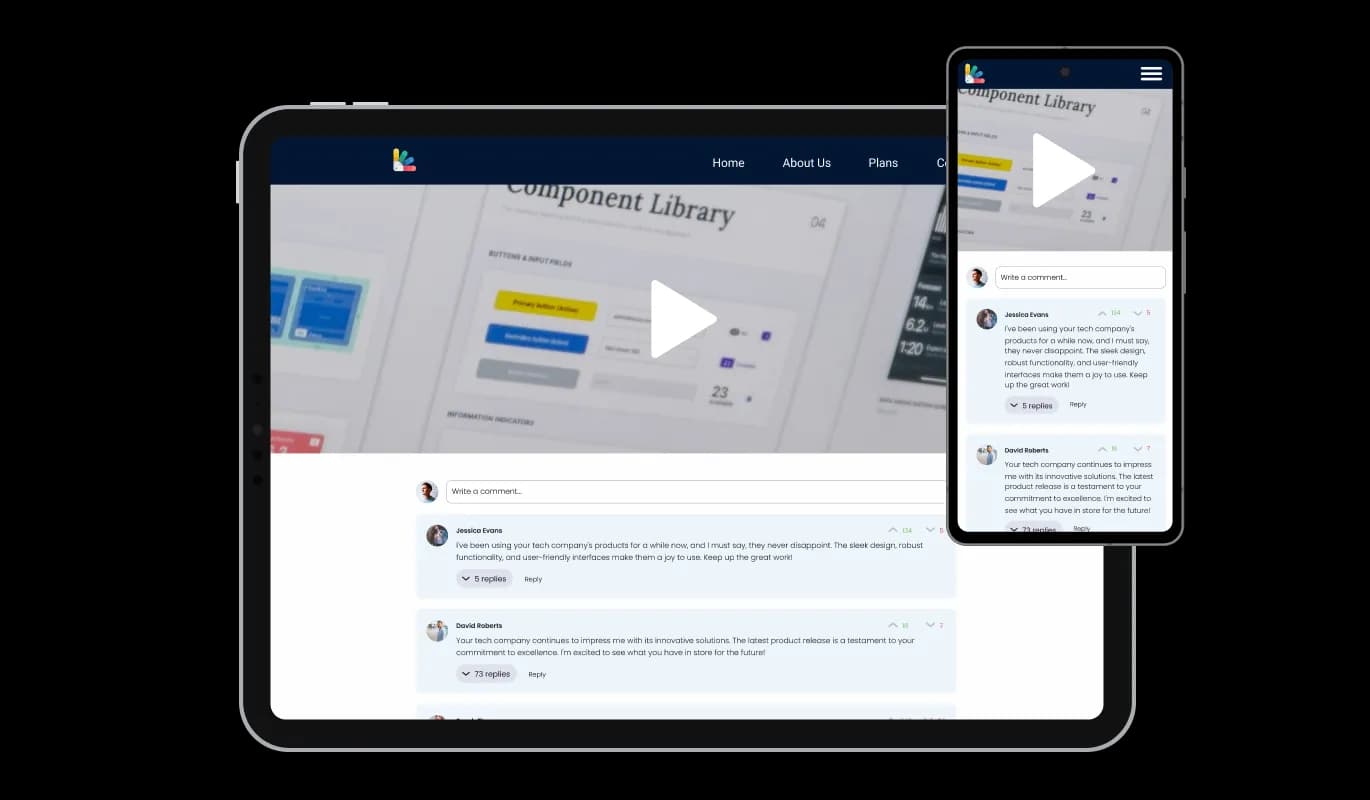
The Jersey Watch Comments widget is completely responsive, delivering a great look on every device. Given the importance of mobile access today, this makes sure your Jersey Watch website stays competitive and available to users from all platforms.

Comments - All-Device Compatibility with Jersey Watch Comments widget

Customize Further with Custom CSS for Your Jersey Watch Comments

Following the trend of our other widget, the Jersey Watch Comments widget supports the use of custom CSS. This provides you the opportunity to delve deeper into the customization of the widget and let your creativity shine.

Comments - Customize Further with Custom CSS for Your Jersey Watch Comments

Smooth Integration of Comments on Your Jersey Watch website

It's uncomplicated to integrate the Comments widget on your website. Just duplicate the given code to swiftly integrate the Comments into your Jersey Watch website. Every change you implement in the widget will be automatically mirrored on your website, promising a fluid user experience.

Comments - Smooth Integration of Comments on Your Jersey Watch website

Compatible With All Site Builders, E-Commerce Platforms and Websites

webflow logoshopify logowix logowordpress logobigcommerce logosqurespace logoweebly logojoomla logoduda logojimdo logomagento logoshift4hsop logounbounce logocarrd logo
View all supported platforms

FAQ

Installing the Comments widget is straightforward. Once you've customized the widget to your liking, you'll be provided with a code snippet. Simply copy this code and paste it into the HTML of your website where you want the widget to appear.

Absolutely! The Comments widget comes with a variety of skins and extensive customization options. You can adjust color schemes, fonts, and spacing, and even add custom CSS to ensure the widget aligns perfectly with your website's design.

Yes, the Comments widget is fully responsive and optimized for all devices. This ensures that your website remains accessible and user-friendly, regardless of the device your visitors are using.

Yes, you can. The Comments widget gives you the ability to manage and delete unwanted comments. This helps maintain a positive and respectful environment on your website.

Users can choose to receive email notifications for new comments. This keeps them engaged and ensures they never miss out on important discussions on your website.

Yes, to maintain the integrity of discussions, the Comments widget makes the email field mandatory. This ensures that all comments come from real users and helps discourage spam or anonymous trolling.

The upvote and downvote feature allows users to express their opinions on each comment. It's a simple way for your community to self-moderate, promoting positive discussions and discouraging unhelpful or negative comments.

Yes, the Comments widget allows users to reply directly to other comments, creating a threaded conversation. This encourages deeper engagement and discussion among your website's visitors.

Yes, the Comments widget supports multiple languages, making it a great choice for websites with a diverse audience. This ensures that your users can engage in discussions in their preferred language.

Absolutely! User-generated content, like comments, can enhance your website's SEO. As users discuss and use relevant keywords in their comments, it can help your site rank higher in search engine results.

User privacy is a top priority for us. The Comments widget only collects the necessary information for posting comments and sending notifications, and all data is handled in accordance with strict privacy standards.

Yes, the Comments widget displays the number of comments on your posts. This gives users an indication of the level of engagement and can encourage more participation.

Any changes you make to the design or settings of the Comments widget will automatically update on your website. This ensures a seamless user experience and allows you to tweak the widget to your liking at any time.

No, you don't need any coding knowledge to use the Comments widget. It's designed to be user-friendly, with an intuitive dashboard and drag-and-drop functionality for easy customization.