





Beautiful Coupon Templates
The customization process can be simplified by choosing one of the many available coupon templates.
Coupon Bar widget for Uscreen offers your Uscreen website visitors prominent, hard-to-miss coupons for discounts and other promotions.
In addition to full customization options, a sticky feature, a shakeable coupon animation, and templates and skins, the Coupon bar widget has everything you need to draw the attention of your Uscreen website visitors.
The Coupon bar widget for Uscreen allows you to easily tailor a message that will be visible and eye-catching, boosting sales and engagement with Uscreen website users.
The customization process can be simplified by choosing one of the many available coupon templates.
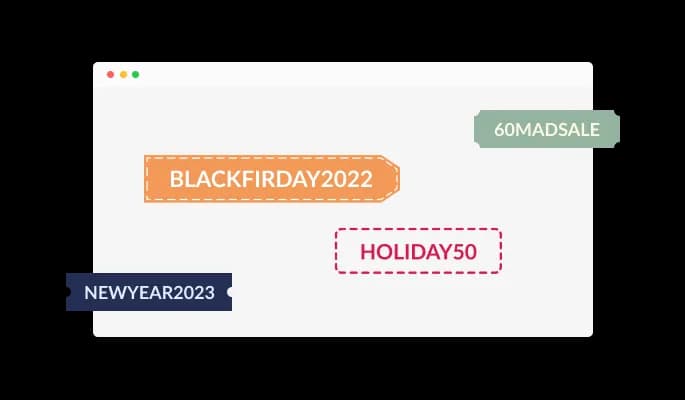
Many beautiful skins are available with the Uscreen Coupon bar widget, so you don't have to spend time customizing it for your Uscreen website. In addition to complementing most design color schemes, these skins will enable you to create a beautiful Coupon bar widget quickly and effortlessly for your Uscreen website.
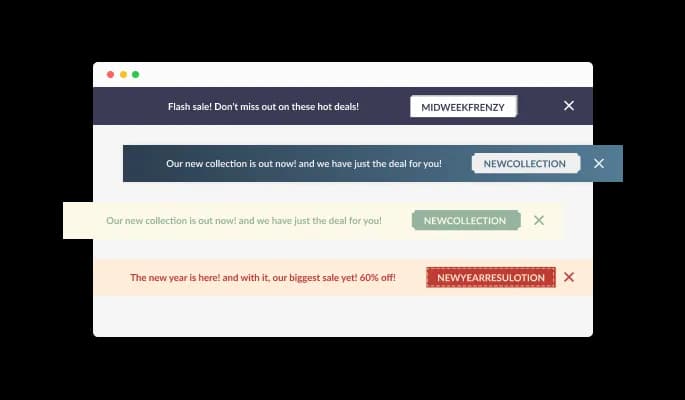
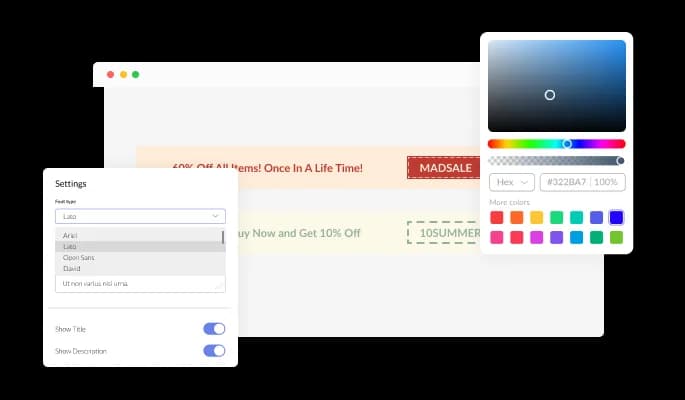
With the Coupon bar widget for Uscreen, you can fully customize the design to meet the needs of your Uscreen website. Change the colors, the fonts, the spacing, and anything else!

There are advanced display rules - such as when and where to display the widget - that can be set and customized for the Coupon bar widget for Uscreen. Rule triggers include "on exit", "time delay", "page scroll", etc.

The Coupon bar widget can be displayed either at the Uscreen website's top or bottom.

You can pin your notification bar to a position of your choosing in Uscreen website by using the "sticky" option in the Uscreen Coupon bar widget. The Coupon bar widget will still appear when the user scrolls down or up.

To encourage action and improve conversions, you can add a coupon code to the Coupon bar for Uscreen.

In Coupon bar widget, you can add a selection of beautiful icons to enhance [app_name's] visual appearance in Uscreen website.

To encourage users to click on the coupon, Coupon bar widget includes an animated "shaking" animation.

There is no coding required for Coupon bar for Uscreen. Using the drag-and-drop feature on our intuitive dashboard, you can customize the widget in any way you see fit.
Our Coupon bar widget for Uscreen is designed to be fully responsive and will look wonderful on any device. With this feature, you will be able to stay ahead of your competitors in a mobile-first world.

Custom CSS can also be used to further customize Coupon bar for Uscreen in Common Ninja.

You can embed the Coupon bar widget on your Uscreen website by copying the code below. Every time you make a change, the Uscreen Coupon bar will be automatically updated on your Uscreen website.

Yes, you can. Go to the “Display Rules” tab, and choose your desired triggers. You can learn more about the different triggers & rules here: https://help.commoninja.com/hc/en-us/sections/6900365183517-Display-Rules-Triggers
Yes, you can choose from various button templates and widget skins to customize the widget’s look to fit your needs.
Yes, you can either upload an image, select an icon from a large selection of available icons to add to your Coupon Bar widget or leave it all blank.
Using the Coupon Bar widget is very easy. Simply sign up and start using the free version. There's no need to worry about complicated setup or installation processes, as the Coupon Bar widget is designed to be user-friendly and straightforward. Once you've signed up, you'll have access to all of the basic features and functions of the widget, which you can use to enhance your website and improve your online presence. From there, you can choose to upgrade to the paid version if you want to access more advanced features and capabilities. Regardless of which version you choose, you'll find that the widget is a powerful and easy-to-use tool that can help you take your online presence to the next level.
The Common Ninja Coupon Bar widget is a free tool reach with features and options. While this widget is free to use, it does have a limit on the number of views it can handle. This means that after a certain number of views, the chat button may no longer be visible or functional on your website. It is important to note that this view limit may vary depending on your plan. Despite this limitation, Common Ninja's Coupon Bar is still a valuable tool for businesses looking to increase customer engagement and improve the overall user experience of their website.
The Common Ninja's Coupon Bar widget is a versatile tool for any website builder. This means that you can easily add this widget to your website or store no matter what platform you use to build your website. The Coupon Bar widget will work seamlessly with your platform whether you are using a popular website builder or something more specialized. This means you can enjoy all the benefits of this powerful tool without having to worry about compatibility issues.
The Coupon Bar widget is designed to comply with the General Data Protection Regulation (GDPR), a set of EU regulations protecting personal data and privacy. When using the Coupon Bar widget, you can be confident that it will not collect or store personal data that could violate GDPR regulations. This ensures that your business is in compliance with these regulations and can protect your customers' data privacy. Overall, the Coupon Bar widget is a secure and reliable tool that can be used to enhance your website without any concerns about GDPR compliance.
No need for coding skills. Our Coupon Bar widget is designed to be easy to use, even for those with limited technical experience. The widget features a user-friendly interface that allows you to easily customize the widget without coding knowledge. You can fully customize the Coupon Bar to match your branding. When you're done, simply copy the provided code and paste it into your website. It's that simple!
Yes. We are eager to hear your request. Please visit our Feature Request page.
Yes, a coupon bar can potentially boost sales on your website. By offering a discount or special offer through the coupon bar, you can entice customers to make a purchase. This can lead to an increase in sales and revenue. However, it is important to consider the specific details of the coupon or offer and how it may impact your overall sales and profitability. It may also be helpful to track and analyze the effectiveness of the coupon bar to ensure that it provides a positive return on investment.
A coupon bar widget is a type of website widget that displays a banner or bar at the top or bottom of a webpage offering a discount or special offer. This widget is often used to promote a sale or special deal and can be used to encourage customers to make a purchase. The coupon bar widget can be customized with different colors, fonts, and graphics to match the branding of the website. It can also be set to appear only on certain pages or at certain times to target specific audiences or promotions. Customers can access the coupon or special offer by clicking on the coupon bar widget and entering their email address or other required information.
There are several benefits to displaying a Coupon Bar Widget on your website:
It is generally recommended to display a Coupon Bar at the top of your website. This is because the top of the page is the first thing visitors see when they land on your website, and it is also the most visible location. By placing the Coupon Bar at the top of the page, you are more likely to grab the attention of your visitors and entice them to take advantage of your promotions.
However, it is also essential to consider your website's overall design and layout. If the top of your website is already cluttered with other elements, it may be better to display the Coupon Bar at the bottom of the page. This will ensure that it is visible and easily accessible, without disrupting your website's overall look and feel. Ultimately, the best location for your Coupon Bar will depend on your specific goals and audience.
Embedding the Coupon Bar widget on your website is a straightforward process. Simply copy the provided code and paste it into the desired location on your website. The widget will seamlessly integrate into your site, allowing you to take advantage of its features and functions. No technical expertise or programming knowledge is required - just copy and paste the code to get started. This simple process allows you to easily add the widget to your website and enhance its functionality without any hassle.













