


Verified review
Common Ninja has amazing no-code widgets that would beautify a website built on any builder. It is very easy to use and customise. It has as many widgets for almost everyone willing to make their website impressive.
The Common Ninja Flip Cards widget is a free, no-code embed that adds interactive flip-card grids to your website — cards that flip on hover or tap to reveal a back side with extra detail.
Design each card's front and back (text, image, icon, button), pick a flip animation (horizontal, vertical, 3D rotation), configure the grid layout, customize the design with skins or Custom CSS, optionally add star ratings or icons per card, and paste a one-line embed snippet on Canva, Squarespace, WordPress, Wix, Shopify, Webflow, and 200+ other platforms.
Use flip cards for product comparisons (price on the back), team-member showcases (bio on the back), service catalogs (details on hover), FAQ teasers, glossary terms, course-module previews — any time you want to pack more information into the same visual real estate.
A static product grid shows the same info to every visitor at the same time. Flip cards reveal additional detail (price, specs, longer description, CTA) only when the visitor shows interest by hovering or tapping. The page stays tight on first paint; the depth appears on demand.
Interactive elements lift engagement and signal to visitors that the page is alive — but heavy JS animations slow pages down. Flip cards use CSS 3D transforms (GPU-accelerated), so they animate smoothly without taxing the browser. Visitors get the interactive feel; your Core Web Vitals stay healthy.
Product comparison cards (price on the back), team-member cards (bio on the back), service catalogs (details on hover), FAQ teasers, glossary terms, course-module previews, pricing-tier previews, portfolio thumbnails with case-study details. Same widget, any card use case — define front and back, pick the animation, embed.
Hover doesn't exist on touch devices. The widget translates flip behavior to tap on mobile: first tap flips the card, second tap activates the back-side CTA (or flips back). The experience stays consistent across input types without breaking the click path.
Add the front-side content (a headline, icon, image, short teaser) and the back-side content (extra detail, longer copy, CTA button, price, contact info). Each card carries its own front/back pair so you can mix product cards, team-member cards, and service cards in the same grid.
Choose a grid layout (2-column, 3-column, 4-column, responsive auto-fit) and a flip animation (horizontal flip, vertical flip, 3D rotation, fade-through). Configure flip trigger (hover on desktop / tap on mobile), star ratings if your use case benefits from them, and pick a skin from the design library or layer Custom CSS for pixel-level brand match.
Copy the one-line embed snippet and paste it on Canva, Squarespace, WordPress, Wix, Shopify, Webflow, or any of the 200+ supported platforms. The grid renders inline; cards flip on visitor interaction. Edits in the Common Ninja editor push to every embed without re-paste.
2-column, 3-column, 4-column, responsive auto-fit. Each layout reflows responsively across mobile, tablet, and desktop breakpoints. Switch layouts in the editor without re-entering card content.
Horizontal flip (card pivots left-right), vertical flip (card pivots top-bottom), 3D rotation (card rotates in 3D space), fade-through (back fades in over front without geometric flip). Each animation has tunable speed and easing.
Pick from a library of icons to anchor each card's front side — useful for service catalogs, feature grids, and category-overview patterns. Icons render at consistent size across cards for grid symmetry; pair with text-only cards for a varied mix.
Pick from a library of pre-designed skins (minimal, brand-vibrant, soft-shadow, dark-luxe, glassmorphic) for a fast visual fit. Layer Custom CSS for pixel-level control over card sizing, border-radius, shadow depth, animation easing, and per-card front/back styling.
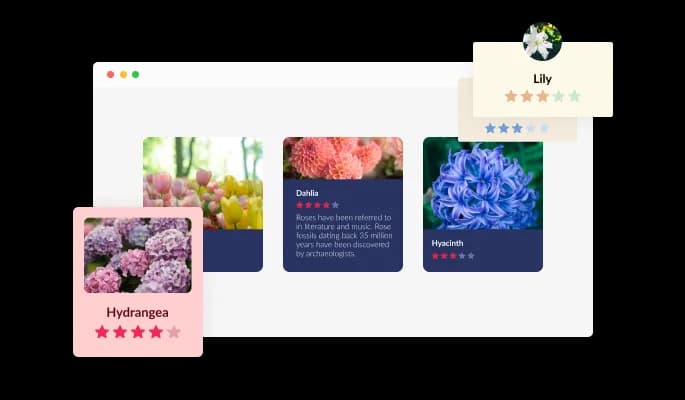
The Flip Cards comes available with six different layouts that can fit any design, from smaller images and larger text to images on the side, in circles, squares, and more!
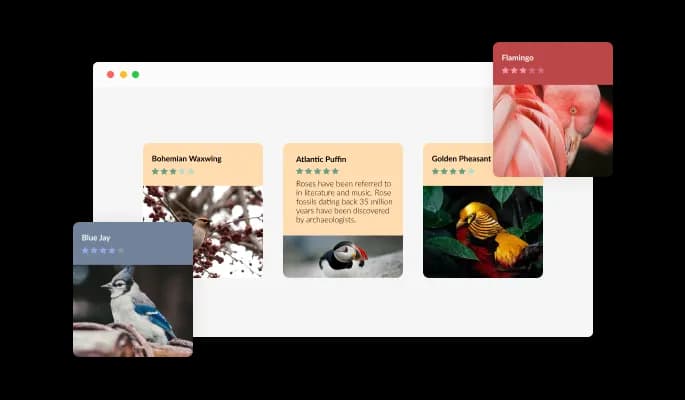
The Flip Cards widget comes with a variety of beautiful skins that you can choose from so you don’t have to spend much time on extensive customization.
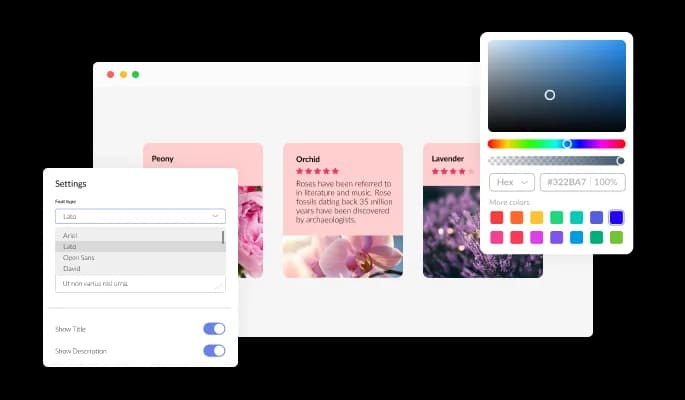
The Flip Cards widget features full customization options so you can edit the design to fit your needs. Change the colors, the fonts, the spacing and anything else!
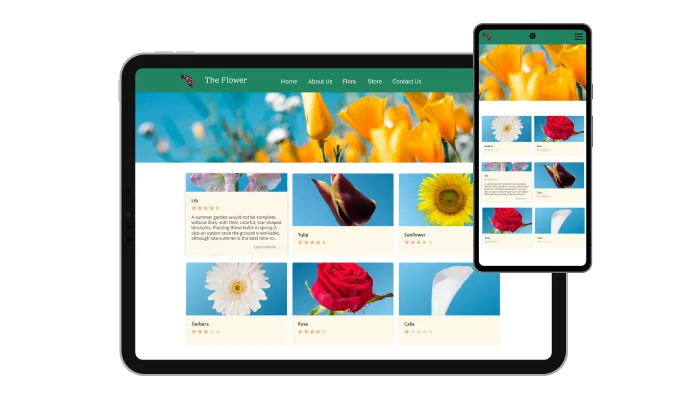
The Flip Cards widget is fully responsive and will look great on any device. In a mobile-first world, this feature will put you ahead of your competitors.

As with all of Common Ninja’s widgets, you can add custom CSS to customize the Flip Cards widget and be even more creative.

You can embed the Flip Cards widget on your website easily by copying a single line of code. The Flip Cards widget will also be updated automatically with every change you make.
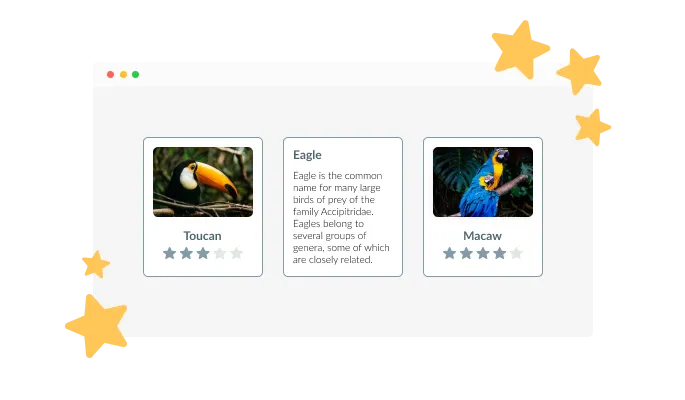
The Flip Cards widget allows you to add customizable star rating icons to your cards. You can use this visual element to provide valuable information or help guide your users to the product/service you’d like them to try the most.
The Flip Cards widget features the ability to add icons, instead of images, and sports a large selection of icons that can be used.
As befits a flip card, the widget comes available with a fluid flip animation that will make your page more interactive, look more lively, less static and not boring.
The Flip Cards widget is easy to use and requires no coding knowledge. Our intuitive dashboard with the drag-and-drop feature will enable you to customize the widget any way you’d like to with just a few simple clicks.
Common Ninja has amazing no-code widgets that would beautify a website built on any builder. It is very easy to use and customise. It has as many widgets for almost everyone willing to make their website impressive.
Outstanding service. I use their widgets to help me with my web design business and whenever I need help they are very quick to help.
Excellent company with excellent service!!! We used it to build a survey, it was very user friendly. The service was perfect. Amit helped us with every problem and question we had, thank you very much!!!
Common Ninja saved the day when building our website and the customer service Daniel, the co-founder and CEO, provided was amazing.
Yes. The free plan covers one Flip Cards widget with no time limit and no credit card. Upgrade only when you need additional widgets, more cards per grid, premium skins, advanced animations, or features like per-card analytics and conditional visibility.
Product comparison cards (price and details on the back), team-member cards (photo and name on the front, bio on the back), service catalogs (icon and category on the front, full description and CTA on the back), FAQ teasers (question on the front, short answer on the back), glossary terms, course-module previews, pricing-tier overviews. Anywhere you want to pack more information into the same visual real estate.
Horizontal flip (card pivots on a vertical axis, like a playing card), vertical flip (card pivots on a horizontal axis), 3D rotation (full 3D rotation in space, more dramatic effect), fade-through (back content fades over front without geometric flip). Each animation has tunable speed (fast for energetic brands, slow and considered for premium ones) and easing curve.
Hover doesn't exist on touch devices. The widget translates flip behavior to tap: first tap flips the card to the back side, second tap activates the back-side CTA (or flips back to front). The experience stays consistent across input types without breaking the click path or requiring a separate mobile config.
Yes. Each card supports both icons (from the built-in library) and custom images. Use icons for service catalogs and feature grids where visual consistency matters; use images for team-member cards, portfolio cards, and any context where a photo carries the front-side message. Mix icons and images in the same grid if your use case calls for it.
No. Flip animations use CSS 3D transforms (GPU-accelerated), which run smoothly without burning CPU. The widget script loads asynchronously, so it doesn't block first paint. Images and icons lazy-load as needed. Your Largest Contentful Paint and Cumulative Layout Shift stay healthy on Core Web Vitals.
Build the widget in the Common Ninja editor (design each card's front and back, pick layout and animation), copy the embed snippet, and paste it into your site: Canva via the Embed app in the Apps panel; Squarespace via a Code Block in your section; WordPress via a Custom HTML block (Gutenberg) or Shortcode/Text widget (Classic). Edits in the editor push to every embed without re-paste.
Yes. Grid layouts (2-column, 3-column, 4-column, auto-fit) adapt across mobile, tablet, and desktop breakpoints — cards reflow to single-column on narrow screens, tap behavior replaces hover, and card content scales to keep both sides readable at every viewport.
Pick your platform. Each takes under 4 minutes.

Present images and text with a variety of animated effects and transitions for an engaging visual display
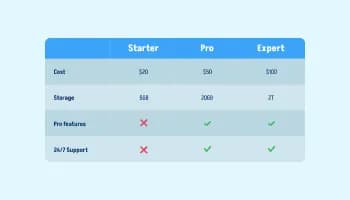
Displays data or features side-by-side, allowing users to compare and contrast the information easily

Showcase customer testimonials using a rotating slider

Showcases images in a rotating or sliding manner
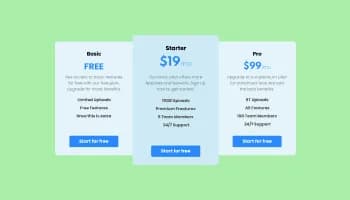
Displays pricing options for products or services in a clear and organized format

Easily craft engaging, personalized popups to boost conversions.
Yes, you can select from a large selection of skins to start using the widget quickly.
Yes, you can easily do so from the Templates tab. There are six templates that you can choose from. These will fit any design requirement you may have.
Using the Flip Cards widget is very easy. Simply sign up and start using the free version. There's no need to worry about complicated setup or installation processes, as the Flip Cards widget is designed to be user-friendly and straightforward. Once you've signed up, you'll have access to all of the basic features and functions of the widget, which you can use to enhance your website and improve your online presence. From there, you can choose to upgrade to the paid version if you want to access more advanced features and capabilities. Regardless of which version you choose, you'll find that the widget is a powerful and easy-to-use tool that can help you take your online presence to the next level.
The Common Ninja Flip Cards widget is a free tool reach with features and options. While this widget is free to use, it does have a limit on the number of views it can handle. This means that after a certain number of views, the chat button may no longer be visible or functional on your website. It is important to note that this view limit may vary depending on the plan you are using. Despite this limitation, Common Ninja's Flip Cards is still a valuable tool for businesses looking to increase customer engagement and improve the overall user experience of their website.
The Common Ninja's Flip Cards widget is a versatile tool for any website builder. This means that you can easily add this widget to your website or store no matter what platform you use to build your website. The Flip Cards widget will work seamlessly with your platform whether you are using a popular website builder or something more specialized. This means you can enjoy all the benefits of this powerful tool without having to worry about compatibility issues.
The Flip Cards widget is designed to comply with the General Data Protection Regulation (GDPR), a set of EU regulations protecting personal data and privacy. When using the Flip Cards widget, you can be confident that it will not collect or store personal data that could violate GDPR regulations. This ensures that your business is in compliance with these regulations and can protect your customers' data privacy. Overall, the Flip Cards widget is a secure and reliable tool that can be used to enhance your website without any concerns about GDPR compliance.
No need for coding skills. Our Flip Cards widget is designed to be easy to use, even for those with limited technical experience. The widget features a user-friendly interface that allows you to easily customize the widget without coding knowledge. You can fully customize the Flip Cards to match your branding. When you're done, simply copy the provided code and paste it into your website. It's that simple!
Yes. We are eager to hear your request. Please visit our Feature Request page.
Embedding the Flip Cards widget on your website is a straightforward process. Simply copy the provided code and paste it into the desired location on your website. The widget will seamlessly integrate into your site, allowing you to take advantage of its features and functions. No technical expertise or programming knowledge is required - just copy and paste the code to get started. This simple process allows you to easily add the widget to your website and enhance its functionality without any hassle.
Pack more information into the same visual space with flip-card grids — design front and back per card, choose horizontal / vertical / 3D rotation / fade animations, multiple grid layouts, icon library, stylish skins, and Custom CSS. Embed on 200+ platforms including Canva, Squarespace, WordPress, Wix, Shopify, and Webflow.
Create your Flip CardsNo credit card · Setup in under 5 minutes