





Image Slider Color Effects
The Image Slider app on Webflow allows you to select from various color effects to create a cohesive look for your images and make them stand out.
With the Webflow Image Slider plugin and its animation effect, you can effortlessly make your images stand out and capture user attention. The Webflow website is an ideal place to showcase your products, services, or any key images you want to highlight with this useful tool.
Attract the attention of users and display your work, products, or services in an attractive way. This way, you can increase the chances of converting them into customers.
The Image Slider for Webflow provides powerful customization options that will enable you to customize the plugin as you desire and make it complement your overall Webflow website design. The easy-to-use interface enables even novices to produce eye-catching plugin with minimal effort.
The Image Slider app on Webflow allows you to select from various color effects to create a cohesive look for your images and make them stand out.

The Image slider for Webflow is designed to provide complete customization options, allowing you to edit the design to fit your needs perfectly. Colors, fonts, spacing, and various other design elements can be customized with this plugin.

This feature can give you a significant advantage over your competitors in today's mobile-first world, as the Webflow Image slider plugin is fully responsive and will look great on any device. As more and more people access the internet through their smartphones and tablets, your website must be optimized for mobile devices. Image slider plugin's responsive design ensures that it will automatically adjust to the device size and resolution it is being viewed on, providing a seamless and consistent user experience.
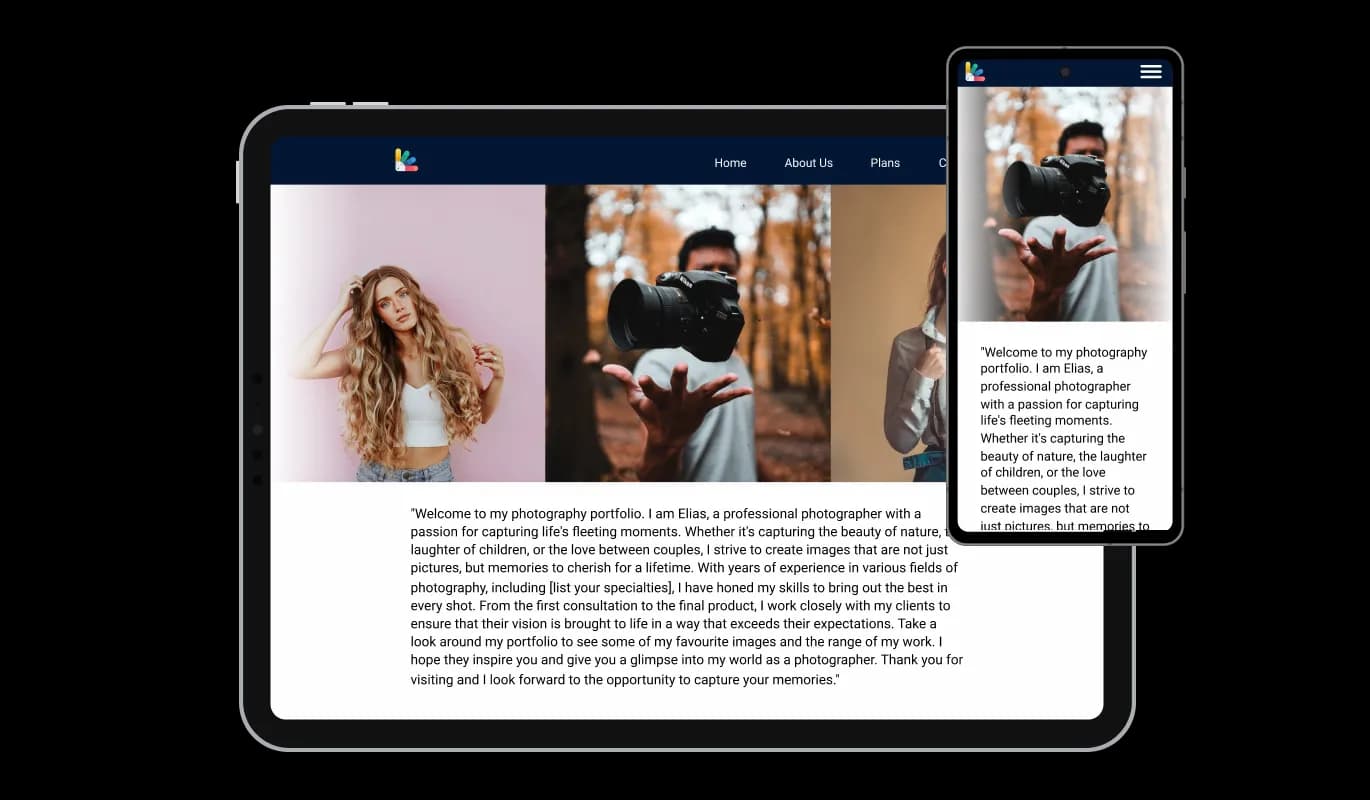

The hover effects included in the Image Slider plugin will add another dimension of visual interest to your Webflow website pages, making the user experience even more enjoyable.

The Image Slider [app_tye] provides two layout styles to choose from: carousel or grid. Make the plugin blend in with the design of your Webflow website by choosing from the options.

You can transform the Image Slider [app_typew] into a powerful conversion tool with the option to make the images clickable.

The Image slider for Webflow doesn't require any coding knowledge. You can easily customize the plugin to your liking with just a few clicks with our intuitive dashboard and drag-and-drop feature.
Similarly to all of Common Ninja's plugins, the Image slider for Webflow allows for the addition of custom CSS, allowing for further customization. You can create custom styles and design elements using custom CSS unavailable from the built-in customization options. With custom CSS, you can create unique and visually striking designs tailored to your specific needs.

Copy and paste just one line of code into your website's HTML to embed the Image slider for Webflow. Every change you make will be automatically reflected in the Image slider. Integrate the plugin into your Webflow website's HTML by copying and pasting the provided code.

Yes, you can. Go to the “Display Rules” tab, and choose your desired triggers. You can learn more about the different triggers & rules here: https://help.commoninja.com/hc/en-us/sections/6900365183517-Display-Rules-Triggers
Yes, you can easily do so from the “Templates” tab.
Yes, there are lots of beautiful skins that you can choose from to save time and start using the widget as quickly as possible.
Yes, you can either upload an image, or select an icon from a large selection of available icons to add to your Notification Bar, or, alternatively, leave it all blank.
It’s simple. All you need to do is to sign up and start using the free version.
Common Ninja’s Image Slider widget is free to use. It is limited to a certain amount of views, however.
Common Ninja’s Image Slider widget is compatible with ALL current and future website builders.
Yes, the Image Slider widget is GDPR-compliant.
No. Using our Image Slider widget is very simple. The widget comes with an intuitive drag-and-drop interface and fully customizable options. Once you’ve finished editing the widget to your liking, all you need to do is copy the provided code and add it to your website.
Yes. We are eager to hear your request. Please visit our Feature Request page.
An image slider is a graphical user interface element that allows users to slide through a series of images or graphics. It is often used in websites, multimedia presentations, and mobile applications to showcase a collection of images. The slider usually includes navigation buttons that allow users to switch between images manually, or it can automatically switch between images with a set interval. Image sliders are an effective way to present a series of images in an attractive and engaging manner, and they are a popular feature in modern website design