


Verified review
Common Ninja has amazing no-code widgets that would beautify a website built on any builder. It is very easy to use and customise. It has as many widgets for almost everyone willing to make their website impressive.
Try the editor, no signup
Pick a template, customize it, and watch it update live, no signup.
No credit card · Free forever plan
No credit card · Free forever plan
The Common Ninja Instagram Carousel is a free, no-code widget that shows Instagram posts as a rotating carousel on any website. Connect the account, set the motion, and paste one line of embed code.
Several posts sit in view at once and visitors browse with arrows and dots, so a page gets a strip of social proof rather than a single image.
Posts refresh on their own, slides are clickable, slide speed and time per slide are adjustable, and custom CSS covers exact design matching. Works on 200+ platforms including WordPress, Wix, Shopify, Squarespace, and Webflow.
One post can look cherry-picked. Several in view at once reads as an account with a life to it, which is the impression you actually want on a homepage or a product page.
A nine-cell grid is a tall block that pushes everything below it down the page. A carousel shows the same number of posts in one row, so social proof does not cost you the section underneath.
Auto-refresh means the section shows what you posted this week. No screenshots to update, no featured image to swap, and no social block quietly aging into evidence that the account was abandoned.
Clickable posts turn a decoration into a follower path. Visitors who arrived from search see what your account is actually like before deciding whether to follow it.
Point the widget at the Instagram account you want on the page. Posts arrive with their images and refresh on their own, so nothing has to be downloaded and re-uploaded.
Choose how many posts are visible at once, set the slide speed and time per slide, and turn on arrows and pagination so visitors can browse rather than wait. Three or four visible is the usual sweet spot on a desktop width.
Copy the snippet from the Add to Website tab and paste it where the carousel belongs. Posting on Instagram updates the section with no second step.
Visitors move through the carousel at their own pace instead of waiting for the rotation, which matters when someone spotted a post and wants to get back to it.
Set how fast slides move and how long each post holds. Images need less time than text, but not so little that the carousel becomes a flicker in the corner of the page.
New posts pull in without you editing the page or re-pasting the embed code, which is the entire difference between a widget and a screenshot.
The number of visible slides adapts to the screen width so a three-across carousel becomes one on a phone, and a custom CSS field handles exact design matching. One embed snippet, 200+ platforms.
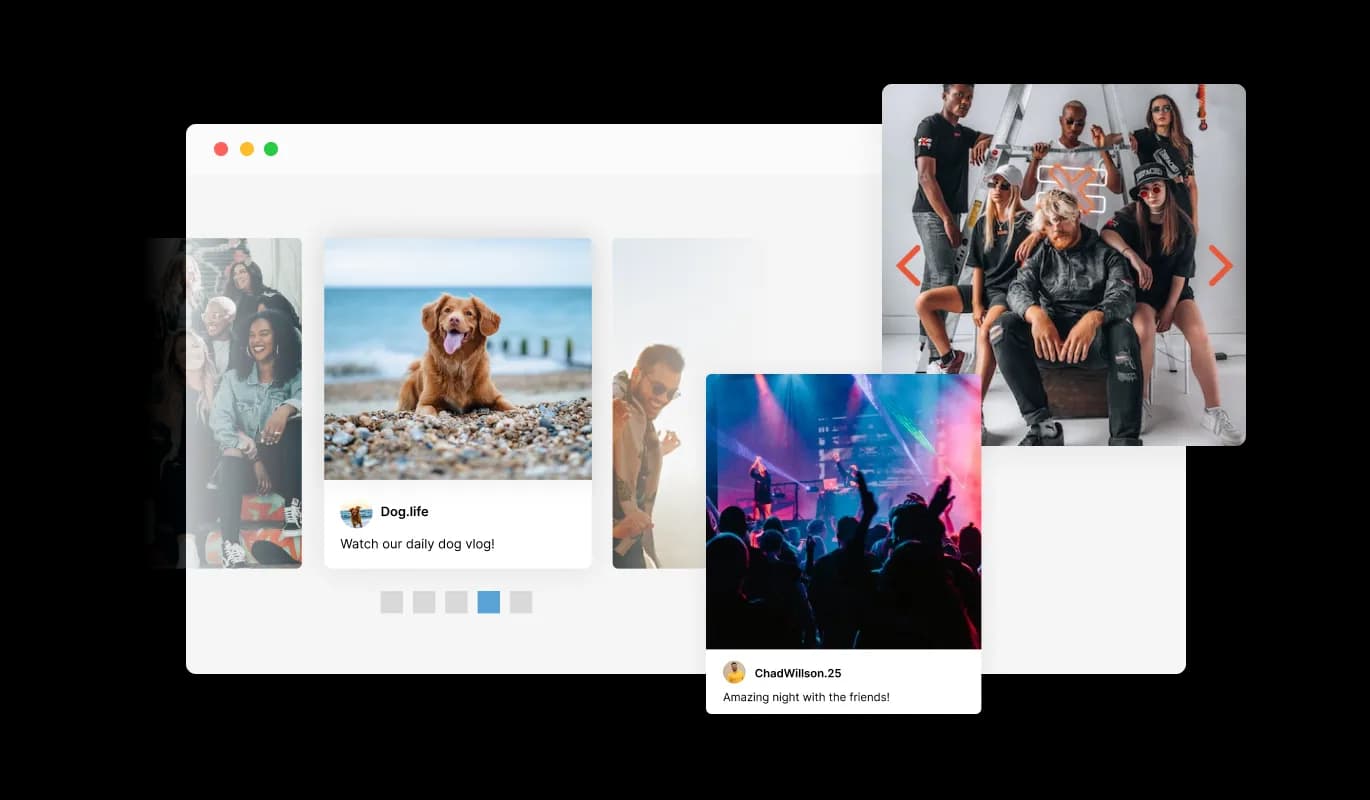
Navigate through your Instagram content effortlessly with user-friendly arrows and pagination. These features enhance the user experience by making it simple for visitors to browse through your carousel, keeping them engaged with your content.
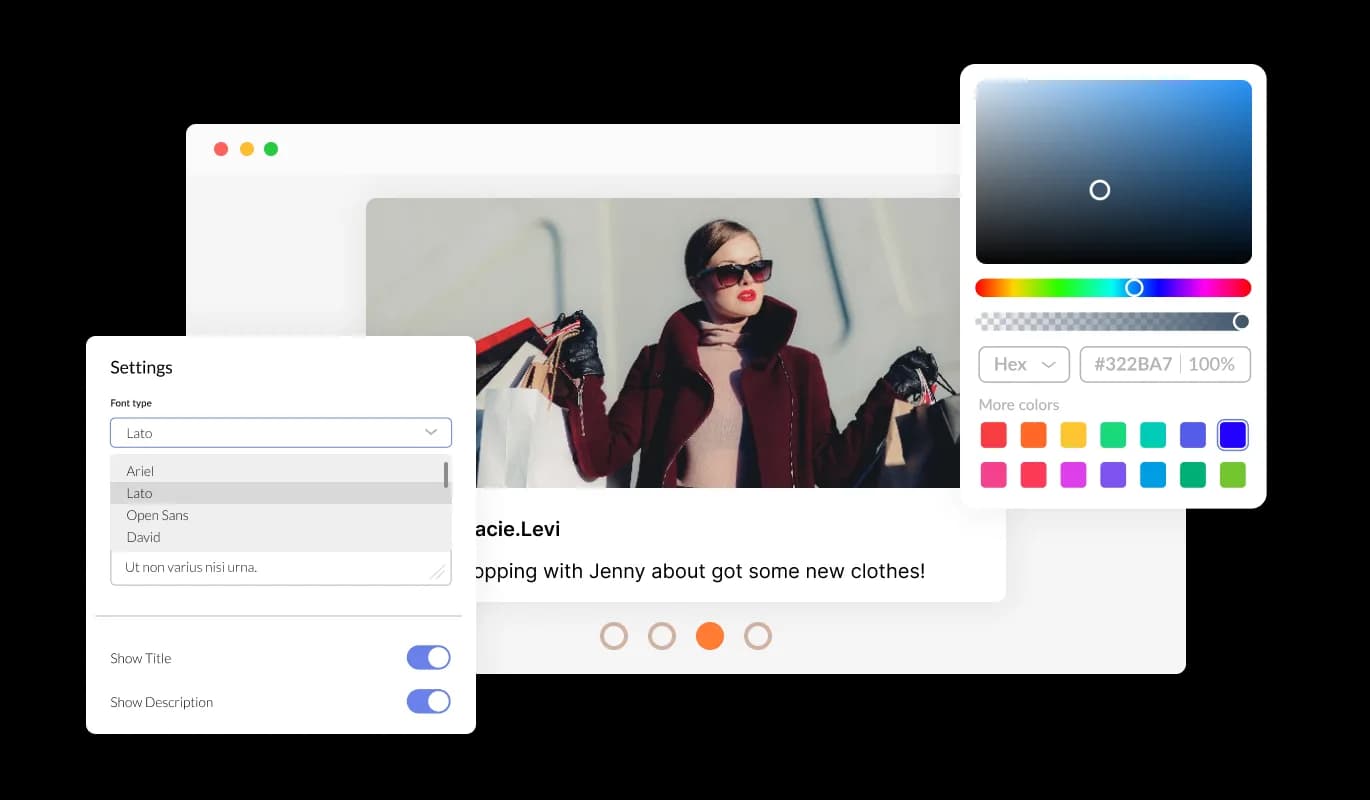
The Instagram Carousel Widget offers broad customization options, letting you align the carousel's appearance with your brand identity. Adjust colors, fonts, and sizes to create a seamless look that resonates with your website's theme.
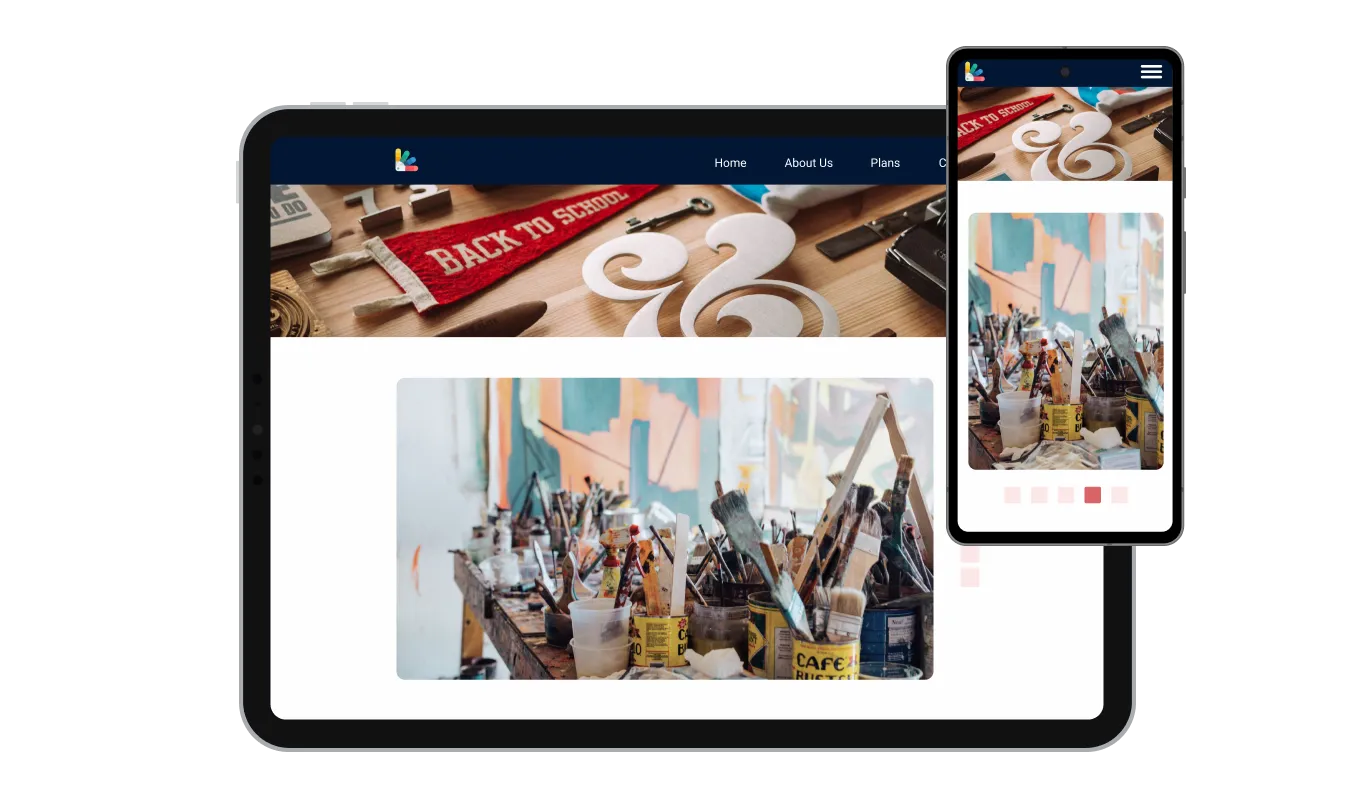
The Instagram Carousel Widget adapts elegantly across devices, ensuring your Instagram content is beautifully displayed whether your audience is on a desktop, tablet, or smartphone. This responsiveness is crucial for engaging the mobile-first audience of today.

For those who desire even more customization, the Instagram Carousel Widget supports custom CSS. This feature allows for deeper personalization, ensuring you can perfectly match your website’s design and functionality needs.

Embedding the Instagram Carousel Widget on your website is straightforward, requiring just a single line of code. This ease of integration means you can quickly start displaying your Instagram content, keeping your site dynamic and engaging.
Gain control over how your audience views the Instagram Carousel by customizing the slider speed and dwell time for each post. Tailor the experience to match your audience's preferences, ensuring they engage fully with your content.
Keep your website's content dynamic and engaging with the Instagram Carousel Widget, which automatically updates to showcase your latest Instagram posts. This ensures your site always displays fresh, up-to-date content, encouraging visitors to keep coming back.
Maximize engagement on your website with interactive, clickable content within the Instagram Carousel Widget. Visitors can interact directly with your Instagram posts, offering a more immersive experience and a deeper connection with your brand through your Instagram content.
Designed with simplicity in mind, the Instagram Carousel Widget can be easily set up and customized without any coding knowledge. Its intuitive design ensures anyone can enhance their website with Instagram content quickly and effortlessly.
Build your Instagram carousel in the editor
Open the editorFree to use · No credit card · No signup to try it
Common Ninja has amazing no-code widgets that would beautify a website built on any builder. It is very easy to use and customise. It has as many widgets for almost everyone willing to make their website impressive.
Outstanding service. I use their widgets to help me with my web design business and whenever I need help they are very quick to help.
Excellent company with excellent service!!! We used it to build a survey, it was very user friendly. The service was perfect. Amit helped us with every problem and question we had, thank you very much!!!
Common Ninja saved the day when building our website and the customer service Daniel, the co-founder and CEO, provided was amazing.
No. A carousel post is something you publish in the Instagram app by selecting several images before posting. This widget is the opposite direction: it takes posts that already exist on Instagram and displays them as a rotating carousel on your own website. If you want to make a carousel post, that happens in Instagram itself.
Use the carousel if you want several posts visible at once with arrows and dots to browse them. Use the slider if you want one post at a time at full width, which suits photography where the single image matters. Use the Instagram Feed if you want a grid, a list, or a scrolling ticker. All three are free, so pick the shape your page needs.
Yes. The carousel refreshes its content, so posting on Instagram updates the section without editing the page or re-pasting the embed code.
No. You connect the account in the editor and Common Ninja handles fetching the posts. There is no developer application, no API key to generate, and no request quota for you to monitor.
Public accounts only, which covers featuring a brand ambassador, a partner, or creators posting about your product. Private accounts and deleted posts will not appear, since the widget reads only what Instagram serves publicly.
Three or four on a desktop width is usually right. Fewer and it stops reading as a feed; more and each image gets too small to be worth showing. The count adapts down on narrower screens anyway, so set it for desktop and check the phone view.
It is one embed snippet rather than a plugin, so nothing enters your site's own code. Images load as the carousel needs them rather than all at once, so a long feed does not arrive as a single large payload.
Yes. Each carousel is its own widget with its own account and settings, so a main account can sit on the homepage and another on a campaign page. On the free plan each widget counts separately against your plan's widget allowance.
Pick your platform. Each takes under 4 minutes.

Display the latest posts from your Instagram page

Display a feed of the latest posts from a Facebook user or page

Display the latest tweets from your X

Showcases images in a rotating or sliding manner

Displays a series of images in a slideshow format

Displays images and captions in diverse layouts and grids, presenting visually appealing arrangements for showcasing multiple images
The Instagram Carousel Widget enables you to display your Instagram feed on your website in a dynamic carousel format. It's designed to showcase your Instagram content attractively and engagingly.
Content in the Instagram Carousel Widget automatically updates to reflect your latest Instagram posts, ensuring your website always displays fresh and relevant content from your feed.
Yes, the widget offers extensive customization options, including layout choices, color schemes, and font styles, allowing you to align the carousel with your website's design seamlessly.
Absolutely. The widget is fully responsive, ensuring your Instagram content looks great and functions smoothly across all devices, including desktops, tablets, and smartphones.
Yes, posts within the Instagram Carousel Widget are interactive, allowing users to engage with your Instagram content directly on your website, enhancing user engagement.
No coding skills are required. The widget can be easily integrated into your website with a simple embed code, making it accessible for anyone to use.
The Instagram Carousel Widget allows you to customize the speed at which the carousel cycles through posts, as well as the duration each post is displayed, giving you control over the viewing experience.
Yes, the widget supports custom CSS, offering advanced users the opportunity to apply additional styling and functionality tweaks beyond the standard customization options.
The number of posts displayed can be adjusted within the widget's settings, allowing you to choose the perfect amount of content for your website's layout and user experience.
Yes, the Instagram Carousel Widget features navigation controls such as arrows and pagination, making it easy for visitors to browse through your Instagram content.
While the widget typically auto-updates with your latest posts, some customization options may allow you to curate which Instagram posts are displayed, depending on your preferences.
The widget is optimized for performance to ensure minimal impact on your site's load times while providing a rich content experience.
Yes, it's designed to work seamlessly across various website platforms, making it a versatile tool for any website owner.
There are no limitations on embedding the Instagram Carousel Widget; it can be used on multiple pages or different websites as needed.
Support is available through the widget's dashboard, including FAQs, support ticket submission, and direct contact information for further assistance.
Instagram posts as a rotating carousel that refreshes itself, with several posts visible at once, arrows and pagination dots, adjustable slide speed and timing, clickable slides, full responsiveness, and custom CSS. Embed on 200+ platforms including WordPress, Wix, Shopify, Squarespace, and Webflow.
Create your Instagram carouselFree to use · No credit card · No coding