


Verified review
Common Ninja has amazing no-code widgets that would beautify a website built on any builder. It is very easy to use and customise. It has as many widgets for almost everyone willing to make their website impressive.
Try the editor, no signup
Pick a template, customize it, and watch it update live, no signup.
No credit card · Free forever plan
No credit card · Free forever plan
The Common Ninja Instagram Slider is a free, no-code widget that shows Instagram posts as a sliding sequence on any website. Connect the account, style the slides, and paste one line of embed code.
It gives each post the full width of the block rather than shrinking it into a grid cell, which suits accounts where the individual image is the thing worth seeing.
Posts refresh on their own, slides are clickable, hover effects and custom CSS are included, and it stays responsive on any screen. Works on 200+ platforms including WordPress, Wix, Shopify, Squarespace, and Webflow.
A grid turns photography into thumbnails. A slider gives each image the whole width of the block, which is what you want when the picture is the product: interiors, food, fashion, art, or anything else people judge by looking closely.
An empty or stale social section reads worse than none. Auto-refresh means the page always shows recent posts, which is the fastest signal a visitor has that there is an active business behind the site.
People who arrive from search have not seen your Instagram. Clickable slides make the feed the introduction and every post a route to the account, which works better than a follow icon because they can see what they would get.
A grid needs width. A slider takes one column, so it works in a sidebar, between paragraphs, or in a narrow section of a landing page where a nine-cell grid would have to be dropped entirely.
Point the widget at the Instagram account you want to show. Posts are pulled in with their images, so nothing has to be downloaded and re-uploaded, and new posts arrive on their own.
Choose the hover effect and the styling, then decide how large each slide runs. Because a slider gives one post the whole block, image quality matters more here than in a grid, so pick an account whose photos hold up at size.
Copy the snippet from the Add to Website tab and paste it where the slider belongs. Auto-refresh keeps it current, so posting on Instagram updates the page with no second step.
New posts appear on their own, so the section never needs a manual update. That is the whole reason to use a widget rather than pasting a screenshot into the page.
Each post links through, so the slider is a route to the account rather than decoration. Visitors who like what they see can act on it in one click.
A subtle effect on hover tells visitors the slide is interactive. Without it a slider often reads as a static image and nobody tries to click or swipe it.
Scales to the screen width so the slider does not overflow on a phone, and a custom CSS field for exact design matching. One embed snippet, 200+ platforms, nothing to install.

Introduce an interactive element to your Instagram Slider with hover effects. As visitors navigate through your Instagram content, subtle effects can highlight images under the cursor, providing a more dynamic and engaging user experience.

Tailor the Instagram Slider to your exact preferences with extensive customization options. Adjust colors, fonts, and more to match your website's style, making your Instagram content stand out uniquely.
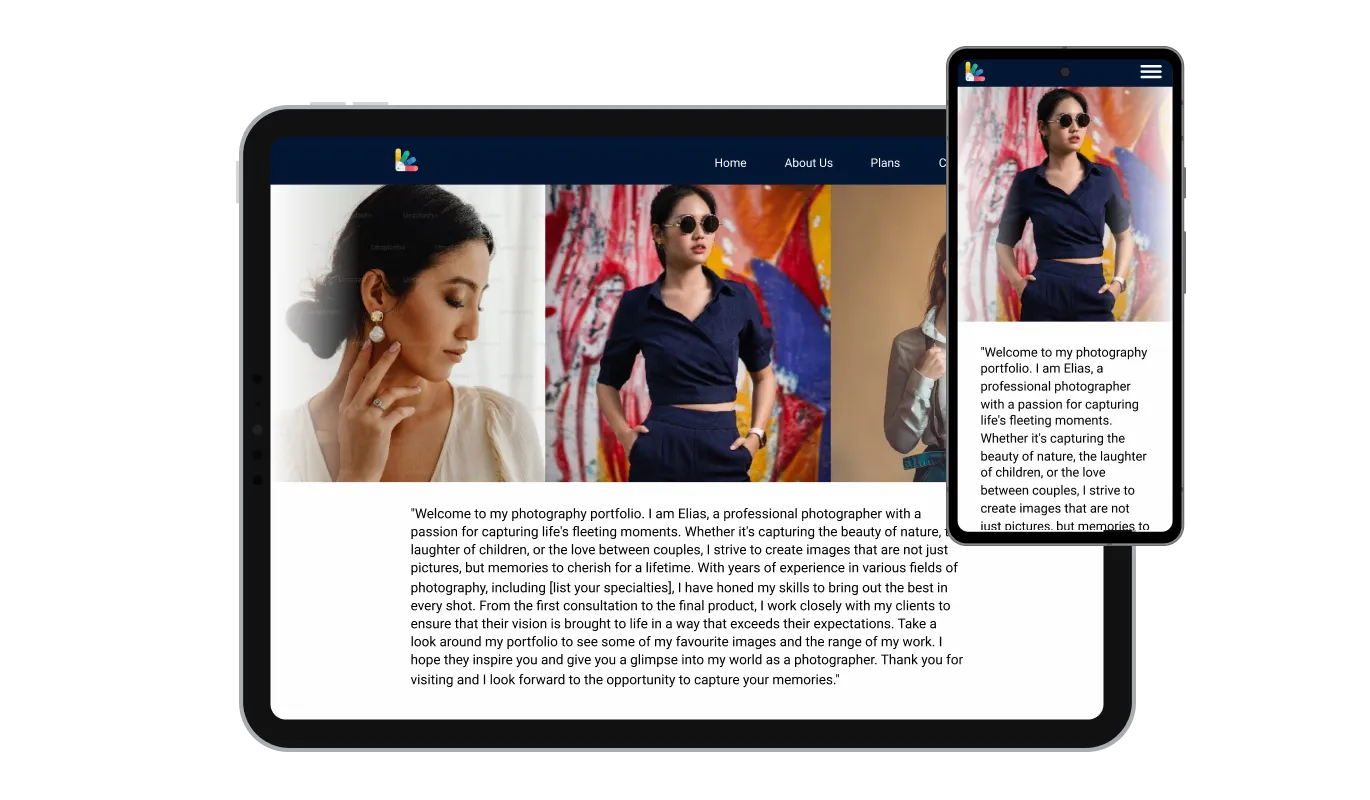
The Instagram Slider ensures your content looks stunning on any screen size. Its responsive design adapts to different devices, providing an optimal viewing experience for all visitors.

For those who wish to delve deeper into customization, the Instagram Slider supports custom CSS. This feature allows for advanced styling and personalization, ensuring your widget perfectly captures your website's essence.

Embedding the Instagram Slider is straightforward, requiring no coding skills. Its user-friendly setup allows for easy integration into your website, enhancing its functionality and visual appeal.
Keep your content fresh and engaging with the Instagram Slider's auto-refresh feature. This ensures that your website always displays the latest images from your Instagram feed without any manual updates, offering a continually evolving visual experience to your visitors.
Make each image in your Instagram Slider a gateway to deeper engagement. Clickable images can lead visitors directly to your Instagram posts, encouraging interaction and exploration of your Instagram profile, fostering a stronger connection between your website and social media presence.
The Instagram Slider offers a straightforward interface, enabling effortless personalization and application, ensuring a seamless experience even for those with no technical expertise.
Build your Instagram slider in the editor
Open the editorFree to use · No credit card · No signup to try it
Common Ninja has amazing no-code widgets that would beautify a website built on any builder. It is very easy to use and customise. It has as many widgets for almost everyone willing to make their website impressive.
Outstanding service. I use their widgets to help me with my web design business and whenever I need help they are very quick to help.
Excellent company with excellent service!!! We used it to build a survey, it was very user friendly. The service was perfect. Amit helped us with every problem and question we had, thank you very much!!!
Common Ninja saved the day when building our website and the customer service Daniel, the co-founder and CEO, provided was amazing.
Use the slider if you want one post at a time at full width, which suits photography where the individual image matters. Use the carousel if you want several posts visible at once with arrows and dots to browse them. Use the Instagram Feed if you want a grid, a list, or a scrolling ticker. All three are free, so pick the shape your page needs rather than the name that sounds closest.
Yes. The slider refreshes its content, so posting on Instagram updates the section without editing the page or re-pasting the embed code. That is the difference between this and a screenshot, which is stale the day after you take it.
No. You connect the account in the editor and Common Ninja handles fetching the posts. There is no developer application to file, no API key to generate, and no request quota for you to monitor.
Public accounts only, which covers featuring a brand ambassador, a partner, or creators posting about your product. Private accounts and deleted posts will not appear, because the widget reads only what Instagram serves publicly.
It is one embed snippet rather than a plugin, so nothing enters your site's own code and there is nothing to keep updated. Images load as the slider needs them rather than all at once, so a long feed does not arrive as one large payload.
The slider follows the account, so it shows recent posts rather than a hand-picked set. If a page needs an exact curated sequence that never changes, an image slider with your own uploads gives you that control, at the cost of updating it yourself.
It scales to the screen width, and one post at a time is naturally well suited to a narrow screen, which is one of the better reasons to choose a slider over a grid. Preview all the same to check the slide height against your page.
Yes. Each slider is its own widget with its own account and settings, so a main account can sit on the homepage and a second one on a campaign page. On the free plan each widget counts separately against your plan's widget allowance.
Pick your platform. Each takes under 4 minutes.

Display the latest posts from your Instagram page

Display a feed of the latest posts from a Facebook user or page

Display the latest tweets from your X

Showcases images in a rotating or sliding manner

Displays a series of images in a slideshow format

Displays images and captions in diverse layouts and grids, presenting visually appealing arrangements for showcasing multiple images
Embedding the Instagram Slider is straightforward. After customizing the widget to your liking, you will receive a snippet of code to insert into your website's HTML. This process does not require any coding knowledge.
Yes, the Instagram Slider offers full customization capabilities. You can adjust colors, fonts, and layouts to ensure the widget aligns perfectly with your website's aesthetic.
Absolutely. The Instagram Slider is designed to be fully responsive, ensuring it displays beautifully across all devices, including desktops, tablets, and smartphones.
Yes, the Instagram Slider includes interactive hover effects and allows for direct engagement with clickable images, directing visitors to your Instagram content for deeper interaction.
The widget features a seamless feed auto-refresh, ensuring your website always displays the latest content from your Instagram feed without manual updates
Yes, for those who want to further personalize the widget, custom CSS can be applied, offering creative freedom to match your specific design requirements.
By showcasing your Instagram content in an engaging slider format on your website, visitors are encouraged to follow your Instagram profile, potentially increasing your social media reach.
The Instagram Slider is optimized for performance, ensuring minimal impact on your site's loading times while providing a rich, visual experience.
While the widget automatically fetches your latest Instagram content, some customization options allow you to filter or select specific types of posts to display.
Yes, the Instagram Slider is designed to work seamlessly with a wide range of website builders and content management systems.
Support is available to assist with any challenges you might face. You can access help through documentation, tutorials, or direct customer service.
Basic features of the Instagram Slider are available for free, with premium options offering additional customization and functionality for a fee.
Instagram posts as a full-width sliding sequence that refreshes itself, with clickable slides, hover effects, full responsiveness, and custom CSS. Fits a narrow column where a grid will not. Embed on 200+ platforms including WordPress, Wix, Shopify, Squarespace, and Webflow.
Create your Instagram sliderFree to use · No credit card · No coding