




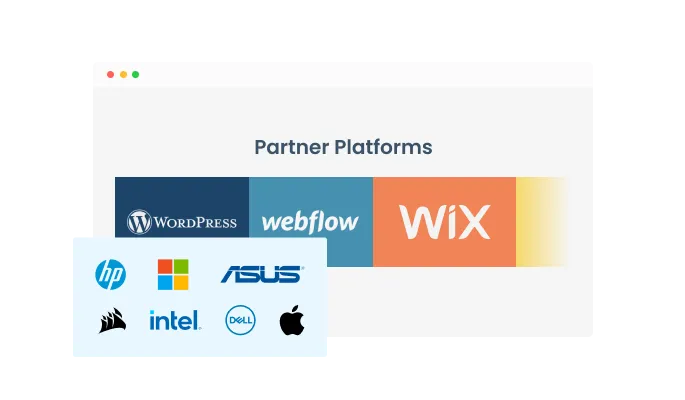
A choice of two layouts
Wix Logo Showcase app features two layout options - a carousel and a grid - that will enable you to select the right design for your brand.
Try the editor, no signup
Pick a template, customize it, and watch it update live, no signup.
No credit card · Free forever plan
No credit card · Free forever plan
You can establish credibility in your company by showcasing a logo carousel of companies that trust you and work with you.
By showcasing partners, clients, and other companies that you are working with, you give a quick and clear indication to your readers as to what industry your company is in, thereby reinforcing your Wix website’s message and design.
With the Logo Slider app, you can improve your Wix website design and make it more pleasing to the reader’s eye. It can be used to create an interesting contrast in color schemes or to create a break between paragraphs and sections.
Wix Logo Showcase app features two layout options - a carousel and a grid - that will enable you to select the right design for your brand.
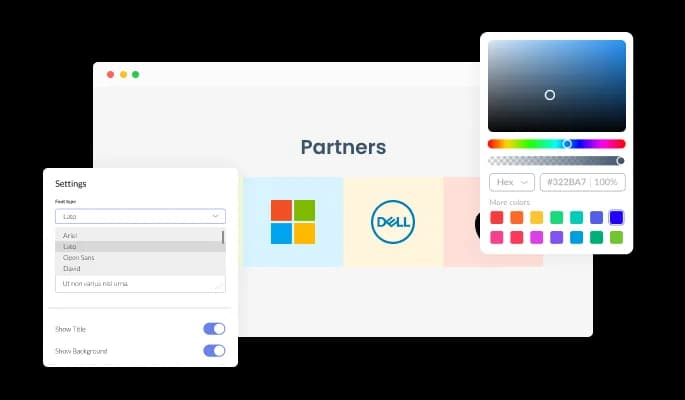
You can edit the design of the Logo slider app for Wix based on your Wix website needs. From colors to fonts to spacing, everything can be customized!
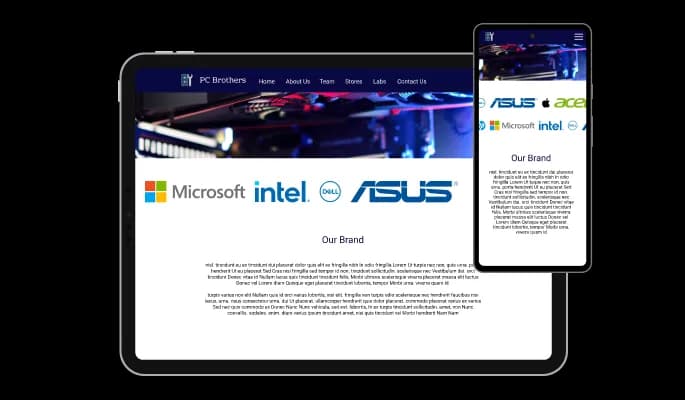
The Logo slider app for Wix is responsive and looks great on any device. With this feature, you will be able to stay ahead of your competitors in a mobile-first world.

The Logo Showcase for Wix lets you pause your image on hover and add various effects such as scale, shadow, opacity, highlight, and more!

Customize the layout of the carousel however you like, including changing its direction and speed!

With the Logo Carousel app, you are able to make logos clickable to facilitate navigation on your Wix website.

There is no need to know any coding to use Logo slider [for Wix. The intuitive dashboard with drag-and-drop functionality will allow you to customize the app in any way you'd like with just a few clicks.
Common Ninja's apps allow you to add custom CSS to make the Logo slider for Wix your own.

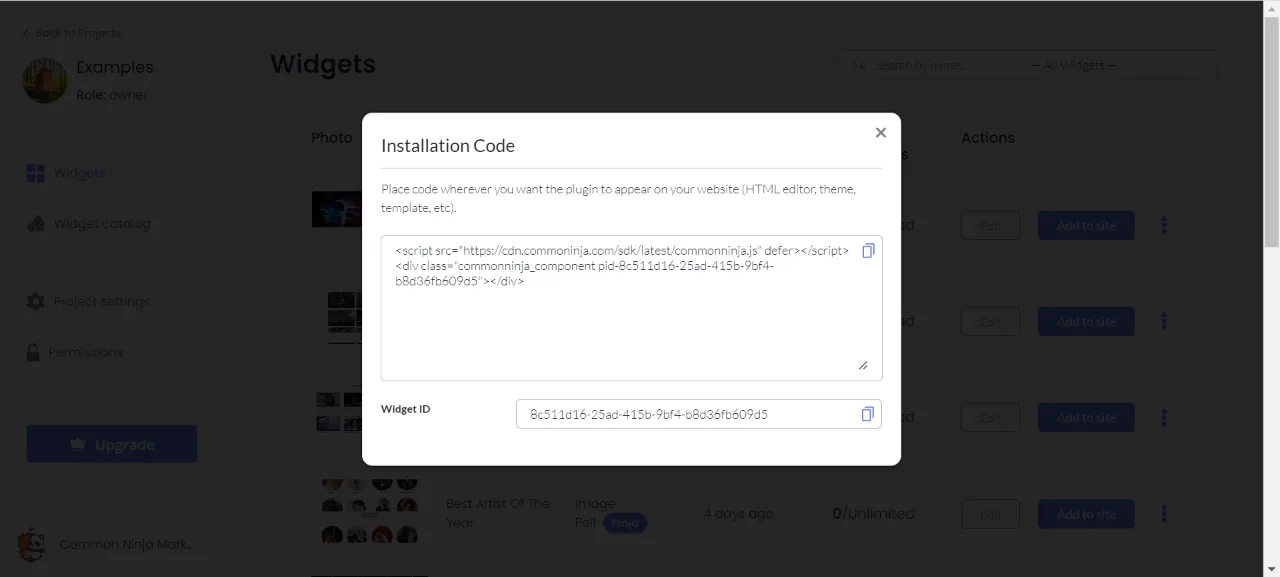
Embedding your Logo slider app on your Wix website is as simple as copying and pasting one line of code. Whenever you update your app, your Wix Logo slider on your Wix website will be updated automatically.

Yes, you can easily change the logo's opacity to complement your style via the “Look & Feel” tab on the widget’s dashboard.
Yes, the widget features a selection of different hover effects.
Yes, you can make the carousel pause when your users hover over it.
Yes, you can easily change the direction of the carousel.
Yes, you can easily change the speed of the carousel.
Yes, you can make the logos clickable and link them to relevant pages.
Using the Logo Slider widget is very easy. Simply sign up and start using the free version. There's no need to worry about complicated setup or installation processes, as the Logo Slider widget is designed to be user-friendly and straightforward. Once you've signed up, you'll have access to all of the basic features and functions of the widget, which you can use to enhance your website and improve your online presence. From there, you can choose to upgrade to the paid version if you want to access more advanced features and capabilities. Regardless of which version you choose, you'll find that the widget is a powerful and easy-to-use tool that can help you take your online presence to the next level.
The Common Ninja Logo Slider widget is a free tool rich with features and options. While this widget is free to use, it does have a limit on the number of views it can handle. This means that after a certain number of views, the widget may no longer be visible or functional on your website. It is important to note that this view limit may vary depending on the plan you are using. Despite this limitation, Common Ninja's Logo Slider is still a valuable tool for businesses looking to increase customer engagement and improve the overall user experience of their website.
The Common Ninja's Logo Slider widget is a versatile tool for any website builder. This means that you can easily add this widget to your website or store no matter what platform you use to build your website. The Logo Slider widget will work seamlessly with your platform whether you are using a popular website builder or something more specialized. This means you can enjoy all the benefits of this powerful tool without having to worry about compatibility issues.
It’s very easy to embed Common Ninja’s Logo Slider widget on your website and the process consists of two steps:
Yes. The Logo Slider widget can be used in a GDPR-compliant way. Collecting visitor information is always opt-in: it stays off until you turn it on in the widget’s settings, and you decide what is collected. As the website owner, you remain responsible for how you use your visitors’ data.
No need for coding skills. Our Logo Slider widget is designed to be easy to use, even for those with limited technical experience. The widget features a user-friendly interface that allows you to easily customize the widget without coding knowledge. You can fully customize the Logo carousel to match your branding. When you're done, simply copy the provided code and paste it into your website. It's that simple!
Embedding the Logo Slider widget on your website is a straightforward process. Simply copy the provided code and paste it into the desired location on your website. The widget will seamlessly integrate into your site, allowing you to take advantage of its features and functions. No technical expertise or programming knowledge is required - just copy and paste the code to get started. This simple process allows you to easily add the widget to your website and enhance its functionality without any hassle.
Yes. We are eager to hear your request. Please refer to this page.
You might want to use a logo slider widget on your website for several reasons.
First, a logo slider widget can be a useful way to showcase the logos of your clients, partners, or other companies that you have worked with. By displaying these logos in a slider format, you can create a visually appealing and engaging element on your website that can help to build trust and credibility with your visitors.
Second, using a logo slider widget can help improve your website's user experience by making it more interactive and engaging. By allowing your visitors to browse through the logos in the slider, you can provide a more immersive and interactive experience that can keep visitors on your site longer and encourage them to explore more.
Third, using a logo slider widget can help improve your website's search engine optimization (SEO). By including relevant keywords and phrases in the text and links you add to your logo slider, you can improve the chances that your website will appear in search results for those terms. This can help drive more website traffic and increase your visibility online.
Overall, using a logo slider widget on your website can be a useful way to showcase the logos of your clients and partners, improve the user experience, and boost your website's SEO.
A logo slider is an interface element used to display a series of logos on a website. The logos are typically arranged horizontally and can be scrolled using arrow buttons or swiping on a touch screen. Logo sliders are often used to showcase the logos of companies or organizations that a website has partnered with, or to display a selection of client logos. Logo sliders can help to build credibility and trust by showing that a website has relationships with other reputable organizations. They can also help to create a more visually appealing and dynamic design for a website.
A logo showcase is a type of interface element that is used to display a series of logos on a website. The logos are typically arranged in a grid or other layout and may be linked to the related company or organization's website. Logo showcases are often used to display the logos of companies or organizations that a website has partnered with, or to display a selection of client logos. Logo showcases can help to build credibility and trust by showing that a website has relationships with other reputable organizations. They can also help to create a more visually appealing and dynamic design for a website.