


Verified review
Common Ninja has amazing no-code widgets that would beautify a website built on any builder. It is very easy to use and customise. It has as many widgets for almost everyone willing to make their website impressive.
Try the editor, no signup
Pick a template, customize it, and watch it update live, no signup.
No credit card · Free forever plan
No credit card · Free forever plan
The Common Ninja Multi-Row Image Slider is a free, no-code widget that slides several rows of images at once on any website. Upload the set, set the speed, and paste one line of embed code.
Because it moves as continuous rows rather than advancing one slide at a time, it suits a large set of small images: logos, sponsors, press mentions, product shots, or partner marks.
Hovering pauses the motion so a visitor can read a logo, images can carry links, and the sliding speed and styling are yours to set. Works on 200+ platforms including Elementor, Shopify, Joomla, WordPress, and PrestaShop.
Twenty client logos in a static grid is a tall block. Sliding them across two or three rows holds the same set in a band, so the proof is there without pushing your actual content down the page.
Sponsorship usually comes with an obligation to link. Link-enabled images mean every mark in the band goes to the right place, which is exactly what you promised, without building a table of logos by hand.
A band of logos gliding past reads as a longer list than a static grid of the same images, because the eye assumes there is more off screen. It is the standard treatment for a customer roster for that reason.
The usual complaint about a moving logo band is that you cannot read it. Hover-and-hold stops the row under the cursor, so a visitor who spots a familiar name can actually stop and check it.
Add the set you want sliding. This widget is built for many small images rather than a few large ones, so a wall of twenty logos suits it better than four photographs.
Choose the multi-row display and set the sliding speed. Slow is almost always right for a logo wall: fast motion makes marks unreadable and turns a credibility section into a distraction.
Give any image a link if it should lead somewhere, then copy the snippet from the Add to Website tab and paste it where the band belongs.
Several rows slide at once rather than one row advancing, so a large set of small images fits into a single band of the page instead of a tall grid.
Motion pauses when a visitor hovers, which is what makes a moving band usable rather than merely decorative. Without it, anything that needs reading is lost.
Any image can carry a link, so a logo band doubles as a set of outbound routes to partners, sponsors, press coverage, or product pages.
Set the sliding speed, let the rows reflow to the screen width, and use custom CSS for exact spacing and sizing. One embed snippet, 200+ platforms, nothing to install.
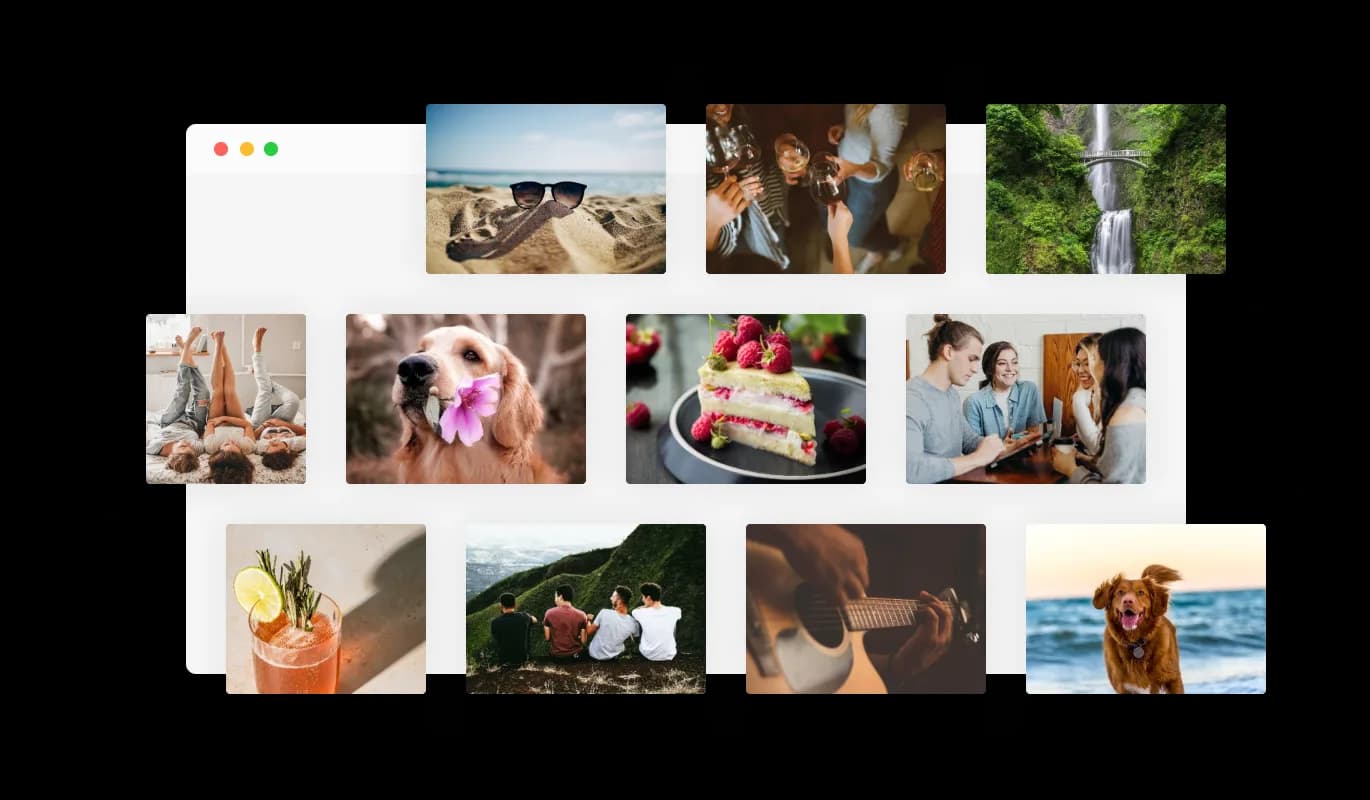
Experience a vibrant display of visuals with the multiple rows feature in the Multi-Row Slider. You can effortlessly add many rows, each showcasing a series of images moving in a direction opposite to its adjoining rows. This creates a fascinating and cool effect on your website, potentially making the visual content more engaging for users.
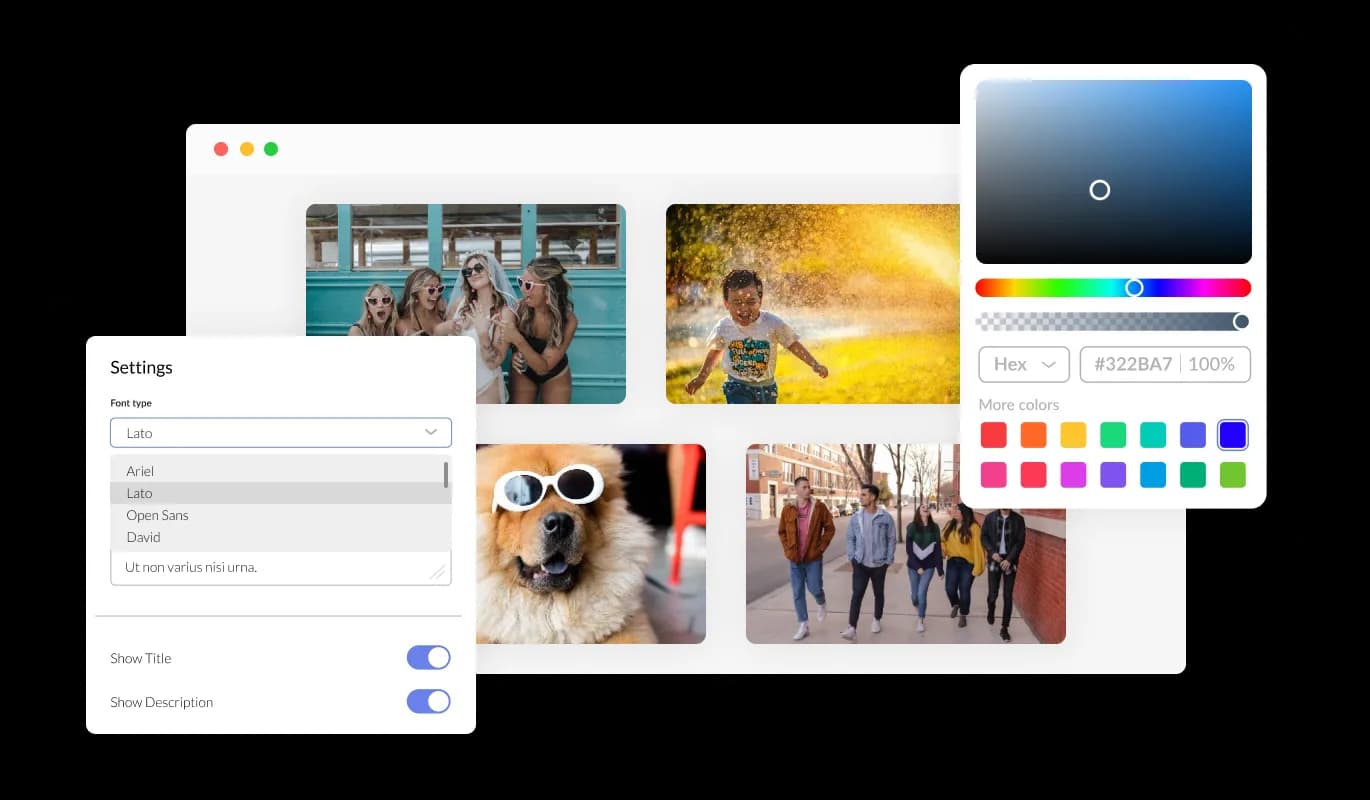
The Multi-Row Image Slider widget is fully adaptable to your website's specific aesthetic needs. It allows you to modify various elements such as colors, fonts, and spacing to harmonize seamlessly with your existing design. Leveraging this feature, you can create a distinct visual appeal that resonates with your brand, enhancing the browsing experience on your website without the need for extensive technical know-how.
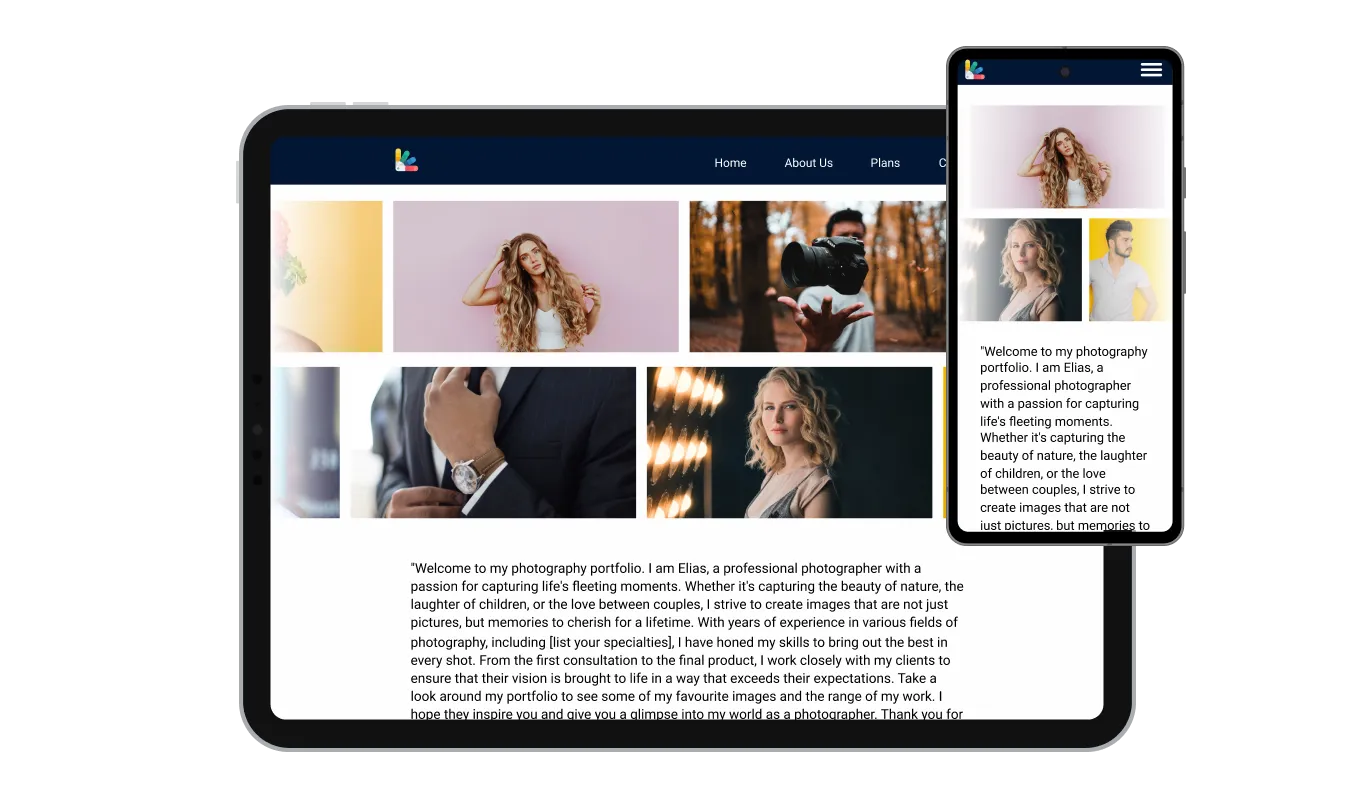
Experience the versatility of the Multi-Row Image Slider, designed to deliver a consistent and seamless user experience across all devices, including desktops, laptops, tablets, and smartphones. In an era dominated by mobile browsing, this feature ensures that your website remains user-friendly and ahead in terms of functionality and design. Utilize the Multi-Row Slider to offer your visitors a swift and intuitive navigation experience, irrespective of the device they use.

Unleash your creativity with the Multi-Row Image Slider's custom CSS functionality. Whether you're a seasoned developer or someone with a knack for design, this feature grants you the autonomy to tweak the slider further to truly align with your website's theme. From adjusting the slider's dimensions to crafting entirely new styles, the possibilities are vast, helping you to forge a unique and engaging user experience on your site.

Embedding the Multi-Row Slider onto your website is a straightforward process, involving just the copy-pasting of a single line of code. This method not only facilitates easy integration but also automatically implements any changes you make to the slider, ensuring a continually updated and enhanced user experience. The ease of embedding means you can swiftly incorporate the Multi-Row Image Slider into various sections of your website, enhancing its visual appeal and functionality.
Enhance user interaction with the Multi-Row Image Slider's "Stop on Hover" functionality. This feature allows users to hover over an image to pause the sliding motion temporarily, offering them the opportunity to view an image in more detail. This thoughtful addition caters to users' convenience, enabling a more leisurely and controlled browsing experience.
Make the most of the Multi-Row Slider’s ability to incorporate links into each image. This feature serves as a gateway to additional content, encouraging users to explore further and engage more with your website. It's a user-centric addition that can potentially elevate the browsing experience, offering more depth and information with a simple click.
Offer users a bespoke browsing experience with the Multi-Row Image Slider's sliding speed control feature. This functionality enables you to dictate the speed at which images transition, providing an adaptable visual journey that can be modified to suit the overall ambiance of your website. It's a nuanced tool that allows you to fine-tune the user experience to perfection.
Implementing the Multi-Row Slider is a hassle-free process, requiring no coding expertise. Its user-friendly dashboard, complete with a drag-and-drop feature, facilitates easy customization with just a few clicks, making it a breeze to incorporate into your website and enhance the user engagement levels.
Build your multi-row slider in the editor
Open the editorFree to use · No credit card · No signup to try it
Common Ninja has amazing no-code widgets that would beautify a website built on any builder. It is very easy to use and customise. It has as many widgets for almost everyone willing to make their website impressive.
Outstanding service. I use their widgets to help me with my web design business and whenever I need help they are very quick to help.
Excellent company with excellent service!!! We used it to build a survey, it was very user friendly. The service was perfect. Amit helped us with every problem and question we had, thank you very much!!!
Common Ninja saved the day when building our website and the customer service Daniel, the co-founder and CEO, provided was amazing.
Logo walls, sponsor bands, press-mention strips, and partner marks. Anything where you have a lot of small images and want them in one band of the page rather than a tall grid. If you have a handful of large photographs, an image slider or carousel is the better tool.
A slider or carousel advances a slide at a time and is built for images you look at individually. This moves several rows continuously and is built for a set you take in as a whole. Different jobs, and the choice usually comes down to whether each image matters on its own.
Yes, that is what hover-and-hold does: the row under the cursor pauses. It is worth leaving on, because the usual objection to a moving logo band is that nobody can read it, and this is the answer to that.
Yes. Any image can carry its own link, which is what makes it usable for sponsors and partners where linking is often part of the arrangement.
Slower than feels right while you are building it. Fast motion makes logos unreadable and draws attention away from whatever the page is actually asking the visitor to do. This is a credibility band, not an animation.
Enough that the rows look full, since a half-empty row makes the effect look broken. Two or three rows is usual, and the set needs to be comfortably longer than what fits on screen so the motion looks continuous rather than like a short loop.
They will look better if they are visually balanced. Logos come in wildly different proportions, so a tall square mark next to a long wordmark will read unevenly. Sizing them consistently before uploading does more for the result than any setting in the widget.
Yes, the rows reflow to the screen width. Check the phone view, because rows that look elegant across a desktop can become a very busy strip on a narrow screen, and fewer rows often reads better there.
Pick your platform. Each takes under 4 minutes.

Displays multiple logos in a scrolling or rotating manner

Showcases images in a rotating or sliding manner

Displays a series of images in a slideshow format

Displays images and captions in diverse layouts and grids, presenting visually appealing arrangements for showcasing multiple images

Showcases quotes in a rotating or sliding manner

Showcase customer testimonials using a rotating slider
The Multi-Row Slider is a unique widget that allows you to display images in multiple rows on your website, with each row moving in a contrasting direction, thereby creating a dynamic and visually appealing effect.
Yes, the Multi-Row Image Slider is fully customizable. You can modify various aspects such as colors, fonts, and spacing to ensure the slider integrates seamlessly with your website's existing design.
Absolutely, the Multi-Row Image Slider is designed to function smoothly across all devices, including desktops, laptops, tablets, and smartphones, providing a seamless browsing experience for all users.
No, using the Multi-Row Image Slider does not require any coding knowledge. Its intuitive dashboard facilitates easy customization through a simple drag-and-drop feature.
Yes, the Multi-Row Slider allows you to add links to each image, enabling a richer and more interactive user experience as visitors can be redirected to other relevant sections or external sources with ease.
Embedding the Multi-Row Image Slider is simple; all you need to do is copy a single line of code provided and paste it into the appropriate section of your website's HTML code, such as the header or footer.
Yes, the Multi-Row Image Slider offers a feature that lets you control the sliding speed of the images, allowing you to customize the visual experience to suit your website's mood and theme.
When a user hovers over an image on the Multi-Row Slider, the sliding motion temporarily pauses, allowing users to view the hovered image in more detail and at their own pace.
Absolutely, the Multi-Row Slider allows for custom CSS integration, giving you the flexibility to enhance the slider further and tailor it to your specific design preferences.
Yes, the Multi-Row Slider is designed to be compatible with all modern web browsers, ensuring a consistent and engaging user experience across different platforms.
The multiple rows feature in the Multi-Row Slider creates a visually captivating pattern by moving images in opposite directions across rows, adding a dynamic and lively element to your webpage that can potentially enhance user engagement.
No, there isn't a predefined limit to the number of rows you can add. The Multi-Row Image Slider offers flexibility in creating a customized visual display based on your preferences.
For any support regarding the Multi-Row Image Slider, you can reach out to our customer service team through the contact details provided on our website.
Yes, the Multi-Row Image Slider allows for real-time previews of changes, enabling you to experiment with various styles and design elements before settling on the perfect combination that complements your website.
Yes, any changes you make to the Multi-Row Image Slider are updated automatically, ensuring a continually fresh and enhanced user experience on your website.
Several rows of images sliding in one band, with hover-and-hold to pause, links on any image, adjustable sliding speed, full responsiveness, and custom CSS. Built for logo walls, sponsor bands, and press-mention strips. Embed on 200+ platforms including Elementor, Shopify, Joomla, WordPress, and PrestaShop.
Create your multi-row sliderFree to use · No credit card · No coding