


Verified review
Common Ninja has amazing no-code widgets that would beautify a website built on any builder. It is very easy to use and customise. It has as many widgets for almost everyone willing to make their website impressive.
The Common Ninja Real Estate Listings widget is a free, no-code embed that displays a structured property catalog on your website — designed for real estate agents, brokers, and listing-site operators.
Add properties with pre-set fields (price, bedrooms, bathrooms, square footage, address, location, photos) plus custom fields for property-specific details (pool, parking, year built, MLS number), pick a layout (grid, list, map view), enable search and filters, customize the design with skins or Custom CSS, and paste a one-line embed snippet on Squarespace, Shopify, Google Sites, HighLevel, WordPress, Craft CMS, and 200+ other platforms.
Use it to launch a property catalog on your agency site, embed a listings widget on a personal-agent page, surface featured properties on a homepage band, or run a listings section on a blog covering a specific market — without paying for an MLS-integration platform or building a custom backend.
Full MLS-integration platforms (RealtyJuggler, IDX Broker, Showcase IDX) are powerful but pricey and platform-specific. For agents who manage 10–100 listings manually and want them on their own site, this widget surfaces a structured catalog without an IDX subscription, an MLS API license, or a custom backend.
Visitors arrive with a price ceiling, a bedroom count, or a neighborhood in mind. Built-in filter controls (price range, bedrooms, location, custom field criteria) and sorting (newest, price, square footage) let them narrow down without scrolling through every listing. The right property surfaces in seconds; the lead form gets filled out.
Real-estate browsing is geographic — visitors care about which neighborhood, not just which listing. The map-view layout pins each property on a map so visitors explore by location, click a pin to see the listing card, and filter to show only properties in a specific area.
Pre-set fields cover the basics (price, beds, baths, square footage). Custom fields handle the specifics — pool, parking type, HOA fee, year built, MLS number, listing-agent name. Different properties can use different custom-field combinations without breaking the layout. Useful for niche markets (vacation rentals, luxury homes, commercial spaces) where the standard real-estate field set isn't enough.
Enter each property's details using pre-set fields (price, bedrooms, bathrooms, square footage, address, photo gallery, video tour link, description) plus optional custom fields for property-specific data (pool, parking, year built, garage, HOA fee, MLS number, listing-agent contact). Upload multiple photos per property; the gallery handles thumbnails and full-screen viewing.
Choose a display layout — grid (card-style property tiles, best for browsing), list (vertical reading view with property details, best for detail-heavy comparisons), or map view (properties pinned on a map for geographic exploration). Configure search and filter controls (price range, bedrooms, location), set sorting options (newest, price low-to-high, square footage), and pick a skin from the design library or layer Custom CSS for pixel-level brand match.
Copy the one-line embed snippet and paste it on Squarespace, Shopify, Google Sites, HighLevel, WordPress, Craft CMS, or any of the 200+ supported platforms. Visitors browse the catalog inline; properties update across every embed when you edit them in the Common Ninja editor — no re-paste needed when you add a new listing.
Price, bedrooms, bathrooms, square footage, address, latitude/longitude, photo gallery, video tour link, description, listing status (for sale / sold / pending), date listed. Standard real-estate field set ready to fill in without configuring data structures yourself.
Add property-specific fields beyond the standard set — pool, parking, year built, HOA fee, MLS number, listing-agent contact, square footage of lot, accessibility features. Different properties can use different custom fields without breaking the layout.
Each listing renders with a photo gallery (multiple images per property), optional video-tour embed, location pin on the property card, and full property detail on click. Photos lazy-load so the catalog stays fast even with many listings.
Pick from a library of pre-designed skins (luxury-real-estate, agent-modern, market-classic, dark-mode, brand-vibrant) for a fast visual fit. Layer Custom CSS for pixel-level control over card sizing, photo framing, badge styling for listing status, and per-breakpoint sizing.
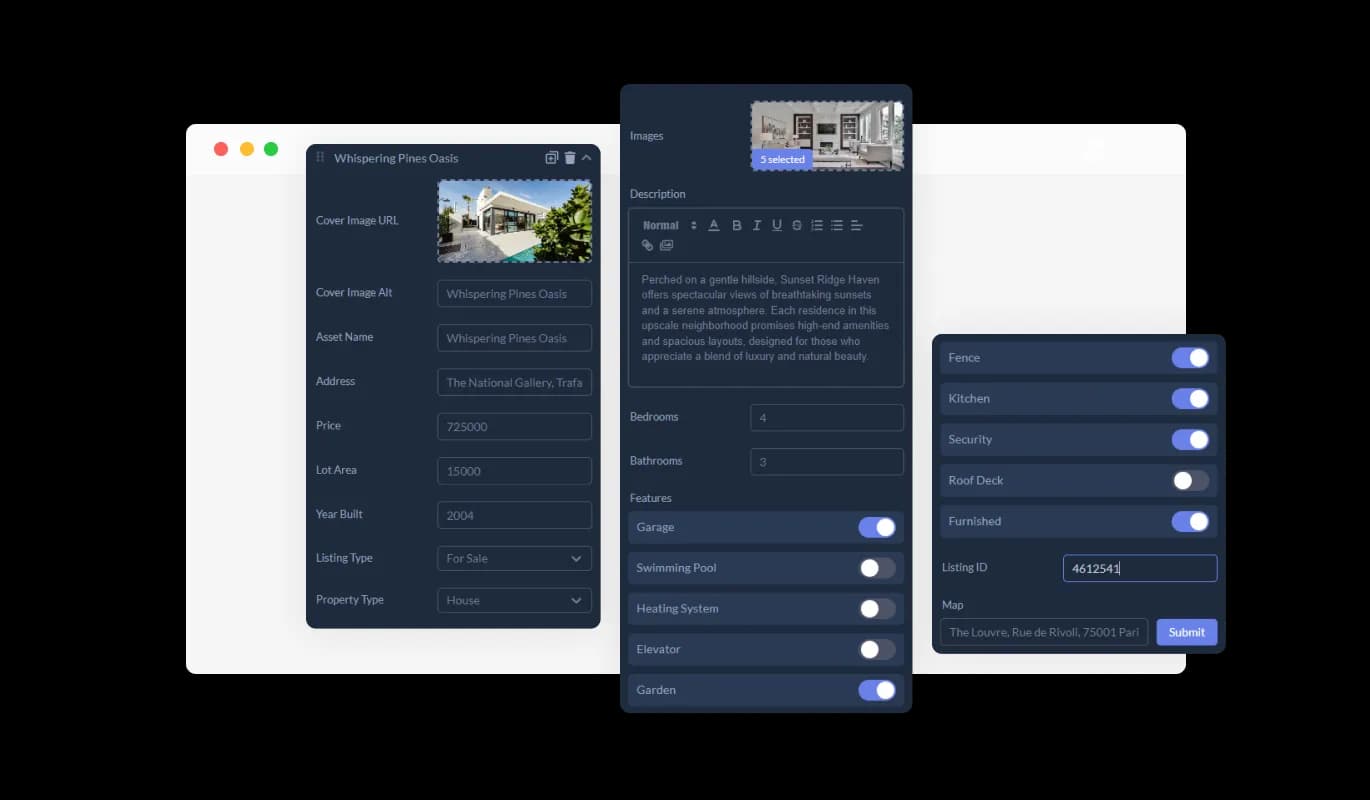
The Real Estate Listings widget is equipped with pre-set, dedicated fields designed specifically for the real estate sector. These fields cover essential property details such as price, area, and type of property. By using these dedicated fields, you can make sure that all crucial information is displayed in a standardized format, benefiting both you and your website visitors.
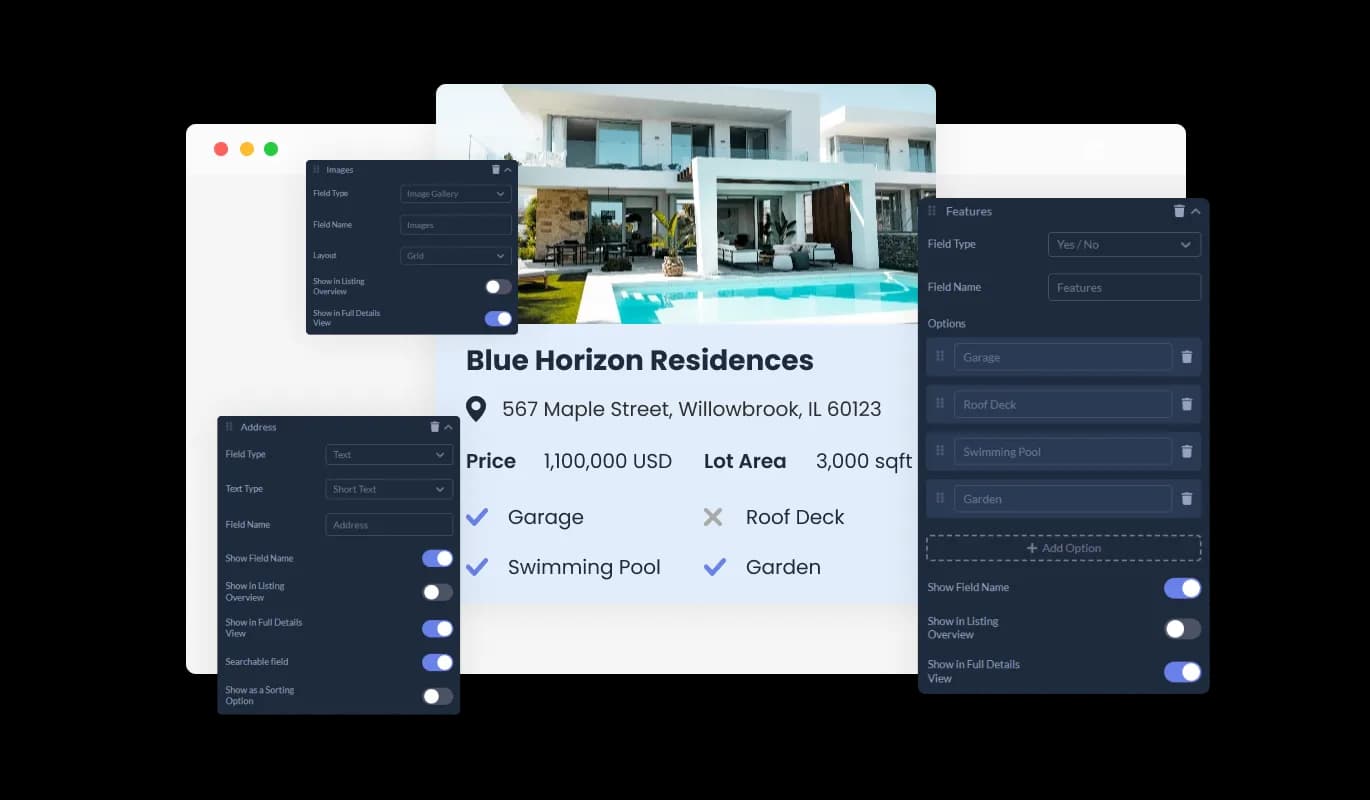
Our Real Estate Listings widget goes beyond just pre-set fields; it also offers the flexibility of custom fields. This feature enables you to modify existing listing fields and even add new ones according to your needs. Whether you want to include multiple selections, yes/no options, descriptive text, or icons, this functionality allows you to tailor your listings precisely the way you want.
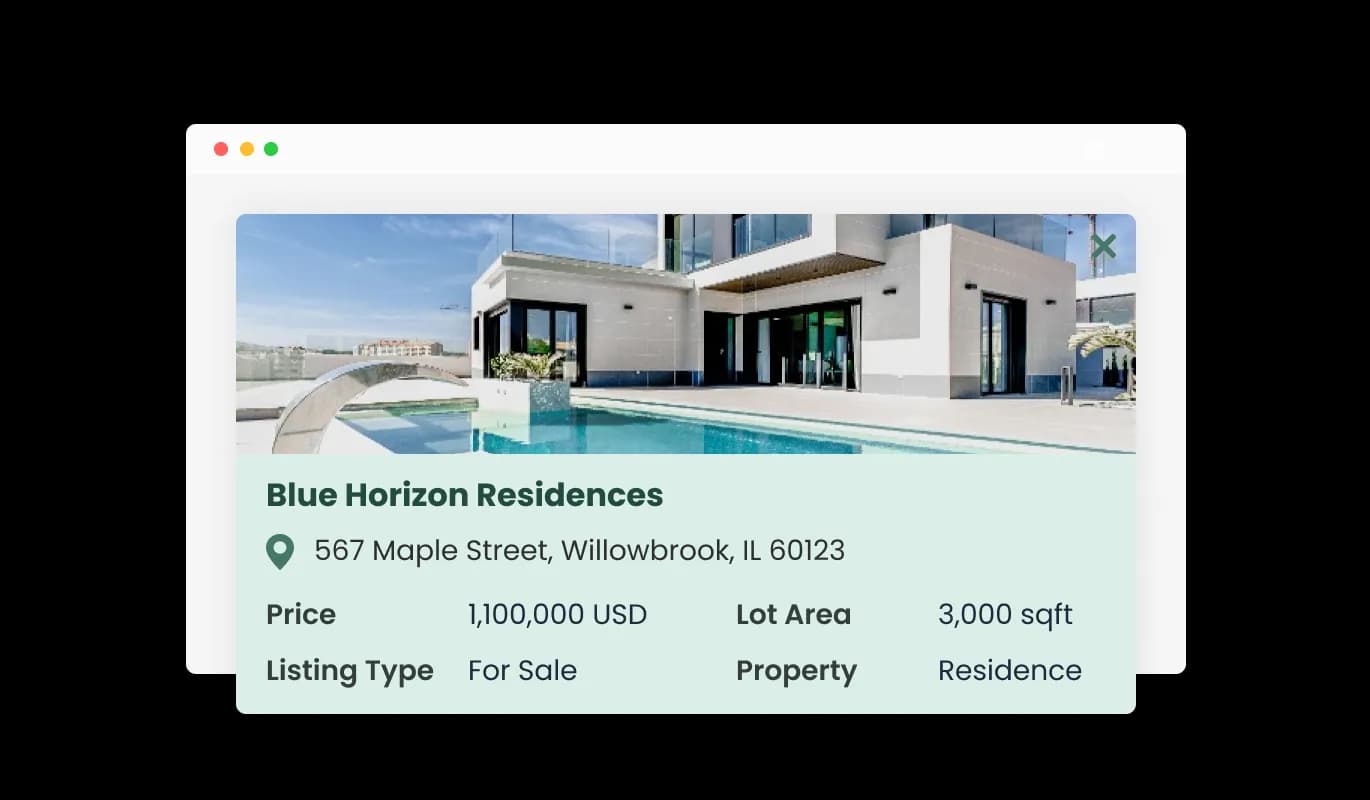
The Real Estate Listings widget features a Full Details Card that provides an extensive overview of each property. Every piece of information included in the listing is presented clearly, offering potential buyers insights into property specifications, features, and details. This comprehensive view aids users in evaluating properties thoroughly before making inquiries or decisions.
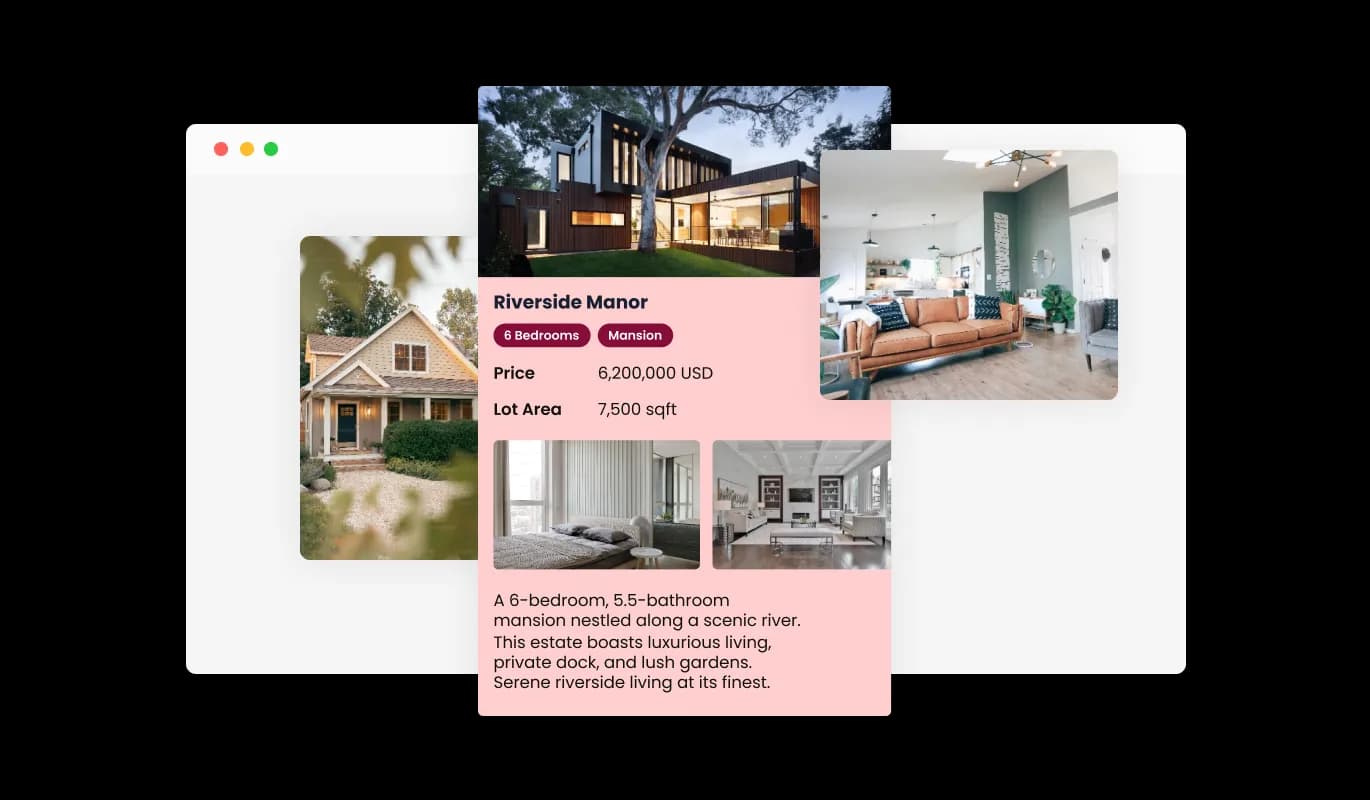
With the Real Estate Listings widget, enrich each property listing by adding multiple images. Showcase different aspects, interiors, and exteriors of the properties to give potential buyers a visual tour. This feature enhances the listing's appeal, offering a more engaging and informative browsing experience for visitors.
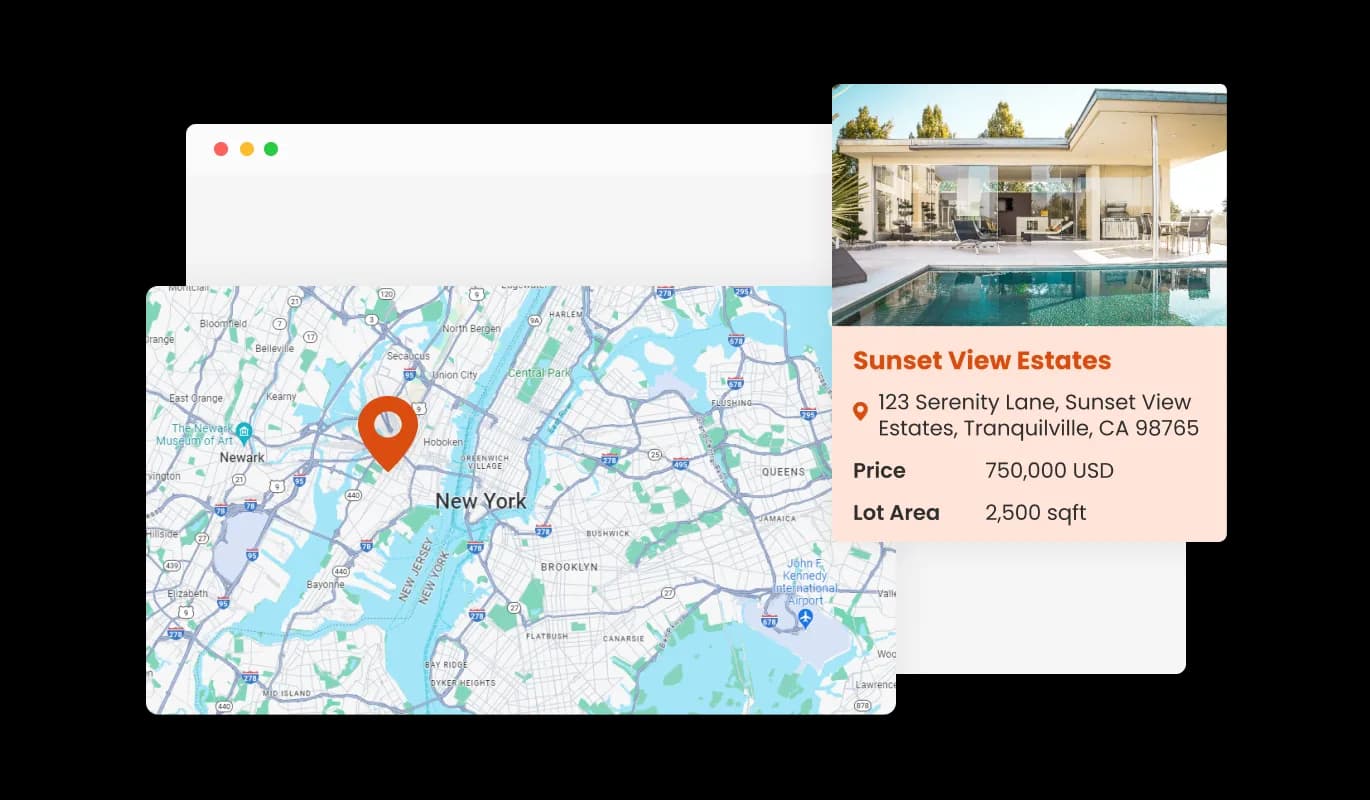
The Real Estate Listings widget allows the integration of a map feature for each property listing. This enables potential buyers to visualize the exact location, neighborhood, and surrounding areas of the property. Providing a geographical context aids in offering a comprehensive understanding of the property's locale, making the decision-making process more informed and convenient for users.
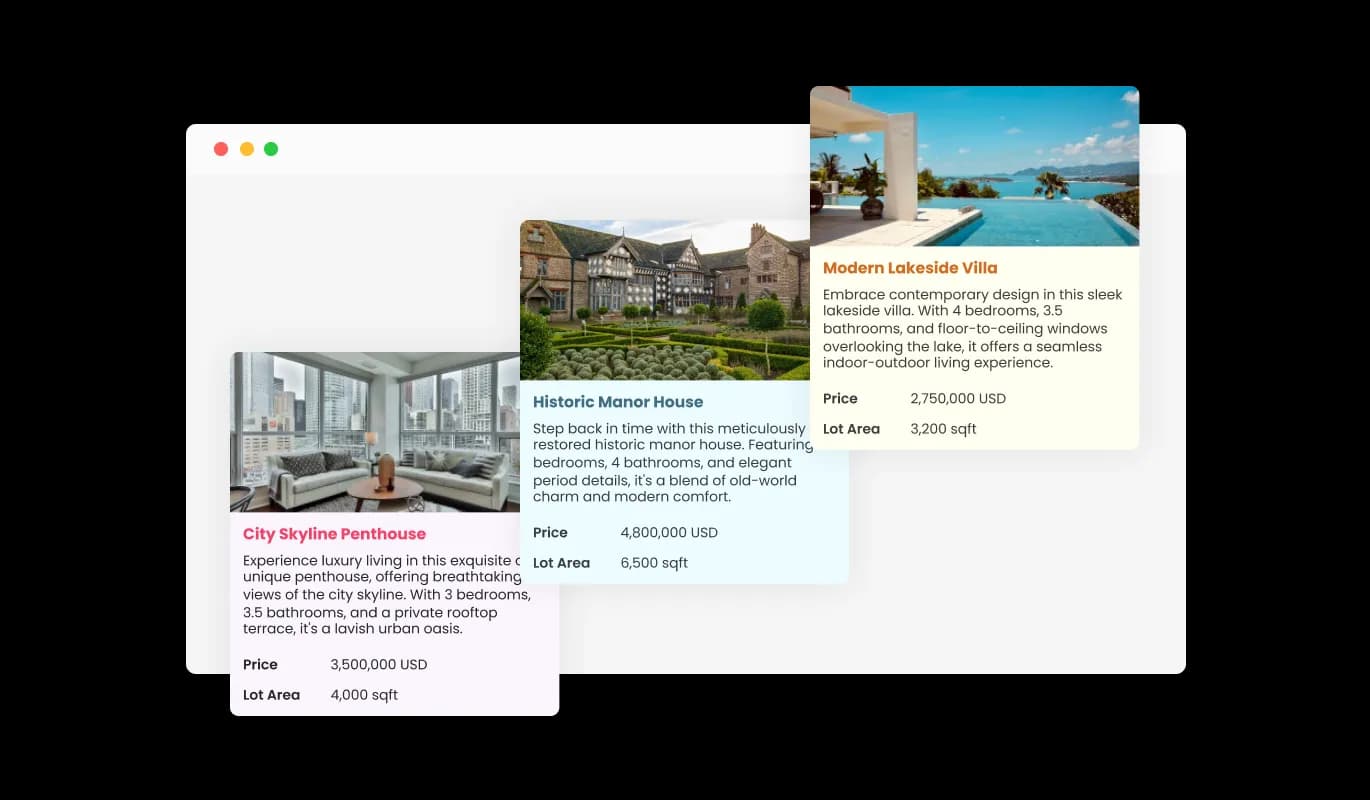
With the Real Estate Listings widget, select from a variety of beautiful skins to enhance your website’s aesthetic and ensure consistency with your brand's visual identity. Each skin is designed to be visually appealing and can be easily integrated, speeding up the design process. Users enjoy a cohesive and engaging browsing experience that aligns with the look and feel of your website.
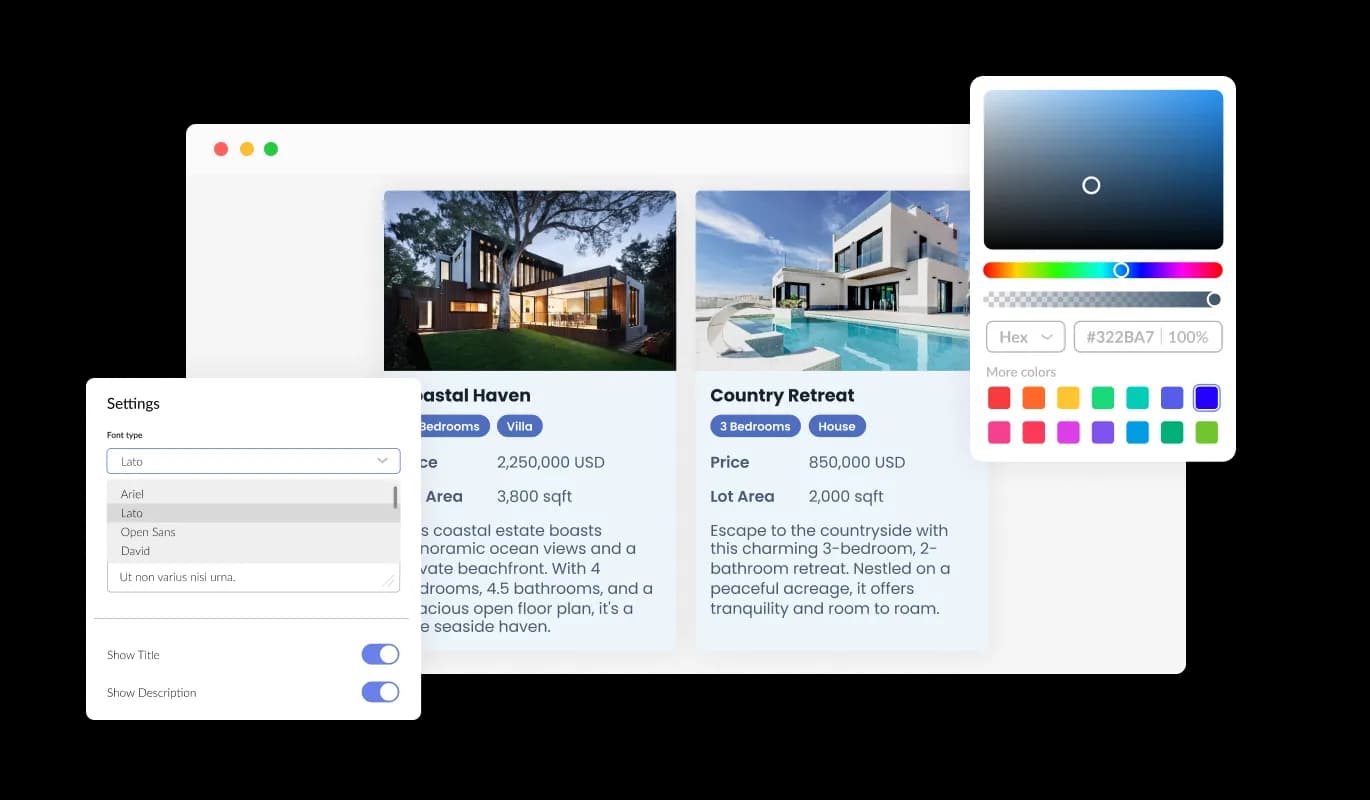
The Real Estate Listings widget offers a fully customizable design, enabling you to align the display of your property listings with your brand's aesthetic. Adjust colors and select from a wide variety of fonts to ensure visual consistency across your website. The flexibility in design customization ensures that every listing not only provides valuable information but also visually resonates with your audience
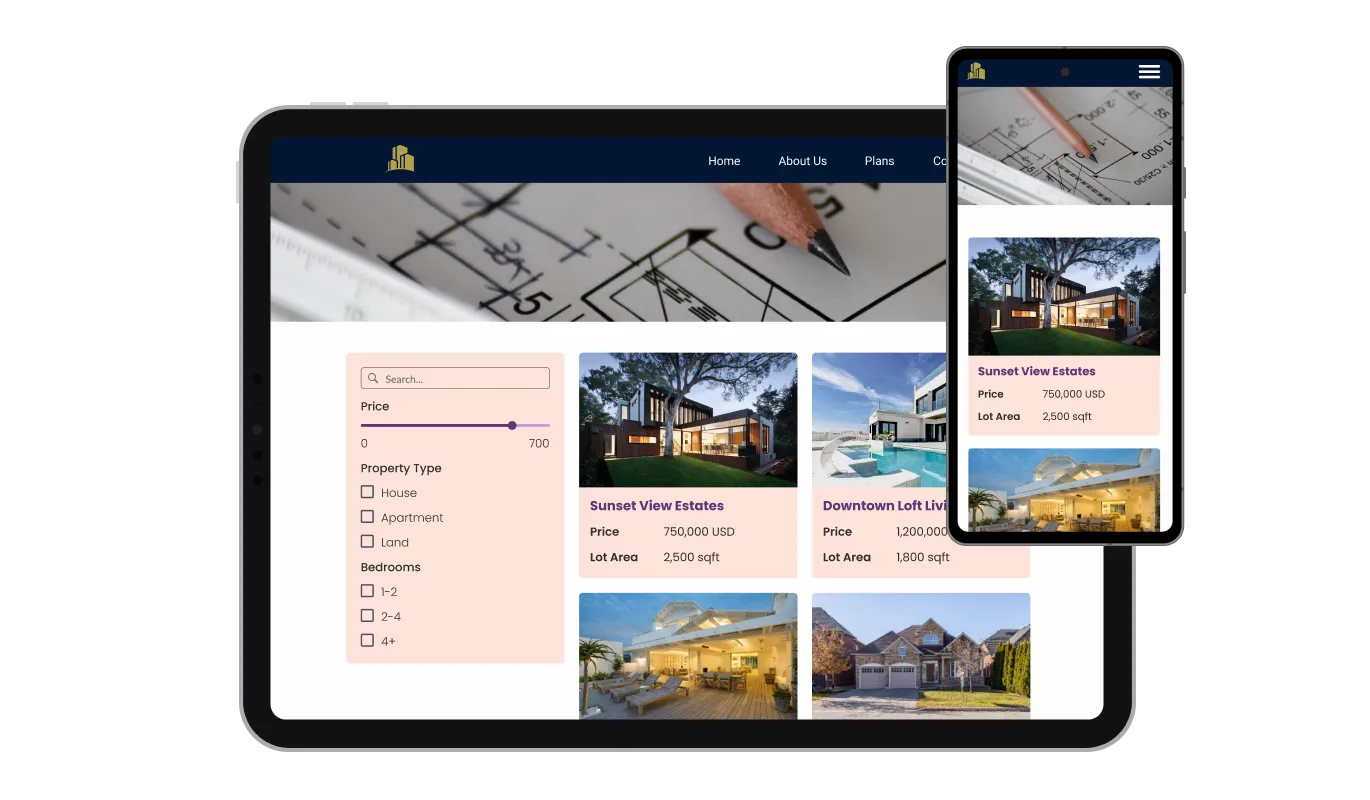
Experience the adaptability of the Real Estate Listings widget, designed to provide an optimal viewing experience across a range of devices. Whether your website visitors are on a desktop, tablet, or mobile device, each property listing is automatically adjusted for the best visual presentation and functionality. This responsive design ensures that users have a seamless and engaging experience, regardless of how they access your site.

The Real Estate Listings widget offers full CSS control, catering to users seeking advanced customization options. This feature is a boon for web developers or advanced users who wish to refine the widget's appearance and behavior meticulously. By providing the tools to tailor every aspect of the listing display, the widget ensures perfect alignment with specific design visions and website aesthetics.

The Real Estate Listings widget boasts easy integration and is compatible with a diverse range of website builders and platforms. Users can swiftly incorporate property listings into their websites, thanks to the widget’s user-friendly setup process. The design ensures that you face no technical challenges or compatibility issues, making the addition of real-time, engaging real estate listings both straightforward and efficient.
The Real Estate Listings widget allows you to tailor the display of property listings to your preference. You can choose which fields appear in the preview lists, offering a quick snapshot for site visitors. Additionally, you have control over the detailed card view, letting you decide what specific information and fields are highlighted, ensuring a comprehensive and tailored experience for potential buyers.
The Real Estate Listings widget allows you to integrate filters for a more refined search experience. Visitors can easily sort and filter listings based on the various property fields. This feature not only makes the search process seamless but also helps potential buyers find their desired properties efficiently and effectively.
Offering a user-friendly browsing experience, the Real Estate Listings widget includes customizable sorting options for ease and convenience. Users can effortlessly organize property listings based on their preferences, utilizing different property fields. This customization enhances navigation and aids potential buyers in quickly locating properties that align with their specific criteria and interests.
The Real Estate Listings widget is designed for effortless setup, eliminating the need for coding skills or technical knowledge. Its user-friendly nature ensures that website owners can easily integrate and manage property listings. With an intuitive interface, adding, customizing, and updating real estate listings becomes a hassle-free process, accessible to users of varying experience levels.
Put your listings on your own site, your own way
Open the editorNo credit card · Setup in under 5 minutes
Common Ninja has amazing no-code widgets that would beautify a website built on any builder. It is very easy to use and customise. It has as many widgets for almost everyone willing to make their website impressive.
Outstanding service. I use their widgets to help me with my web design business and whenever I need help they are very quick to help.
Excellent company with excellent service!!! We used it to build a survey, it was very user friendly. The service was perfect. Amit helped us with every problem and question we had, thank you very much!!!
Common Ninja saved the day when building our website and the customer service Daniel, the co-founder and CEO, provided was amazing.
Yes. The free plan covers one Real Estate Listings widget with no time limit and no credit card. Upgrade only when you need additional widgets, more properties per listing, advanced filter logic, premium skins, or features like inquiry-form integration and per-property analytics.
Not directly — full MLS integration requires an IDX subscription and platform-side data licensing that this widget doesn't provide. The widget is built for agents and brokers who manage 10–100 listings manually and want to showcase them on their own site without paying for MLS-integration software. Add properties manually in the editor; updates push to every embed.
Pre-set fields: price, bedrooms, bathrooms, square footage, address, latitude/longitude (for map view), photo gallery (multiple images per property), video tour link, description, listing status (for sale / sold / pending), date listed. Add custom fields for property-specific details — pool, parking, year built, HOA fee, MLS reference number, listing-agent contact info, accessibility features.
Yes. Built-in filter controls let visitors narrow by price range, bedrooms, bathrooms, location, and any custom-field criteria you configure. Search-bar input filters by address or property description. Sort options include newest, price low-to-high or high-to-low, square footage, and date listed. Configurable per widget — show only the filters that matter for your catalog.
Yes. The map view pins each property at its configured latitude/longitude. Visitors click a pin to expand the property card with photos and details, drag the map to explore neighborhoods, and use the search filter to narrow which properties appear on the map. Useful for geography-driven browsing where the location matters more than any other filter.
Build the widget in the Common Ninja editor (add properties, pick layout, customize design), copy the embed snippet, and paste it into your site: Squarespace via a Code Block in your listings section; Shopify via a Custom HTML section in your theme editor or via the theme's Section editor on the listings template; HighLevel via a Custom JS/HTML element on the page or funnel. Edits in the editor push to every embed without re-paste.
Pair the widget with the Common Ninja Contact Form widget on the same page (or embedded inside a Popup Builder triggered from a property card's "contact agent" button) to capture inquiries. The Real Estate Listings widget itself focuses on browse-and-filter; combine with form widgets for the lead-capture step that closes the loop.
Yes. All layouts (grid, list, map view) adapt across mobile, tablet, and desktop breakpoints — property cards reflow to single-column on narrow screens, the photo gallery scales to thumb-zone for swipe navigation, the map view supports pinch-to-zoom, and filter controls stack vertically for tappable interaction.
Pick your platform. Each takes under 4 minutes.
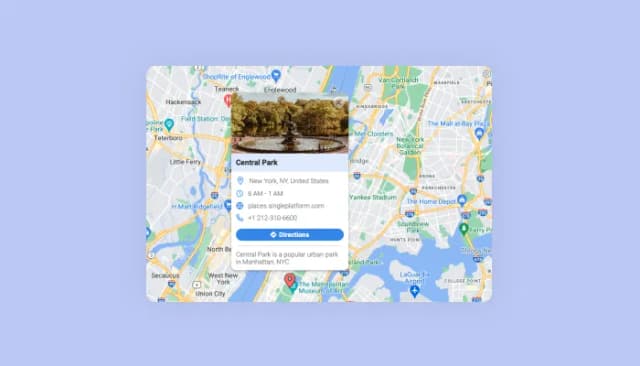
Display multiple locations with enriched details and customizable aesthetics.

Allow users to send messages or inquiries, save submissions, enable notifications, and more

Displays images and captions in diverse layouts and grids, presenting visually appealing arrangements for showcasing multiple images
Create your form for any purpose with a friendly form builder

Easily craft engaging, personalized popups to boost conversions.

Showcases videos from various sources in a variety of visually appealing layouts and grids
The Real Estate Listings Widget is a tool that allows website owners to easily display and manage property listings. It offers customization, easy integration, and various features to make real estate listings user-friendly and visually appealing.
No, the widget is designed for easy setup and usage, requiring no coding skills. It features an intuitive interface that allows users of all experience levels to effectively manage and display property listings.
Yes, the widget offers both pre-set and custom fields, allowing you to tailor the information displayed in your listings. You can also choose from a variety of skins to match your website's design.
Absolutely. The Real Estate Listings Widget automatically adapts to different screen sizes ensuring optimal display and functionality across desktops, tablets, and mobile devices.
The widget has a built-in feature allowing you to easily integrate maps into your listings. Each property location will be clearly displayed, enhancing the user experience.
Yes, users can effortlessly filter and sort listings based on various property fields. This enhanced search capability makes it easy for potential buyers to find properties that meet their specific criteria.
There's no strict limit - you can add multiple images to each property listing, offering a visual tour and a more engaging experience for visitors.
Yes, with full CSS control and a range of customizable design options, you can easily adjust the fonts and colors to match your website's aesthetic.
The widget is designed to be compatible with various website builders and platforms, ensuring smooth integration and optimal functionality.
Absolutely. The widget allows for easy management, enabling you to add, update, or remove listings quickly, keeping your real estate catalog current and informative.
The widget's language adaptability depends on its design specifications. Ensure to check the details or contact the support team for specific language support inquiries.
Yes, customer support is available to assist with any questions, technical issues, or challenges you might face while using the widget.
The widget is designed for easy integration. Simply follow the user-friendly setup process, and you’ll be able to quickly add the Real Estate Listings Widget to your website without any technical difficulties.
The availability of a trial version would depend on the offering by the widget provider. It's best to check the official website or contact customer service for detailed information on trial availability and conditions.
Display properties with pre-set + custom fields, grid / list / map view layouts, search and filter controls, customizable sorting, photo galleries, video tours, stylish skins, and Custom CSS. Embed on 200+ platforms including Squarespace, Shopify, Google Sites, HighLevel, WordPress, and Craft CMS.
Create your Listings WidgetNo credit card · Setup in under 5 minutes