How to add Restaurant Menu List to a Kajabi page

Learn how to embed Common Ninja’s Restaurant Menu List on your Kajabi page without coding.

Create Restaurant Menu List

loved by 500K+ businesses

widget-editor

In This Guide

In this quick guide, you'll learn how to embed the Restaurant Menu List into your Kajabi page by generating your embed code and adding it seamlessly to your page.

Embed Restaurant Menu List on Kajabi

01
Create a Restaurant Menu List widget for Kajabi on Common Ninja
First, create a Kajabi Restaurant Menu List widget on Common Ninja. On the widgets catalog, find the Restaurant Menu List and enter the Editor.
Create a Restaurant Menu List widget for Kajabi on Common Ninja
02
Save the Restaurant Menu List widget
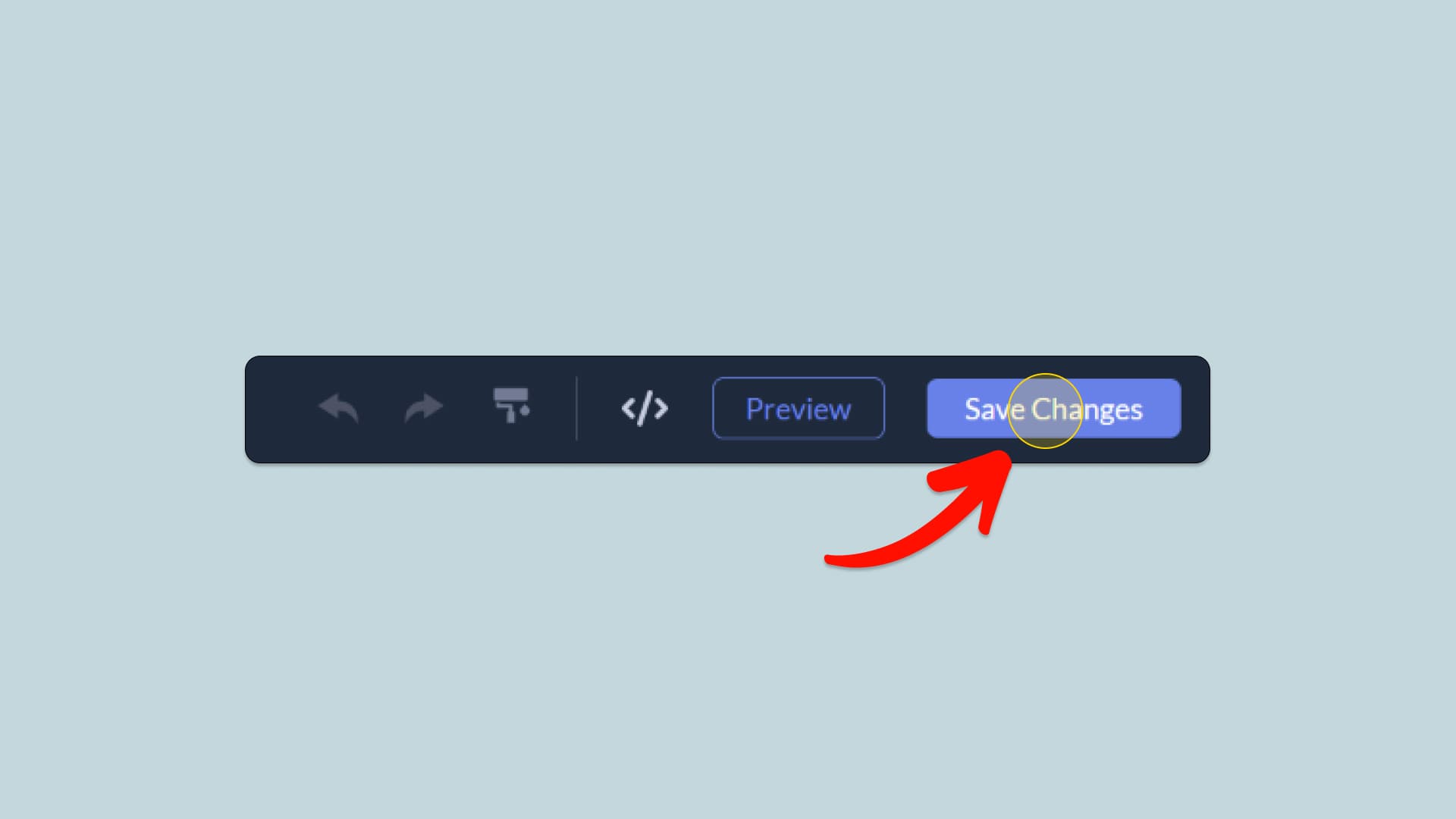
When you're done creating the Restaurant Menu List widget, click on the Save Changes button at the right top corner of the editor. If you don't have an account on Common Ninja, you'll have to register first.
Save the Restaurant Menu List widget
03
Copy the Restaurant Menu List Embed Code
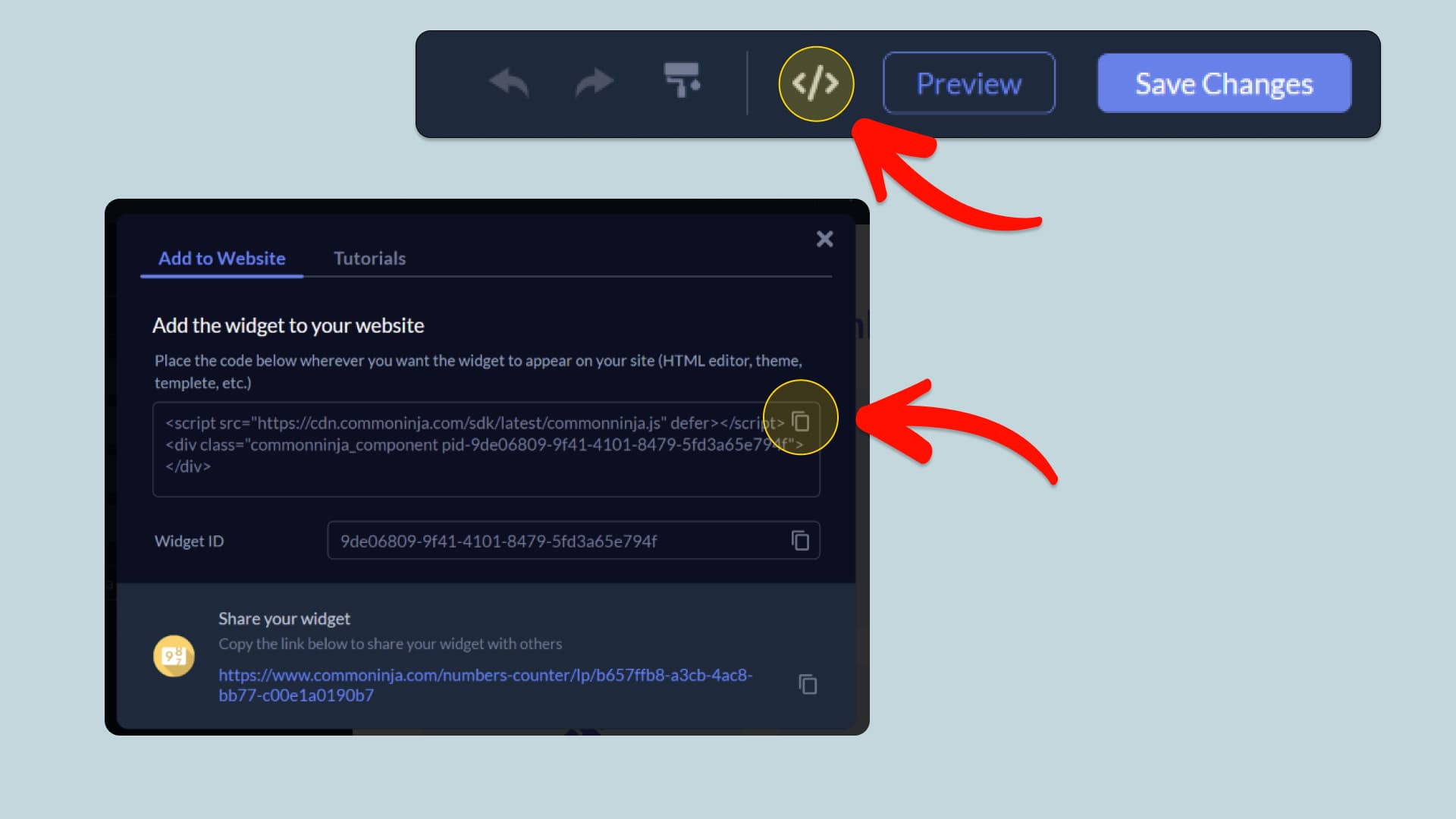
When you're ready to add the Restaurant Menu List widget to your Kajabi page, click the Add To Website button at the top bar of the Editor. On the window that opens, click the Copy Icon to copy the widget embed code. In the next steps, you will paste this code into your Kajabi page.
Copy the Restaurant Menu List Embed Code
04
Paste the code to your Kajabi website’s HTML field.
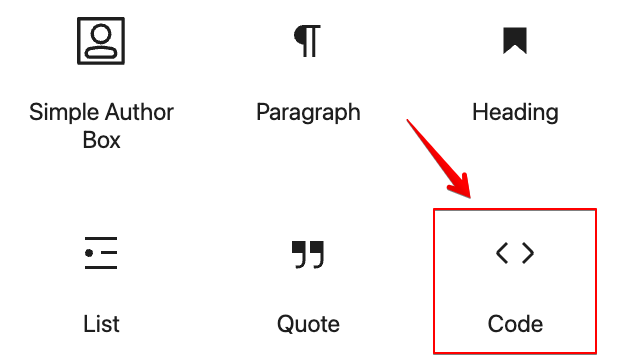
Next, go to your Kajabi page editor and find the HTML field. It is most likely in the form of an HTML/Code widget or module which you can find on the Kajabi’s editor. Add it to your page, and paste the Restaurant Menu List Embed Code you’ve copied before to the HTML field. Save and update, and that’s it, you should have Common Ninja’s Restaurant Menu List widget on your Kajabi page.
Paste the code to your Kajabi website’s HTML field.
05
Alternative Method 1: Through the HTML option in the text’s editing area.
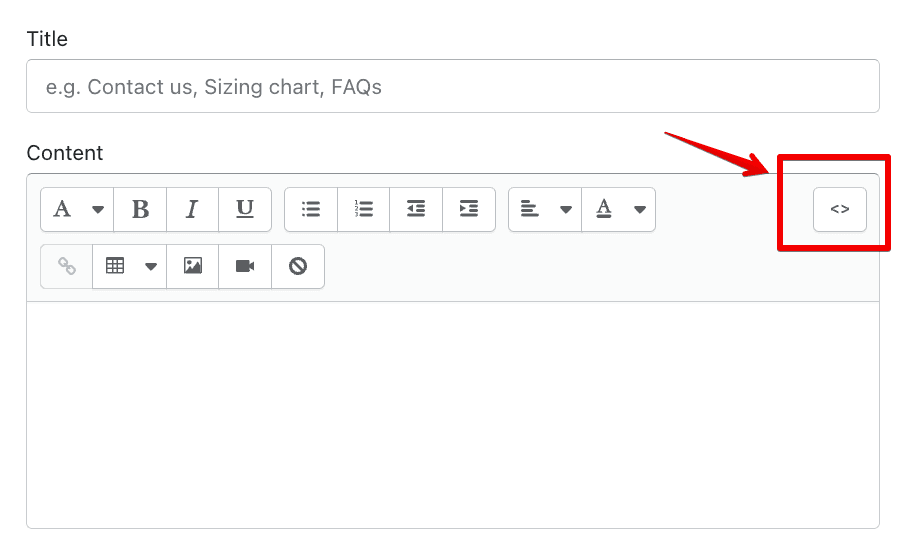
If you can't find the HTML/Code widget or module, there's another way to put Common Ninja’s Restaurant Menu List widget on your Kajabi widget. You can just add the code to a special HTML section in the text editor.
Alternative Method 1: Through the HTML option in the text’s editing area.
06
Alternative Method 2: Add it directly to your Kajabi page’s HTML code.
If you're having trouble finding a widget or a special part in your text editor where you can add the Embed Code, you can try a different way to add the Restaurant Menu List widget to your Kajabi page. You can do this by putting it straight into your Kajabi page's HTML code.
Alternative Method 2: Add it directly to your Kajabi page’s HTML code.

Why Use This Widget

Use the Restaurant Menu List widget when you want guests to explore your dishes quickly and feel confident ordering or booking. A menu presented as a clean, categorized list helps visitors scan options, compare items, and spot details like ingredients, prices, and highlights without friction. This is especially useful on mobile, where long PDFs or cluttered layouts can frustrate users. By structuring your menu clearly, you reduce calls and questions, guide attention to signature dishes, and support higher conversions for takeout or reservations. A well organized list also signals professionalism and care, helping visitors trust the quality of the food before they ever arrive.

This tutorial was written by the Common Ninja product team, creators of interactive, no-code widgets for Kajabi page. Common Ninja helps over 500,000 users build engaging online experiences without coding.