


Verified review
Common Ninja has amazing no-code widgets that would beautify a website built on any builder. It is very easy to use and customise. It has as many widgets for almost everyone willing to make their website impressive.
The Common Ninja Right Click Protection widget is a free, no-code embed that disables right-click actions on your website to protect your content from unauthorized copying.
Show a personalized message (with optional icon or image) when visitors try to right-click, choose what content to protect (the whole page, only images, only specific sections), customize the design with skins or Custom CSS, configure responsive behavior, and paste a one-line embed snippet on Readymag, Notion, Google Sites, Payhip, Carrd, Squarespace, WordPress, and 200+ other platforms.
Use it to protect photography portfolios, premium digital products, course materials, original written content, branded design assets, and any content where you want to discourage casual copying and signal that the work is owned.
Photography portfolios, digital products, course materials, branded design assets. Content you've invested in creating shouldn't be one right-click away from being copied to someone else's site. The widget intercepts right-click attempts and shows a clear notice that the content is protected, deterring casual copying.
A right-click notice signals that you take your content seriously. For photographers showing portfolio work to clients, course creators selling premium content, brand designers showing case studies, or any creator whose livelihood depends on owning the work. Visible content protection reinforces the brand's professionalism.
Combined with a visible copyright notice, watermarks on images, and a clear terms-of-use statement, right-click protection makes your copyright claim visible and active. Even when the protection itself can be technically bypassed, the clear notice strengthens your legal position if you ever need to enforce copyright against deliberate infringement.
Not every page needs the same protection level. Apply right-click protection only to photography portfolio pages, leave blog posts open for easy quoting. Protect product images, leave product descriptions copyable. Selective protection lets you balance content openness against the specific assets that need defense.
Write the message visitors see when they try to right-click, a copyright reminder ("© Your Brand. All rights reserved."), a polite notice ("Please don't copy this content"), or a brand-voice line that matches your tone. Add an optional icon or image to make the message visually distinctive.
Choose the protection scope. The whole page (most common, blocks right-click everywhere), only images (lets visitors right-click text but blocks image-saving), only specific sections (target portfolio galleries or premium-content blocks). Pick a skin from the design library or layer Custom CSS for pixel-level brand match of the protection message.
Copy the one-line embed snippet and paste it on Readymag, Notion, Google Sites, Squarespace, WordPress, or any of the 200+ supported platforms. Right-click protection activates as soon as the page loads. Edits in the Common Ninja editor push to every embed without re-paste.
Show a custom protection notice when visitors right-click, a copyright reminder, brand-voice line, or polite request not to copy. Add an icon or image to make the notice visually distinctive and match your brand's tone.
Configure protection scope (whole page, images only, specific sections), message styling, icon choice, modal overlay design, and how long the notice stays visible. Match the widget to your site's design system without coding.
Protection works across mobile, tablet, and desktop browsers. Right-click on desktop, long-press on mobile and tablet trigger the protection notice. The notice scales to viewport so it's always readable, never broken on narrow screens.
Layer Custom CSS over any skin to control notice typography, overlay backdrop, icon sizing, dismiss-button styling, and per-breakpoint sizing. The widget integrates with your design system without rebuilding from scratch.
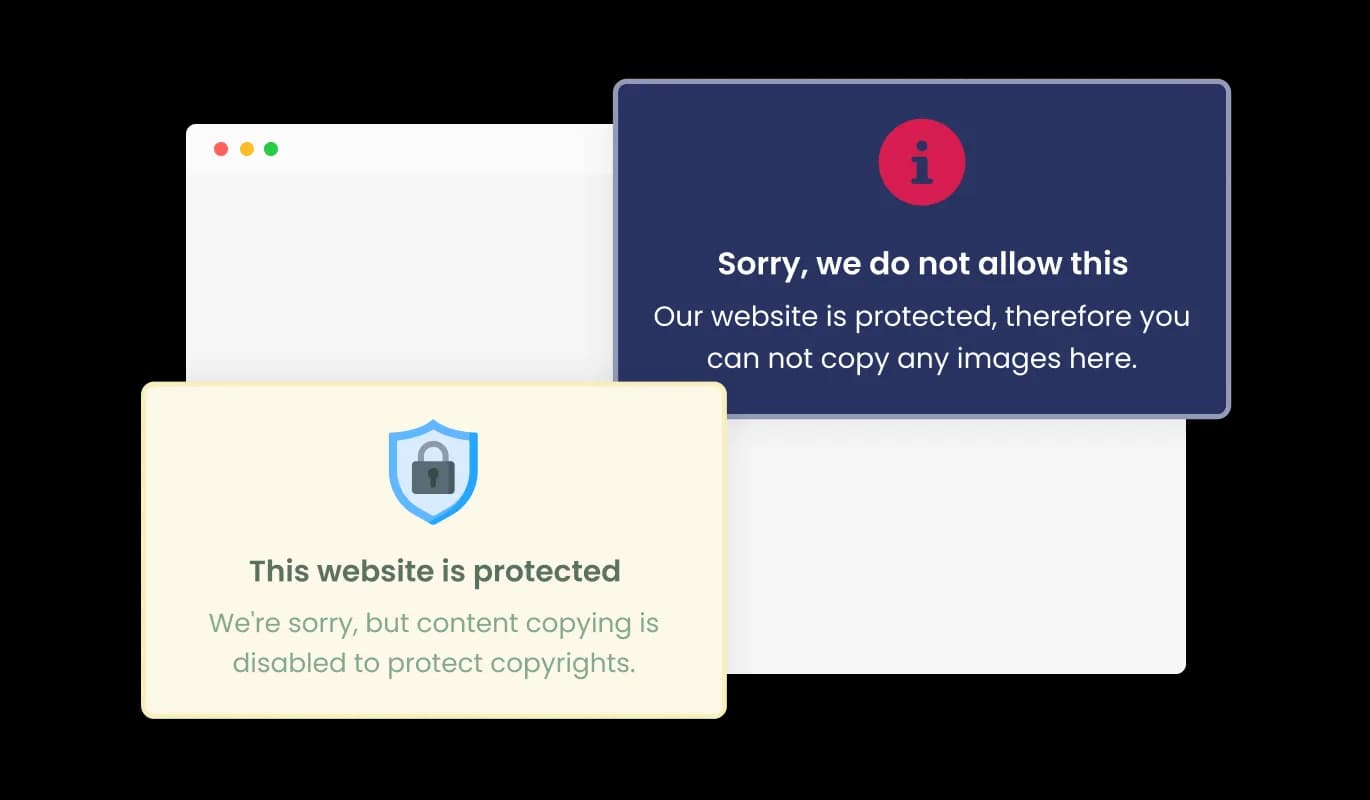
Make your message stand out by choosing your own icon or image, adding a visually appealing touch to the copyright protection notification. Select from various icons or upload your own image to create a unique and engaging experience for your website visitors.
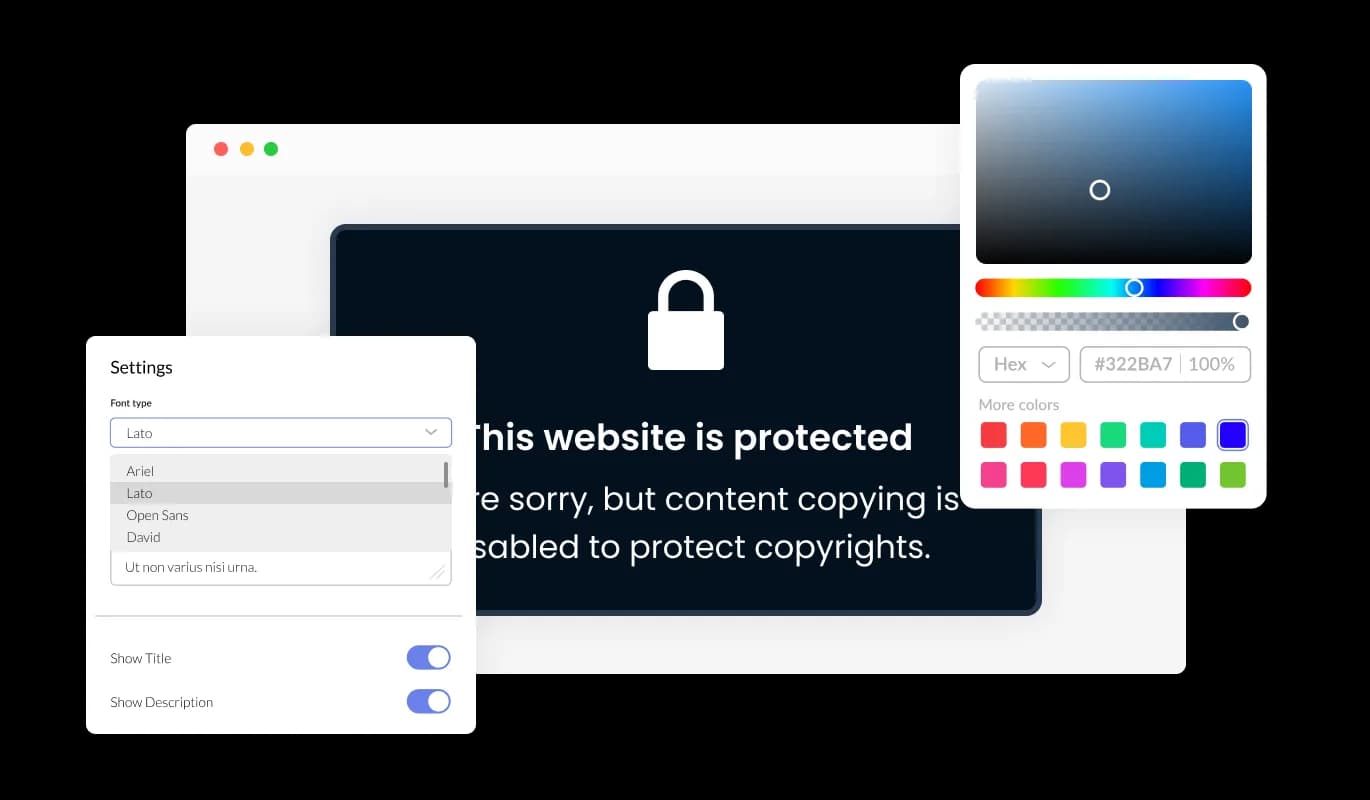
With the Right Click Protection widget, you have extensive customization options to tailor every aspect according to your preferences and requirements. You have full control over the widget's appearance, ensuring it matches your desired style.
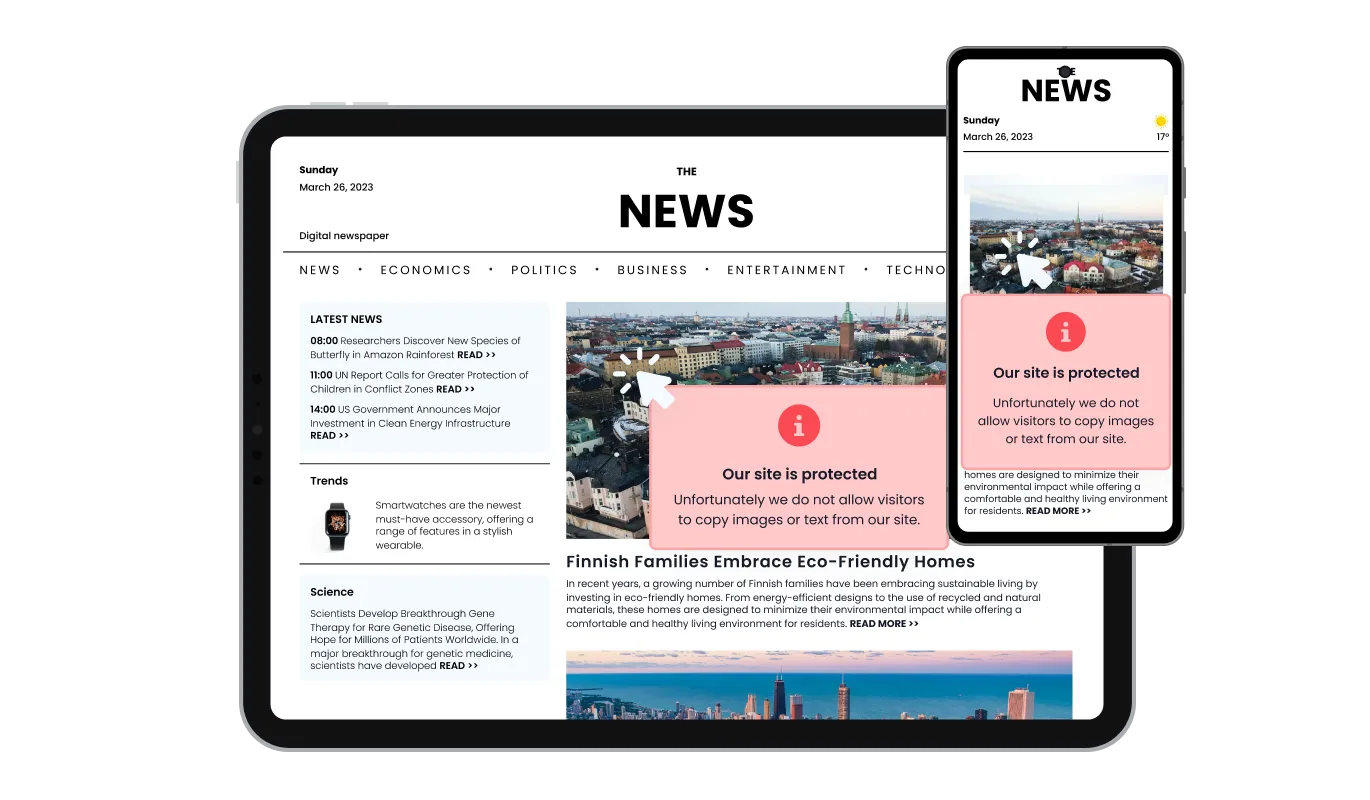
The Right Click Protection widget is built to be fully responsive, adapting perfectly to different screen sizes and devices, including desktops, tablets, and smartphones. This ensures that visitors can enjoy a consistent and optimal experience with the widget, regardless of the device they are using, promoting accessibility and usability.

Similar to our other widgets, the Right Click Protection widget allows you to customize its appearance using custom CSS. If you have coding skills, you can easily enhance the widget's visual appeal and match it to your desired design style by adding your own CSS code.

The Right Click Protection widget is designed to be effortlessly integrated into your website, even if you have basic technical skills. You can quickly add the widget to your site without requiring extensive development knowledge or resources, making the implementation process smooth and hassle-free.
This widget lets you choose the types of content you want to protect on your website, such as images, background images, and text, and even disable specific keyboard keys. This flexibility ensures that you can customize the protection level to suit your unique website requirements, focusing on the content most important to you while providing an optimal user experience. With selective content protection, you can prioritize safeguarding the most valuable aspects of your website. Customize the protection settings to ensure that your content remains exclusive while maintaining a user-friendly experience for your visitors.
When a user attempts to right-click on your protected content, the widget displays a customizable message, informing them that the site content is protected for copyright purposes. This serves as a gentle reminder of your content's ownership and the importance of respecting intellectual property rights.
The Right Click Protection widget is designed to be user-friendly, providing easy access and understanding of the protection process. The intuitive interface encourages visitor interaction, allowing them to navigate the widget effortlessly and obtain the information they need without any complications. This enhances the overall website experience.
Common Ninja has amazing no-code widgets that would beautify a website built on any builder. It is very easy to use and customise. It has as many widgets for almost everyone willing to make their website impressive.
Outstanding service. I use their widgets to help me with my web design business and whenever I need help they are very quick to help.
Excellent company with excellent service!!! We used it to build a survey, it was very user friendly. The service was perfect. Amit helped us with every problem and question we had, thank you very much!!!
Common Ninja saved the day when building our website and the customer service Daniel, the co-founder and CEO, provided was amazing.
Yes. The free plan covers one Right Click Protection widget with no time limit and no credit card. Upgrade only when you need additional widgets, advanced protection rules, premium skins, custom-overlay designs, or features like multiple protection messages per site section.
The widget intercepts the right-click event and shows your custom protection message in an overlay (or as a popup notice). Visitors see your copyright reminder, brand-voice line, or polite request. The default browser context menu is suppressed where the widget is active.
Yes. Configure protection scope. Whole page (default, blocks right-click everywhere), images only (lets visitors right-click text and links but blocks image-saving), or specific sections (target portfolio galleries, premium-content blocks, or any container you mark in the editor).
Yes. On touch devices the equivalent of right-click is long-press (tap and hold), which triggers the browser's image-save / copy menu. The widget intercepts long-press and shows your protection notice the same way it intercepts right-click on desktop.
Yes. Write any custom message in the editor: copyright reminder, brand-voice line, polite request, or formal legal notice. Add an icon or image to make the message visually distinctive. Style the message with your brand colors via skin selection or Custom CSS.
Build the widget in the Common Ninja editor (set protection message, choose scope, customize design), copy the embed snippet, and paste it into your site: Readymag via an HTML widget in your project layout; Notion via /embed with the embed URL; Squarespace via Settings → Advanced → Code Injection (Header field) for sitewide protection, or a Code Block in a specific section. Edits in the editor push to every embed without re-paste.
No. The widget script loads asynchronously, so it doesn't block first paint or interactivity. Protection activates after page load via lightweight event listeners, minimal DOM impact, no extra HTTP requests. Your Largest Contentful Paint and Cumulative Layout Shift stay healthy on Core Web Vitals.
Yes. The protection notice scales across mobile, tablet, and desktop breakpoints. Message text reflows for narrow viewports, icons stay correctly sized, and dismiss interactions work consistently on touch and mouse inputs.
Pick your platform. Each takes under 4 minutes.
Displays images and captions in diverse layouts and grids, presenting visually appealing arrangements for showcasing multiple images
Showcases images in a rotating or sliding manner

Easily craft engaging, personalized popups to boost conversions.
Adds a clear notice about cookie usage on your website, improving compliance with data privacy laws.
Showcases videos from various sources in a variety of visually appealing layouts and grids
Let users view and navigate PDF files directly on your website
The Right Click Protection Widget is a tool designed to disable the right-click functionality and prevent content copying on websites. It helps website owners protect their copyrighted content from being easily copied or downloaded by visitors.
By adding the right-click protection widget to your website, you can safeguard your content from unauthorized copying and protect your intellectual property. It helps maintain the exclusivity and value of your original material, reducing the risk of plagiarism and content misuse.
The right-click protection widget is suitable for a wide range of websites, including but not limited to blogs, online portfolios, e-commerce sites, educational platforms, content-driven websites, and any website where content protection and copyright preservation are important.
The right-click protection widget disables the right-click function on your website, making it difficult for users to access the context menu that allows the copying or downloading of content. It adds a layer of deterrent to discourage casual or unauthorized copying of text and images.
Yes, users can still access the website content even without the ability to right-click or copy. The right-click protection widget primarily aims to prevent easy copying or downloading of content, but visitors can still view and engage with the content on your website.
Yes, the right-click protection widget often provides customization options for the message displayed when users attempt to right-click or copy content. You can tailor the message to convey your specific copyright policies, add explanations, or include contact information for further inquiries.
Yes, many right-click protection widgets offer the option to choose your own icon or image to enhance the message displayed. This allows you to add a visual element that aligns with your branding or content, making the message more visually appealing and engaging.
Generally, the right-click protection widget is designed to be compatible with most popular web browsers. However, it's recommended to check the widget's documentation or specifications to ensure compatibility with the specific browsers you want to support.
The impact on the performance or loading speed of the website by the right-click protection widget is typically minimal. These widgets are designed to be lightweight and efficient, ensuring they do not significantly affect the website's performance or increase loading times.
Embedding the right-click Protection widget on your website is a straightforward process. Simply copy the provided code and paste it into the desired location on your website. The widget will seamlessly integrate into your site, allowing you to take advantage of its features and functions. No technical expertise or programming knowledge is required - just copy and paste the code to get started. This simple process allows you to easily add the widget to your website and enhance its functionality without any hassle.
Yes. We are eager to hear your request. Please refer to this page.
Protect your content from casual copying with a custom right-click notice, personalized message with icons or images, selective protection (whole page, images only, specific sections), responsive on all devices, stylish skins, and Custom CSS. Embed on 200+ platforms including Readymag, Notion, Google Sites, Squarespace, WordPress, and Payhip.
Create your ProtectionNo credit card · Setup in under 5 minutes