Try for free!

Right Click Protection for Magnolia CMS

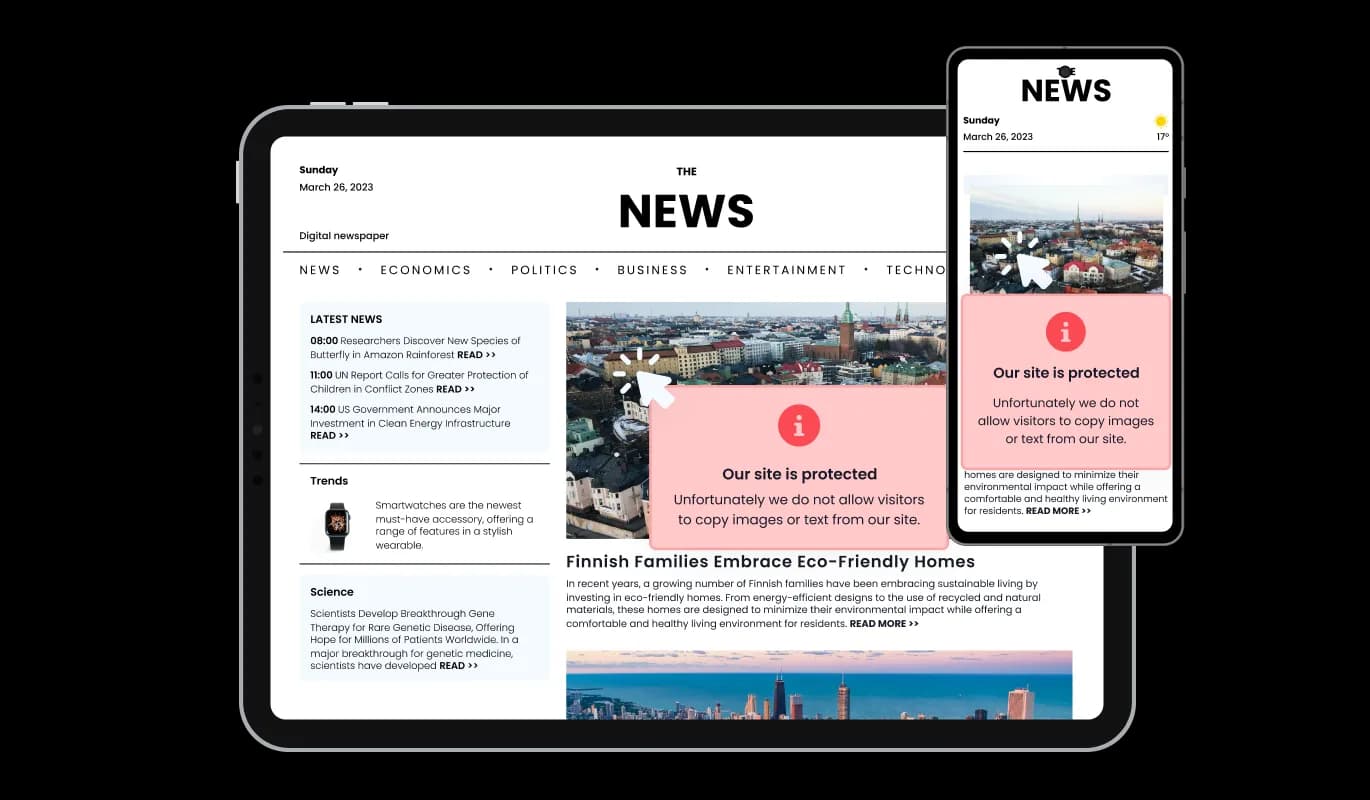
Use right click protection to prevent copying by disabling right click actions, protecting your content and reducing unauthorized reuse on your site.

Create Right Click Protection

loved by 500K+ businesses

Magnolia CMS
plugineditoreditor

Why Should You Use the Right Click Protection Widget+?

Enhance Your Copyright Security on Magnolia CMS website with widget

Get top-notch content protection for your Magnolia CMS website with our widget. It restricts right-clicking, unapproved downloads, and keyboard shortcuts for copying and pasting. This assures that your important content, like images and text, gets top-notch protection from unauthorized exploitation and theft.

Preserve Your Professional Persona

Preventing unauthorized downloads of your Magnolia CMS content drives users to connect with you or acquire your offerings via approved methods. It aids in preserving your professional image and fosters a sense of reliability and credibility among your audience.

Bolster Your Content Copyright Security

This Magnolia CMS widget introduces an extra protective layer for your copyrighted content, discouraging illegitimate use and distribution. Through disabling right-click actions and other potential theft methods, you aid in keeping your copyrighted content exclusive to your Magnolia CMS website, preserving its distribution control and hence maintaining the value and integrity of your intellectual property.

Tailored Message with Engaging Icons or Images

Add a spark to your message by incorporating your own icon or image, introducing an eye-catching aspect to the copyright protection notification. Select from various icons or upload your own image to create a unique and engaging experience for your Magnolia CMS website visitors.

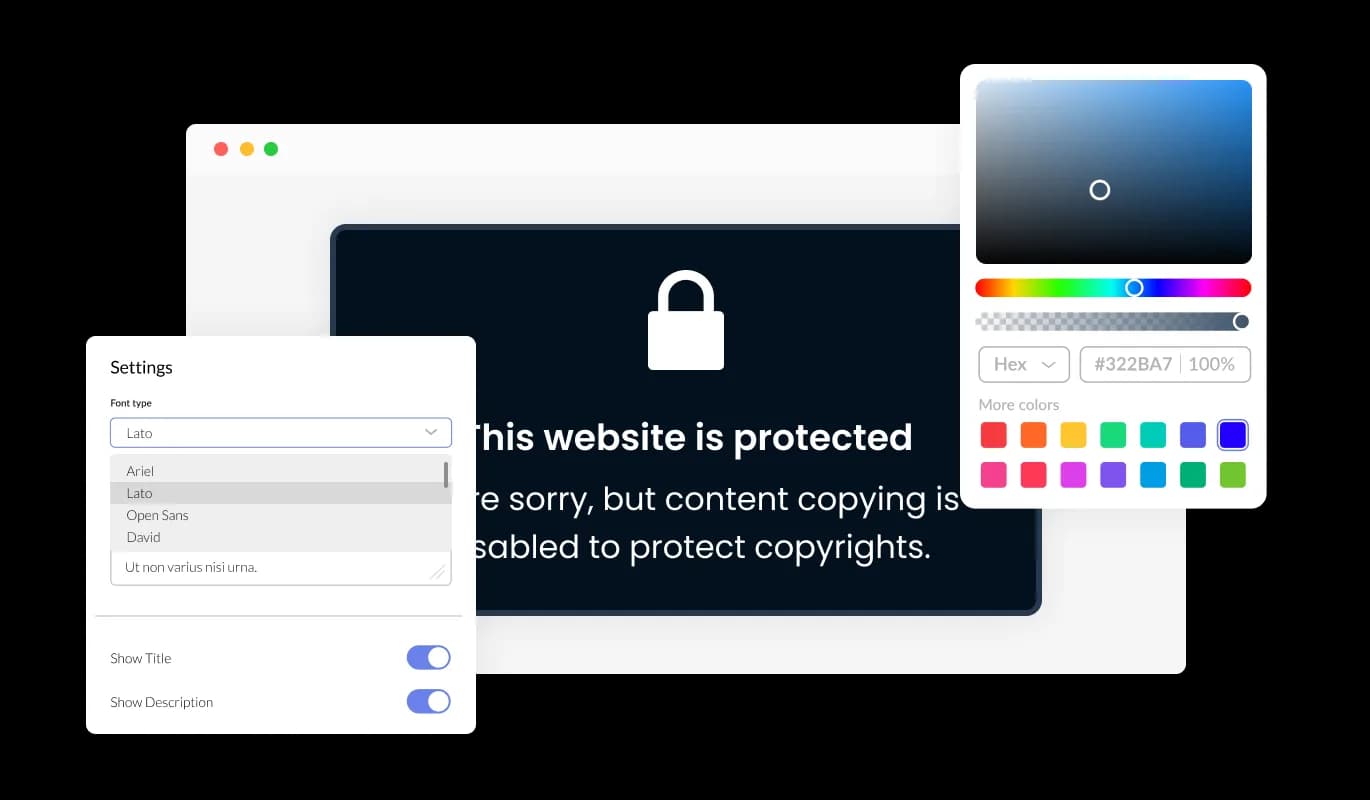
Right Click Protection - Tailored Message with Engaging Icons or Images

Extensive Customization with Right Click Protection

The Right Click Protection widget for Magnolia CMS offers you an array of customization possibilities to fine-tune every detail as per your preferences and requirements. You maintain full power over the widget's visual presentation, ensuring it complements your desired aesthetic.

Right Click Protection - Extensive Customization with Right Click Protection

Universally Responsive Content Protection

The Right Click Protection for Magnolia CMS is built to be fully responsive, adapting perfectly to different screen sizes and devices, including desktops, tablets, and smartphones. This significantly improves the overall Magnolia CMS website experience.

Right Click Protection - Universally Responsive Content Protection
Right Click Protection - Selective Content Protection

Selective Content Protection

This Magnolia CMS Right click protection widget empowers you to choose the forms of content you aim to protect on your Magnolia CMS website, such as images, background images, text, and the ability to disable particular keyboard keys. This flexibility allows you to tailor the protection level to your unique Magnolia CMS website needs, focusing on what's most important to you while maintaining a positive user experience. Utilizing selective content protection, you can emphasize safeguarding the most valuable components of your website. Adjust the protection parameters to guarantee your content's exclusivity, while keeping a smooth and accessible user experience for your visitors.

Right Click Protection - Customizable Alert for Copyrighted Content

Customizable Alert for Copyrighted Content

In the event of a user attempting to right-click on your protected content, the Magnolia CMS Right click protection displays a customizable message, alerting them about the copyright protection of the site's content. This acts as a courteous reminder of your content's ownership and the importance of acknowledging intellectual property rights. Use a customizable protection message to educate visitors about respecting your copyrights, while also creating a consistent and professional tone across your Magnolia CMS website. This feature helps accentuate the value of your content and encourages ethical internet behavior.

Right Click Protection - Intuitive and User-Friendly Content Protection

Intuitive and User-Friendly Content Protection

The Magnolia CMS Right Click Protection widget is designed to be user-friendly, providing easy access and understanding of the protection process. The intuitive interface fosters user engagement, allowing them to navigate the widget easily and retrieve needed information without any difficulty. This enhances the overall website experience.

CSS Customization Features

In line with our other widgets, the Right Click Protection widget permits you to alter its visual representation using custom CSS. If you possess coding abilities, you can effortlessly enhance the widget's visual allure and align it with your preferred design aesthetic by incorporating your unique CSS code.

Right Click Protection - CSS Customization Features

Embed Easily on Any website

Even for those with minimal technical skills, the Right Click Protection widget for Magnolia CMS is created to be smoothly integrated into your website. You can easily integrate the widget into your Magnolia CMS website without the necessity for in-depth development skills or resources, leading to a smooth and painless implementation procedure.

Right Click Protection - Embed Easily on Any website

Compatible With All Site Builders, E-Commerce Platforms and Websites

webflow logoshopify logowix logowordpress logobigcommerce logosqurespace logoweebly logojoomla logoduda logojimdo logomagento logoshift4hsop logounbounce logocarrd logo
View all supported platforms

FAQ

The Right Click Protection Widget is a tool designed to disable the right-click functionality and prevent content copying on websites. It helps website owners protect their copyrighted content from being easily copied or downloaded by visitors.

By adding the right-click protection widget to your website, you can safeguard your content from unauthorized copying and protect your intellectual property. It helps maintain the exclusivity and value of your original material, reducing the risk of plagiarism and content misuse.

The right-click protection widget is suitable for a wide range of websites, including but not limited to blogs, online portfolios, e-commerce sites, educational platforms, content-driven websites, and any website where content protection and copyright preservation are important.

The right-click protection widget disables the right-click function on your website, making it difficult for users to access the context menu that allows the copying or downloading of content. It adds a layer of deterrent to discourage casual or unauthorized copying of text and images.

Yes, users can still access the website content even without the ability to right-click or copy. The right-click protection widget primarily aims to prevent easy copying or downloading of content, but visitors can still view and engage with the content on your website.

Yes, the right-click protection widget often provides customization options for the message displayed when users attempt to right-click or copy content. You can tailor the message to convey your specific copyright policies, add explanations, or include contact information for further inquiries.

Yes, many right-click protection widgets offer the option to choose your own icon or image to enhance the message displayed. This allows you to add a visual element that aligns with your branding or content, making the message more visually appealing and engaging.

Generally, the right-click protection widget is designed to be compatible with most popular web browsers. However, it's recommended to check the widget's documentation or specifications to ensure compatibility with the specific browsers you want to support.

The impact on the performance or loading speed of the website by the right-click protection widget is typically minimal. These widgets are designed to be lightweight and efficient, ensuring they do not significantly affect the website's performance or increase loading times.

Embedding the right-click Protection widget on your website is a straightforward process. Simply copy the provided code and paste it into the desired location on your website. The widget will seamlessly integrate into your site, allowing you to take advantage of its features and functions. No technical expertise or programming knowledge is required - just copy and paste the code to get started. This simple process allows you to easily add the widget to your website and enhance its functionality without any hassle.

Yes. We are eager to hear your request. Please refer to this page.