


Verified review
Common Ninja has amazing no-code widgets that would beautify a website built on any builder. It is very easy to use and customise. It has as many widgets for almost everyone willing to make their website impressive.
The Common Ninja RSS Feed widget is a free, no-code embed that displays articles from any RSS or Atom feed on your website.
Pull from your own blog, a news source, a podcast, a partner site, or any feed URL, choose a layout (grid, list, ticker, carousel), customize the styling, and paste one line of embed code on 200+ platforms including Webflow, Notion, Ghost, Google Sites, Framer, BigCommerce, WordPress, and Squarespace.
The feed refreshes automatically when new items publish, so your site stays current without a manual update.
Your homepage, your landing page, your sidebar, your footer. Pull from your own blog's RSS feed and the widget keeps your latest 3, 5, or 10 articles visible without a content management plugin or a manual update. New posts publish to your blog, the widget refreshes, the visible articles update.
Industry news from a trusted publication, partner-blog highlights, podcast episode releases, government-portal announcements, a competitor's release notes. Any RSS source becomes a curated content stream on your page, refreshed automatically as the source publishes.
The widget polls the source feed on a schedule and updates the rendered items when new content publishes. No cron jobs, no plugin updates, no embed-code rewrites. Edit a blog post, hit publish, and the article appears in every embed of the widget across your site.
Social-platform feeds (LinkedIn, X, Instagram, TikTok, Facebook) require platform-specific OAuth, API access, and are governed by each platform's terms. RSS feeds are an open web standard that any blog or news source publishes natively. Use this widget for blogs, podcasts, news, and partner-content sources; use a dedicated platform widget (like Common Ninja's Instagram Feed) for native social.
Drop in any RSS or Atom feed URL: your own blog's /feed, a news source's RSS endpoint, a podcast's RSS URL, a partner blog, or any feed your visitors should see. Add more than one feed if you want to aggregate multiple sources into a single widget.
Choose grid, list, ticker (horizontal-scrolling marquee), or carousel layout. Set how many items show, whether thumbnails appear, how titles and excerpts are styled, and how often the widget polls for new items. Pick a skin from the design library or layer Custom CSS for a pixel-level brand match.
Copy the one-line embed snippet and paste it on your page on Webflow, Notion, Ghost, Google Sites, Framer, WordPress, or any of the 200+ supported platforms. New posts in the source feed appear in your embedded widget automatically — no republish, no re-paste, no manual update.
Paste any standard syndication URL: RSS 2.0, RSS 1.0/RDF, Atom 1.0. The widget reads each format's items, titles, descriptions, links, publish dates, and thumbnails so the rendered output is consistent regardless of which format the source emits.
Grid (uniform tiles with thumbnail and excerpt), list (vertical reading list with title and timestamp), ticker (horizontal-scrolling marquee for breaking-news strips), carousel (horizontal scroll with one or several visible at a time). Switch between layouts in the editor without re-pasting the feed URL.
Pick from a library of pre-designed skins (minimal, magazine, news-strip, dark, blog-card, podcast-card) covering common use cases. Each skin is a fully styled starting point; tune typography, spacing, and color from there.
The widget renders correctly in right-to-left languages (Arabic, Hebrew, Persian, Urdu) with mirrored layout, reversed thumbnail positioning, and right-aligned text. Useful for multilingual sites and for businesses serving RTL audiences without a separate widget setup.
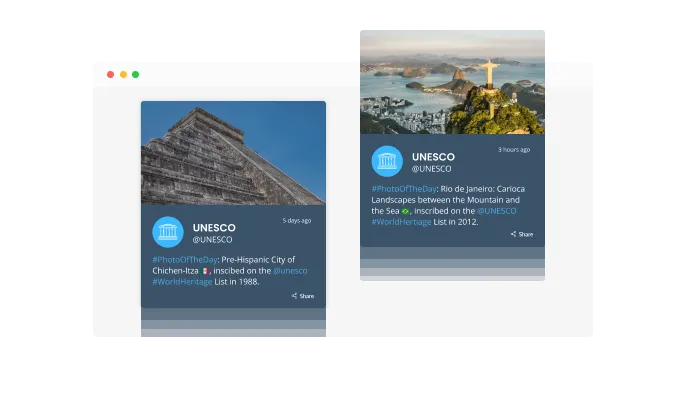
Adding an RSS Feed widget to your site will add a sense of activity by displaying an animated "ticker". Grab the user's attention immediately by using it.

When toggled on, the "auto-refresh" option in the RSS Feed widget will keep refreshing and updating the feed over time.
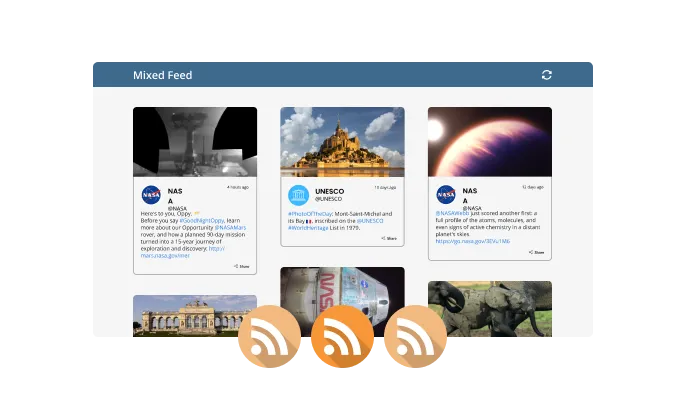
Using the RSS Feed widget, you can choose between Tabs and Mixed feeds. Organize all your tabs by feed order, while making a mixed feed by mixing the RSS feeds.
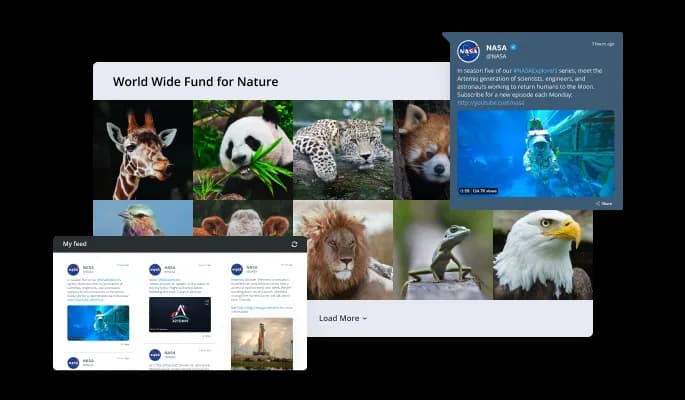
Several layout options are available for the RSS Feed widget so it can be customized to match your website's overall design.
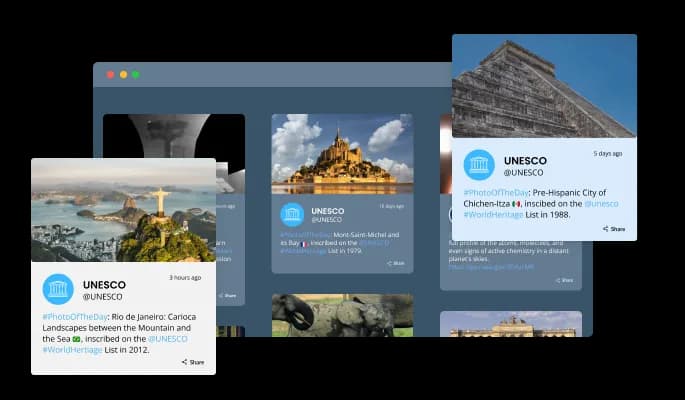
It's extremely easy to customize the RSS Feed widget with a variety of beautiful skins.
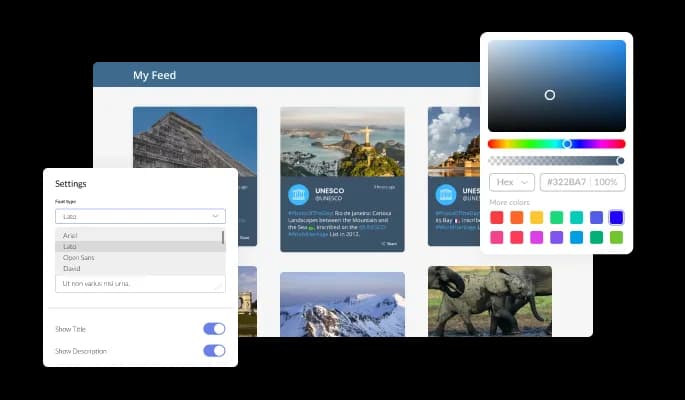
You can customize the RSS Feed widget to meet your needs. Colors, fonts, spacing, and anything else you want can be customized!
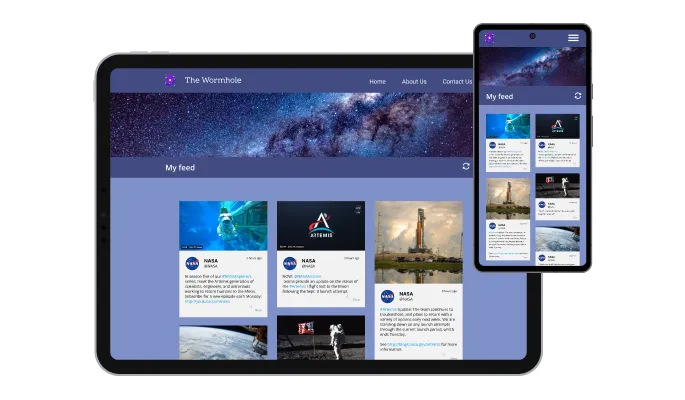
RSS Feed widget works on all devices. With this feature in a mobile-first world, you will stand out from your competition.

Common Ninja's RSS Feed widget can be further customized with custom CSS.

One line of code is all it takes to embed the RSS Feed widget on your website. The RSS Feed widget will automatically update with every change you make.
By displaying the date and time of the feeds, you can further customize it according to your preferences and those of your visitors.
It is possible to make the RSS Feed widget more compact by adjusting the length of the characters.
The RSS Feed widget provides full RTL support for those who write from right to left. Make your news accessible to more users from all over the world.
The RSS Feed widget does not require any coding. An intuitive dashboard allows you to customize your widgets by dragging and dropping.
Keep your site fresh without lifting a finger
Open the editorNo credit card · Setup in under 5 minutes
Common Ninja has amazing no-code widgets that would beautify a website built on any builder. It is very easy to use and customise. It has as many widgets for almost everyone willing to make their website impressive.
Outstanding service. I use their widgets to help me with my web design business and whenever I need help they are very quick to help.
Excellent company with excellent service!!! We used it to build a survey, it was very user friendly. The service was perfect. Amit helped us with every problem and question we had, thank you very much!!!
Common Ninja saved the day when building our website and the customer service Daniel, the co-founder and CEO, provided was amazing.
Yes. The free plan covers one RSS feed widget with no time limit and no credit card. Upgrade only when you need additional widgets, more feeds aggregated into one, premium skins, faster refresh rates, or advanced features like keyword filtering and per-source styling.
No — this widget displays RSS feeds, it doesn't generate them. If you need to create an RSS feed for your blog or content (so subscribers and aggregators can pull your articles), most blog platforms (WordPress, Ghost, Substack, Medium, Blogger) emit a feed automatically at /feed or /rss. The Common Ninja RSS Feed widget reads an existing feed URL and renders the items on your page.
RSS is an open web standard that any blog, news site, or podcast publishes natively at a public URL. Social platforms (LinkedIn, X, Instagram, TikTok, Facebook) don't publish RSS feeds — they require platform-specific OAuth, API access, and are governed by each platform's terms of service. Use this RSS Feed widget for blogs, podcasts, news, and content sources. For native Instagram posts, use the dedicated Common Ninja Instagram Feed widget (and similar dedicated widgets for other platforms).
Yes. The widget polls the source feed on a schedule and updates the rendered items when new content appears. Refresh rate depends on the plan (free plans poll on a slower interval, paid plans poll more frequently). New posts in the source feed appear in every embed of the widget without any republish or re-paste.
Yes. Add multiple feed URLs in the editor and the widget merges items from all sources, sorts them by publish date, and renders them as one unified stream. Useful for partner-blog roundups, multi-author publications, and news-aggregator pages. You can also configure separate widgets per feed if you want each source styled differently.
Build the widget in the Common Ninja editor (paste feed URL, pick layout, customize skin), copy the embed snippet or URL, and paste it into your site: Webflow via an Embed element; Notion via /embed with the embed URL; Ghost via a Code or HTML card on the post or page; Google Sites via Insert → Embed → Embed code; Framer via a Code Embed element. Edits in the editor push to every embed without re-pasting.
Yes. Set how many feed items render at once (3, 5, 10, all), how many characters of each item's description show before being truncated, whether thumbnails appear, and whether long titles wrap or truncate. Useful for fitting the widget into a tight sidebar or stretching it across a homepage hero band.
Yes. Each layout (grid, list, ticker, carousel) adapts column count, item sizing, and thumbnail behavior across mobile, tablet, and desktop breakpoints. The ticker layout pauses on tap so mobile visitors can read the headline before it scrolls past, and the carousel layout switches to swipe gestures instead of arrow buttons on touchscreens.
Pick your platform. Each takes under 4 minutes.

A dynamic display that showcases brief news snippets or updates through continuous scrolling

Display the latest posts from your Instagram page

An audio player compatible with various files and sources

Easily craft engaging, personalized popups to boost conversions.

Allow users to send messages or inquiries, save submissions, enable notifications, and more

Showcase customer testimonials using a rotating slider
It is possible to limit the number of posts displayed per page.
Tabs can be positioned in the settings menu according to your preferences.
Yes, the auto-refreshing feature can be switched on and off.
It is possible to customize its behavior by adding a background image.
Feed height can be customized.
Yes, you can easily do so from the “Templates” tab.
There is currently a "ticker" animation that can be triggered.
Yes, there are lots of beautiful skins that you can choose from to save time and start using the widget as quickly as possible.
Yes, you can either upload an image or select an icon from a large selection of available icons to add to your Notification Bar, or, alternatively, you can leave it all blank.
Using the RSS Feed widget is very easy. Simply sign up and start using the free version. There's no need to worry about complicated setup or installation processes, as the RSS Feed widget is designed to be user-friendly and straightforward. Once you've signed up, you'll have access to all of the basic features and functions of the widget, which you can use to enhance your website and improve your online presence. From there, you can choose to upgrade to the paid version if you want to access more advanced features and capabilities. Regardless of which version you choose, you'll find that the widget is a powerful and easy-to-use tool that can help you take your online presence to the next level.
The Common Ninja RSS Feed widget is a free tool reach with features and options. While this widget is free to use, it does have a limit on the number of views it can handle. This means that after a certain number of views, the chat button may no longer be visible or functional on your website. It is important to note that this view limit may vary depending on your plan. Despite this limitation, Common Ninja's RSS Feed is still a valuable tool for businesses looking to increase customer engagement and improve the overall user experience of their website.
The Common Ninja's RSS Feed widget is a versatile tool for any website builder. This means that you can easily add this widget to your website or store no matter what platform you use to build your website. The RSS Feed widget will work seamlessly with your platform whether you are using a popular website builder or something more specialized. This means you can enjoy all the benefits of this powerful tool without having to worry about compatibility issues.
No need for coding skills. Our RSS Feed widget is designed to be easy to use, even for those with limited technical experience. The widget features a user-friendly interface that allows you to easily customize the widget without coding knowledge. You can fully customize the RSS Feed to match your branding. When you're done, simply copy the provided code and paste it into your website. It's that simple!
The RSS Feed widget is designed to comply with the General Data Protection Regulation (GDPR), a set of EU regulations protecting personal data and privacy. When using the RSS Feed widget, you can be confident that it will not collect or store personal data that could violate GDPR regulations. This ensures that your business is in compliance with these regulations and can protect your customers' data privacy. Overall, the RSS Feed widget is a secure and reliable tool that can be used to enhance your website without any concerns about GDPR compliance.
Yes. We are eager to hear your request. Please visit our Feature Request page.
RSS, which stands for Really Simple Syndication, is a web feed format that is used to publish frequently updated content, such as blog posts or news articles. It enables users to subscribe to a website or feed and receive updates automatically, without having to visit the website or manually check for updates. RSS feeds are typically formatted in XML and can be read by a variety of software applications, such as web browsers, feed readers, and news aggregators. RSS is commonly used as a way to syndicate and distribute content across the internet, allowing users to access a wide range of information and updates from multiple sources in a convenient and easy-to-use format.
An RSS Widget is a graphical user interface element that displays content from an RSS feed on a website or application. It is typically embedded in a website or application as a small box or frame that shows a list of recent updates or headlines from the RSS feed. The RSS Widget can be customized to show different types of content, such as news articles, blog posts, or podcast episodes, and can be set to update automatically as new content is published in the RSS feed. The RSS Widget provides an easy and convenient way for users to access the latest updates from an RSS feed without having to visit the source website or use a separate feed reader.
There are several benefits to having an RSS Widget on a website, including:
To find the RSS feed for a website, you can look for a link to the RSS feed on the website itself. The link to the RSS feed is often found in the website's footer, or in the "About" or "News" sections of the website. Some websites also have an orange button with the letters "RSS" on it that you can click on to access the RSS feed.
If you are unable to find a link to the RSS feed on the website, you can try adding "feed" or "rss" to the end of the website's URL. For example, if the website's URL is "https://example.com", you can try accessing the RSS feed at "https://example.com/feed" or "https://example.com/rss".
If you are still unable to find the RSS feed for a website, you can try using an online RSS feed finder tool, such as Feedity or FindRSS. These tools allow you to enter the website's URL and will automatically search for and provide the RSS feed for the website, if one is available.
Embedding the RSS Feed widget on your website is a straightforward process. Simply copy the provided code and paste it into the desired location on your website. The widget will seamlessly integrate into your site, allowing you to take advantage of its features and functions. No technical expertise or programming knowledge is required - just copy and paste the code to get started. This simple process allows you to easily add the widget to your website and enhance its functionality without any hassle.
Display articles from any blog, news source, or podcast feed with grid, list, ticker, or carousel layouts, auto-refresh, RTL support, and multiple skins. Embed on 200+ platforms including Webflow, Notion, Ghost, Google Sites, Framer, and BigCommerce.
Create your RSS FeedNo credit card · Setup in under 5 minutes