
RSVP Form for Magnolia CMS

Collect event responses with an RSVP form that lets guests register easily, saves submissions, sends notifications, and helps you organize attendance efficiently.

Create an RSVP Form

loved by 500K+ businesses

Magnolia CMS
plugineditor

Why Should You Use the RSVP Form Widget+?

Streamlined Event Planning with RSVP Form for Magnolia CMS

Utilizing an RSVP form widget on Magnolia CMS enables streamlined event organization by gathering all essential attendee details in one place. An Event Registration form for Magnolia CMS saves time by automating the RSVP process, eliminating the need for manual tracking of responses, and allowing event organizers to focus on other important aspects of the event.

Use Magnolia CMS Rsvp form to Improved Communication

A Magnolia CMS RSVP form can be configured to send automatic responses with vital event details, enhancing communication and ensuring a seamless event experience for guests. Efficient communication through automated responses helps provide guests with a hassle-free event experience by keeping them informed about essential details.

Enhance Event Management Using RSVP Integration

An RSVP form widget on Magnolia CMS can be combined with analytics tools to monitor RSVPs, uncover attendance patterns, and inform data-driven decisions for optimizing event planning. Monitoring and evaluating RSVP data provides event organizers with a better understanding of attendee preferences, enabling them to make strategic decisions to improve event experiences.

A Variety of Customizable Fields for Event Registration Forms

The RSVP Form on Magnolia CMS presents numerous field choices, including basic and advanced formats, to help you craft event registration forms tailored to your needs and goals. To add a field, simply select the "Add Field" option and pick from a vast variety of field types. Moreover, conveniently modify the field sequence by utilizing the drag-and-drop feature.
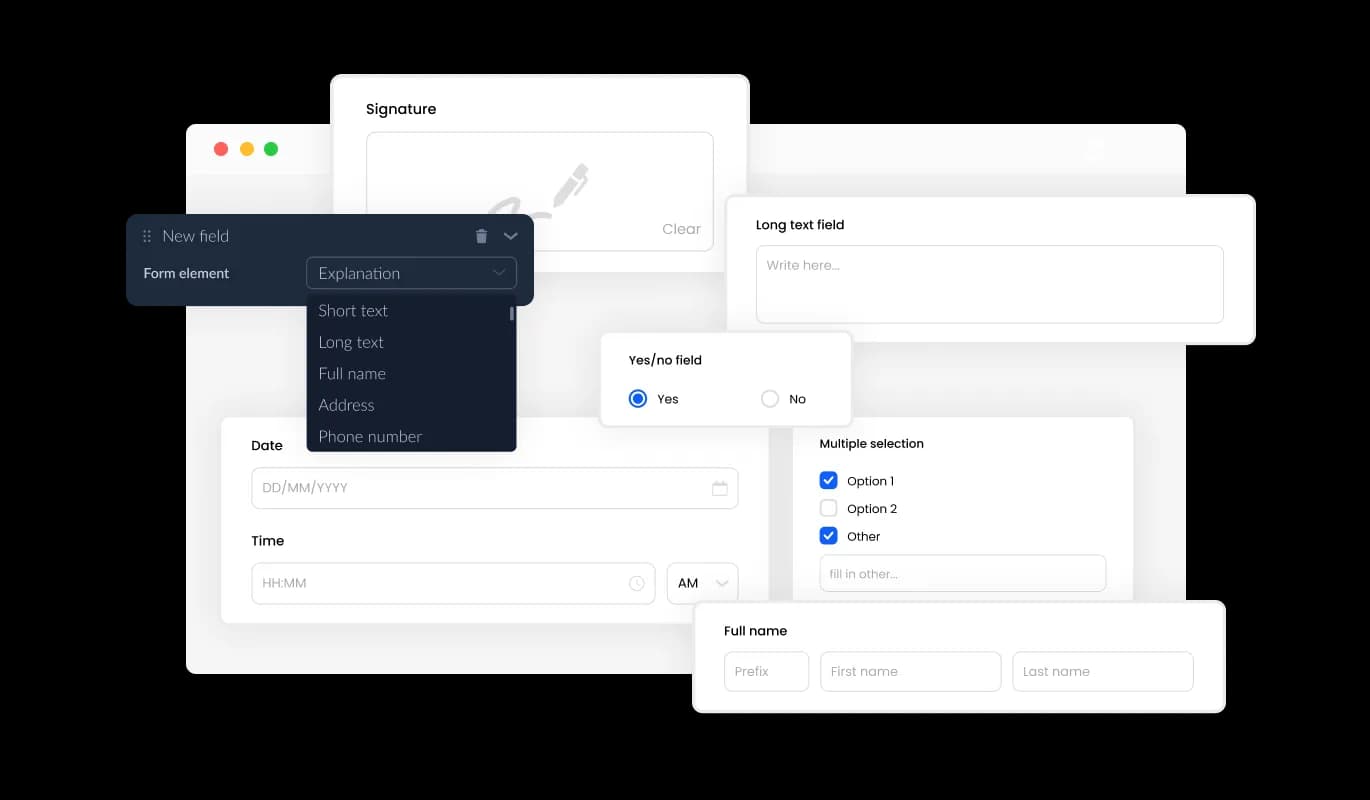
RSVP Form - A Variety of Customizable Fields for Event Registration Forms

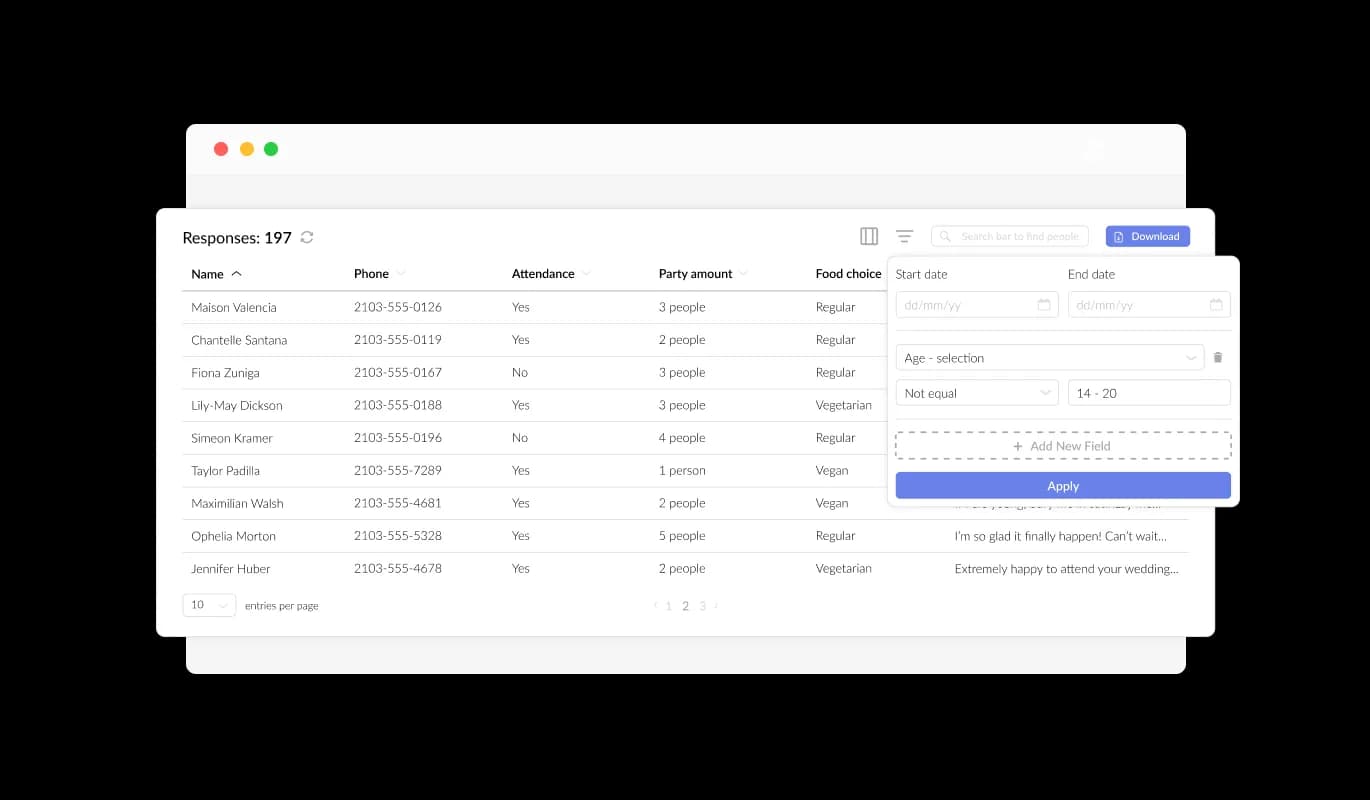
Seamless Guest RSVP Data Collection

Magnolia CMS Event Registration Form streamlines the organization and presentation of all guest RSVP data, displaying it in a clear and easily accessible format. This functionality streamlines the monitoring of event attendee submissions, ensuring that you can review and manage responses more efficiently and effectively.

RSVP Form - Seamless Guest RSVP Data Collection

Capture Key Details with Specific Event Registration Fields

Integrating specific fields, such as meal options and guest details, into your RSVP Form allows for the collection of valuable information, optimizing event management on your Magnolia CMS website. By including fields addressing special accommodations, dietary requirements, and group affiliations, you can gain valuable insights into attendees' needs and preferences, fostering a well-coordinated event experience.

RSVP Form - Capture Key Details with Specific Event Registration Fields

Utilize Specific Fields for Better Event Registration Management

On your Magnolia CMS website, incorporating unique RSVP Form fields for meal preferences, guest details, and other relevant information will improve your event management capabilities. Adding fields regarding special accommodations, dietary needs, and group affiliations provides a better understanding of attendees' preferences, ultimately leading to a more organized event experience.

RSVP Form - Utilize Specific Fields for Better Event Registration Management

Personalize Headers & Footers in RSVP Forms on Magnolia CMS

The RSVP Form on Magnolia CMS includes a versatile header and footer customization options, allowing for the integration of images. This feature allows you to strengthen your event branding and design an appealing form that seamlessly matches your Magnolia CMS website's overall look and feel.

RSVP Form - Personalize Headers & Footers in RSVP Forms on Magnolia CMS

Notifications for Event Registration Submissions on Magnolia CMS

Enable notifications for both form owner and attendee using the Magnolia CMS RSVP Form's convenient feature. Automated email notifications can be set up for each event registration submission, allowing for multiple recipients and sending a confirmation email to guests upon successful submission

RSVP Form - Notifications for Event Registration Submissions on Magnolia CMS
RSVP Form - Convenient CSV Export of RSVP Data on Magnolia CMS

Convenient CSV Export of RSVP Data on Magnolia CMS

The Magnolia CMS RSVP Form's submission data can be exported to a CSV file, allowing you to move it to other applications or tools for detailed analysis or integration. This feature is particularly useful for organizers looking to maintain a complete record of event attendee information for data evaluation, reporting, and event management purposes.

RSVP Form - Prevent Spam in Your Magnolia CMS Event Registration with CAPTCHA

Prevent Spam in Your Magnolia CMS Event Registration with CAPTCHA

The Magnolia CMS Event Registration Form allows you to implement the CAPTCHA anti-spam feature, requiring completion from attendees before they can submit their registration. Implementing this feature helps to ward off bots and automated spam submissions, allowing you to gather valid submissions from actual event attendees.

RSVP Form - Quick and Easy Embedding for Magnolia CMS Event Registration Forms

Quick and Easy Embedding for Magnolia CMS Event Registration Forms

To embed the Event Registration Form widget into your Magnolia CMS website, copy and paste the provided code snippet into your page's HTML code. With its auto-update design, the form ensures that any modifications made in the Event Registration Form editor are automatically integrated into your Magnolia CMS website. This feature simplifies the embedding process and guarantees your Magnolia CMS registration form remains current.

Choose from Various Event Registration Form Styles on Magnolia CMS

The Event Registration Form widget on Magnolia CMS presents a range of visually striking skins to select from, expediting the design process and decreasing the demand for extensive customization. These pre-made skins are designed to suit various styles, enabling effortless synchronization of your form with your Magnolia CMS website's design and appearance.

RSVP Form - Choose from Various Event Registration Form Styles on Magnolia CMS

Personalize Your Magnolia CMS Event Registration Form with Full Customization

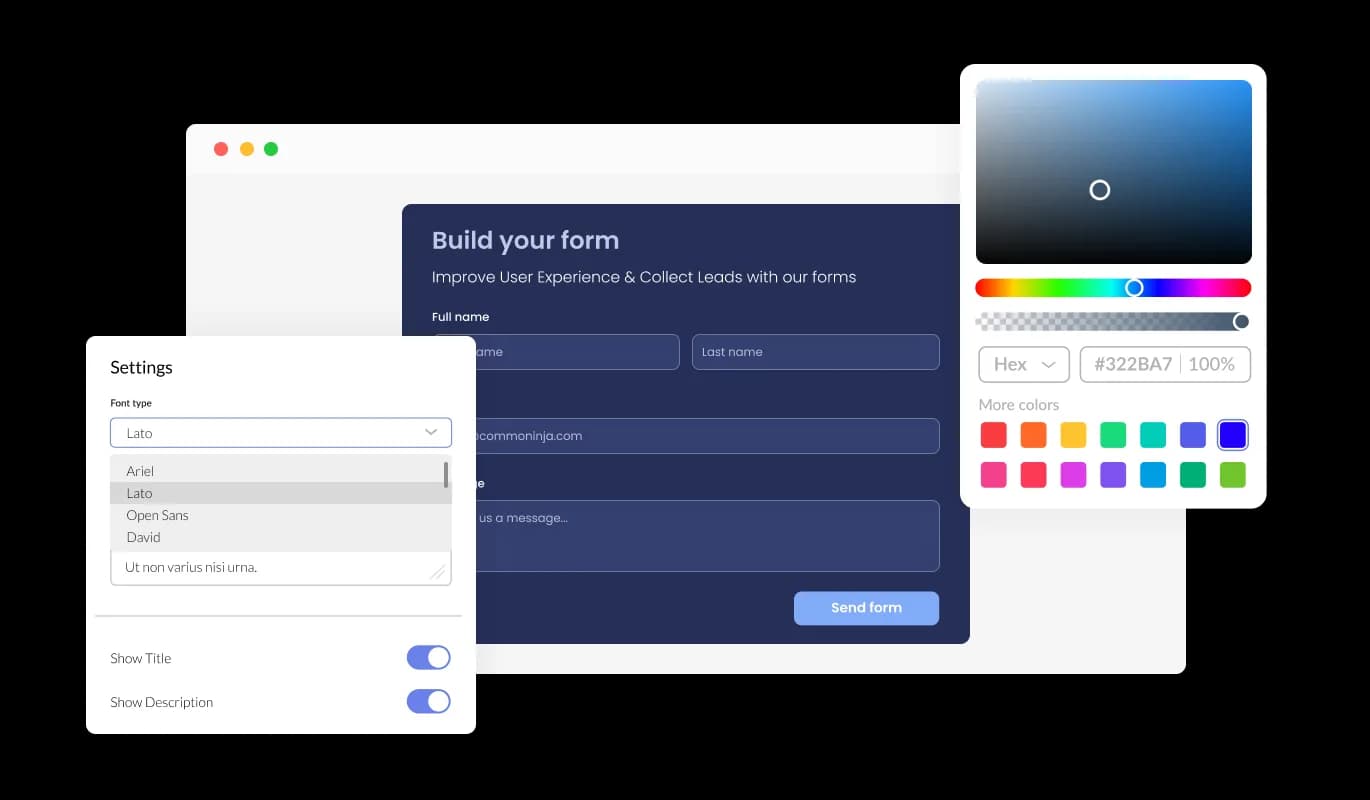
Enjoy a high degree of customization with the Event Registration Form for Magnolia CMS, empowering you to personalize the design to cater to your specific preferences. From altering colors and typefaces to rearranging field layouts, you possess complete control over the form's look and functionality.

RSVP Form - Personalize Your Magnolia CMS Event Registration Form with Full Customization

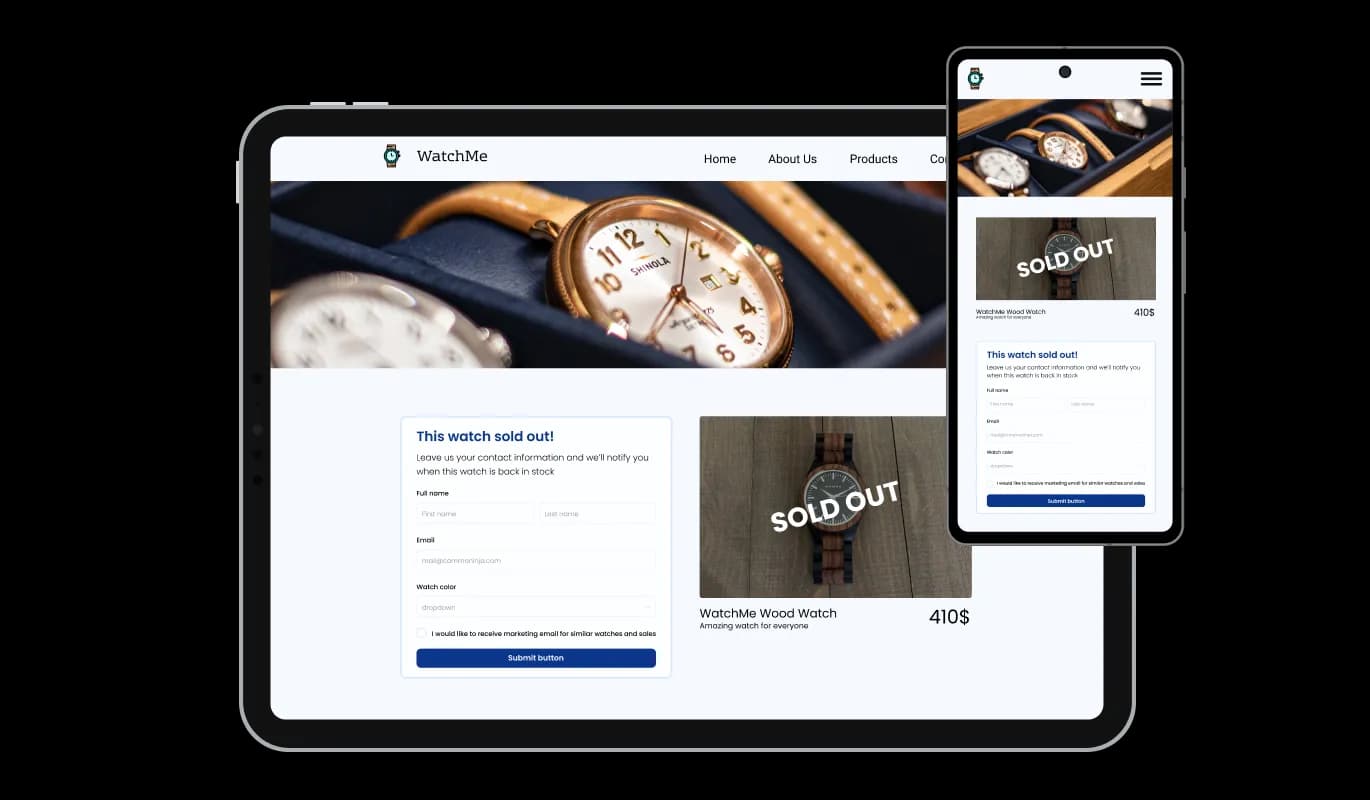
Magnolia CMS Event Registration Form: Optimal Responsiveness on Every Device

The Event Registration Form widget for Magnolia CMS provides optimal responsiveness, ensuring a flawless display on any device. Ensuring your form is optimized for mobile viewing is vital, as a rising number of individuals are using phones and tablets to access the internet.

RSVP Form - Magnolia CMS Event Registration Form: Optimal Responsiveness on Every Device

No Coding Skills Required: User-Friendly Customization for Magnolia CMS Event Registration Form

The Magnolia CMS Event Registration Form widget features a user-friendly design that requires no coding skills to customize. With just a few clicks, you can customize the form to your preferences using our intuitive interface, making it an effortless and straightforward experience.

RSVP Form - No Coding Skills Required: User-Friendly Customization for Magnolia CMS Event Registration Form

Unlock Advanced Customization with Custom CSS for Magnolia CMS Event Registration Form

Our advanced editor is a powerful tool that provides you with complete control over the Magnolia CMS Event Registration Form's appearance. Through this feature, you can smoothly customize every component of the widget's design, spanning colors, fonts, layout, and positioning. For individuals seeking more advanced creative exploration, direct CSS editing delivers an expanded set of customization choices.

RSVP Form - Unlock Advanced Customization with Custom CSS for Magnolia CMS Event Registration Form

Compatible With All Site Builders, E-Commerce Platforms and Websites

webflow logoshopify logowix logowordpress logobigcommerce logosqurespace logoweebly logojoomla logoduda logojimdo logomagento logoshift4hsop logounbounce logocarrd logo
View all supported platforms

FAQ

An RSVP Form is a web-based form that event organizers use to collect RSVP responses from guests who plan to attend an event. The form typically includes fields for guest information, attendance status, and any additional details the organizer needs to plan the event. The RSVP Form can be embedded on a website or sent out as a link in email invitations.

Some best practices for creating an effective RSVP Form include keeping the form concise and straightforward, using clear and descriptive labels for each field, offering options for guests to indicate any special accommodations or dietary restrictions, and providing a clear and prominent call-to-action button to submit the form. It's also essential to optimize the form for mobile viewing, enable anti-spam measures, and provide automated email notifications for both the event organizer and the guests who submit the form.


Yes, the Event Registration Form widget provides a variety of customizable fields, from basic to specialized formats.

Yes, you can enable automated email notifications for each event registration submission and send them to multiple recipients.

Yes, you can activate the CAPTCHA anti-spam feature to deter bots and automated scripts from submitting spam entries through your RSVP form.

Yes, the Event Registration Form widget is optimally responsive and will display flawlessly on any device.

You can embed the Event Registration Form widget into your website by copying and pasting the provided code snippet into your page's HTML code. The widget is designed to auto-update, so any modifications you make in the editor will be automatically reflected on your website.

Yes, the advanced editor provides full control over the form's appearance, and direct CSS editing allows for even more extensive customization options.


Yes, you can easily do so from the “Templates” tab.

Yes, there are lots of beautiful skins that you can choose from to save time and start using the widget as quickly as possible.

It’s simple. All you need to do is to sign up and start using the free version.


Common Ninja’s RSVP Form widget is free to use. It is limited to a certain amount of views, however.

Common Ninja’s RSVP Form widget is compatible with ALL current and future website builders.

Yes, the RSVP Form widget is GDPR-compliant.

No. Using our RSVP Form widget is very simple. The widget comes with an intuitive drag-and-drop interface and fully customizable options. Once you’ve finished editing the widget to your liking, all you need to do is copy the provided code and add it to your website.

Yes. We are eager to hear your request. Please visit our Feature Request page.