


Verified review
Common Ninja has amazing no-code widgets that would beautify a website built on any builder. It is very easy to use and customise. It has as many widgets for almost everyone willing to make their website impressive.
The Common Ninja Spinning Wheel widget is a free, no-code embed that adds an interactive spin-to-win game to any website.
Define your prizes (discount codes, free shipping, gift cards, content unlocks), customize the wheel design, gate the spin behind an email-capture form, and paste one line of embed code on 200+ platforms including Canva, Notion, Shopify, Google Sites, Elementor, WordPress, and Webflow.
Use it for e-commerce promotions, lead-generation campaigns, holiday giveaways, event raffles, and gamified opt-ins that turn passive visitors into engaged customers.
Static lead magnets and plain newsletter signups convert at low single digits. Gating a spin-to-win wheel behind an email-capture form turns the opt-in into a moment of anticipation visitors actually want to complete. The wheel handles the email collection and the reveal; you handle the followup with whatever email tool you already use.
Hide a discount code, free-shipping coupon, or limited-time offer behind the spin. The reveal moment turns a passive coupon banner into a short interactive beat, which is the difference between scrolling past and clicking to checkout. Works for Shopify stores, BigCommerce shops, and any Wix/Squarespace e-commerce setup.
Coming-soon pages, event landing pages, course landing pages, holiday campaigns, product launches. A spinning wheel turns a flat scroll into a moment the visitor remembers. Visitors are far more likely to share or return to a page that gave them something to do.
Canva's spin-wheel templates are designs, not playable widgets, and online spinner sites route visitors off your domain. The Common Ninja Spinning Wheel runs inside your page on your domain with your branding, captures the email, controls the prize outcomes, and tracks which visitor got which prize in the dashboard.
Add the slices: discount code, free shipping, free gift, percent-off, content unlock, or a plain message. Set the probability per slice so the wheel feels fair but you control how often the headline prize lands. Each slice takes its own label, color, and outcome message.
Pick a skin from the design library, set the wheel colors, slice fonts, pointer style, and spin animation. Turn on the email-capture gate so visitors enter name + email before they spin. Set the post-spin message: copy the code, redeem in checkout, redirect to a product page, or open the email inbox.
Copy the one-line embed snippet and paste it into your site on Canva, Notion, Shopify, Google Sites, Elementor, or any of the 200+ supported platforms. Display the wheel inline on a campaign page, as an exit-intent popup, or behind a button visitors tap to play.
Gate the spin behind a custom-fields form: name, email, phone, or any other field your campaign needs. Submissions land in the Common Ninja dashboard and export to CSV for follow-up in your email tool, CRM, or ad-platform audience.
Set the color, label, and reward outcome per slice. Adjust slice probabilities so the headline prize stays rare and the consolation prizes land often enough to feel fair. The wheel preview updates live as you tune it.
Write a custom message per prize: "Use code WELCOME20 at checkout", "Click here for your free guide", "Check your inbox". Add a redirect URL so winning visitors land on the product page, the redemption flow, or the download. Conversion shouldn't end with a confetti animation.
Embed the wheel inline on a campaign page, behind a button visitors tap to play, in an exit-intent popup, or as a scheduled-popup on visitor arrival. Pick whichever placement matches your campaign goal: persistent engagement (inline), retention (exit-intent), or first-impression conversion (arrival popup).
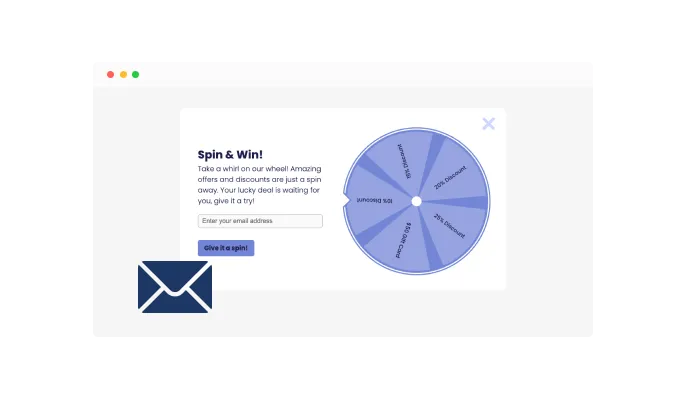
With the Spinning Wheel widget, collecting leads becomes a breeze. Before visitors spin the wheel for enticing offers, you can set it up so that they need to provide their email addresses. This simple interaction makes gathering contact information straightforward and non-intrusive, helping you grow your email list for future marketing campaigns.
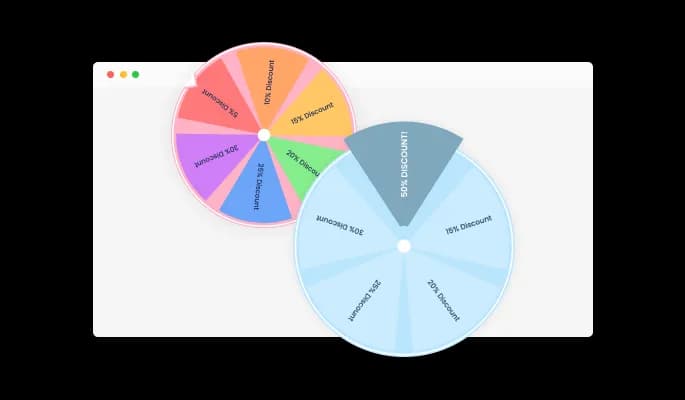
Highlight your best offers with customizable prize colors. The Spinning Wheel widget lets you set individual colors for each prize segment. This feature can be used to make your most attractive prizes stand out, encouraging visitors to engage and boosting the excitement around your promotional activities.
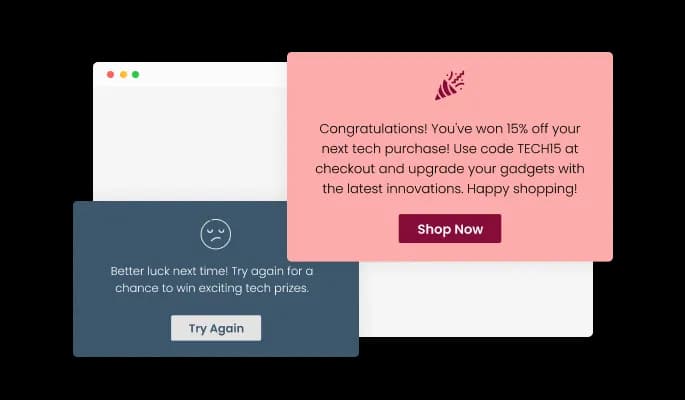
Celebrate your visitors' wins with customized messages delivered right after their successful spin. The Spinning Wheel widget allows you to display a tailored message indicating their prize. Plus, you can incorporate a clickable button and a link in the message, directing winners toward their prize or your chosen destination, and enhancing user interaction.
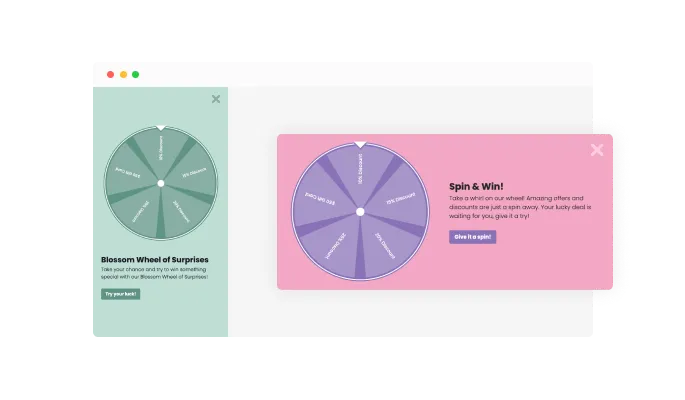
Cater to your site's unique style and layout with the Spinning Wheel widget's flexible display options. Whether you want it to pop up when visitors land on your site, nestle into a side panel, or sit static on your webpage, you can choose the most engaging and seamless way to integrate the Spinning Wheel into your user experience.
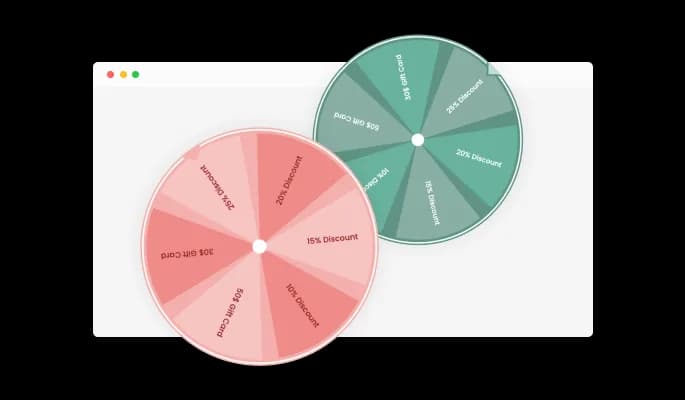
Add an aesthetic touch to your website with the Spinning Wheel widget's selection of beautiful color skins. Choose from a variety of hues that best match your brand, speeding up the design process and ensuring a consistent and attractive look and feel across your site. This widget not only enhances user engagement, but it does so while maintaining your brand's unique style.
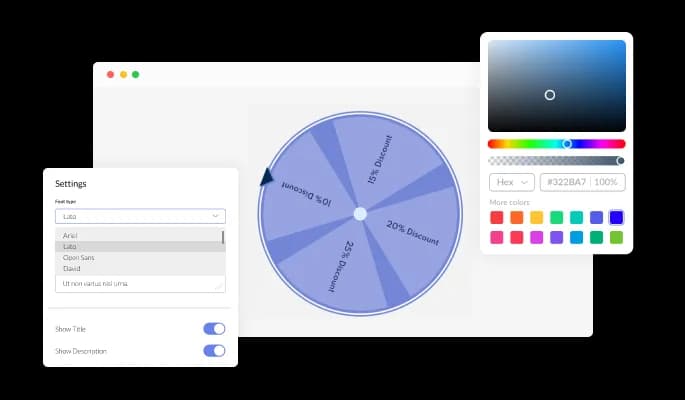
With the Spinning Wheel widget, you gain total control over your widgets' design. Every element - from colors and fonts to spacing - can be tweaked to mirror your brand's aesthetics perfectly. Enjoy the freedom to construct a design that not only embodies
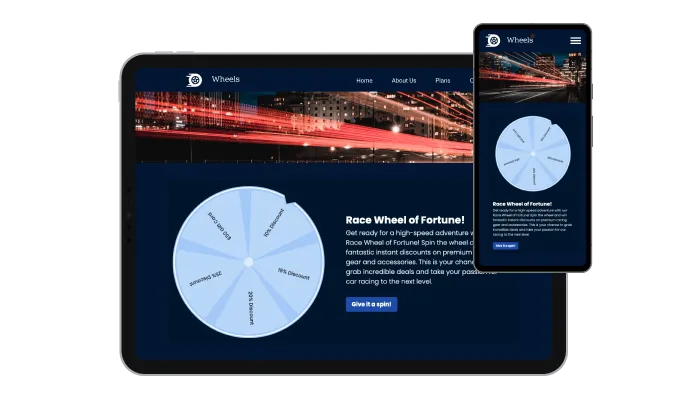
The Spinning Wheel widget is built with responsiveness in mind, guaranteeing your widget's look great and function well on any device. As mobile compatibility becomes increasingly important, this feature ensures your users enjoy a smooth and seamless experience, regardless of whether they're on a desktop, tablet, or smartphone.

A Spinning Wheel widget isn't just user-friendly, it's also developer-friendly. If you're comfortable with code, you can use custom CSS to tailor the appearance and behavior of the spinning wheel to your exact specifications. This feature gives you the ultimate control to make the widget perfectly aligned with your brand and website style.

Incorporating the Spinning Wheel you've designed with our widget into your website is as easy as a copy-and-paste job. Moreover, any modifications you make to the widget will automatically reflect on your site, ensuring your spinning wheel is always current and engaging, without requiring any additional work.
Keep your offers exclusive and exciting with the Spinning Wheel widget's ability to set a maximum spin limit for each user. This feature lets you regulate how often visitors can spin the wheel, preventing overuse and maintaining the allure of your deals and discounts.
The Spinning Wheel widget is designed to complement your site's design, not clash with it. With multiple layout options at your disposal, you can select the one that best suits your website's aesthetic and functionality. Whether you want the wheel next to the email field, alongside a content section, or under a catchy title, you can arrange it to create a seamless and engaging user experience.
Dictate when the Spinning Wheel widget makes its appearance with the adjustable timing feature. You can opt to have the widget show up right when the page loads, after a specific time delay, or just when a visitor is preparing to exit. This functionality provides you with a tactical advantage in optimizing visitor engagement.
Designing your ideal spinning wheel is a breeze with our user-friendly interface. Forget about the need for coding knowledge - our simple, intuitive interface allows you to customize your spinning wheel just the way you want it, all with just a few easy clicks. Customizing your interactive widget has never been easier or more accessible.
Turn passive visitors into engaged subscribers
Open the editorNo credit card · Setup in under 5 minutes
Common Ninja has amazing no-code widgets that would beautify a website built on any builder. It is very easy to use and customise. It has as many widgets for almost everyone willing to make their website impressive.
Outstanding service. I use their widgets to help me with my web design business and whenever I need help they are very quick to help.
Excellent company with excellent service!!! We used it to build a survey, it was very user friendly. The service was perfect. Amit helped us with every problem and question we had, thank you very much!!!
Common Ninja saved the day when building our website and the customer service Daniel, the co-founder and CEO, provided was amazing.
Yes. The free plan covers one spinning wheel campaign with no time limit and no credit card. Upgrade only when you need additional wheels, premium skins, more spins per month, or advanced features like custom-field email gates and CSV export.
Canva's spin-wheel templates are static designs you'd export as an image or animation, not interactive widgets visitors actually spin. Online spinner sites (spinthewheel.io, wheelofnames, etc.) route visitors off your domain into a third-party UI with their branding. The Common Ninja Spinning Wheel runs inside your page on your domain, captures the visitor's email, controls prize outcomes with set probabilities, and tracks which visitor got which prize. It's a real lead-gen tool, not a one-off design asset.
Yes. The email-capture gate sits in front of the spin: visitors enter the fields you require (name, email, phone, any custom field) before the wheel becomes spinnable. Submissions land in the Common Ninja dashboard with the visitor's prize outcome attached and export to CSV for import into Mailchimp, Klaviyo, HubSpot, or whatever email or CRM tool you use.
Yes. Set up your discount codes in your e-commerce platform (Shopify, BigCommerce, WooCommerce, Squarespace Commerce, Wix Stores) and add the same code as a prize slice in the widget. When a visitor wins that slice, the widget displays the code and includes copy/redirect instructions. The code remains valid in your store's checkout because it lives in your e-commerce system, not in the widget.
Build the wheel in the Common Ninja editor (prizes, design, email gate), copy the embed snippet or URL, and paste it into your site: Canva via the Embed element on a website page; Notion via /embed using the embed URL; Shopify via a page section's HTML view; Elementor via an HTML widget; Google Sites via Insert → Embed → Embed code. Edits in the editor push to every embed without re-pasting.
Yes. Set a per-visitor spin limit (one spin per browser, one per email, one per day, one per campaign) and the widget blocks repeat spins from the same visitor. The cooldown is configurable in the dashboard, so you can run a one-spin-per-visitor promo or a daily-spin loyalty mechanic depending on your campaign.
Yes. The wheel sizes itself to fit the container width on any device, the spin animation uses smooth CSS transforms (no Flash or canvas) so it runs at 60fps on phones, and the email gate uses mobile-optimized inputs (correct keyboard for email field, large touch targets for required fields). The same campaign works on phone, tablet, and laptop without a separate mobile setup.
Yes. Each prize slice gets its own probability weight, set in the editor. Set the headline prize to a low weight (say 1 in 200) and the smaller consolation prizes to higher weights so most spins land on something. The visual wheel still shows every prize as a visible slice, which keeps the game feeling fair while you control the actual outcome distribution.
Pick your platform. Each takes under 4 minutes.
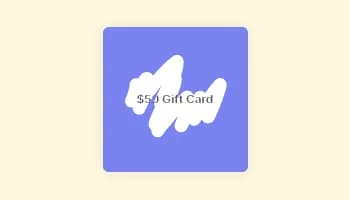
Interactive Scratch Card for users to unveil prizes, aiding lead generation.
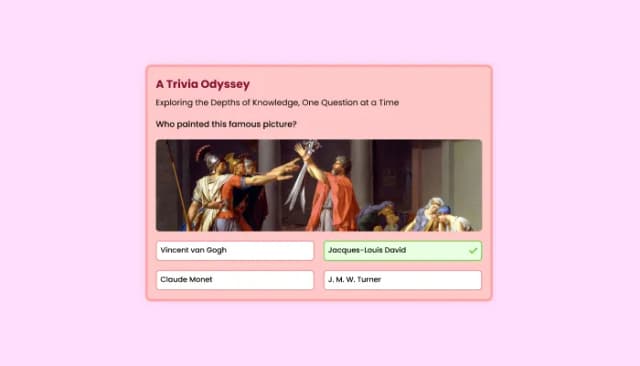
Quiz Maker for easy custom quiz creation and integration.
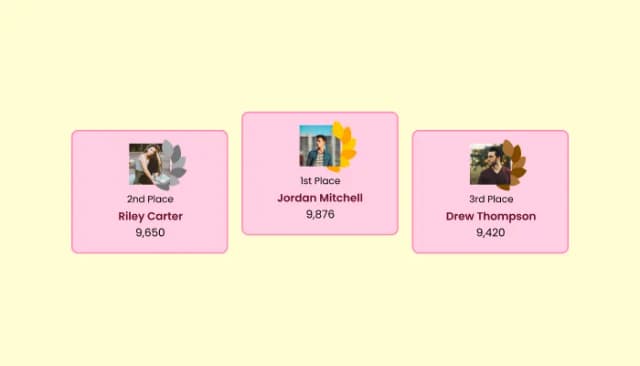
Create customizable leaderboards to display rankings and track participant scores.

Easily craft engaging, personalized popups to boost conversions.

Allow users to send messages or inquiries, save submissions, enable notifications, and more

Showcase customer testimonials using a rotating slider
The Spinning Wheel widget is an interactive tool that offers rewards like discounts or deals to website visitors when they spin the wheel.
The Spinning Wheel widget provides an interactive and fun experience for your website visitors, boosting engagement. It offers potential rewards, encouraging users to interact more with your site.
Before spinning the wheel, you can set up a requirement for users to provide their email addresses. This way, you can efficiently collect leads for future marketing campaigns.
Absolutely! You can modify colors, fonts, layout, and more. If you're comfortable with the code, you can even use custom CSS for further personalization.
It's as simple as copying and pasting a line of code! All changes you make in the widget will automatically reflect on your website.
Yes, the widget is designed to be fully responsive, ensuring an excellent and seamless user experience on any device.
Yes, the Spinning Wheel widget allows you to set a maximum spin limit for each user. This helps in maintaining the allure of your deals and prevents overuse.
Definitely! The widget enables you to display a personalized message to the winners indicating their prize. You can also include a clickable button and a link within this message, guiding the winners to their prize or another destination on your site.
Yes, you can dictate when the Spinning Wheel widget appears with the adjustable timing feature. It can show up immediately when the page loads, after a specific time delay, or when a visitor is about to exit.
Yes, the Spinning Wheel widget lets you set individual colors for each prize segment, allowing you to highlight specific prizes and draw the visitor's attention.
The widget has a user-friendly, drag-and-drop interface that makes it easy for anyone to design their ideal spinning wheel. No coding knowledge is required, though the option to use custom CSS is available for those comfortable with the code.
Email-gated spinning wheel with custom prizes, controlled odds, and discount-code reveals. Embed on 200+ platforms including Canva, Notion, Shopify, Google Sites, Elementor, and Webflow.
Create your Spinning WheelNo credit card · Setup in under 5 minutes