


Verified review
Common Ninja has amazing no-code widgets that would beautify a website built on any builder. It is very easy to use and customise. It has as many widgets for almost everyone willing to make their website impressive.
The Common Ninja Telegram Chat widget is a free, no-code embed that adds a floating Telegram chat button to your website so visitors can message you on Telegram with one tap.
Set your Telegram username or channel link, pick from multiple chat icons, position the button (corner-fixed or inline), customize the background and design with skins or Custom CSS, toggle availability hours, and paste a one-line embed snippet on WordPress, Shopify, Wix, Carrd, Joomla, Webflow, Squarespace, and 200+ other platforms.
Use it to deliver instant customer support, collect questions before purchase, run sales conversations on a platform your audience already uses, and shorten the time from visitor to first message.
Telegram has hundreds of millions of active users worldwide, especially strong in Eastern Europe, the Middle East, and Asia. A floating Telegram chat button lets that audience reach you in a tap on a platform they already have open. No new account to create, no app to install — visitors send a message in the chat app they already trust.
Visitors who'd otherwise abandon the page when they hit a question ("Will this ship to my country?" "Does this come in size X?") can ask you on Telegram in one tap. A short conversation answers the friction, the visitor stays in the funnel, and the question becomes a sale instead of a lost session.
If your team isn't watching Telegram 24/7, set on/off display hours so the button only appears when someone's available to reply. Avoids the bad experience of a visitor pinging you at 2am and waiting nine hours for an answer they could have read on your FAQ instead.
Each messaging app has its own user base — Telegram is strong in Eastern Europe, the Middle East, and Asia; WhatsApp dominates Latin America and India; Messenger maps to your Facebook audience. Pick the messaging button that matches where your visitors actually message. Use this Telegram Chat for Telegram audiences; use the Common Ninja WhatsApp Button or Messenger Button widget for those audiences.
Enter your Telegram username (e.g. @yourbrand) or a t.me link for a channel, group, or bot. The widget builds the deep-link URL automatically so when a visitor taps the button, Telegram opens on their device with your chat ready to start. No bot setup, no API tokens, no integration to maintain.
Choose from multiple chat icons, set the corner position (bottom-right is the standard), customize background color and icon styling, configure on/off display hours (e.g. hide the button outside business hours so visitors don't expect instant replies when no one's watching), and pick a skin from the design library or layer Custom CSS for pixel-level brand match.
Copy the one-line embed snippet and paste it on WordPress, Shopify, Wix, Carrd, Joomla, Webflow, or any of the 200+ supported platforms. The button floats over your page content and follows the visitor through every section. Edits in the Common Ninja editor push to every embed without re-paste.
Customize the background of the floating button to match your brand — solid color, gradient, image overlay, or transparent. The button stays visible against any page background without clashing with hero imagery or competing with your existing nav.
Pick from a library of chat icons — classic Telegram paper-plane, generic chat bubble, headset for support, question mark for FAQ-style entry, custom upload. The icon you pick signals the type of conversation visitors should expect.
Set on/off display hours per day so the button only shows when your team is watching Telegram. Visitors get a clear signal that messages will get an answer, not vanish into a timezone-mismatched queue. Configure per-day schedules and timezone independently.
Pick from a library of pre-designed skins (minimal, brand-vibrant, dark-mode, glassmorphic) for a fast visual fit. Layer Custom CSS for pixel-level control over button size, corner offset, shadow depth, hover animation, and pulse-pulse attention effects.
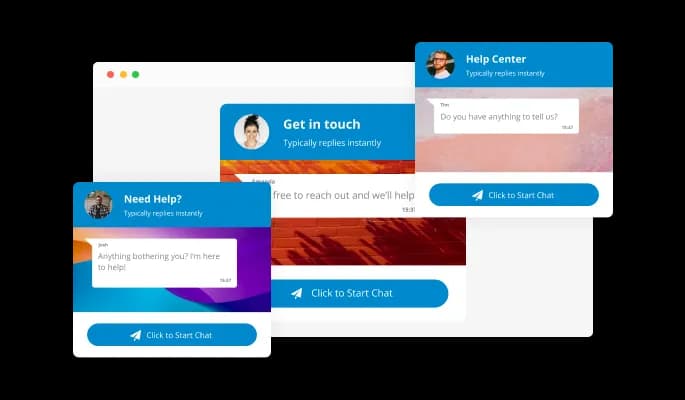
The Telegram Chat widget allows you to change the chat’s background to make it fit your website’s design, make your chat stand out, or reinforce brand awareness via well-crafted company backgrounds.
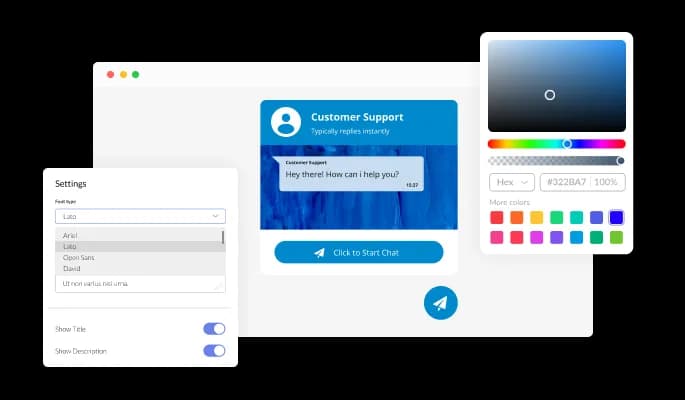
The Telegram Chat widget features full customization options to edit the design to fit your needs — change the colors, fonts, spacings, and anything else!
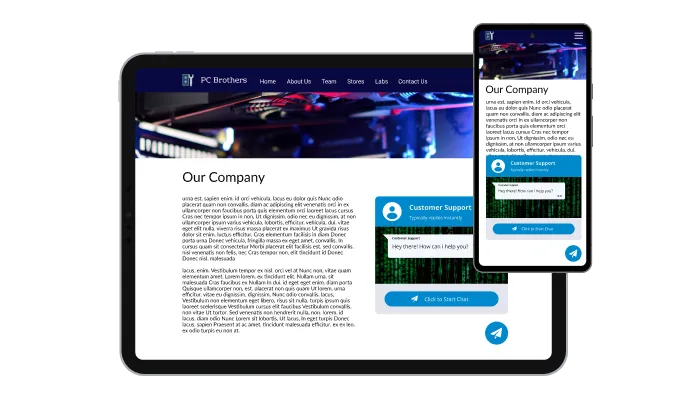
The Telegram Chat widget is perfectly responsive and will look great on any device. This feature will put you ahead of your competitors in a mobile-first world.

As with all of Common Ninja’s apps, you can add custom CSS to customize the Telegram Chat widget and be even more creative.

You can embed the Telegram Chat widget on your website easily by copying a single line of code. The app will also be updated automatically with every change you make.
The Telegram Chat Button widget features multiple button icons for you to choose from that can complement your design and deliver the message you want to deliver.
The Telegram Chat widget can toggle the messages’ time on or off. Keep it on to show users just how fast your replies are, or remove it entirely for a more minimal, visually pleasant chat design.
The Telegram Chat widget is easy to use and requires no coding knowledge. Our intuitive dashboard with the drag-and-drop feature will enable you to customize the app any way you want it with just a few simple clicks.
Open a chat channel your visitors already have on their phone
Open the editorNo credit card · Setup in under 5 minutes
Common Ninja has amazing no-code widgets that would beautify a website built on any builder. It is very easy to use and customise. It has as many widgets for almost everyone willing to make their website impressive.
Outstanding service. I use their widgets to help me with my web design business and whenever I need help they are very quick to help.
Excellent company with excellent service!!! We used it to build a survey, it was very user friendly. The service was perfect. Amit helped us with every problem and question we had, thank you very much!!!
Common Ninja saved the day when building our website and the customer service Daniel, the co-founder and CEO, provided was amazing.
Yes. The free plan covers one Telegram Chat widget with no time limit and no credit card. Upgrade only when you need additional widgets, multiple chat targets (e.g. different agents per page), premium skins, advanced scheduling, or features like custom welcome messages.
No. The widget builds a t.me deep link to your Telegram username, channel, or group — when a visitor taps the button, Telegram opens on their device with your chat ready. No bot setup, no API tokens, no integration to maintain. You message back from your normal Telegram account on phone or desktop.
Each messaging app has its own user base. Telegram is strong in Eastern Europe, the Middle East, and parts of Asia (Russia, Iran, Ukraine, Uzbekistan). WhatsApp dominates Latin America, India, and Western Europe. Facebook Messenger maps to your existing Facebook Page audience. Pick the messaging button that matches where your visitors already chat. You can also embed multiple — a Telegram button for one audience segment, a WhatsApp button for another.
Yes. Configure on/off display schedules per day in the editor. The button shows when your team is watching Telegram and hides otherwise — visitors only see the chat option when a reply is likely. Set the timezone independently so visitors in different regions see the button at hours that match your team's availability, not theirs.
No. The widget script loads asynchronously, so it doesn't block first paint or interactivity. The button itself is a single floating element — minimal DOM impact, no extra HTTP requests for content, no impact on Largest Contentful Paint or Cumulative Layout Shift.
Build the widget in the Common Ninja editor (set username, pick icon, customize skin), copy the embed snippet, and paste it into your site: WordPress via a Custom HTML block (Gutenberg) or a Shortcode/Text widget (Classic); Shopify via the Custom HTML section in your theme editor or via a Custom Code app for sitewide injection; Wix via the HTML embed widget (Add → Embed → HTML iFrame/Embed a Widget). The floating button appears on every page where the snippet loads.
Yes. The widget accepts any t.me URL — a personal username (@you), a channel link, a group link, or a bot link. Useful for community-routing ("join our channel"), bot-driven flows ("chat with our support bot"), and group conversations ("join the customer group"). Switch the target in the editor without re-pasting the embed.
Yes. The floating button scales to fit thumb-zone on mobile, respects iOS Safe Area insets so it doesn't collide with the home-bar gesture area, and opens the Telegram app on tap (deep-linking to the chat). On desktop the button opens Telegram Web or the desktop app depending on the visitor's setup.
Pick your platform. Each takes under 4 minutes.
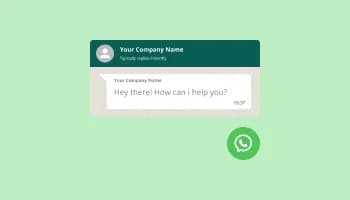
Add a WhatsApp chat button to your website, allowing users to start a chat using WhatsApp.

Add a Messenger chat button to your website, allowing users to start a chat using Messenger.

Display a button that will initiate a phone call

Allow users to send messages or inquiries, save submissions, enable notifications, and more

Easily craft engaging, personalized popups to boost conversions.
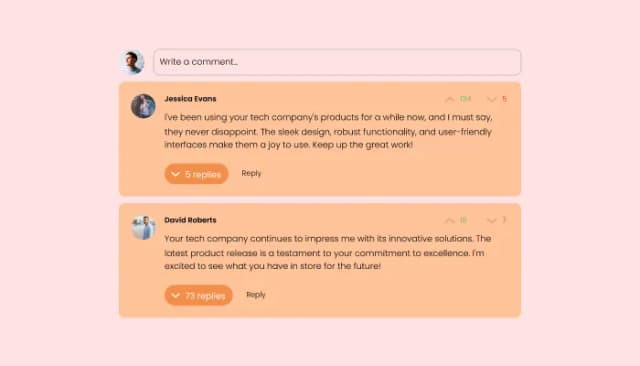
Comments system with upvote/downvote, email notifications, reply threads, and moderation tools.
Yes, you can change the contact name.
Yes, you can easily do so in the Telegram Chat settings.
Yes, you can upload your own image that will show on the Telegram chat.
Yes, you can do so from the dashboard.
Yes, you can.
Yes, you can easily do so from the dashboard.
Yes, you can. Enter the Editor to change the text of the Telegram Chat button.
Yes, you can easily do so.
Yes, you can easily do so from the “Look & Feel” tab.
Yes, you can.
Using the Telegram Chat widget is very easy. Simply sign up and start using the free version. There's no need to worry about complicated setup or installation processes, as the Telegram Chat widget is designed to be user-friendly and straightforward. Once you've signed up, you'll have access to all of the basic features and functions of the widget, which you can use to enhance your website and improve your online presence. From there, you can choose to upgrade to the paid version if you want to access more advanced features and capabilities. Regardless of which version you choose, you'll find that the widget is a powerful and easy-to-use tool that can help you take your online presence to the next level.
The Common Ninja Telegram Chat widget is a free tool reach with features and options. While this widget is free to use, it does have a limit on the number of views it can handle. This means that after a certain number of views, the chat button may no longer be visible or functional on your website. It is important to note that this view limit may vary depending on the plan of the widget you are using. Despite this limitation, Common Ninja's Telegram Chat is still a valuable tool for businesses looking to increase customer engagement and improve the overall user experience of their website.
The Common Ninja's Telegram Chat widget is a versatile tool for any website builder. This means that you can easily add this widget to your website or store no matter what platform you use to build your website. Whether you are using a popular website builder or something more specialized, the Telegram Chat widget will work seamlessly with your platform. This means you can enjoy all the benefits of this powerful tool without having to worry about compatibility issues.
It’s very easy to embed Common Ninja’s Telegram Chat Button app on your website and the process consists of two steps:
The Telegram Chat widget is designed to comply with the General Data Protection Regulation (GDPR), a set of EU regulations protecting personal data and privacy. When using the Telegram Chat widget, you can be confident that it will not collect or store personal data that could violate GDPR regulations. This ensures that your business is in compliance with these regulations and can protect your customers' data privacy. Overall, the Telegram Chat widget is a secure and reliable tool that can be used to enhance your website without any concerns about GDPR compliance.
No need for coding skills. Our Telegram Chat widget is designed to be easy to use, even for those with limited technical experience. The widget features a user-friendly interface that allows you to easily customize the widget without coding knowledge. You can fully customize the Telegram Chat to match your branding. When you're done, simply copy the provided code and paste it into your website. It's that simple!
Embedding the Telegram Chat widget on your website is a straightforward process. Simply copy the provided code and paste it into the desired location on your website. The widget will seamlessly integrate into your site, allowing you to take advantage of its features and functions. No technical expertise or programming knowledge is required - just copy and paste the code to get started. This simple process allows you to easily add the widget to your website and enhance its functionality without any hassle.
Yes. We are eager to hear your request. Please refer to this page.
A Telegram Chat Widget is a component you can embed on your website to create a chat window that connects directly to a Telegram chat group or channel. When visitors to your website click on the widget, they will be able to send messages to the chat group or channel and receive replies in real time.
The chat widget is useful for websites that want to offer a quick and easy way for visitors to ask questions or get support. It can also be used to facilitate communication between website visitors and the website owner or other members of the chat group.
There are several benefits to adding a Telegram Chat Button to your website:
A Telegram Chat Button can be a useful tool for improving customer service, increasing engagement, and facilitating communication with visitors to your website.
Let visitors message you on Telegram in one tap — floating button with multiple icons, customizable background, on/off availability hours, stylish skins, and Custom CSS. Embed on 200+ platforms including WordPress, Shopify, Wix, Carrd, Joomla, Webflow, and Squarespace.
Create your Telegram ChatNo credit card · Setup in under 5 minutes