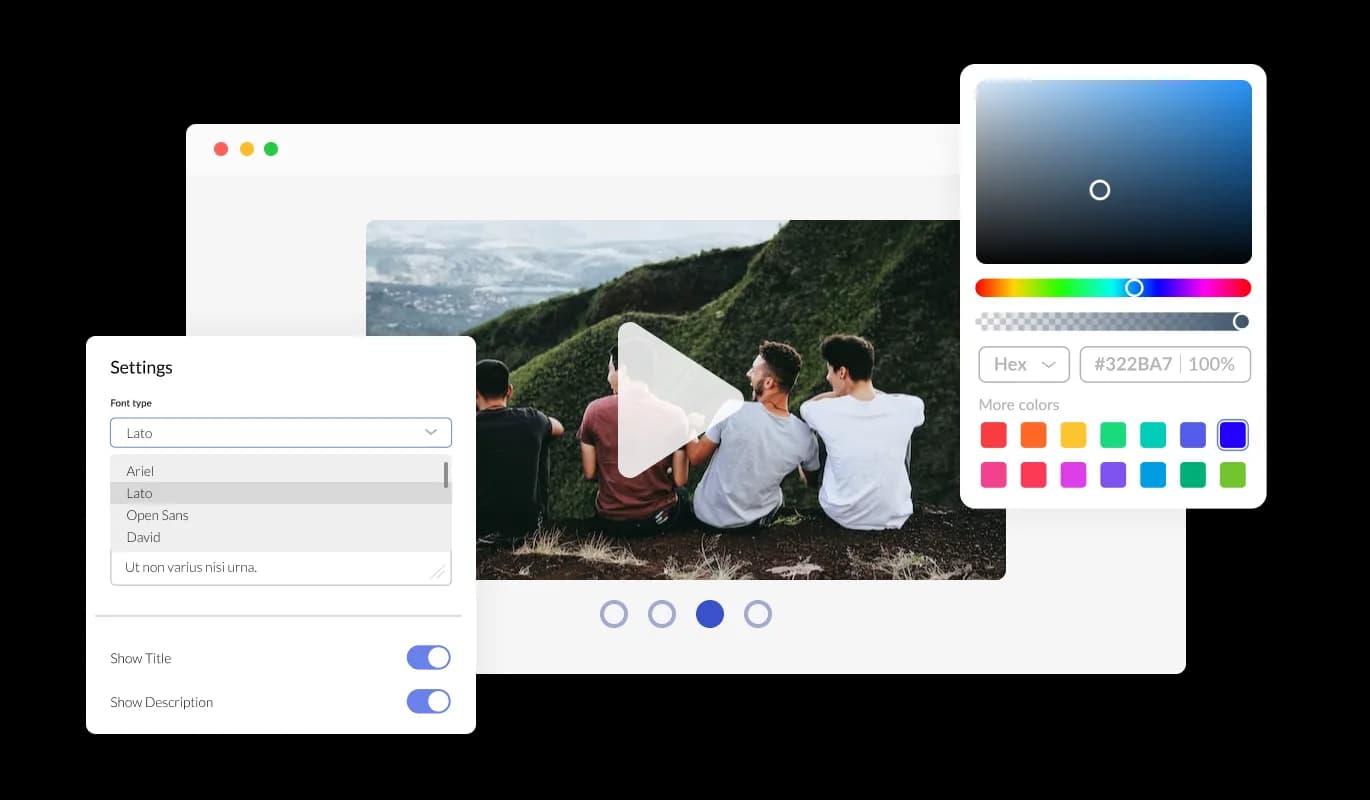

Video Carousel for Slides Site Generator

Showcase videos with a video carousel that rotates or slides clips, improves visual design, and keeps visitors watching and engaged.

Create a Video Carousel

loved by 500K+ businesses

Slides Site Generator
plugineditor

Why Should You Use the Video Carousel Widget+?

Elevate Your website's Visual Appeal with a Slides Site Generator Video Carousel

With the Video Carousel for Slides Site Generator, you can enhance your website’s design by selecting beautiful videos. Customizable sizing and slider options allow you to tailor your Video Carousel to your Slides Site Generator website.

Maximize available space on your Slides Site Generator website

The video carousel widget for Slides Site Generator is beneficial because it doesn't require a large amount of space, allowing for a cleaner and more organized layout. Unlike Video galleries that take up a lot of space, the video carousel widget can show as many videos as you want, from within a fixed position, and in an interactive manner. Additionally, you can create different carousels for different categories, and avoid building additional pages for different categories.

Engage users with the Video Carousel forSlides Site Generator

If you're looking to pique the interest of your Slides Site Generator website visitors, showcase your offerings, and increase conversions, the Video Carousel widget is a powerful solution worth considering. In addition, the Slides Site Generator video carousel can also provide valuable insights into user behavior and engagement through analytics, allowing you to refine your content strategy and optimize your video marketing efforts.

Supporting Numerous video hosting solutions

The Video Carousel for Slides Site Generator enables the use of various video hosting platforms, such as YouTube, SoundCloud, Facebook, Vimeo, Twitch, Streamable, Wistia, DailyMotion, Mixcloud, Vidyard, and Kaltura. The ability to showcase videos from multiple hosting platforms allows you to offer various video content to your Slides Site Generator website users, catering to their individual preferences. This feature enables you to make the most of the specific benefits of each hosting platform.


Video Carousel - Supporting Numerous video hosting solutions

Adjust the video display size

Whether you want a small, large, vertical, or horizontal video carousel, the Slides Site Generator Video Carousel widget allows you to customize the size and orientation of your app to meet your exact specifications. The ability to customize the size and orientation of your video carousel is a valuable feature that can enhance your Slides Site Generator website's visual design and usability. By allowing users to modify the size of the video carousel on Slides Site Generator, the widget can be seamlessly integrated into any website design while maintaining a cohesive appearance. To better display your video content and match the design of your Slides Site Generator website, the Video Carousel widget offers the option to choose between a vertical or horizontal orientation, depending on the layout of your platform and the type of videos you want to showcase.

Video Carousel - Adjust the video display size

widget can be easily customized

Enjoy complete customization options with the Video Carousel widget for Slides Site Generator to ensure that the design meets your specific needs. Modify the colors, fonts, spacing, and any other design elements. With the capability to personalize your Slides Site Generator video carousel, you have a potent tool to enhance the aesthetic appeal and coherence of your websites. Your Slides Site Generator website's style and branding can be reflected in your video carousel widget by personalizing its look&feel. Adopting this approach can improve your professional look and establish trust and credibility with your users.

Video Carousel - widget can be easily customized
Video Carousel - Make use of arrows and pagination to enhance user navigation

Make use of arrows and pagination to enhance user navigation

The Video carousel widget allows you to change the arrow types of the slider and pagination icons, enabling you to fully customize the appearance of your widget to suit your design preferences.

Video Carousel - Speed and timing settings for each slide in the slider

Speed and timing settings for each slide in the slider

Whether you want your videos to slide quickly or take their time, the video slider for Slides Site Generator gives you the flexibility to adjust the timing and speed of your content to fit your needs. You can use these options to tailor your user’s experience.

Video Carousel - Slides Site Generator Video Carousel Multiple Layouts

Slides Site Generator Video Carousel Multiple Layouts

Choose from various layouts of the Video Carousel for Slides Site Generator to match your Slides Site Generator website's design and style.

Video Carousel - An Easy-To-Use widget

An Easy-To-Use widget

It is unnecessary to have any coding knowledge to use Video carousel for Slides Site Generator. Using the drag-and-drop feature on our intuitive dashboard, you can customize the widget in any way you see fit.

Creating custom CSS for Video carousel for Slides Site Generator

You can also insert custom CSS into any of Common Ninja's widgets, including Video carousel for Slides Site Generator. Custom CSS allows you to create styles and design elements not available through built-in customizations. You can create visually striking designs tailored to your needs using custom CSS.

Video Carousel - Creating custom CSS for Video carousel for Slides Site Generator

Embedding to your Slides Site Generator website is simple

With just a single line of code, you can embed the Video carousel widget onto your Slides Site Generator website without any hassle. The Video carousel will also be updated automatically with every change you make. Simply copy the code provided for widget and paste it into your Slides Site Generator website's HTML to include it.

Video Carousel - Embedding to your Slides Site Generator website is simple

Compatible With All Site Builders, E-Commerce Platforms and Websites

webflow logoshopify logowix logowordpress logobigcommerce logosqurespace logoweebly logojoomla logoduda logojimdo logomagento logoshift4hsop logounbounce logocarrd logo
View all supported platforms

FAQ

Yes, you can easily do so from the “Templates” tab.

It’s simple. All you need to do is to sign up and start using the free version.

Common Ninja’s Video Carousel widget is free to use. It is limited to a certain amount of views, however.

Yes, the Video Carousel widget is GDPR-compliant.

No. Using our Video Carousel widget is very simple. The widget comes with an intuitive drag-and-drop interface and fully customizable options. Once you’ve finished editing the widget to your liking, all you need to do is copy the provided code and add it to your website.

Yes. We are eager to hear your request. Please visit our Feature Request page.

You can use videos from these video hosting platforms, on the video carousel:

  • YouTube
  • SoundCloud
  • Facebook
  • Vimeo
  • Twitch
  • Streamable
  • Wistia
  • DailyMotion
  • Mixcloud
  • Vidyard
  • Kaltura.

A video carousel is a graphical user interface element commonly used in websites that displays multiple videos horizontally or vertically in a scrolling manner, allowing users to browse and select from a list of videos.

It is a popular design pattern for presenting video content and is often used in video-sharing platforms, e-commerce sites, and social media networks.

Using a video carousel on your website can provide several benefits, including:

  1. Improved user engagement: Video carousels can make it easier for users to discover and view multiple videos, increasing their chances of engaging with your content.
  2. Better content organization: By grouping related videos in a carousel, you can create a more organized and intuitive navigation experience for your users.
  3. Space efficiency: Video carousels allow you to display multiple videos in a relatively small amount of space, making them ideal for sites or pages with limited real estate.
  4. Enhanced visual appeal: A well-designed video carousel can be an aesthetically pleasing addition to your website, adding a dynamic and visually interesting element to your content.
  5. Higher conversion rates: Video carousels can be an effective tool for showcasing products or services, and may lead to higher conversion rates by providing more information and visual content to potential customers.