How to add Age Verification to a Base44 app

Learn how to embed Common Ninja’s Age Verification on your Base44 app without coding.

Create an Age Verification

loved by 500K+ businesses

widget-editor

In This Guide

In this quick guide, you'll learn how to embed the Age Verification into your Base44 app by generating your embed code and adding it seamlessly to your app.

Embed Age Verification on Base44

01
Create a Age Verification widget for Base44 on Common Ninja
First, create a Base44 Age Verification widget on Common Ninja. On the widgets catalog, find the Age Verification and enter the Editor.
Create a Age Verification widget for Base44 on Common Ninja
02
Save the Age Verification widget
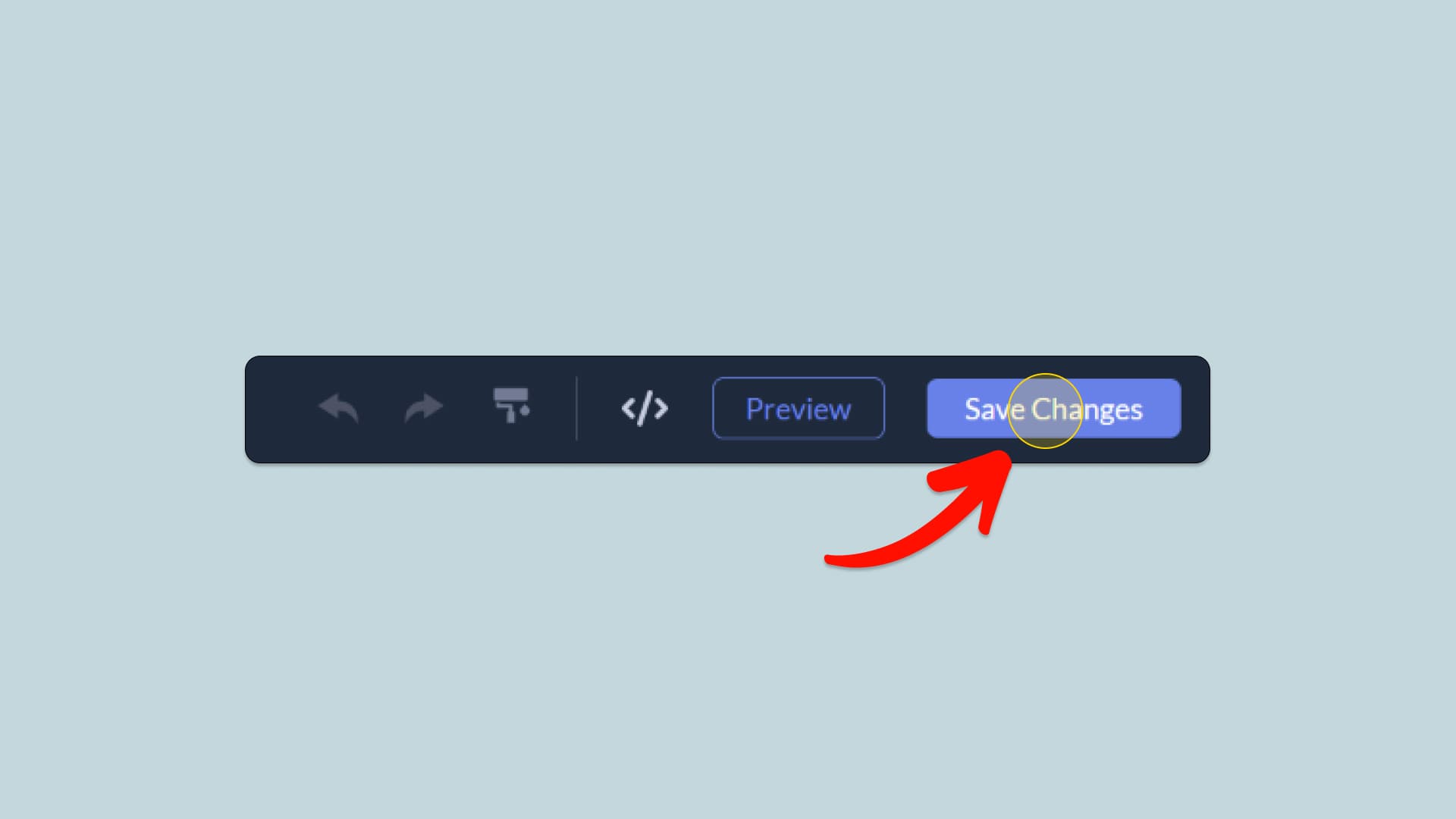
When you're done creating the Age Verification widget, click on the Save Changes button at the right top corner of the editor. If you don't have an account on Common Ninja, you'll have to register first.
Save the Age Verification widget
03
Copy the Age Verification Embed Code
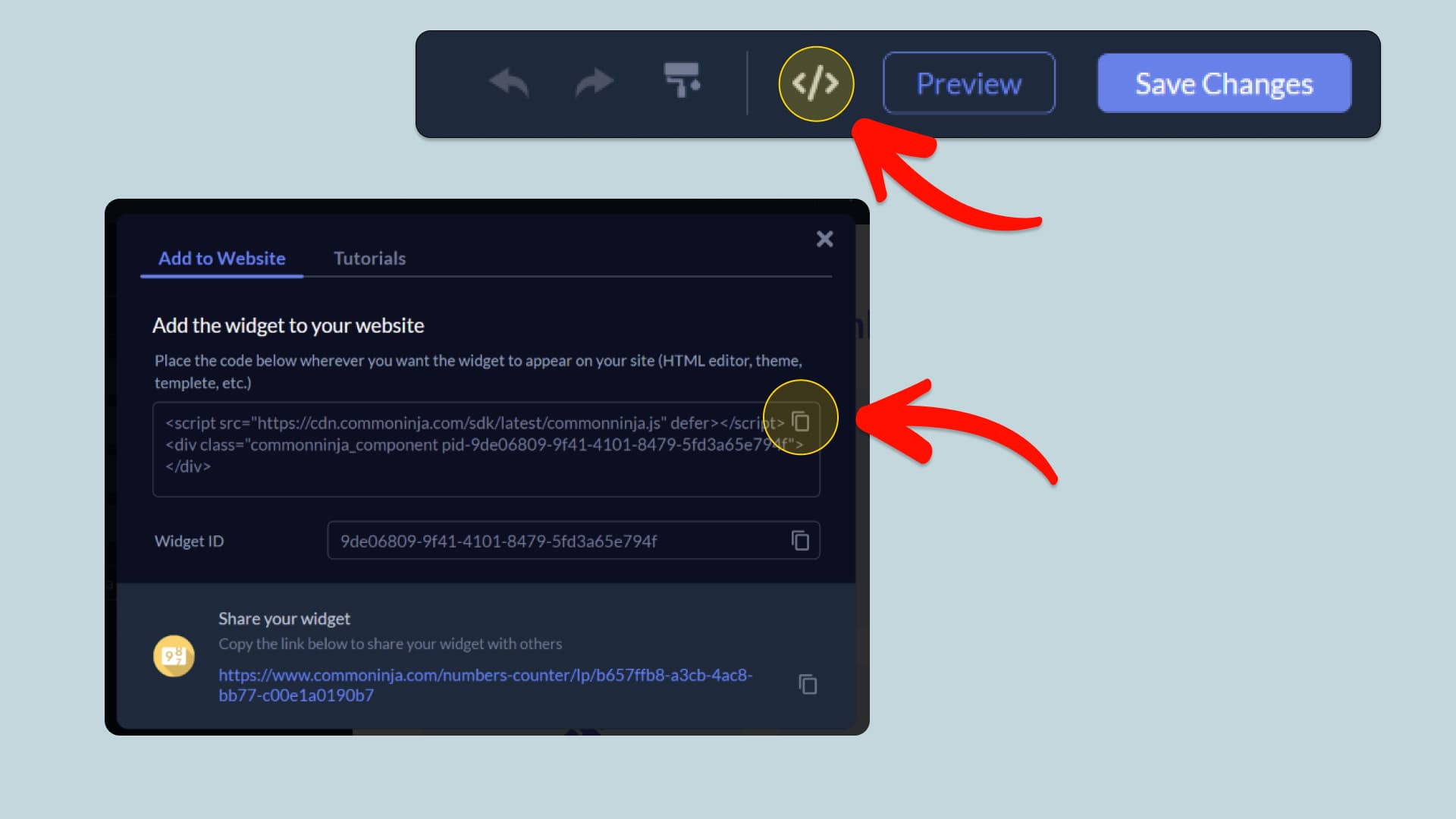
When you're ready to add the Age Verification widget to your Base44 app, click the Add To Website button at the top bar of the Editor. On the window that opens, click the Copy Icon to copy the widget embed code. In the next steps, you will paste this code into your Base44 app.
Copy the Age Verification Embed Code
04
Paste the code to your Base44 website’s HTML field.
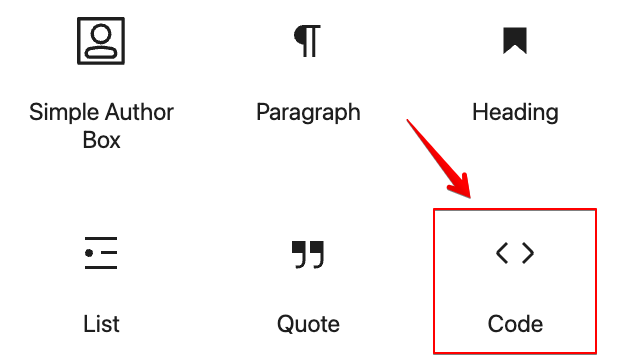
Next, go to your Base44 app editor and find the HTML field. It is most likely in the form of an HTML/Code widget or module which you can find on the Base44’s editor. Add it to your page, and paste the Age Verification Embed Code you’ve copied before to the HTML field. Save and update, and that’s it, you should have Common Ninja’s Age Verification widget on your Base44 app.
Paste the code to your Base44 website’s HTML field.
05
Alternative Method 1: Through the HTML option in the text’s editing area.
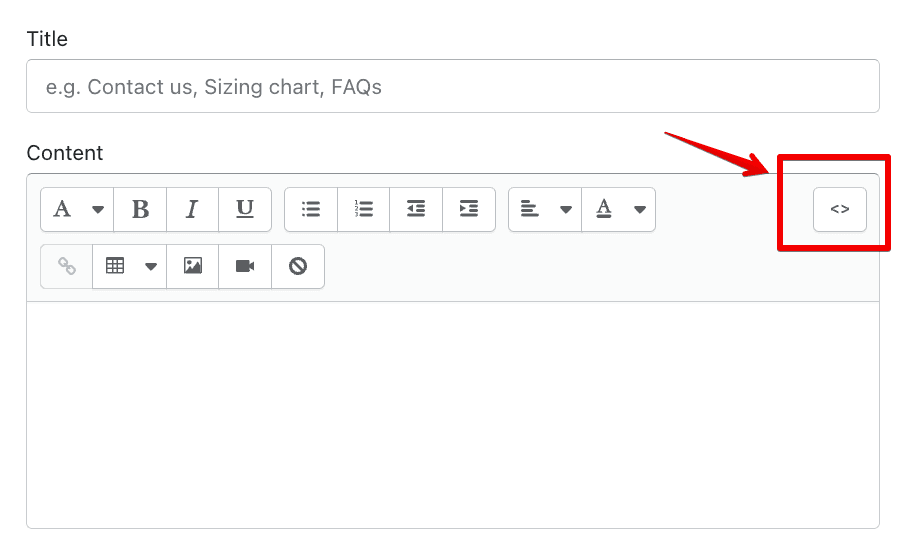
If you can't find the HTML/Code widget or module, there's another way to put Common Ninja’s Age Verification widget on your Base44 widget. You can just add the code to a special HTML section in the text editor.
Alternative Method 1: Through the HTML option in the text’s editing area.
06
Alternative Method 2: Add it directly to your Base44 app’s HTML code.
If you're having trouble finding a widget or a special part in your text editor where you can add the Embed Code, you can try a different way to add the Age Verification widget to your Base44 app. You can do this by putting it straight into your Base44 app's HTML code.
Alternative Method 2: Add it directly to your Base44 app’s HTML code.

Why Use This Widget

Use the Age Verification widget when access to your content or products requires legal age confirmation. It prevents underage visitors from entering restricted areas and protects your business from compliance risks. This is essential for alcohol, vaping, gambling, adult content, and certain medical or regulated products. The popup establishes clear responsibility by asking users to confirm their age before proceeding. It can also reinforce trust by showing that your brand takes regulations seriously. With a simple, focused interaction, you avoid complex gatekeeping systems while still meeting legal expectations. Placing age verification at entry keeps the rest of the site clean and ensures that only appropriate audiences continue.

This tutorial was written by the Common Ninja product team, creators of interactive, no-code widgets for Base44 app. Common Ninja helps over 500,000 users build engaging online experiences without coding.