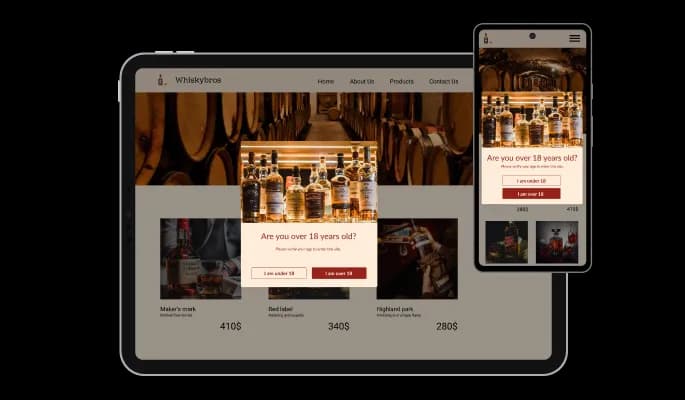
Age Verification for Moodle

Verify visitor age with an age verification popup that helps you meet legal requirements, protect your business, and ensure responsible access.

Create an Age Verification

loved by 500K+ businesses

Moodle
plugineditor

Why Should You Use the Age Verification Widget+?

Use Age Checker for Moodle to protect your business

The Age verification popup for Moodle lets you restrict the age of your Moodle website's content, including your products and services, protecting your business and complying with local laws regarding legal age requirements for specific products like alcohol, tobacco, and similar ones.

Enhance website Design with Age verification for Moodle

Your popups can be fully customized using the Age Gate widget, which will allow you to wow your users and enhance the look of your Moodle website.

Redirection & Advanced Display Rules

In the Age Gate widget for Moodle, you can redirect and set advanced display rules. Advanced display rules will allow you to specify when the popup should appear, while redirection will direct users to another page if they are under the legal age limit.

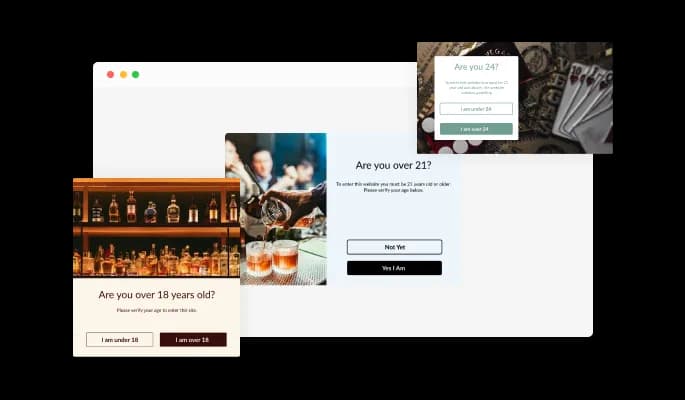
Multiple Layouts for Moodle Age verification

A variety of layouts are available for customizing the Age verification for Moodle to fit your Moodle website vision. Using the right layout will help you convey the right message and complement your design.

Age Verification - Multiple Layouts for Moodle Age verification

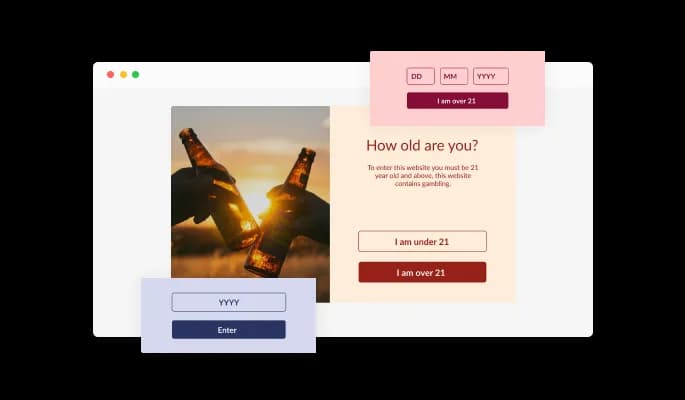
Choose Age Checker Validation Types

You can customize the Moodle Age verification widget based on your specific Moodle website needs and design requirements with three validation types: buttons, year input, and birthday.

Age Verification - Choose Age Checker Validation Types

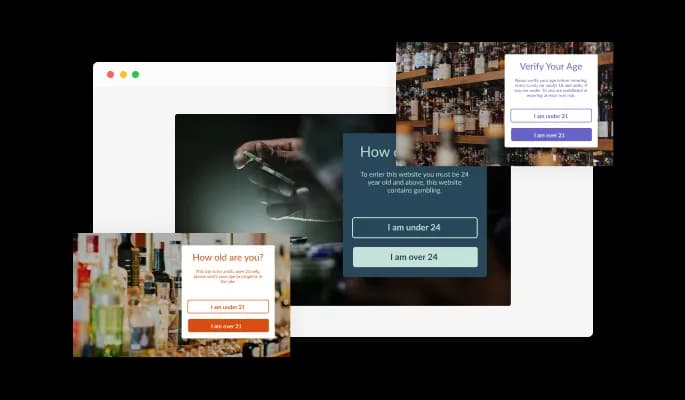
A selection of colorful skins for your Moodle website

In the Moodle Age verification widget, you can choose from various beautiful skins, so you won't have to spend much time customizing for your Moodle website.Moodle website.

Age Verification - A selection of colorful skins for your Moodle website

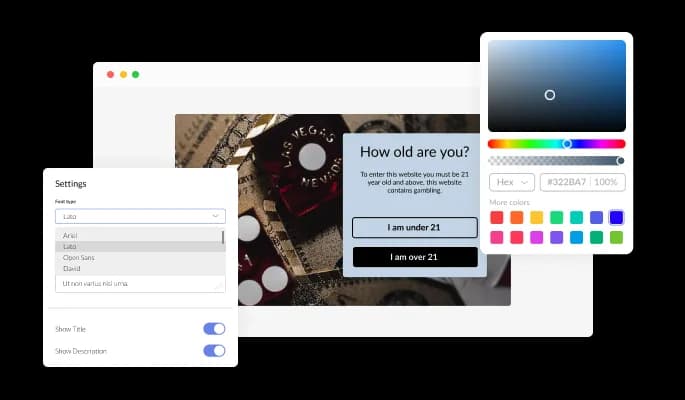
You can fully customize the widget design

The Age Checker widget for Moodle can be customized to meet your Moodle website requirements. Change the colors, the fonts, the spacing, and anything else!

Age Verification - You can fully customize the widget design
Age Verification - Beautiful icons in a variety of styles

Beautiful icons in a variety of styles

In addition to the age checker widget, there are a variety of beautiful icons you are able to add to the Age verification popup to enhance its visual appearance.

Age Verification - Display Rules Can Be Customized

Display Rules Can Be Customized

There are advanced display rules - such as when and where to display the widget - that can be set and customized for the Age verification widget for Moodle. There are a variety of action triggers in the rules, such as "on exit", "time delay", "page scroll", etc.

Age Verification - Redirect the user When Validation Fails

Redirect the user When Validation Fails

If the age requirement is not met, the Age verification widget can be configured with a redirect URL. You can redirect users to any other page of your choice instead of simply barring their entrance, making their journey more enjoyable and complete.

Age Verification - User friendly widget

User friendly widget

There is no need for coding knowledge when using the Age verification popup for Moodle. In just a few clicks, you can customize widget according to your liking with our drag-and-drop dashboard.

Responsive Design for your Moodle website

Our Age verification widget for Moodle is designed to be fully responsive and will look fantastic on any device. With this feature, you will be able to stay ahead of your competitors in a mobile-first world.

Age Verification - Responsive Design for your Moodle website

Using custom CSS with the Age verification for Moodle

Common Ninja's widgets allow you to add custom CSS to make the Age verification for Moodle your own.

Age Verification - Using custom CSS with the Age verification for Moodle

Embedding Made Easy On Your Moodle website

Embedding your Age verification widget on your Moodle website is as simple as copying and pasting one line of code. The Moodle Age verification will also be updated automatically on your Moodle website with every change you make.

Age Verification - Embedding Made Easy On Your Moodle website

Compatible With All Site Builders, E-Commerce Platforms and Websites

View all supported platforms

FAQ

Yes, the Age Verification comes available with seven different layouts for you to choose from.

Yes, there are three validation types available on the Age Verification Widget — buttons, a year input, and a birthday, that you can choose from. 

Yes, you can add a redirect URL.

There are advanced display rules available, enabling you to select specific triggers for when to show the widget.

Using the Age Verification widget is very easy. Simply sign up and start using the free version. There's no need to worry about complicated setup or installation processes, as the Age Verification widget is designed to be user-friendly and straightforward. Once you've signed up, you'll have access to all of the basic features and functions of the widget, which you can use to enhance your website and improve your online presence. From there, you can choose to upgrade to the paid version if you want to access more advanced features and capabilities. Regardless of which version you choose, you'll find that the widget is a powerful and easy-to-use tool that can help you take your online presence to the next level.

The Common Ninja Age Verification widget is a free tool reach with features and options. While this widget is free to use, it does have a limit on the number of views it can handle. This means that after a certain number of views, the chat button may no longer be visible or functional on your website. It is important to note that this view limit may vary depending on your plan. Despite this limitation, Common Ninja's Age Verification is still a valuable tool for businesses looking to increase customer engagement and improve the overall user experience of their website.

The Common Ninja's Age Verification widget is a versatile tool for any website builder. This means that you can easily add this widget to your website or store no matter what platform you use to build your website. The Age Verification widget will work seamlessly with your platform whether you are using a popular website builder or something more specialized. This means you can enjoy all the benefits of this powerful tool without having to worry about compatibility issues.

The Age Verification widget is designed to comply with the General Data Protection Regulation (GDPR), a set of EU regulations protecting personal data and privacy. When using the Age Verification widget, you can be confident that it will not collect or store personal data that could violate GDPR regulations. This ensures that your business is in compliance with these regulations and can protect your customers' data privacy. Overall, the Age Verification widget is a secure and reliable tool that can be used to enhance your website without any concerns about GDPR compliance.

No need for coding skills. Our Age Verification widget is designed to be easy to use, even for those with limited technical experience. The widget features a user-friendly interface that allows you to easily customize the widget without coding knowledge. You can fully customize the Age Verification to match your branding. When you're done, simply copy the provided code and paste it into your website. It's that simple!

Yes. We are eager to hear your request. Please visit our Feature Request page.

Online age verification is the process of verifying a user's age when they access age-restricted content on a website or application. This is typically done by requiring the user to enter their date of birth or provide some other form of identification, such as a driver's license or passport number. The user's age is then verified against the information provided, and if they are of the required age, they are allowed to access the content. Online age verification is commonly used for websites or apps that provide access to age-restricted content such as alcohol, tobacco, gambling, or adult material. It is intended to prevent minors from accessing content that may be inappropriate or harmful to them.

An age verification, which is a type of online age verification system, can potentially improve the user experience on a website. By requiring users to verify their age before accessing age-restricted content, an age verification can help ensure that the content is only viewed by users of the appropriate age. This can prevent minors from accessing content that may be inappropriate or harmful to them. It can also help prevent adults from inadvertently stumbling upon content that they may not want to see. Additionally, an age verification can help to ensure that users are not shown content that is not relevant to them, which can improve the overall user experience on the website. However, it is important to design and implement the age verification in a way that is user-friendly and does not hinder the user experience. For example, the age verification should not be overly intrusive or require users to provide more information than is necessary.

It is important to use age verification on a website when it contains age-restricted content and is only intended for users of a certain age. This may include content such as alcohol, tobacco, gambling, or adult material. By requiring users to verify their age before accessing the content, age verification can help to prevent minors from viewing content that may be inappropriate or harmful to them. Additionally, age verification can help prevent adults from inadvertently stumbling upon content they may not want to see. It is also important to use age verification on a website if the website is required by law to restrict access to age-restricted content. In some countries, it is illegal to provide access to certain types of content to users who are below a certain age, and website owners may be liable for any violations of these laws. Age verification can help to ensure that a website complies with these laws and regulations.

Embedding the Age Verification widget on your website is a straightforward process. Simply copy the provided code and paste it into the desired location on your website. The widget will seamlessly integrate into your site, allowing you to take advantage of its features and functions. No technical expertise or programming knowledge is required - just copy and paste the code to get started. This simple process allows you to easily add the widget to your website and enhance its functionality without any hassle.