Back to Top Button for Imweb

Back to top button that improves navigation, speeds up browsing, and helps visitors move smoothly through long pages for a better user experience.

Create a Back to Top Button

loved by 500K+ businesses

Imweb
plugineditor

Why Should You Use the Back to Top Button Widget+?

Streamlined Browsing with the Imweb Back to Top button

The user-friendly Back to Top button for Imweb enhances on-site navigation; by clicking once, they will be effortlessly returned to the top of the page. If you have a lot of text, this option eliminates the need for excessive scrolling.

Enhanced User Interaction

By providing an improved navigation experience through the Back to Top button, your Imweb store will encourage users to revisit and make it a regular destination. The added convenience of one-click access to the top of the page provides a better user experience on your Imweb store.

Use a Back to Top button for More Engagement

With simple navigation to the top of the page, users will be able to engage with other elements on your website, for example, with call-to-action buttons, additional links, videos, images, and more. This, in turn, can lead to increased engagement, higher conversion rates, and ultimately, a boost in overall website success.

Beautiful Skins for your Imweb store

Easily choose from a selection of stunning skins for the Imweb Back to Top Button widget, eliminating the need for extensive customization. With widget's user-friendly interface, customizing it to suit your Imweb store's style is a breeze.
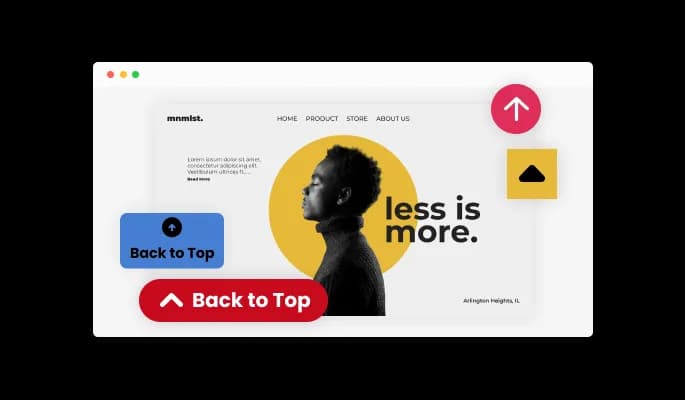
Back to Top Button - Beautiful Skins for your Imweb store

Easily customizable widget

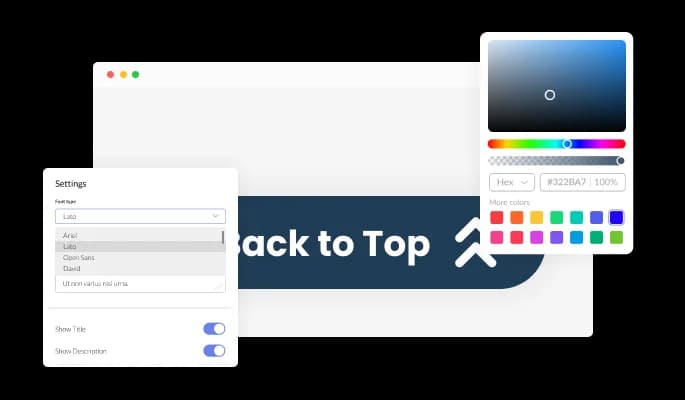
Using Back to top button for Imweb, you can fully customize the design to suit your needs. Colors, fonts, spacing, and various other design elements can be customized with this widget. In addition to changing the colors of different elements in your feed, you can customize the Back to top button widget. In order to create a visually appealing and cohesive design that matches the look and feel of your store, you can modify the background color, the text color, and even the hover effects color. It is also possible to change the fonts. You can create a design that stands out visually with a wide range of font options. It can be handy for businesses seeking to create a consistent brand identity online.

Back to Top Button - Easily customizable widget

Perfectly Responsive Design for your Imweb store

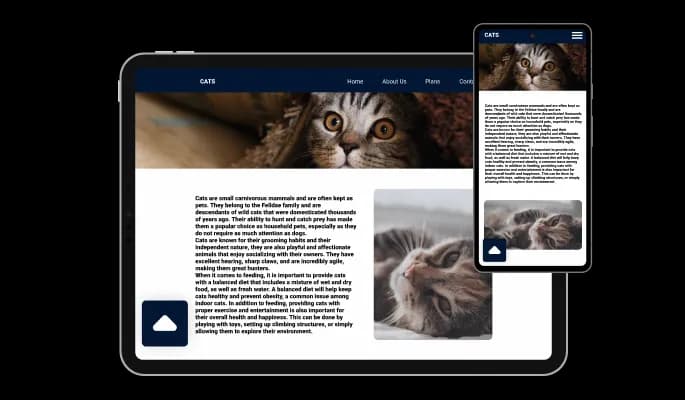
In today's mobile-first world, the Imweb Back to top button widget is fully responsive and will look great on any device. store must be optimized for mobile devices as more and more people access the internet from smartphones and tablets. Through its responsive design, the Back to top button widget automatically adjusts to the device's dimensions and resolution and provides a seamless and consistent user experience.

Back to Top Button - Perfectly Responsive Design for your Imweb store
Back to Top Button - Effortless Button Alignment Change

Effortless Button Alignment Change

This flexibility ensures that the button blends seamlessly with the overall design of your Imweb store, making it an essential tool for improving user experience and navigation.

Back to Top Button - Icon Designs

Icon Designs

The Back to Top widget for Imweb offers various arrow icons to select from. Simply select the one that will complement your Imweb store design. With this customization, you can make the button match your store's look and feel, resulting in a smooth and attractive user interface.

Back to Top Button - Imweb Back to top button Variety of layouts

Imweb Back to top button Variety of layouts

The Imweb Back to top button widget provides layout options to ensure a cohesive design with your store.

Back to Top Button - A Simple to use widget

A Simple to use widget

No coding knowledge is necessary to use Back to top button for Imweb. Through our intuitive dashboard, which allows for quick drag-and-drop customizations, you can customize the widget however you'd like.

Customizing the Back to top button for Imweb CSS

Back to top button for Imweb also offers the option to add custom CSS, allowing you to take your customization to the next level. Custom CSS allows you to create styles and design elements not available through built-in customizations. Custom CSS allows you to create visually stunning designs tailored to your specific needs.

Back to Top Button - Customizing the Back to top button for Imweb CSS

Simple To Embed On Your Imweb store

Copy and paste a single line of code into your HTML to embed the Back to top button for Imweb on your store. You can easily add the Back to top button widget to your Imweb store without any complicated setup or installation. Embedding the widget will automatically update with every change you make, so you don't have to worry about manually updating the Back to top button widget every time.

Back to Top Button - Simple To Embed On Your Imweb store

Compatible With All Site Builders, E-Commerce Platforms and Websites

View all supported platforms

FAQ

A Back To Top button is a user interface element commonly found on websites, especially with a lot of content. It is typically represented by an upward-facing arrow or a "Top" label and placed at the page's bottom. When clicked, the button takes the user back to the top of the page, allowing for quick navigation without having to scroll all the way up manually. The Back To Top button is often used to improve the user experience, especially for long pages, and is a common feature of modern websites.

A Back To Top button can significantly improve the user experience on your website, especially for pages with a lot of content. Here are some ways a Back To Top button can help your website visitors:

  1. Ease of navigation: With a Back To Top button, visitors can quickly return to the top of the page without having to scroll up manually. This saves time and effort, especially for long pages.
  2. Improved accessibility: For users with mobility or accessibility issues, a Back To Top button can be a game-changer. It makes it easier for them to navigate your website and access the necessary information.
  3. Better user experience: A Back To Top button can contribute to your website's overall user experience by making navigation more convenient and accessible. This can help increase user engagement and reduce bounce rates.
  4. Increased efficiency: By allowing visitors to quickly return to the top of the page, a Back To Top button can help increase efficiency and streamline navigation, making it easier for visitors to find what they're looking for.

Yes, you can easily do so from the “Templates” tab.

Yes, there are lots of beautiful skins that you can choose from to save time and start using the widget as quickly as possible.

It’s simple. All you need to do is to sign up and start using the free version.

Common Ninja’s Back to Top Button widget is free to use. It is limited to a certain amount of views, however.

Common Ninja’s Back to Top Button widget is compatible with ALL current and future website builders.

Yes, the Back to Top Button widget is GDPR-compliant.

No. Using our Back to Top Button widget is very simple. The widget comes with an intuitive drag-and-drop interface and fully customizable options. Once you’ve finished editing the widget to your liking, all you need to do is copy the provided code and add it to your website.

Yes. We are eager to hear your request. Please visit our Feature Request page.