Before & After Slider for Zid

Add an interactive before and after slider to your site to show visual transformations, capture attention, and help visitors understand real results.

Create a before & after Slider

loved by 500K+ businesses

Zid
plugineditor

Why Should You Use the Before & After Slider Widget+?

Boost Engagement Through Interaction on your Zid store

The Before & After Slider will boost engagement on your Zid store by offering an interactive feature your users can use. More engagement increases interest and, subsequently, improves the decision-making process that will convert curious visitors into paying customers.

Engaging Visual Storytelling with Before & After Slider

You can use the Before & After Slider for Zid to tell a compelling story by using the right images. Display the changes global warming causes in nature, exhibit the powerful transformations of people, showcase the results of items being restored and much more!

Showcase Presentations That Work

You can showcase your product or service benefits using this Before & After for Zid by comparing the changes side-by-side. Demonstrate how you've corrected a mouthful of crooked teeth, or how you've improved a cleaning product, or how you transformed a decrepit house into a magnificent home - the options are endless!

Horizontal & Vertical Slider Direction

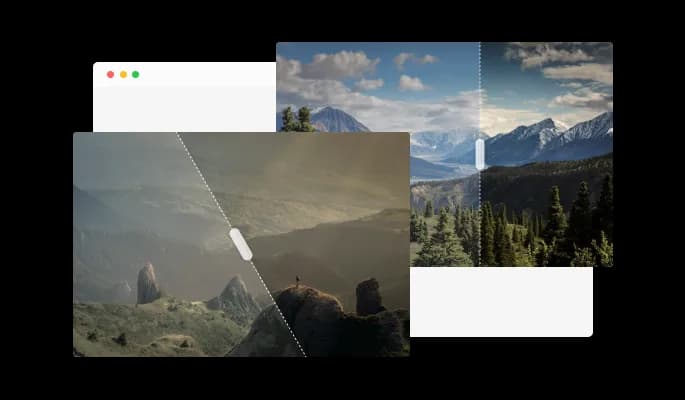
With Before & After Slider for Zid, you can create horizontal or vertical sliders for your Zid store, thus unleashing the creative potential of your site. You can modify your widget to suit the requirements of your project by choosing whether to construct horizontal or vertical sliders. The Zid Before & After Slider widget is the ideal tool to support you in showcasing your work in an original and compelling manner, regardless of whether you're a designer, photographer, or business owner.

Before & After Slider - Horizontal & Vertical Slider Direction

Display Multiple Before & After Sliders

You can create as many sliders as you want to display on your Zid store with Before & After Slider widget. It doesn't matter if you want to depict how a building project develops, how a home is transformed, or how a person or animal changes over time.

Before & After Slider - Display Multiple Before & After Sliders

Completely customizable widget design

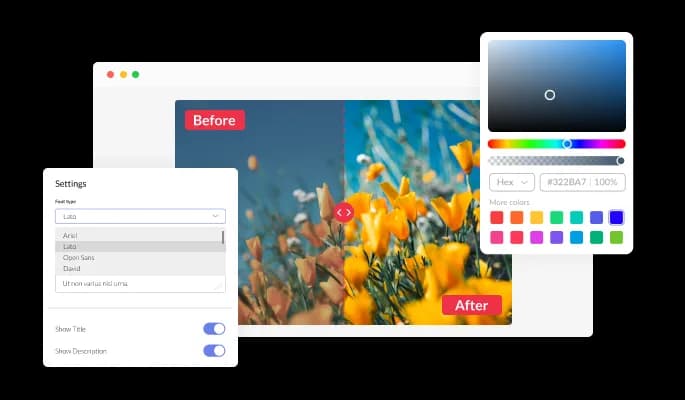
You can edit the design of the Before & After Slider widget for Zid based on your Zid store needs. To fit your logo, you can alter the slider, buttons, and labels' colors. In order to create a unified and polished appearance, you may also select from a variety of font choices and modify the font's size, style, and color. You can alter the spacing of the widget in addition to these design choices to make sure it blends in with your Zid store layout.

Before & After Slider - Completely customizable widget design
Before & After Slider - A friendly user interface widget

A friendly user interface widget

It is not necessary to have any coding knowledge to use Before & After Slider for Zid. Using the drag-and-drop feature on our intuitive dashboard, you can customize the widget in any way you see fit.

Before & After Slider - Place of Label

Place of Label

The Before and After Slider widget Zid allows you to change the location of the labels. This enables you to adjust the labels' placement to better match the style and layout of your Zid store.

Before & After Slider - Image Ratio

Image Ratio

You can choose the image ratio for the best presentation whether your image is in a square, portrait, or any other format.

Fully Responsive Design for your Zid store

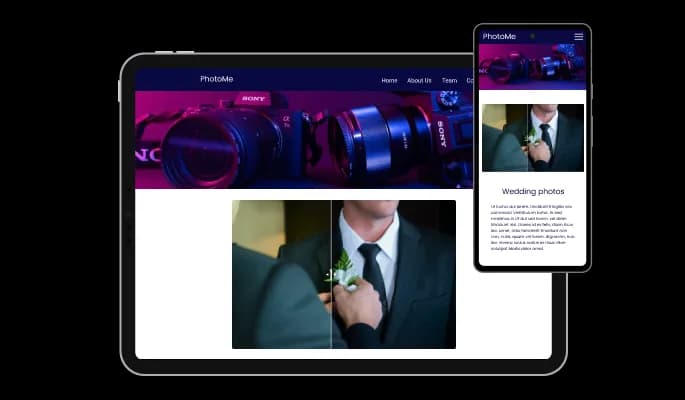
The Before & After for Zid is a valuable tool for any store. In addition to being totally responsive, or effortlessly adjusting to match the screen size of any device, it also offers a sleek and contemporary style that will improve the overall appearance of your Zid store. Having a store that is optimized for mobile viewing is essential in a world where increasing numbers of people access the internet via their phones and tablets. You may achieve it with the help of the Before & After Zid widget, which will give you an advantage over rivals.

Before & After Slider - Fully Responsive Design for your Zid store

Using custom CSS with the Before & After Slider

Common Ninja's widgets allow you to add custom CSS to make the Before & After Slider widget for Zid your own.

Before & After Slider - Using custom CSS with the Before & After Slider

Embedding Made Easy On Your Zid store

Embedding your Before & After Slider] widget on your Zid store is as simple as copying and pasting one line of code. Every time you make a change, the Zid Be will be automatically updated on your Zid store.

Before & After Slider - Embedding Made Easy On Your Zid store

Compatible With All Site Builders, E-Commerce Platforms and Websites

View all supported platforms

FAQ

Yes, you can make the divider angled.

Yes, you can easily change the slider direction from within the “Content” tab.

Using the Before & After Slider widget is very easy. Simply sign up and start using the free version. There's no need to worry about complicated setup or installation processes, as the Before & After Slider widget is designed to be user-friendly and straightforward. Once you've signed up, you'll have access to all of the basic features and functions of the widget, which you can use to enhance your website and improve your online presence. From there, you can choose to upgrade to the paid version if you want to access more advanced features and capabilities. Regardless of which version you choose, you'll find that the widget is a powerful and easy-to-use tool that can help you take your online presence to the next level.

The Common Ninja Before & After Slider widget is a free tool reach with features and options. While this widget is free to use, it does have a limit on the number of views it can handle. This means that after a certain number of views, the chat button may no longer be visible or functional on your website. It is important to note that this view limit may vary depending on the plan you are using. Despite this limitation, Common Ninja's Before & After Slider is still a valuable tool for businesses looking to increase customer engagement and improve the overall user experience of their website.

The Common Ninja's Before & After Slider widget is a versatile tool for any website builder. This means that you can easily add this widget to your website or store no matter what platform you use to build your website. The Before & After Slider widget will work seamlessly with your platform whether you are using a popular website builder or something more specialized. This means you can enjoy all the benefits of this powerful tool without having to worry about compatibility issues.

It’s very easy to embed Common Ninja’s Before & After Slider widget on your website and the process consists of two steps:


  1. Once you’ve finished working with the Before & After Slider widget, copy the HTML text that can be found under the 'Add to Website' tab on the widget’s dashboard.
  2. On your website builder, find the 'embed' widget option, place it where you want the Before & After Slider widget to appear, and then paste the HTML code you’ve copied before into the widget.

The Before & After Slider widget is designed to comply with the General Data Protection Regulation (GDPR), a set of EU regulations protecting personal data and privacy. When using the Before & After Slider widget, you can be confident that it will not collect or store personal data that could violate GDPR regulations. This ensures that your business is in compliance with these regulations and can protect your customers' data privacy. Overall, the Before & After Slider widget is a secure and reliable tool that can be used to enhance your website without any concerns about GDPR compliance.

No need for coding skills. Our Before & After Slider widget is designed to be easy to use, even for those with limited technical experience. The widget features a user-friendly interface that allows you to easily customize the widget without coding knowledge. You can fully customize the Before & After Slider to match your branding. When you're done, simply copy the provided code and paste it into your website. It's that simple!

Embedding the Before & After Slider widget on your website is a straightforward process. Simply copy the provided code and paste it into the desired location on your website. The widget will seamlessly integrate into your site, allowing you to take advantage of its features and functions. No technical expertise or programming knowledge is required - just copy and paste the code to get started. This simple process allows you to easily add the widget to your website and enhance its functionality without any hassle.

Yes. We are eager to hear your request. Please refer to this page.

You might want to use a before and after slider widget on your website for several reasons.

First, a before and after slider widget can be a useful way to showcase the results of your work or products. By displaying a before and after image in a slider format, you can clearly demonstrate the improvements or changes you have made and provide tangible evidence of the value your work or products can provide.


Second, using a before and after slider widget can help improve your website's user experience by making it more interactive and engaging. By allowing your visitors to compare the before and after images in the slider, you can provide a more immersive and interactive experience that can keep visitors on your site longer and encourage them to explore more.


Third, using a before and after slider widget can help improve your website's search engine optimization (SEO). By including relevant keywords and phrases in the text and links you add to your before, and after slider, you can improve the chances that your website will appear in search results for those terms. This can help drive more website traffic and increase your visibility online.


Overall, using a before and after slider widget on your website can be a useful way to showcase the results of your work or products, improve the user experience, and boost your website's SEO.