


Verified review
Common Ninja has amazing no-code widgets that would beautify a website built on any builder. It is very easy to use and customise. It has as many widgets for almost everyone willing to make their website impressive.
The Common Ninja Calculator widget is a free, no-code embed that lets you build a custom calculator for your website, any input fields, any formula, any result.
Add the input fields visitors will fill in (number, text, dropdown, radio, checkbox), define the formula that turns those inputs into a result, configure dynamic field conditions (show/hide based on prior answers), customize the result formatting (currency, percentage, units), pick a layout and skin, and paste a one-line embed snippet on Webflow, Tilda, Google Sites, Framer, Hostinger, Canva, Notion, and 200+ other platforms.
Use it for cost estimators, savings calculators, ROI calculators, fitness/health calculators (TDEE, BMI, macros), pricing calculators, quote tools, mortgage calculators. Anywhere your visitors need to do math to make a decision on your site.
A calculator that delivers a personalized answer ("You'll save $1,240 a year", "You need 2,800 calories a day") is an interactive moment that visitors invest in. After a calculation, a CTA ("Get a quote", "Start the trial") converts far better than a static banner. The visitor has shown they care enough to fill in fields and is primed to take the next step.
Pricing pages and feature lists are generic. A calculator gives visitors a personalized answer based on their specific situation. "How much will THIS cost ME?", before any sales conversation. Less friction for the visitor, less work for the team. Visitors who want to talk after seeing the result are highly qualified.
Many calculator widgets ship as a fixed type: "a BMI calculator", "a mortgage calculator", "a tip calculator". This widget is a builder: you define the inputs, the formula, and the result yourself. Build a TDEE calculator today, a SaaS pricing estimator tomorrow, a shipping-cost calculator next week. Same widget, same setup pattern, any math.
Real decisions aren't linear. Show or hide fields based on earlier answers. "Are you renting or buying?" → show different follow-up fields per branch. Conditional logic turns a simple calculator into a multi-step decision tool without separate widgets per path.
Add the fields visitors fill in: number inputs (weight, age, monthly spend), text inputs, dropdowns (plan tier, package size), radio buttons (yes/no questions), checkboxes (multiple selections). Set min/max validations, default values, helper text, and required-field flags. Layout the fields in the order that matches the visitor's decision flow.
Define how inputs combine into a result. Basic math (add, subtract, multiply, divide), conditional logic ("if Plan is Pro, multiply by 1.5"), references between fields, and rounding. Configure result formatting (currency, percentage, units like kg/lb or USD/EUR) and add custom result messaging based on value ranges. Dynamic field conditions can show or hide later fields based on earlier inputs.
Copy the one-line embed snippet and paste it on Webflow, Tilda, Hostinger, Notion, Framer, or any of the 200+ supported platforms. Visitors fill in fields, see the calculated result in real time, and (optionally) tap a CTA to act on it ("Get a quote", "See plans", "Contact sales"). Edits in the Common Ninja editor push to every embed without re-paste.
Number, text, dropdown, radio, checkbox, slider. Pick the input type that matches the question. Configure min/max validations, default values, helper text, units (kg, lb, USD, EUR, %), and required-field flags. Field order and grouping happen in the editor without code.
Show or hide fields based on prior answers. "Are you renting?" → show monthly-rent field. "Are you buying?" → show down-payment field. Conditional logic turns a single calculator into a branching decision tool without separate widgets per path.
Beyond basic add/subtract/multiply/divide: compound formulas, references between fields, conditional results, percentage calculations, exponentiation, and rounding controls. Build any math you can express; the widget evaluates it on the visitor's input in real time.
Display the result as a number, currency (USD, EUR, GBP), percentage, units (kg, lb, calories), or formatted custom text. Add result messaging that changes based on value ranges ("Save more than $1,000 → Excellent fit", "Save less than $200 → Consider the higher tier").
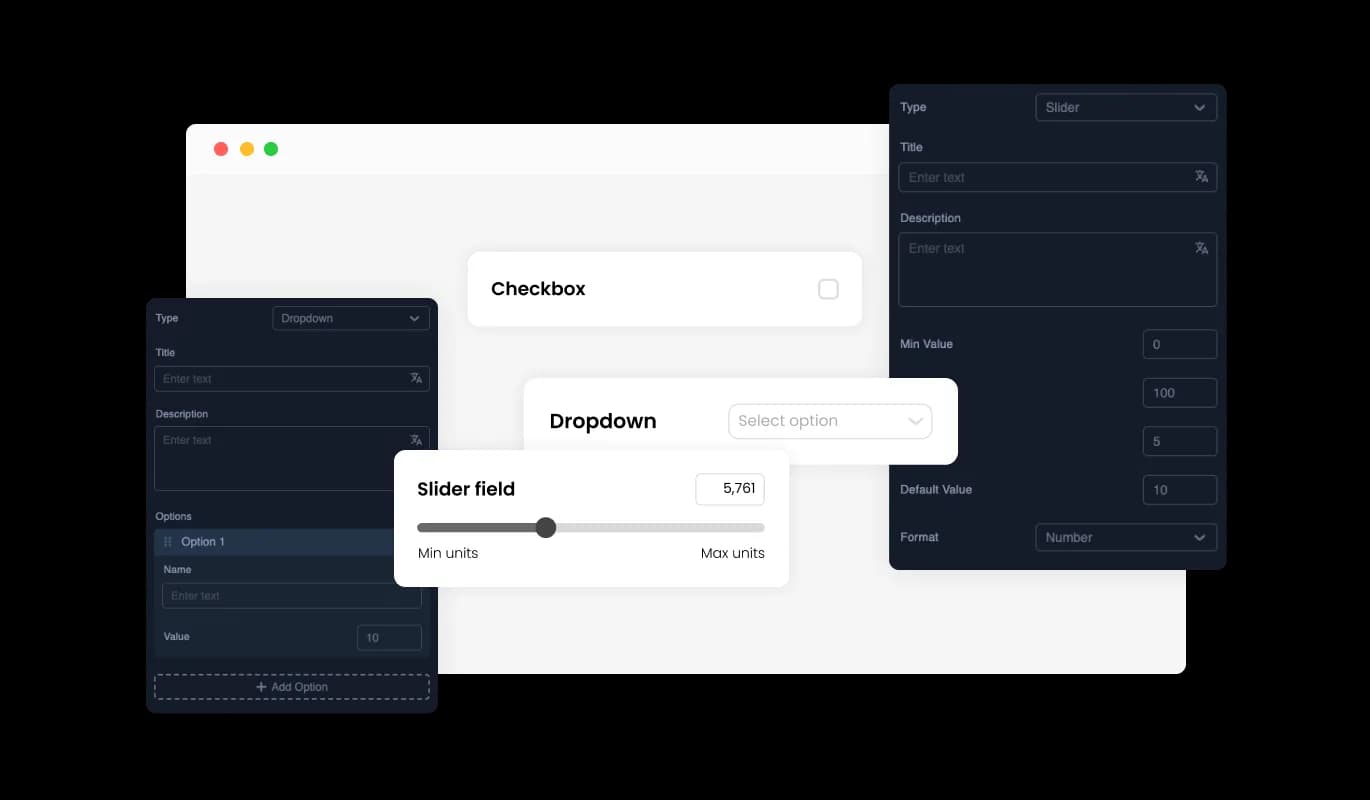
The Calculator widget allows users to create and add various fields, enhancing its versatility. You can incorporate sliders and dropdowns, and set properties like minimum and maximum values, steps, and formats. This flexibility ensures that the calculator meets the specific needs of your business.
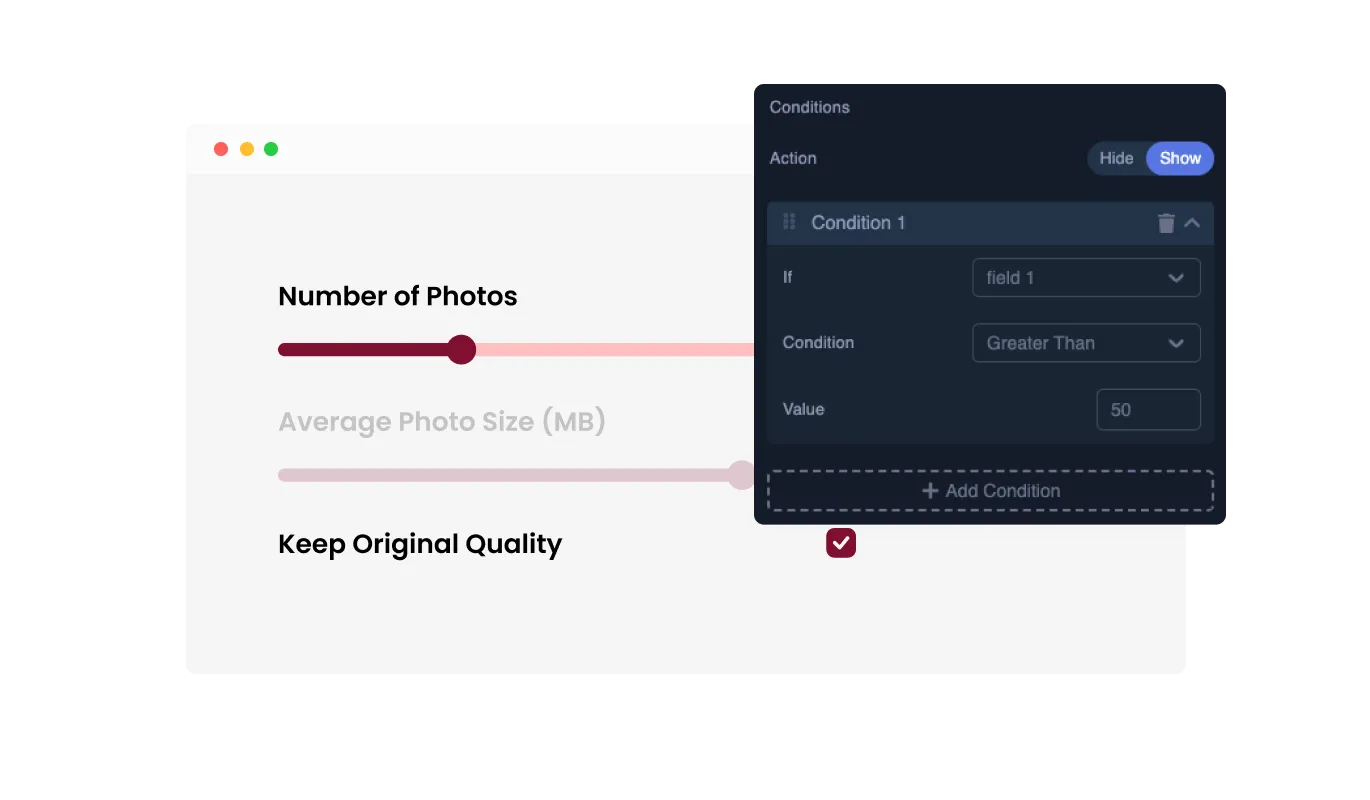
The Calculator widget allows you to set conditions for fields to show or hide based on the values of other fields in the calculator. This dynamic functionality enables you to create interactive and responsive calculators tailored to user inputs, enhancing the user experience and ensuring relevant data is displayed.
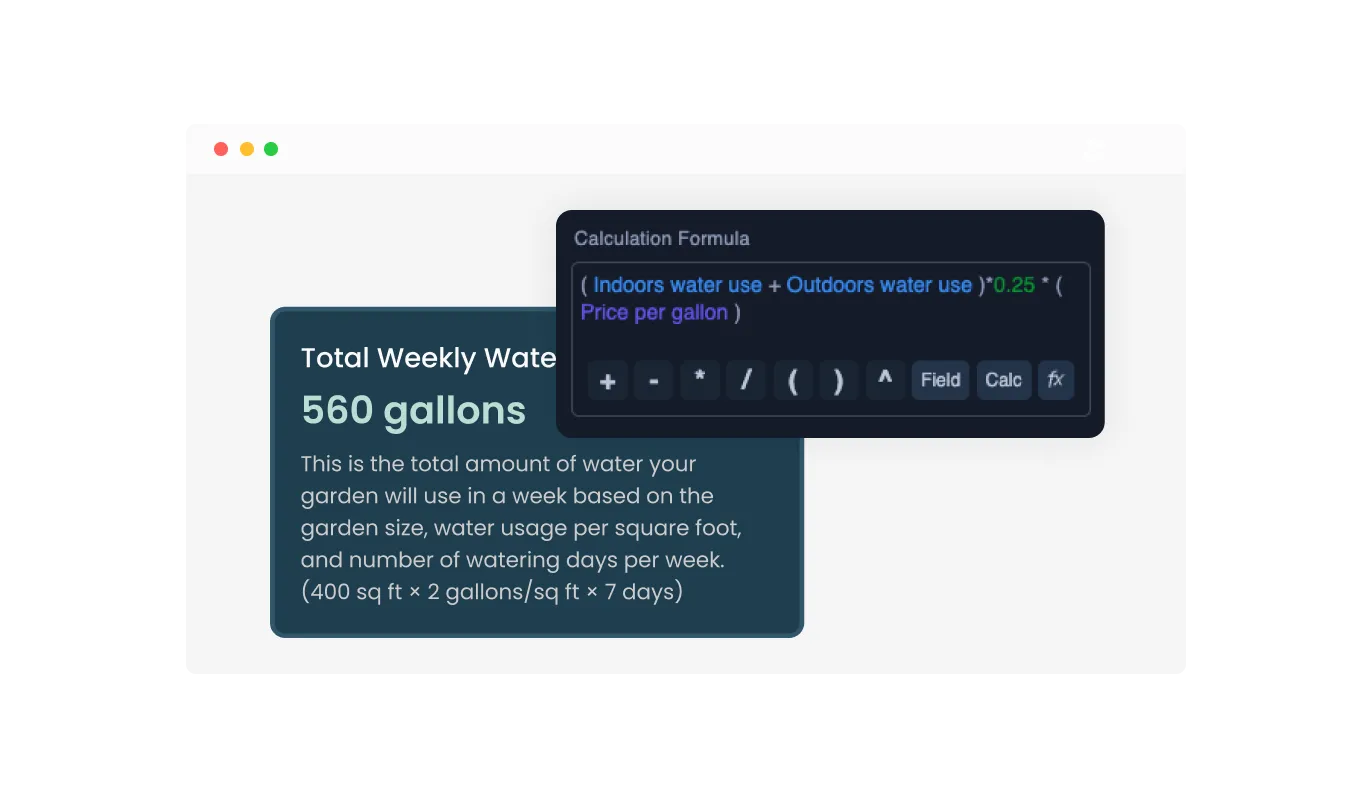
Create multiple complex calculations using sophisticated mathematical formulas. By utilizing the fields added to the calculator, you can perform intricate calculations tailored to your business requirements, delivering precise and detailed results for users.
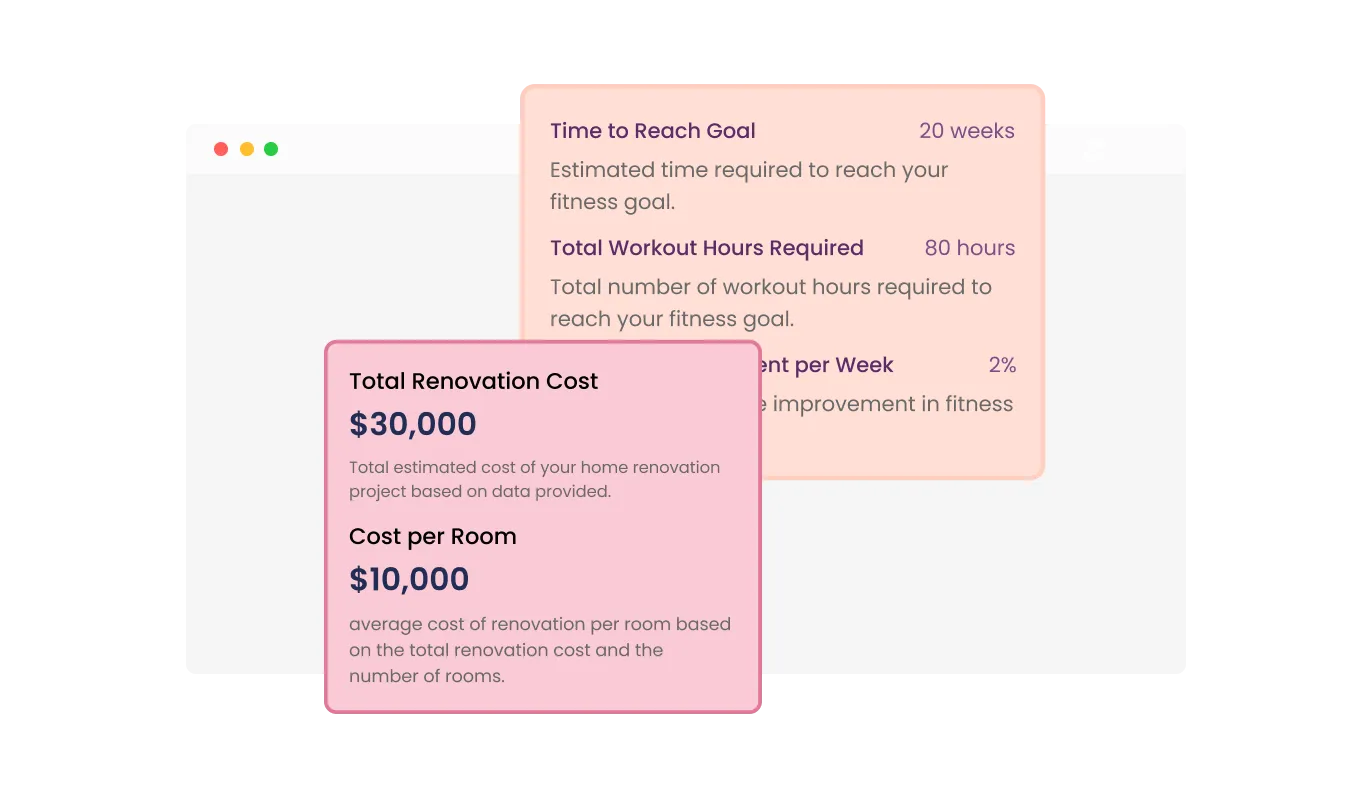
The Calculator widget allows you to control the format and wording of the results. This feature ensures that the output aligns with your business's specific terminology and presentation style, providing clear and relevant information to your users.
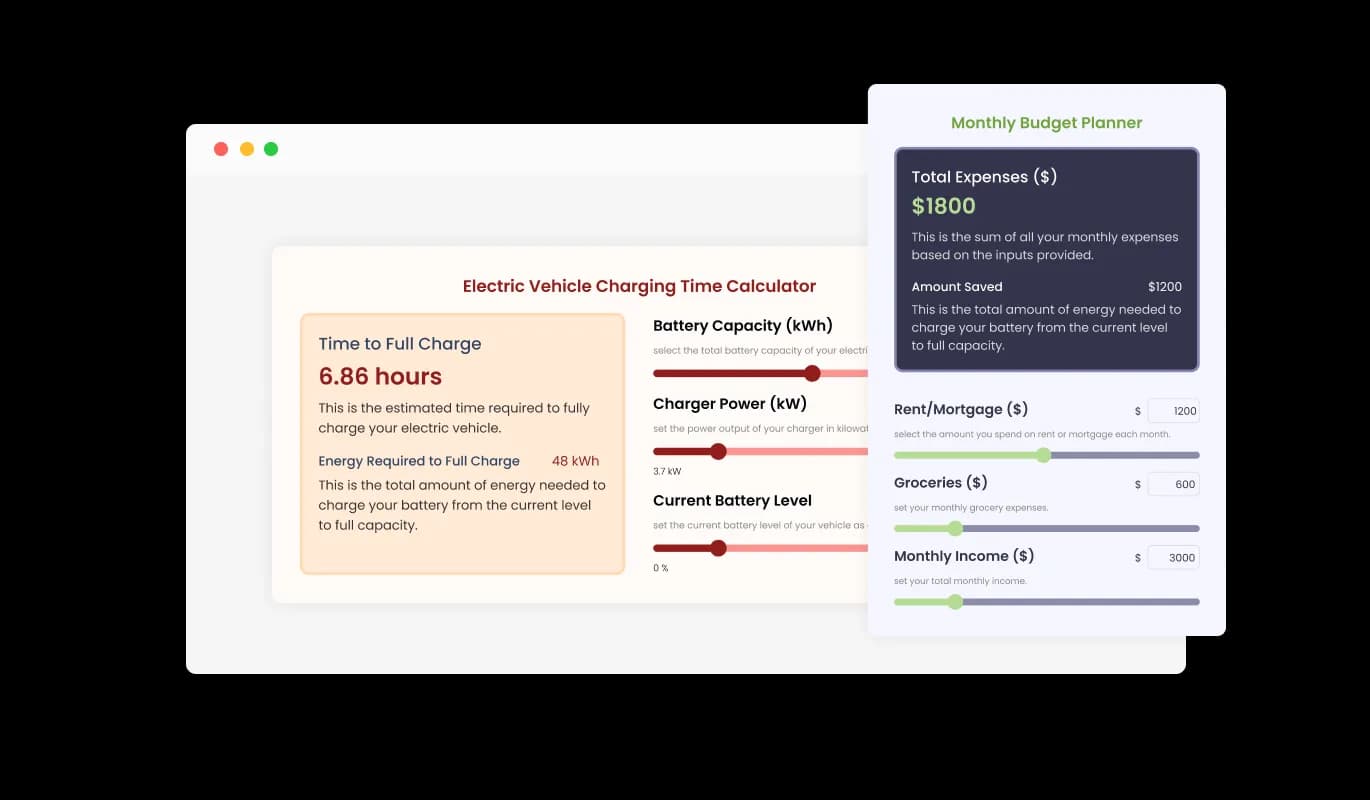
The Calculator widget provides a range of beautiful design skins, enabling you to pick one that aligns perfectly with your brand and website aesthetics. This feature enhances the visual appeal of your site while minimizing customization effort.

The Calculator widget comes with extensive customization options, allowing you to modify colors, fonts, spacing, and more. This flexibility lets you create a calculator that is both functional and uniquely tailored to your website's look.

The Calculator widget is designed to be fully responsive, ensuring it displays elegantly on any device. This responsiveness guarantees a consistent user experience across desktops, tablets, and mobile devices.

The Calculator widget supports custom CSS, providing an avenue for developers and designers to apply their unique touch. This feature allows for deeper customization of the widget’s look and functionality, ensuring it matches your specific style and interaction needs.

Embedding the Calculator widget on your website is straightforward, requiring just a single line of code. This ease of integration ensures that the widget can be quickly added to your site, with automatic updates reflecting any changes you make.
Add a call-to-action button directly onto the Calculator widget to prompt users towards the next step, such as submitting a form, requesting a quote, or making a purchase. This integration can help drive conversions and streamline user interactions on your site.
The Calculator widget offers multiple layout options to ensure it fits seamlessly with your website's design and style. This variety allows you to choose the best layout that meets your aesthetic and functional requirements.
The Calculator widget is designed for ease of use, requiring no coding expertise for customization. Its intuitive dashboard simplifies the setup process, allowing you to tailor the calculator to your preferences with just a few clicks, making it accessible for users of all technical levels.
Build the calculator your visitors are looking for
Open the editorNo credit card · Setup in under 5 minutes
Common Ninja has amazing no-code widgets that would beautify a website built on any builder. It is very easy to use and customise. It has as many widgets for almost everyone willing to make their website impressive.
Outstanding service. I use their widgets to help me with my web design business and whenever I need help they are very quick to help.
Excellent company with excellent service!!! We used it to build a survey, it was very user friendly. The service was perfect. Amit helped us with every problem and question we had, thank you very much!!!
Common Ninja saved the day when building our website and the customer service Daniel, the co-founder and CEO, provided was amazing.
Yes. The free plan covers one calculator with no time limit and no credit card. Upgrade only when you need additional calculators, more fields per calculator, advanced conditional logic, premium skins, integration with CRM/email tools, or features like saved-result emails and per-calculator analytics.
Any math-driven decision tool: cost estimators, savings calculators, ROI calculators, fitness calculators (BMI, TDEE, macros), pricing calculators, quote tools, mortgage and loan calculators, tip calculators, conversion utilities, time-saved estimators. Define the input fields, write the formula, format the result. Same widget, any math.
A Currency Converter is a fixed type. Visitors enter an amount in one currency and see it converted to another, using live exchange rates fetched in real time. This Calculator widget is a builder: you define ANY input fields and ANY formula, so calculations beyond currency math (cost estimates, fitness tools, mortgage calculators) live here. Use the Currency Converter for currency-only conversion; use the Calculator for everything else.
Yes. Configure result-range messaging. "If result is over $1,000, show 'Great fit'; if under $200, show 'Consider the higher tier'". The widget evaluates the formula, picks the matching message based on the value, and displays both the number and the contextual copy alongside it.
Yes. Add a Call-to-Action button below the result and configure where it routes, pricing page, contact form, signup flow, calendar booking, anywhere on or off your site. Visitors who've just seen a personalized result are far more likely to convert on the next step than visitors arriving cold.
Yes. Dynamic field conditions show or hide later fields based on prior answers. "Are you renting or buying?" → reveals different follow-up fields per branch. Useful for multi-step decision tools where you don't want to overwhelm the visitor with every field at once.
Build the calculator in the Common Ninja editor (define fields, write formula, format result), copy the embed snippet, and paste it into your site: Webflow via an Embed element; Tilda via the T123 HTML block; Hostinger via Add Element → Embed Code in the Website Builder. Edits in the editor push to every embed without re-paste.
Yes. Field layouts adapt across mobile, tablet, and desktop breakpoints. Inputs reflow to single-column on narrow screens, dropdowns and radios stay tappable, and the result panel resizes to fit viewport. Number inputs trigger the mobile numeric keyboard for fewer typos.
Pick your platform. Each takes under 4 minutes.
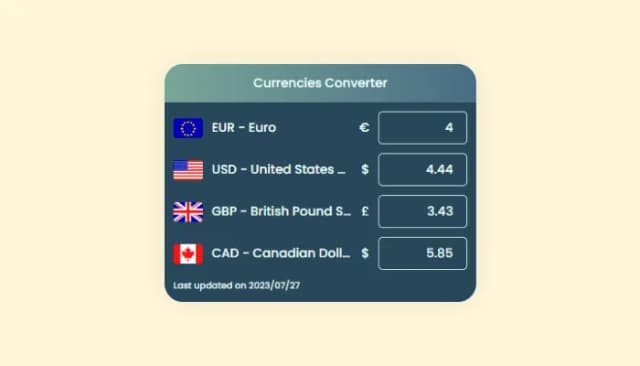
Enhance global shopping, display prices in multiple currencies

Displays pricing options for products or services in a clear and organized format

Create your form for any purpose with a friendly form builder

Allow users to send messages or inquiries, save submissions, enable notifications, and more

Showcase statistics, metrics, or countdowns in an animated visually appealing display
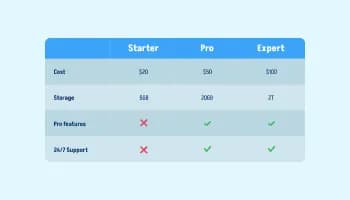
Displays data or features side-by-side, allowing users to compare and contrast the information easily
The Calculator widget is a customizable tool that allows site owners to create advanced calculators tailored to their business needs.
You can customize various elements like colors, fonts, spacing, and add fields such as sliders and dropdowns with specific properties.
Yes, you can set conditions to show or hide fields based on the values of other fields, making the calculator dynamic and responsive.
The widget supports complex calculations using advanced mathematical formulas, tailored to your business requirements.
Yes, the Calculator widget is fully responsive and displays elegantly on any device, ensuring a consistent user experience.
Embedding the widget is simple and requires just a single line of code, making integration quick and easy.
Yes, you can add a call-to-action button to prompt users towards actions such as submitting a form or making a purchase.
Yes, the widget allows for custom CSS to enable deeper customization and alignment with your website’s style and functionality needs.
You can add various fields, including sliders and dropdowns, with customizable properties like min/max values, steps, and formats.
Yes, you can control the format and wording of the results to match your business's specific terminology and presentation style.
No, the widget is designed for ease of use and does not require any coding expertise to customize.
Yes, you can create and use multiple complex calculations within a single calculator on your page.
Yes, the widget offers a variety of design skins to choose from, ensuring it matches your website's aesthetics.
The widget offers multiple layout options to fit seamlessly with your website's design and style.
Yes, any changes you make to the widget will automatically update, ensuring your website always displays the most current version.
Build any calculator: cost estimator, savings tool, fitness tracker, pricing quote, with custom input fields, complex formulas, conditional field logic, formatted results, integrated CTAs, stylish skins, and Custom CSS. Embed on 200+ platforms including Webflow, Tilda, Hostinger, Notion, Framer, Google Sites, and WordPress.
Create your CalculatorNo credit card · Setup in under 5 minutes