Events Calendar for Imweb

Add an events calendar to your site so visitors can view upcoming activities, improving engagement and event visibility.

Create Calendar

loved by 500K+ businesses

Imweb
plugineditor

Why Should You Use the Events Calendar Widget+?

Harness the Power of a Calendar on Your Imweb store

A calendar widget on your Imweb store allows you to manage and showcase important events, meetings, or deadlines, making it easier for your visitors to stay informed and organized. Additionally, giving a clear insight into future happenings encourages your visitors to plan in advance, which could boost their interaction and commitment to your content or services.

User Engagement Amplified with a Calendar widget

An engaging calendar widget can enhance user involvement by encouraging them to delve into upcoming events, sign up for event reminders, or even schedule meetings directly from your Imweb store. Indeed, vibrant calendars can enhance user interaction by urging them to explore events, register for alerts, or book slots directly on your Imweb store.

Professionalism Enhanced with a Well-Maintained Calendar

A well-maintained calendar reflects a sense of organization and professionalism, enhancing your brand image and building trust among your Imweb store visitors. A well-ordered calendar not only reflects thorough organization and professionalism but also elevates your brand's image and promotes trust among your Imweb store users.

Imweb widget Personalized Color Customization

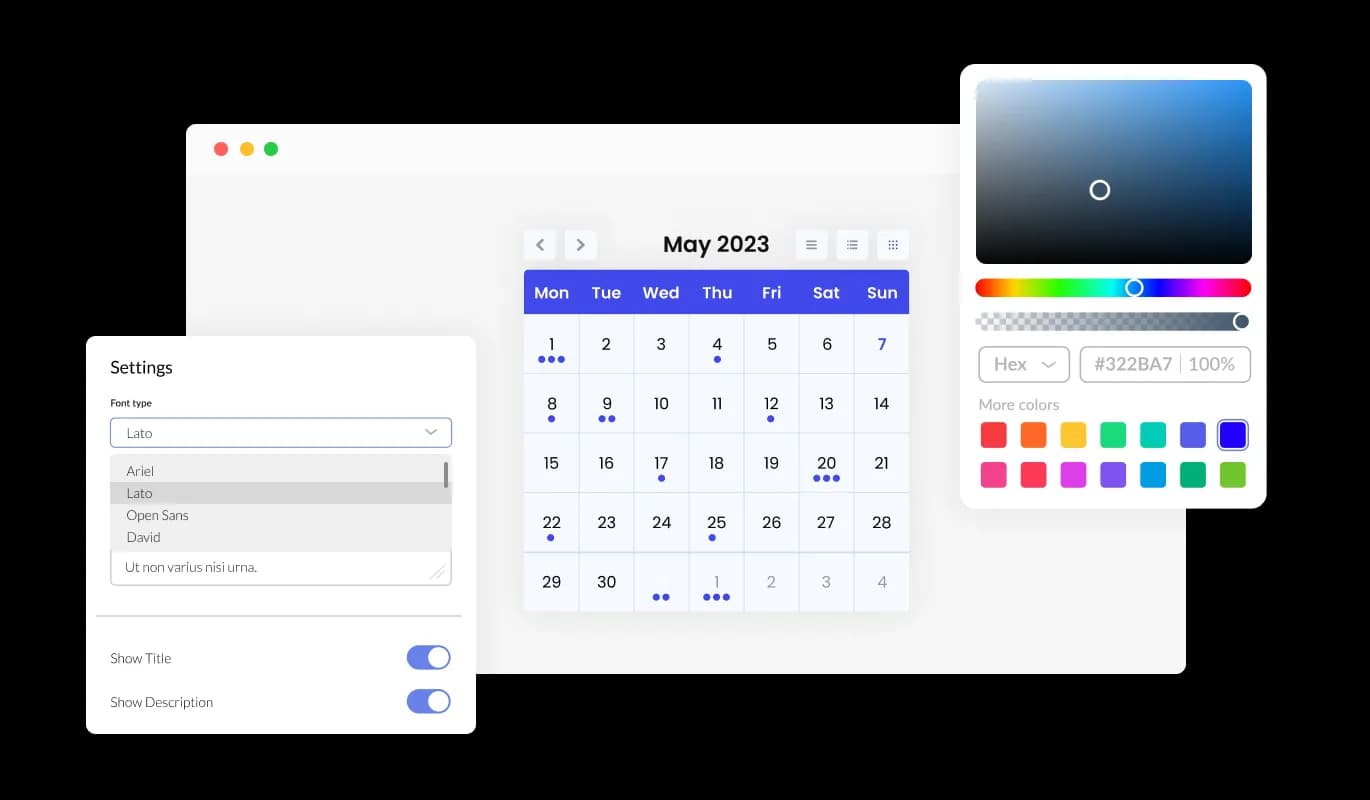
The Calendar widget for Imweb features color customization options, allowing you to craft visually pleasing calendars that match your Imweb store's branding or your personal style. This versatility not only improves the visual attractiveness of your Imweb store but also assists in developing a uniform and engaging user experience that mirrors your brand.
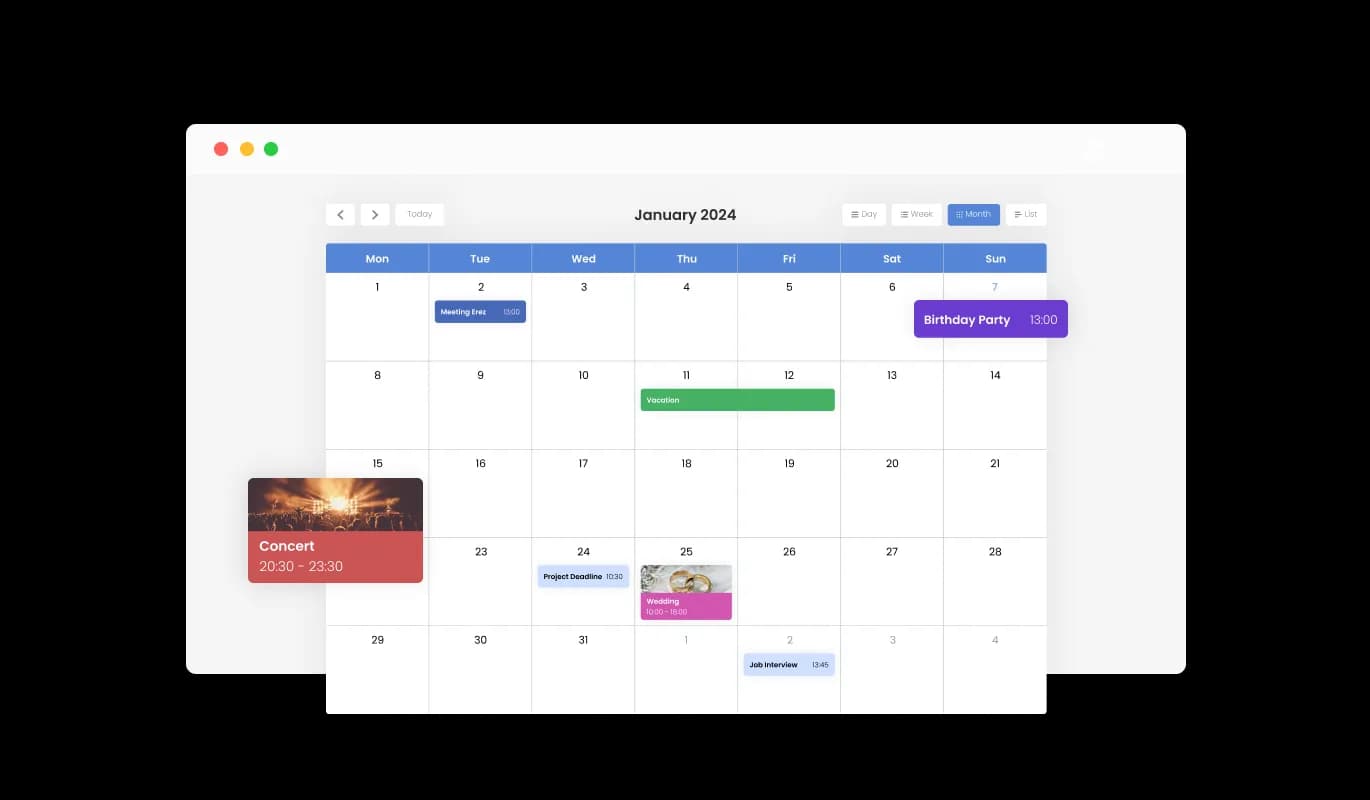
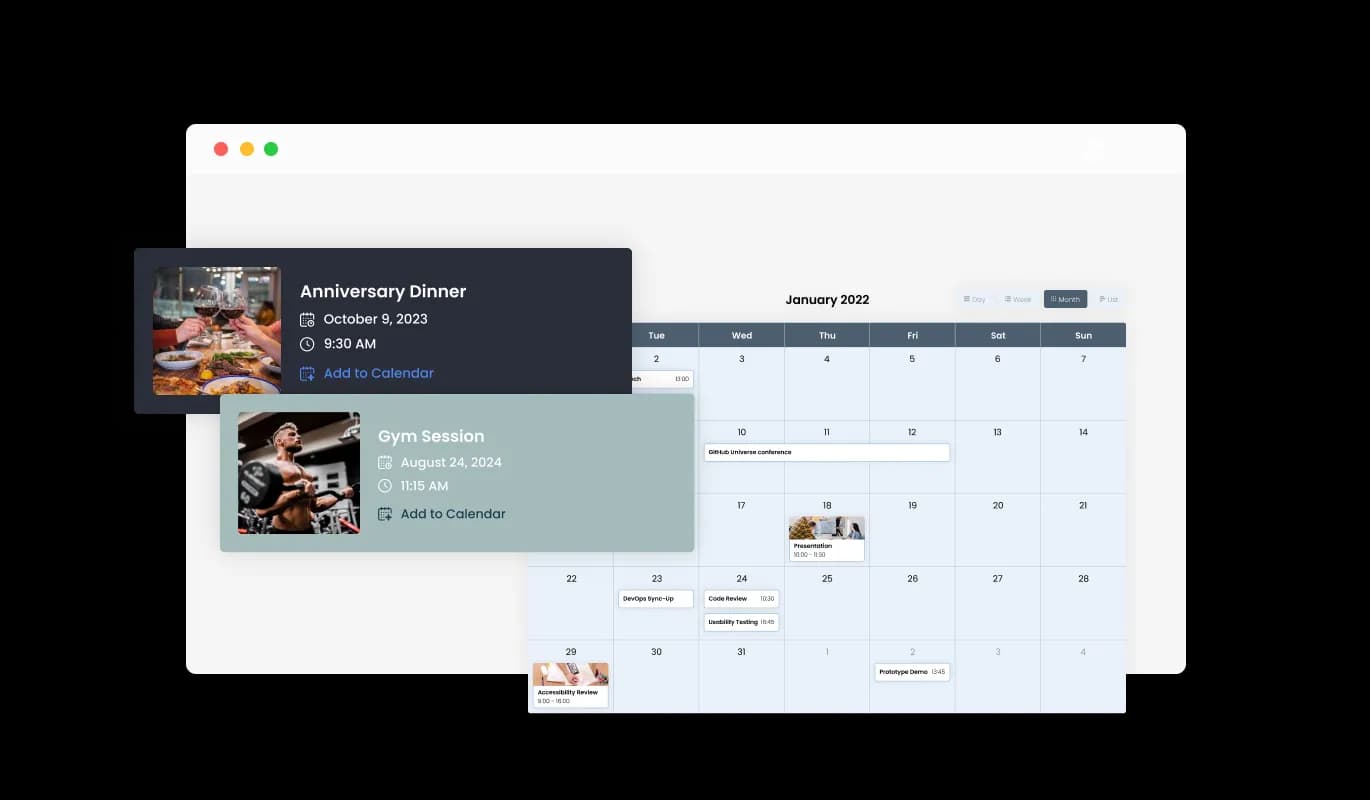
Events Calendar - Imweb widget Personalized Color Customization

Visualize Events with Media Integration

The Calendar widget for Imweb supports media integration, allowing you to enrich your calendar by adding images to events, creating a visually engaging experience. This multi-media approach not only makes your Imweb calendar more interactive but also gives a richer context to your events, thus boosting the overall user experience.

Events Calendar - Visualize Events with Media Integration

Choose Your Start Date with Flexible Options in Imweb Calendar widget

With the Calendar widget's configurable default view, you can opt for the initial display mode—month, week, or day—that best caters to your Imweb store's needs, guaranteeing a uniquely tailored user experience. This feature ensures that your users are immediately presented with the most relevant view, enhancing usability and ensuring that your Imweb store caters to a variety of user preferences.

Events Calendar - Choose Your Start Date with Flexible Options in Imweb Calendar widget

Add Flair to Your Imweb Calendar with Multiple Skins

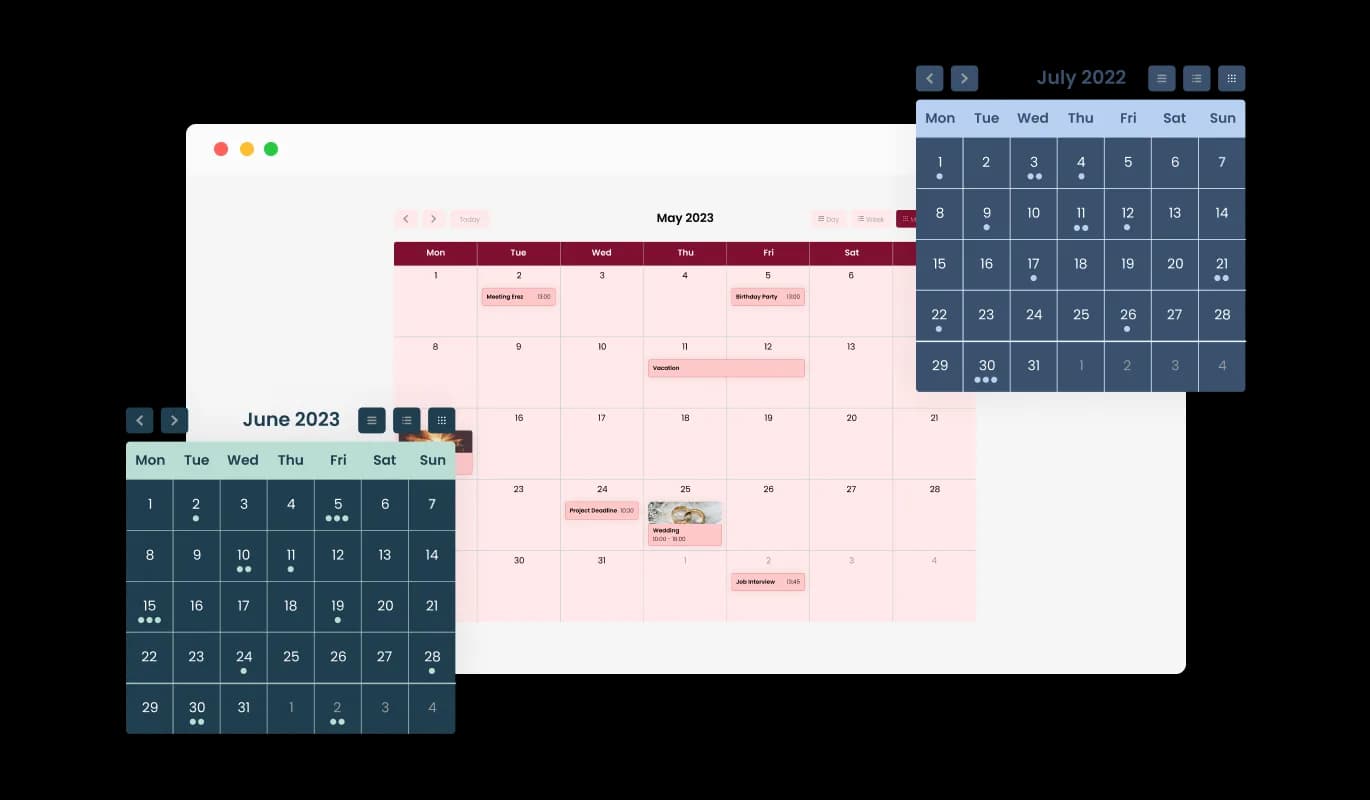
The Imweb Calendar comes with a variety of beautiful skins that you can choose from so you don’t have to spend much time on extensive customization. These ready-made skins not only save you effort but also guarantee a professional and visually pleasing look, amplifying your Imweb store's allure without requiring detailed design work.

Events Calendar - Add Flair to Your Imweb Calendar with Multiple Skins
Events Calendar - All-Day Event Management Made Easy with Imweb Calendar widget

All-Day Event Management Made Easy with Imweb Calendar widget

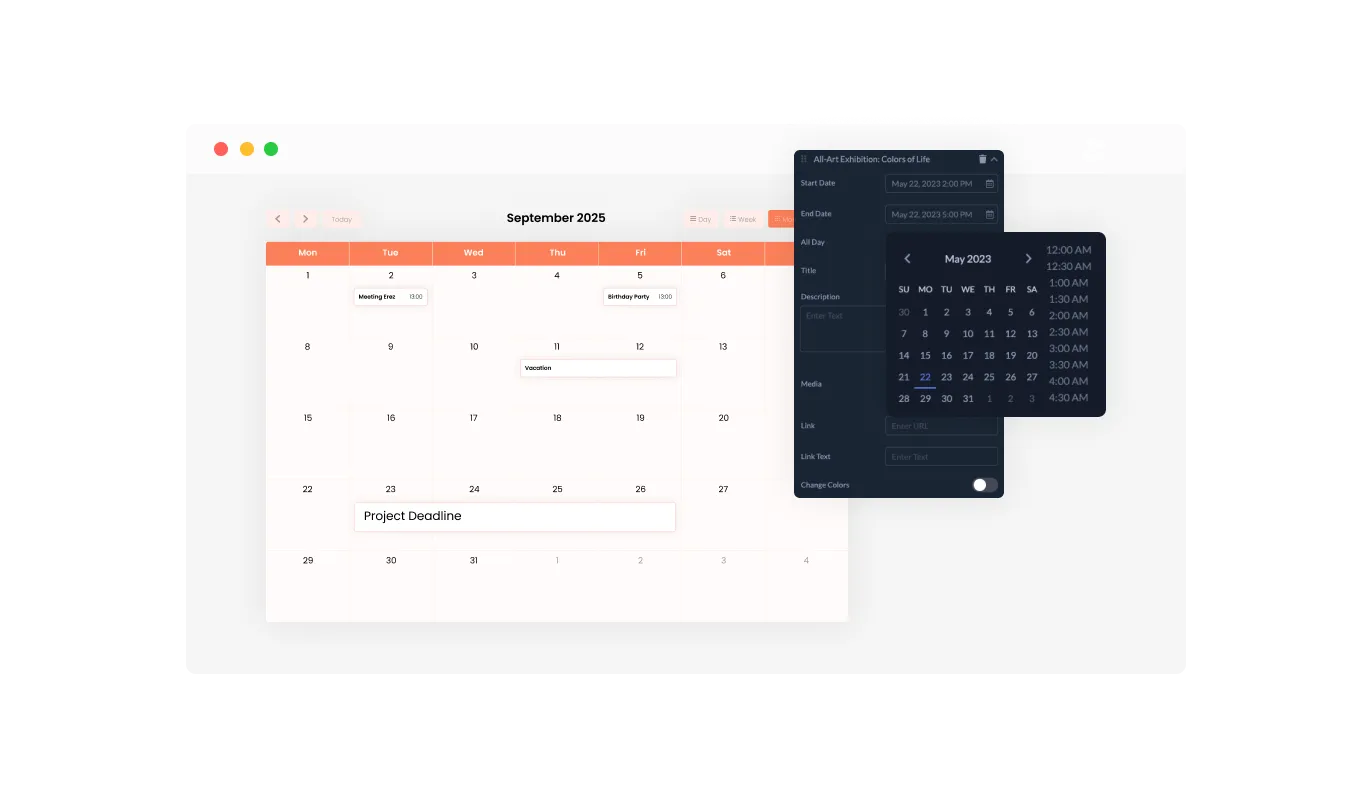
The Imweb Calendar widget allows easy marking of events as "All Day," enabling you to effortlessly organize and display events spanning the entire day without indicating a particular time. This feature simplifies the process of highlighting key activities, making it easier for your visitors to identify and plan for full-day events.

Events Calendar - Adding Links for Enhanced Interactivity in Imweb Calendar

Adding Links for Enhanced Interactivity in Imweb Calendar

By utilizing the Imweb Calendar's feature of embedding links, you can boost interactivity by connecting URLs to distinct dates or events, supplying supplementary information, or navigating users to relevant pages. This attribute not only augments your event descriptions but also serves as a pathway for guiding your visitors towards more resources or actions, consequently increasing user participation and satisfaction.

Events Calendar - Full RTL Support: Make Your Imweb Calendar widget Accessible to All

Full RTL Support: Make Your Imweb Calendar widget Accessible to All

With full RTL support, the Calendar widget for Imweb caters to those who write in right-to-left languages. Enhance your reach by making your content accessible to a larger global audience. This inclusive feature expands your Imweb store's user base, enhancing its user-friendliness and accessibility to a more diverse global audience, thereby fostering inclusivity and diversity.

Events Calendar - Customize with Ease: The User-friendly Imweb Calendar widget

Customize with Ease: The User-friendly Imweb Calendar widget

The Imweb Calendar widget is designed for easy use and doesn't demand any knowledge of coding. Thanks to our intuitive dashboard and its drag-and-drop functionality, you can effortlessly customize the Calendar widget with a few simple clicks. This user-friendly layout enables even those lacking technical expertise to customize the widget to their preference, making it a valuable tool for boosting your Imweb store's functionality and appeal.

Design Your Way with the Fully Customizable Imweb Calendar widget

The Imweb Calendar widget features full customization options so you can edit the design to fit your needs. Change the colors, the fonts, the spacing, and anything else! This high level of customization enables you to design a unique and personalized calendar that aligns seamlessly with your brand identity, boosting the overall appearance and user experience of your Imweb store.

Events Calendar - Design Your Way with the Fully Customizable Imweb Calendar widget

Stay Ahead with a Perfectly Responsive Imweb Calendar widget

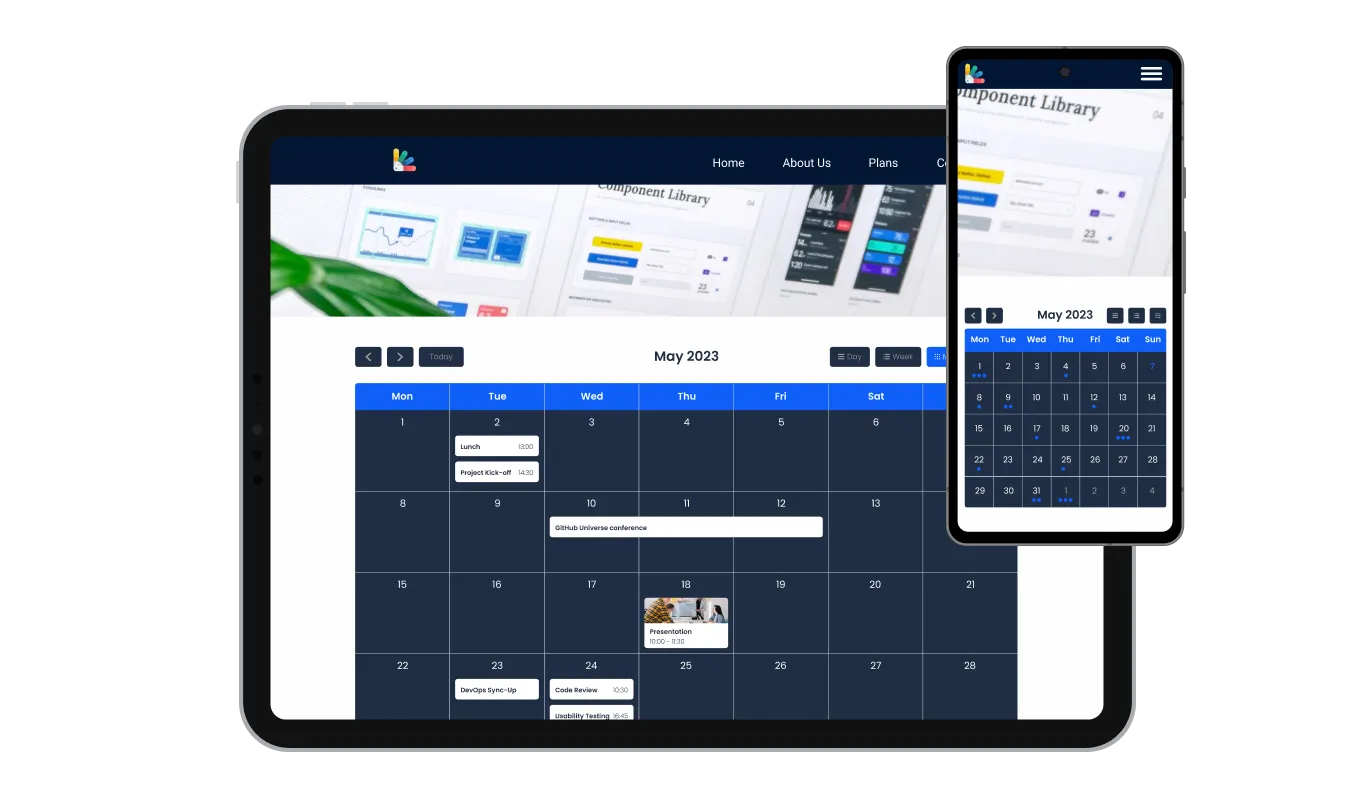
The Imweb Calendar is fully adaptable and delivers a great look across all devices. In a mobile-first world, this feature will put you ahead of your competitors. This responsiveness ensures a seamless user experience across all devices, giving you an edge in today's mobile-centric digital landscape.

Events Calendar - Stay Ahead with a Perfectly Responsive Imweb Calendar widget

Achieve Perfect Aesthetics with Imweb Calendar's Custom CSS

With its custom CSS feature, the Imweb Calendar widget allows you to have full control over the visual appearance of your calendar. This advanced customization feature allows you to change elements such as colors, fonts, and layout in the Imweb widget to perfectly align with your Imweb store's aesthetics, ensuring a fully personalized and integrated user experience.

Events Calendar - Achieve Perfect Aesthetics with Imweb Calendar's Custom CSS

Easy To Embed Imweb Calendar

Embedding the Calendar widget on your Imweb store is a breeze — all you need is to copy one line of code. The Calendar widget will also be updated automatically with every change you make. This seamless integration and auto-update functionality not only streamlines the implementation but also ensures that your Imweb store continually displays the most up-to-date and relevant information.

Events Calendar - Easy To Embed Imweb Calendar

Compatible With All Site Builders, E-Commerce Platforms and Websites

View all supported platforms

FAQ

Yes, there are lots of beautiful skins that you can choose from to save time and start using the widget as quickly as possible.

It’s simple. All you need to do is to sign up and start using the free version.

Common Ninja’s Calendar widget is free to use. It is limited to a certain amount of views, however.

Common Ninja’s Calendar widget is compatible with ALL current and future website builders.

Yes, the Calendar widget is GDPR-compliant.

No. Using our Calendar widget is very simple. The widget comes with an intuitive drag-and-drop interface and fully customizable options. Once you’ve finished editing the widget to your liking, all you need to do is copy the provided code and add it to your website.

Yes. We are eager to hear your request. Please visit our Feature Request page.