Comments for Format

Add a comments system with replies, voting, and moderation to boost engagement and build an active community on your site.

Create Comments

loved by 500K+ businesses

Format
plugineditor

Why Should You Use the Comments Widget+?

Boost Interaction Rates Using the Commenting Feature

Adding the Comments widget to your Format online portfolio can significantly increase user engagement. This tool lets your users exchange thoughts, opinions, and queries, fostering a community atmosphere and motivating them to spend additional time on your site.

Incorporating a comments section can contribute to building trust and authenticity for your platform.

A comments section can help establish trust and authenticity for your Format online portfolio. Observing active dialogues and positive responses can assure new visitors about the quality of your offerings.

The Format Comments widget: A Tool for User Retention

You can leverage the Format comments widget to maintain a steady flow of returning users to your Format online portfolio. By giving them the opportunity to engage in conversations and interact with other comments, you're creating an incentive for them to come back, which in turn enhances user retention and loyalty.

Initiate Engaging Discussions with the Reply Feature in Format Comments widget

Our Format Comments widget allows users to reply directly to other comments, creating a threaded conversation. This paves the way for enhanced user engagement and deeper discussions, making your Format online portfolio a space for thoughtful dialogues.
Comments - Initiate Engaging Discussions with the Reply Feature in Format Comments widget

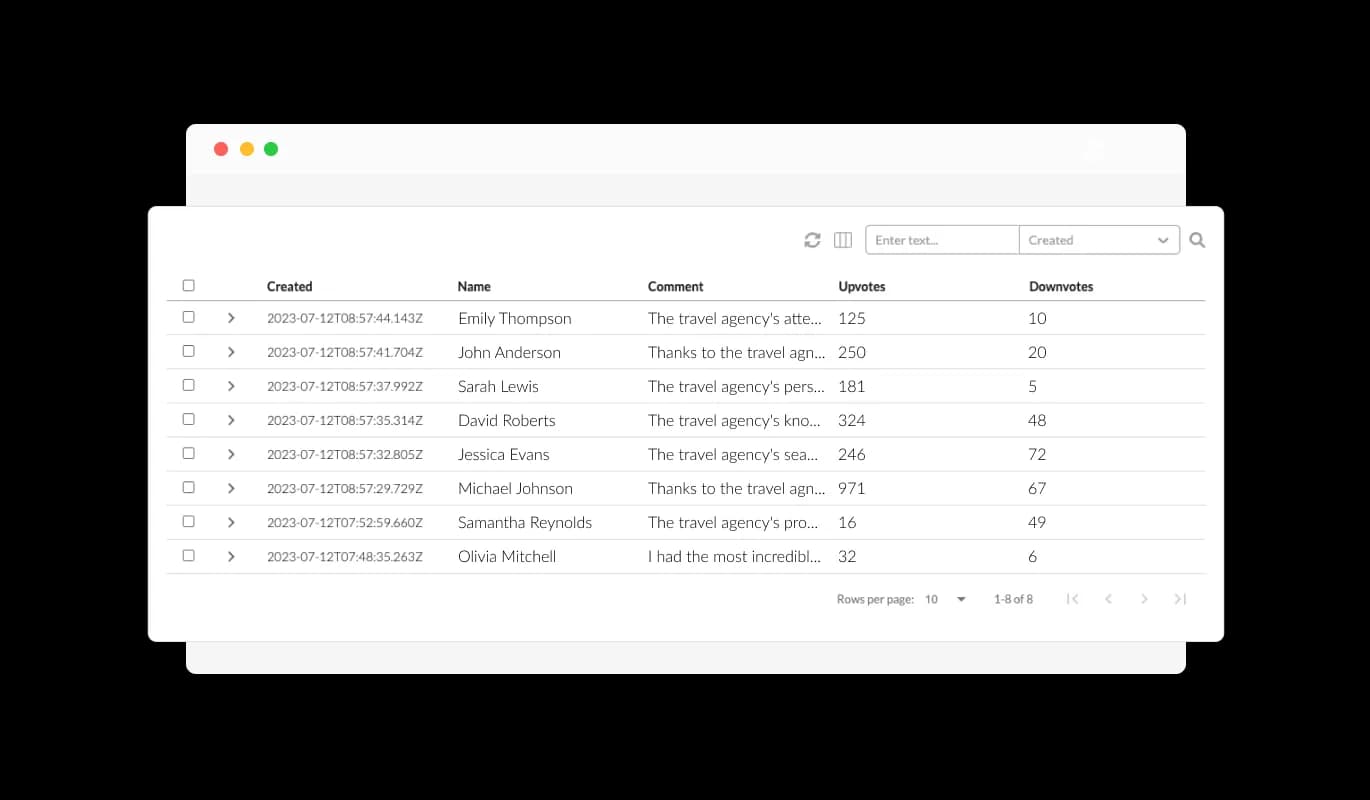
Manage Your Comments Effectively

The Comments widget for Format gives you the power to manage and delete unwanted comments. This helps maintain a positive and respectful environment on your Format online portfolio, ensuring that all discussions are productive and relevant.

Comments - Manage Your Comments Effectively

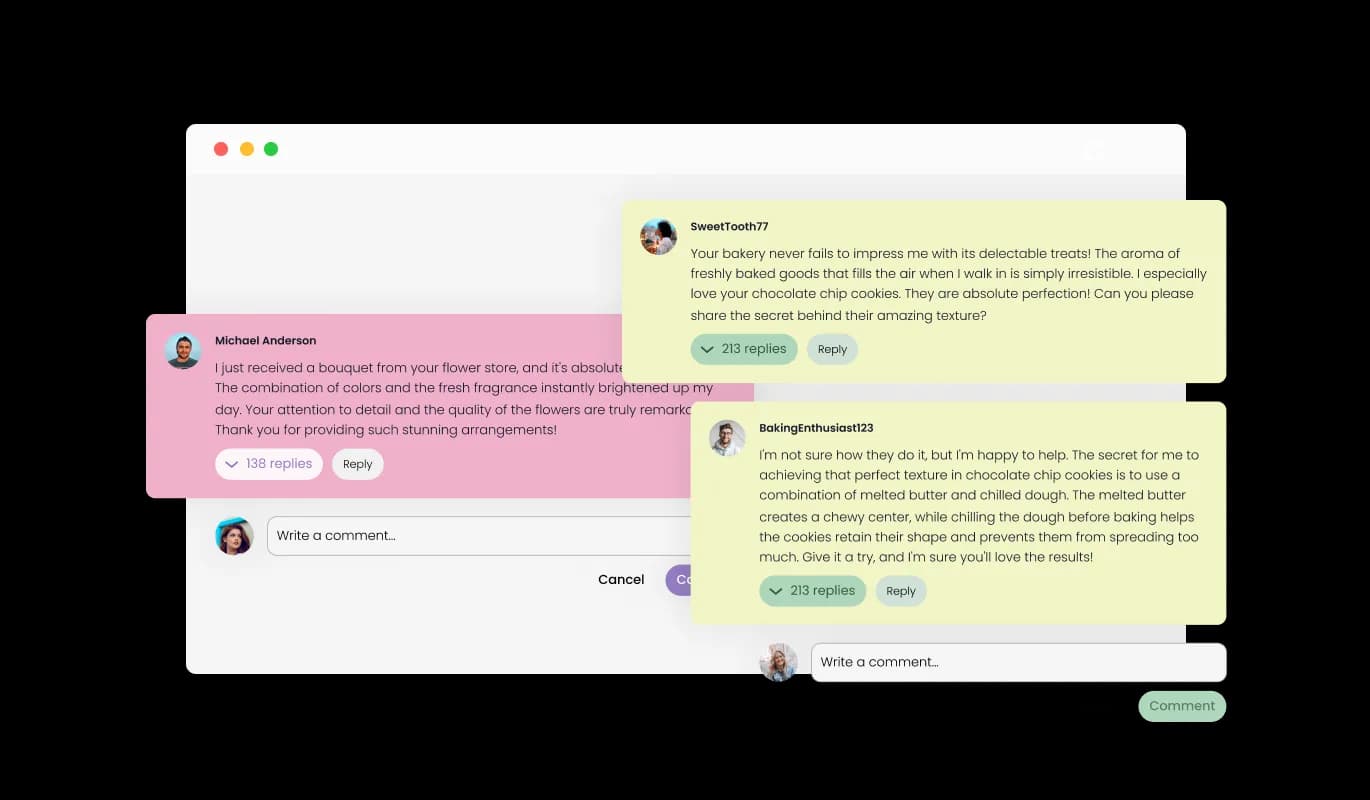
Customize with Attractive Comment Skins from Format Comments widget

The Format Comments widget offers an assortment of visually pleasing skins to enable quick and straightforward customization. This allows you to coordinate the appearance of the widget with your Format online portfolio's design, fostering a cohesive and visually stimulating user experience.

Comments - Customize with Attractive Comment Skins from Format Comments widget

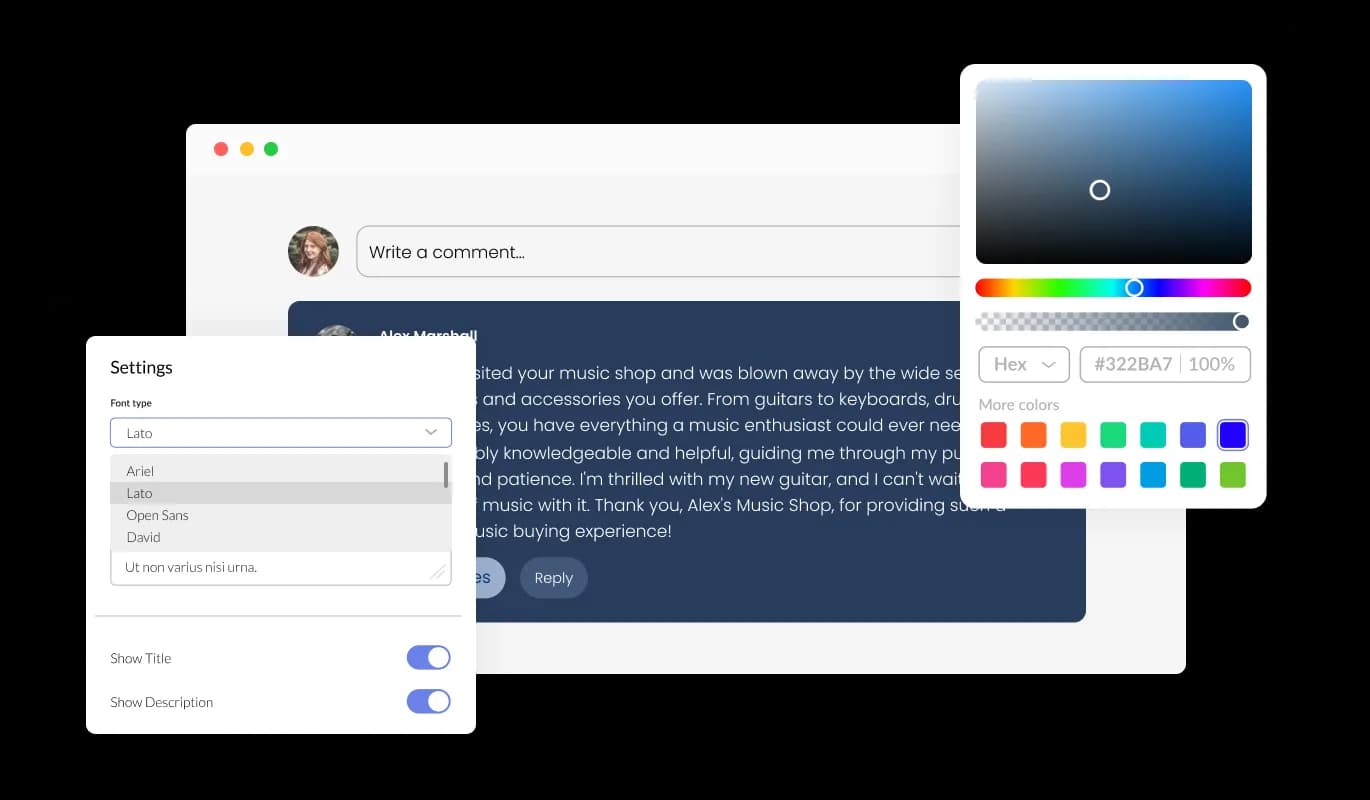
Fully Customizable Format Comments widget

The Comments widget for Format provides extensive customization options to meet your needs. Make changes to color gradients, typefaces, spacings, and more to assure that the widget meshes seamlessly with your Format online portfolio's design and aesthetic.

Comments - Fully Customizable Format Comments widget
Comments - Empower Users with Comment Voting

Empower Users with Comment Voting

Our Comments widget for Format features upvotes and downvotes, allowing your users to share their viewpoints on each comment. It provides an easy way for your user community to self-moderate, stimulating positive discussions and deterring unwanted or negative commentary.

Comments - Be in the Loop with Format Comments Email Notifications

Be in the Loop with Format Comments Email Notifications

Our Format Comments allows users to opt-in for email notifications about new comments. This ensures that you stay connected and informed, never missing crucial conversations or updates on your online portfolio.

Comments - Mandatory Email Field: A Move towards Authenticity and Accountability

Mandatory Email Field: A Move towards Authenticity and Accountability

With a compulsory email field, the Format Comments widget guarantees that every comment originates from a legitimate user. This policy helps preserve the quality of your Format online portfolio’s discussions and curbs spamming or anonymous trolling.

Comments - Format Comments widget: No Coding Knowledge Required

Format Comments widget: No Coding Knowledge Required

The Format Comments is designed for ease of use, requiring no coding knowledge. It includes a user-friendly dashboard and drag-and-drop utilities, enabling effortless customization of the widget.

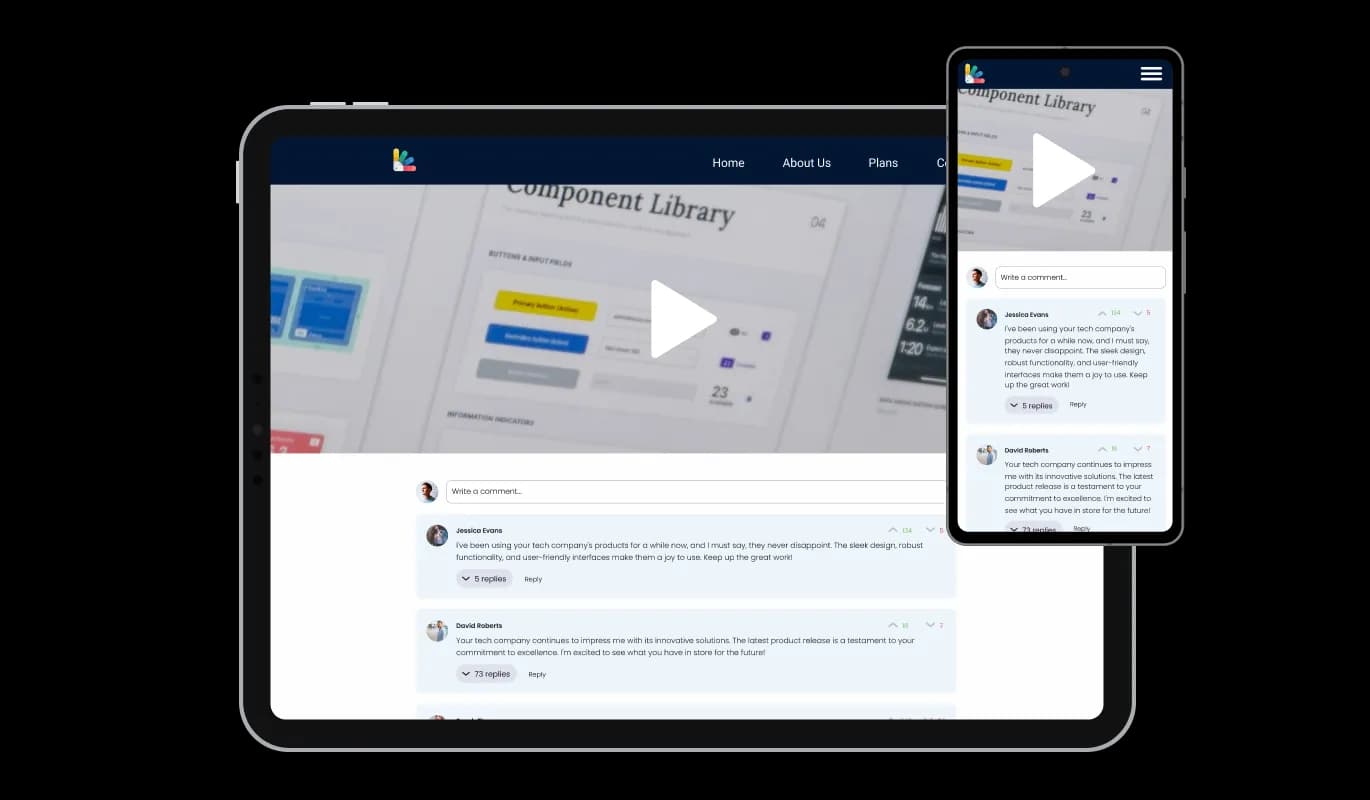
Format Comments widget: Perfect Fit for Every Device

Designed with full responsiveness, the Format Comments widget ensures an excellent appearance on any device. In our mobile-centric world, this feature makes sure your Format online portfolio remains competitive and accessible to users across different platforms.

Comments - Format Comments widget: Perfect Fit for Every Device

Custom CSS for Your Format Comments

Just like our other widget, the Format Comments widget gives you the capability to incorporate custom CSS. This grants you the independence to put a creative spin on further customizing the widget.

Comments - Custom CSS for Your Format Comments

Smooth Integration of Comments on Your Format online portfolio

It's a breeze to embed the Comments widget on your website. Just replicate the supplied code to seamlessly incorporate the Comments into your Format online portfolio. Any adjustments you make in the widget will be updated automatically on your online portfolio, ensuring an uninterrupted user experience.

Comments - Smooth Integration of Comments on Your Format online portfolio

Compatible With All Site Builders, E-Commerce Platforms and Websites

View all supported platforms

FAQ

Installing the Comments widget is straightforward. Once you've customized the widget to your liking, you'll be provided with a code snippet. Simply copy this code and paste it into the HTML of your website where you want the widget to appear.

Absolutely! The Comments widget comes with a variety of skins and extensive customization options. You can adjust color schemes, fonts, and spacing, and even add custom CSS to ensure the widget aligns perfectly with your website's design.

Yes, the Comments widget is fully responsive and optimized for all devices. This ensures that your website remains accessible and user-friendly, regardless of the device your visitors are using.

Yes, you can. The Comments widget gives you the ability to manage and delete unwanted comments. This helps maintain a positive and respectful environment on your website.

Users can choose to receive email notifications for new comments. This keeps them engaged and ensures they never miss out on important discussions on your website.

Yes, to maintain the integrity of discussions, the Comments widget makes the email field mandatory. This ensures that all comments come from real users and helps discourage spam or anonymous trolling.

The upvote and downvote feature allows users to express their opinions on each comment. It's a simple way for your community to self-moderate, promoting positive discussions and discouraging unhelpful or negative comments.

Yes, the Comments widget allows users to reply directly to other comments, creating a threaded conversation. This encourages deeper engagement and discussion among your website's visitors.

Yes, the Comments widget supports multiple languages, making it a great choice for websites with a diverse audience. This ensures that your users can engage in discussions in their preferred language.

Absolutely! User-generated content, like comments, can enhance your website's SEO. As users discuss and use relevant keywords in their comments, it can help your site rank higher in search engine results.

User privacy is a top priority for us. The Comments widget only collects the necessary information for posting comments and sending notifications, and all data is handled in accordance with strict privacy standards.

Yes, the Comments widget displays the number of comments on your posts. This gives users an indication of the level of engagement and can encourage more participation.

Any changes you make to the design or settings of the Comments widget will automatically update on your website. This ensures a seamless user experience and allows you to tweak the widget to your liking at any time.

No, you don't need any coding knowledge to use the Comments widget. It's designed to be user-friendly, with an intuitive dashboard and drag-and-drop functionality for easy customization.