
Comments for Strikingly

Add a comments system with replies, voting, and moderation to boost engagement and build an active community on your site.

Create Comments

loved by 500K+ businesses

Strikingly
plugineditor

Why Should You Use the Comments Widget+?

Boost Engagement with users Comments

The Comments app is a fantastic addition to your platform that can dramatically enhance user engagement. It gives your users a platform to voice their perspectives, raise questions, and share views, thus creating a sense of belonging and prompting them to stay longer on your site.

You can foster trust and authenticity on your platform with the help of a comments section.

A comments section can significantly aid in developing trust and authenticity on your platform. New users finding active conversations and positive appraisals on your platform can build confidence in your content, products, or services.

Strikingly Comments widget: Keep Your Users Coming Back

A Strikingly comments widget can help keep your users coming back to your Strikingly website. Allowing them to actively participate in discussions and reply to other users' comments keeps them engaged and motivates return visits, promoting user retention and loyalty.

Enhance User Discussions with Our Reply Feature

Users can directly engage with other comments using our Strikingly Comments widget, thereby creating ongoing dialogues. This paves the way for enhanced user engagement and deeper discussions, making your Strikingly website a space for thoughtful dialogues.
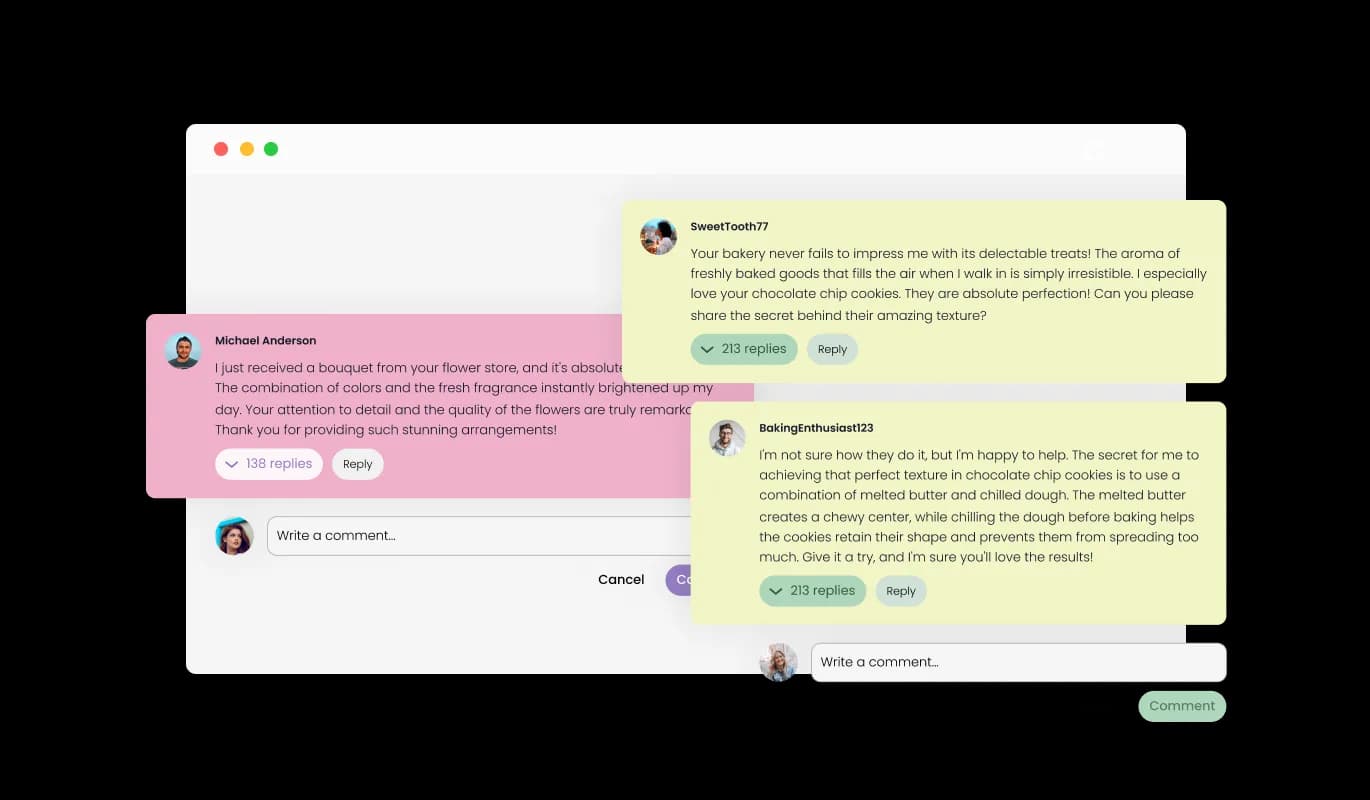
Comments - Enhance User Discussions with Our Reply Feature

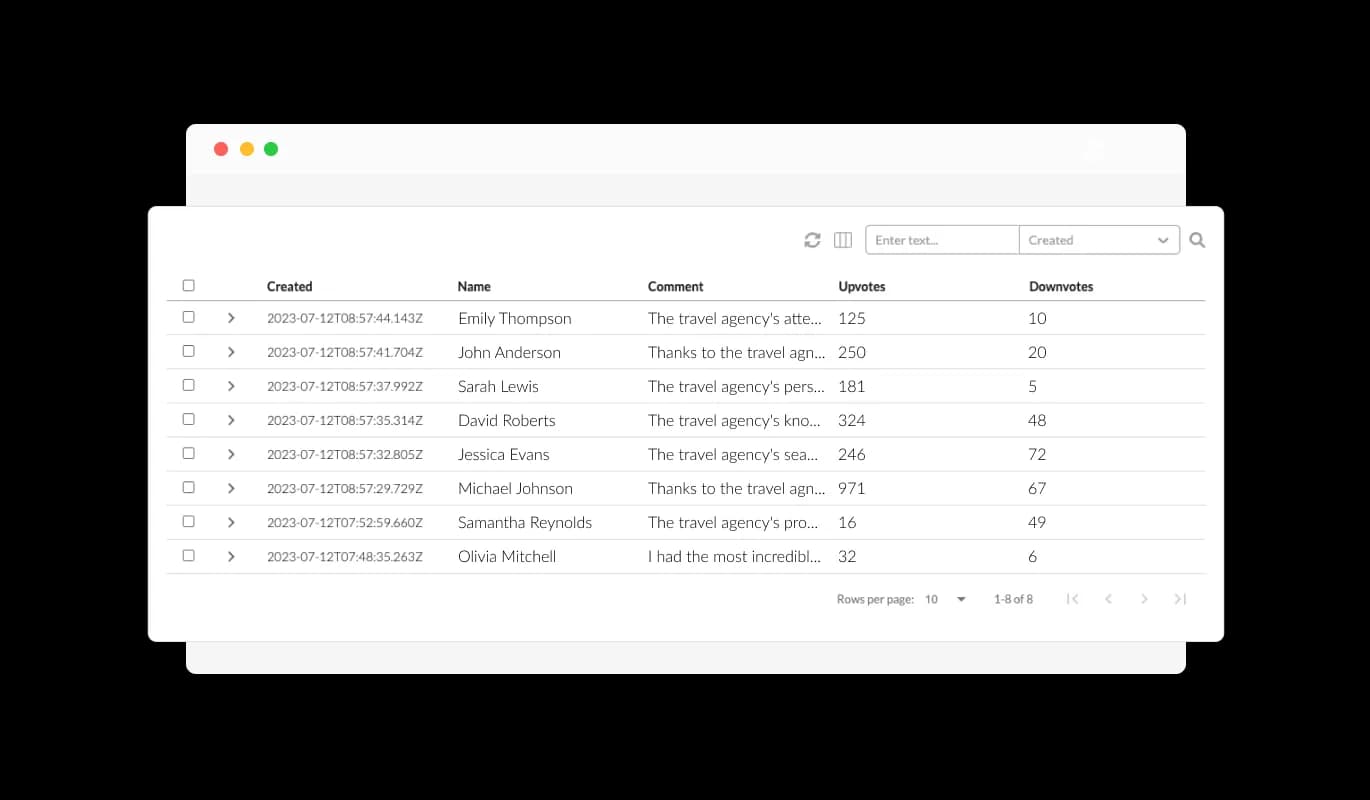
Comments widget: Your Tool for Effective Comment Management

Using the Comments widget for Strikingly, you can effectively control and erase any unwanted comments. This helps maintain a positive and respectful environment on your Strikingly website, ensuring that all discussions are productive and relevant.

Comments - Comments widget: Your Tool for Effective Comment Management

Select from Appealing Comment Skins for a Personalized Look

A variety of visually appealing skins for easy customization are available with the Strikingly Comments widget. You can synchronize the look of the widget with the design of your Strikingly website, creating a seamless and visually compelling user experience.

Comments - Select from Appealing Comment Skins for a Personalized Look

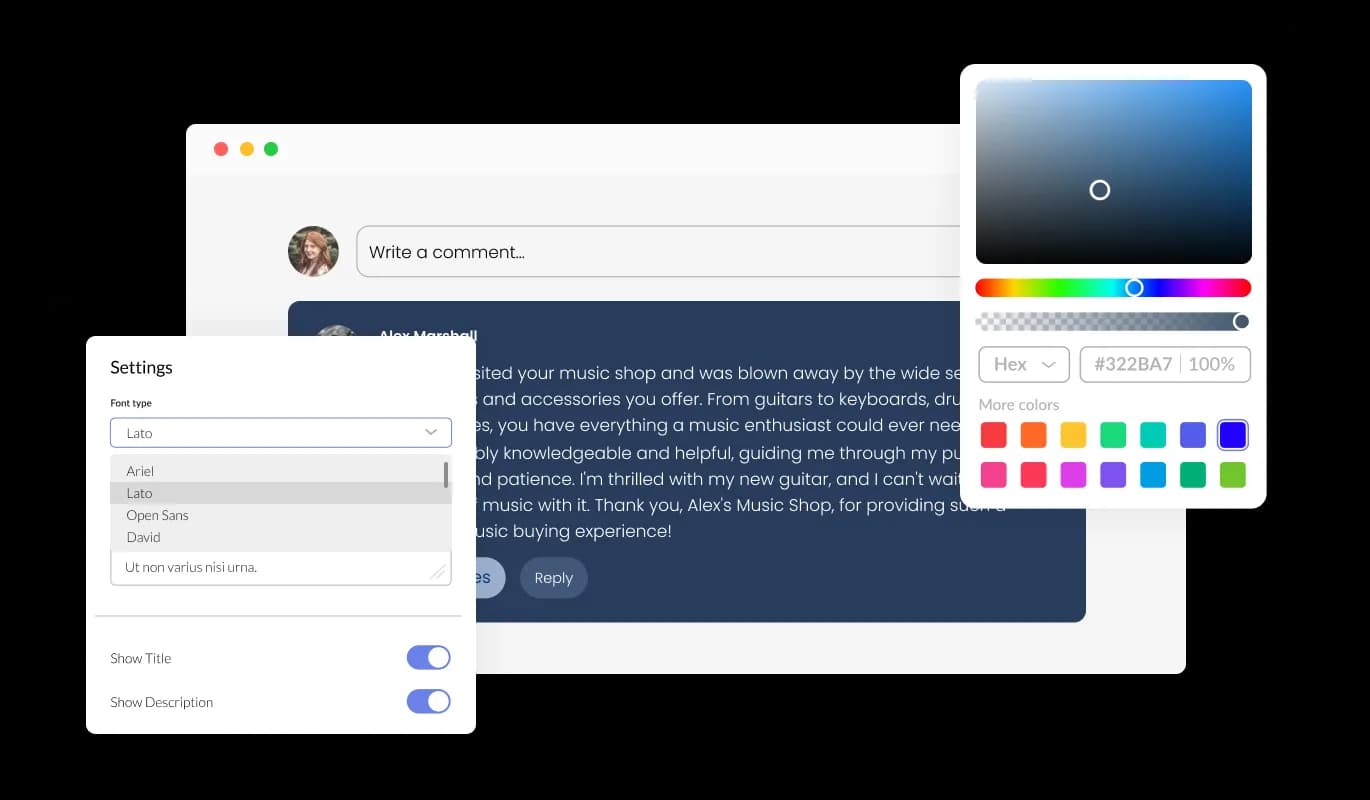
Enjoy Extensive Customizations with Strikingly Comments widget

The Comments widget for Strikingly provides extensive customization options to meet your needs. Personalize color schemes, font styles, spacings, and more to make sure the widget syncs well with your Strikingly website's design and visual appeal.

Comments - Enjoy Extensive Customizations with Strikingly Comments widget
Comments - Use Voting to Enhance Comment Interactions on Strikingly

Use Voting to Enhance Comment Interactions on Strikingly

The upvote and downvote functionality in our Comments widget for Strikingly offers your users a way to convey their opinions about each comment. It's a simple way for your community to self-moderate, promoting positive discussions and discouraging unhelpful or negative comments.

Comments - Never Miss a Discussion with Strikingly Comments Email Notifications

Never Miss a Discussion with Strikingly Comments Email Notifications

Users can select to receive email alerts for new comments with our Strikingly Comments. It helps you stay active and informed, making certain you're always aware of important discussions or updates on your website.

Comments - Uphold Authenticity with Strikingly Comments widget’s Mandatory Email Requirement

Uphold Authenticity with Strikingly Comments widget’s Mandatory Email Requirement

By making email field entry obligatory, the Strikingly Comments widget affirms that every comment is from a genuine user. This approach aids in ensuring the integrity of your Strikingly website's conversations while deterring spam or nameless trolling.

Comments - Easy-to-use Comments widget for Strikingly

Easy-to-use Comments widget for Strikingly

Designed with user-friendliness in mind, Strikingly Comments doesn't demand any coding expertise. With an intuitive dashboard and drag-and-drop capabilities, customizing the widget becomes effortless.

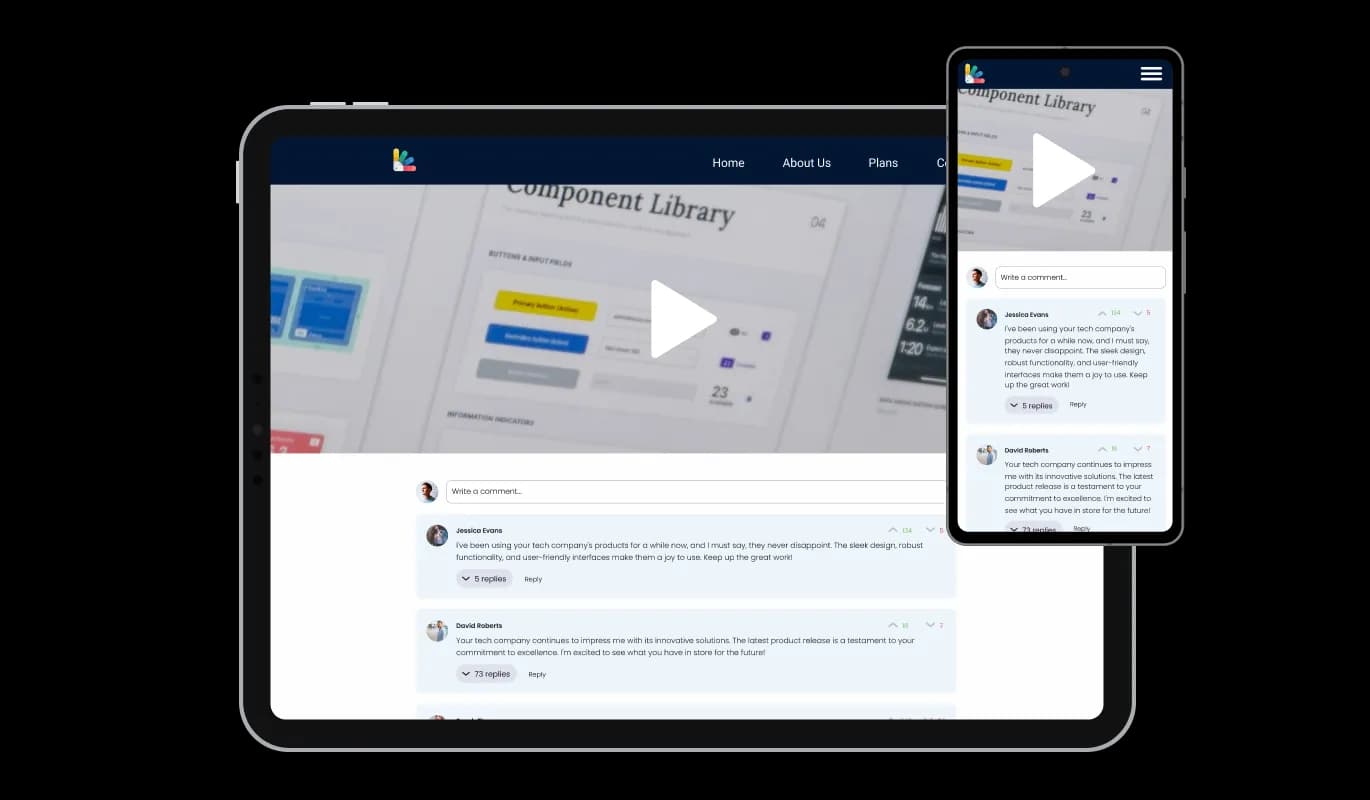
Optimized for All Devices

The Strikingly Comments widget is fully responsive and looks fantastic on any device. In this age of mobile dominance, this feature ensures that your Strikingly website stays ahead and is easily accessible to users on multiple platforms.

Comments - Optimized for All Devices

Customize Further with Custom CSS for Your Strikingly Comments

In line with our entire widget line-up, the Strikingly Comments widget offers the feature of adding custom CSS. This provides you the opportunity to delve deeper into the customization of the widget and let your creativity shine.

Comments - Customize Further with Custom CSS for Your Strikingly Comments

Hassle-free Embedding of Comments on Your Strikingly website

It's uncomplicated to integrate the Comments widget on your website. Just duplicate the given code to swiftly integrate the Comments into your Strikingly website. Any changes you make to the widget will automatically update on your website, ensuring a smooth user experience.

Comments - Hassle-free Embedding of Comments on Your Strikingly website

Compatible With All Site Builders, E-Commerce Platforms and Websites

View all supported platforms

FAQ

Installing the Comments widget is straightforward. Once you've customized the widget to your liking, you'll be provided with a code snippet. Simply copy this code and paste it into the HTML of your website where you want the widget to appear.

Absolutely! The Comments widget comes with a variety of skins and extensive customization options. You can adjust color schemes, fonts, and spacing, and even add custom CSS to ensure the widget aligns perfectly with your website's design.

Yes, the Comments widget is fully responsive and optimized for all devices. This ensures that your website remains accessible and user-friendly, regardless of the device your visitors are using.

Yes, you can. The Comments widget gives you the ability to manage and delete unwanted comments. This helps maintain a positive and respectful environment on your website.

Users can choose to receive email notifications for new comments. This keeps them engaged and ensures they never miss out on important discussions on your website.

Yes, to maintain the integrity of discussions, the Comments widget makes the email field mandatory. This ensures that all comments come from real users and helps discourage spam or anonymous trolling.

The upvote and downvote feature allows users to express their opinions on each comment. It's a simple way for your community to self-moderate, promoting positive discussions and discouraging unhelpful or negative comments.

Yes, the Comments widget allows users to reply directly to other comments, creating a threaded conversation. This encourages deeper engagement and discussion among your website's visitors.

Yes, the Comments widget supports multiple languages, making it a great choice for websites with a diverse audience. This ensures that your users can engage in discussions in their preferred language.

Absolutely! User-generated content, like comments, can enhance your website's SEO. As users discuss and use relevant keywords in their comments, it can help your site rank higher in search engine results.

User privacy is a top priority for us. The Comments widget only collects the necessary information for posting comments and sending notifications, and all data is handled in accordance with strict privacy standards.

Yes, the Comments widget displays the number of comments on your posts. This gives users an indication of the level of engagement and can encourage more participation.

Any changes you make to the design or settings of the Comments widget will automatically update on your website. This ensures a seamless user experience and allows you to tweak the widget to your liking at any time.

No, you don't need any coding knowledge to use the Comments widget. It's designed to be user-friendly, with an intuitive dashboard and drag-and-drop functionality for easy customization.