Comments for Stunning

Add a comments system with replies, voting, and moderation to boost engagement and build an active community on your site.

Create Comments

loved by 500K+ businesses

Stunning
plugineditor

Why Should You Use the Comments Widget+?

Increasing User Participation with Comments on Your Platform

By integrating the Comments app into your platform, you can stimulate a significant rise in user engagement. This feature gives your visitors the ability to express their thoughts, opinions, and inquiries, thereby cultivating a community feel and motivating them to spend more time on your site.

A comments section can significantly aid in developing trust and authenticity on your platform.

A comments section can help establish trust and authenticity for your Stunning website. Observing active dialogues and positive responses can assure new visitors about the quality of your offerings.

Boost User Retention Using Stunning Comments widget

The Stunning comments widget can effectively encourage users to revisit your Stunning website. By empowering them to join in discussions and respond to comments, you're providing a reason for them to continue visiting, which enhances user retention and loyalty.

Initiate Engaging Discussions with the Reply Feature in Stunning Comments widget

Our Stunning Comments widget facilitates users in responding directly to other comments, leading to a chain of interactive conversations. This provokes deeper user interaction and fruitful discussions, transforming your Stunning website into a center for meaningful exchanges.
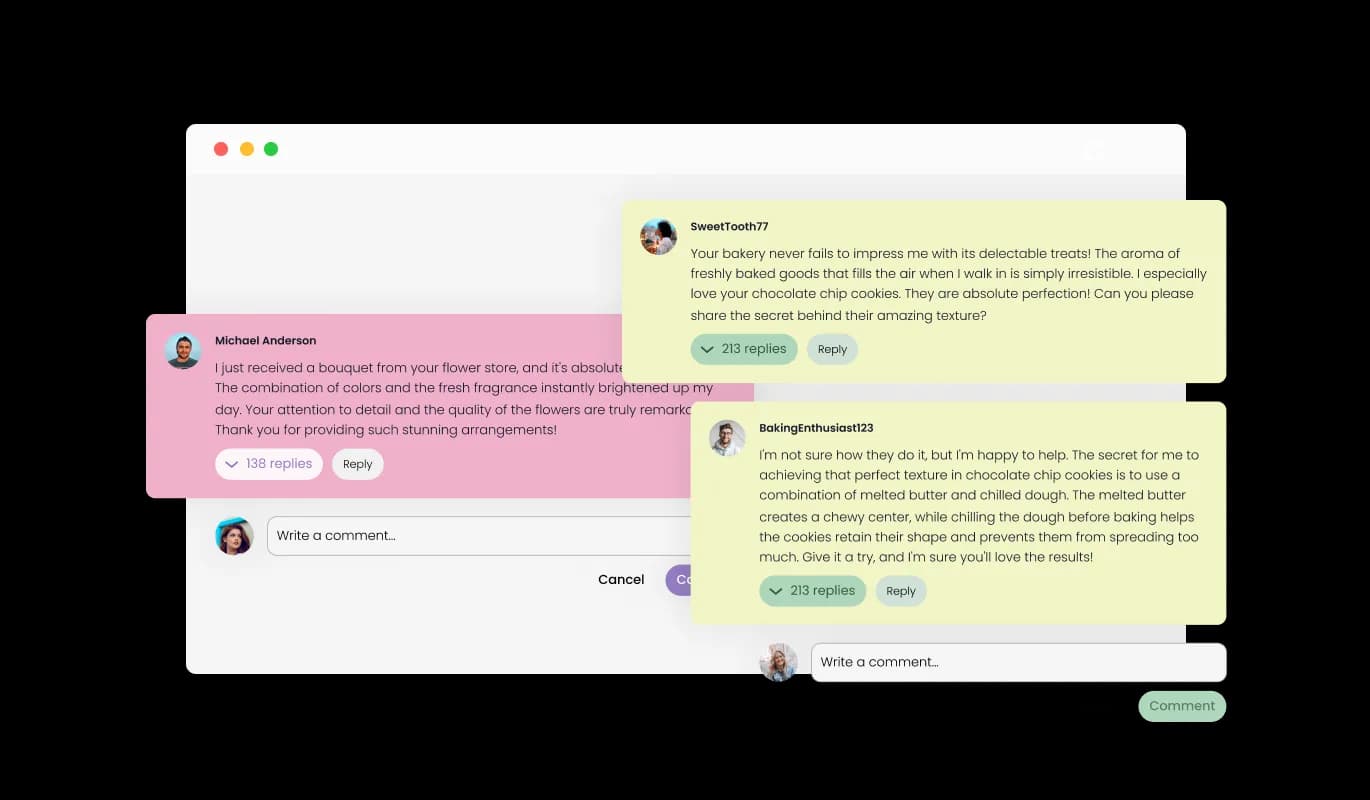
Comments - Initiate Engaging Discussions with the Reply Feature in Stunning Comments widget

Handle Unwanted Comments Effectively with Comments widget

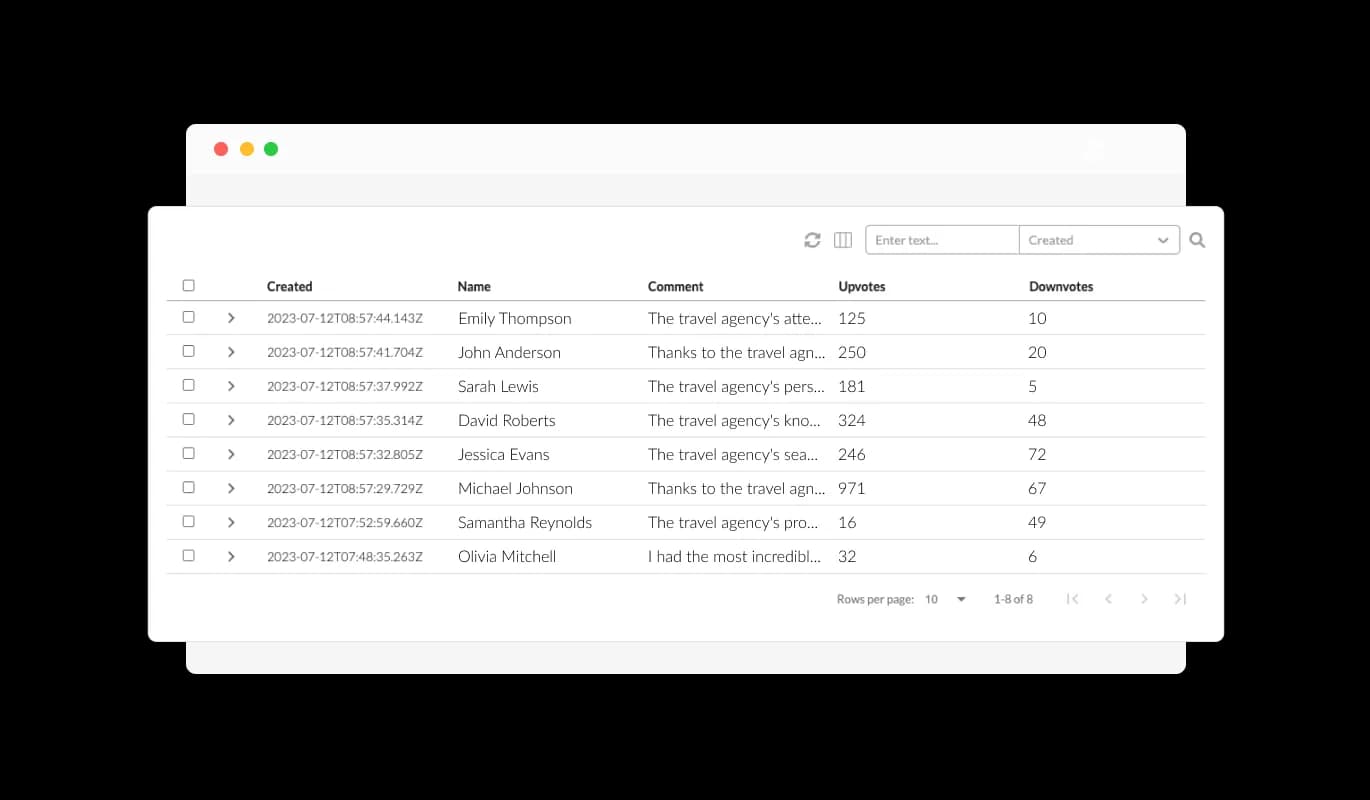
With the Comments widget for Stunning, you hold the power to supervise and remove any inappropriate comments. This helps maintain a positive and respectful environment on your Stunning website, ensuring that all discussions are productive and relevant.

Comments - Handle Unwanted Comments Effectively with Comments widget

Customize with Attractive Comment Skins from Stunning Comments widget

The Stunning Comments widget provides an array of engaging skins for effortless customization. This allows you to coordinate the appearance of the widget with your Stunning website's design, fostering a cohesive and visually stimulating user experience.

Comments - Customize with Attractive Comment Skins from Stunning Comments widget

Enjoy Extensive Customizations with Stunning Comments widget

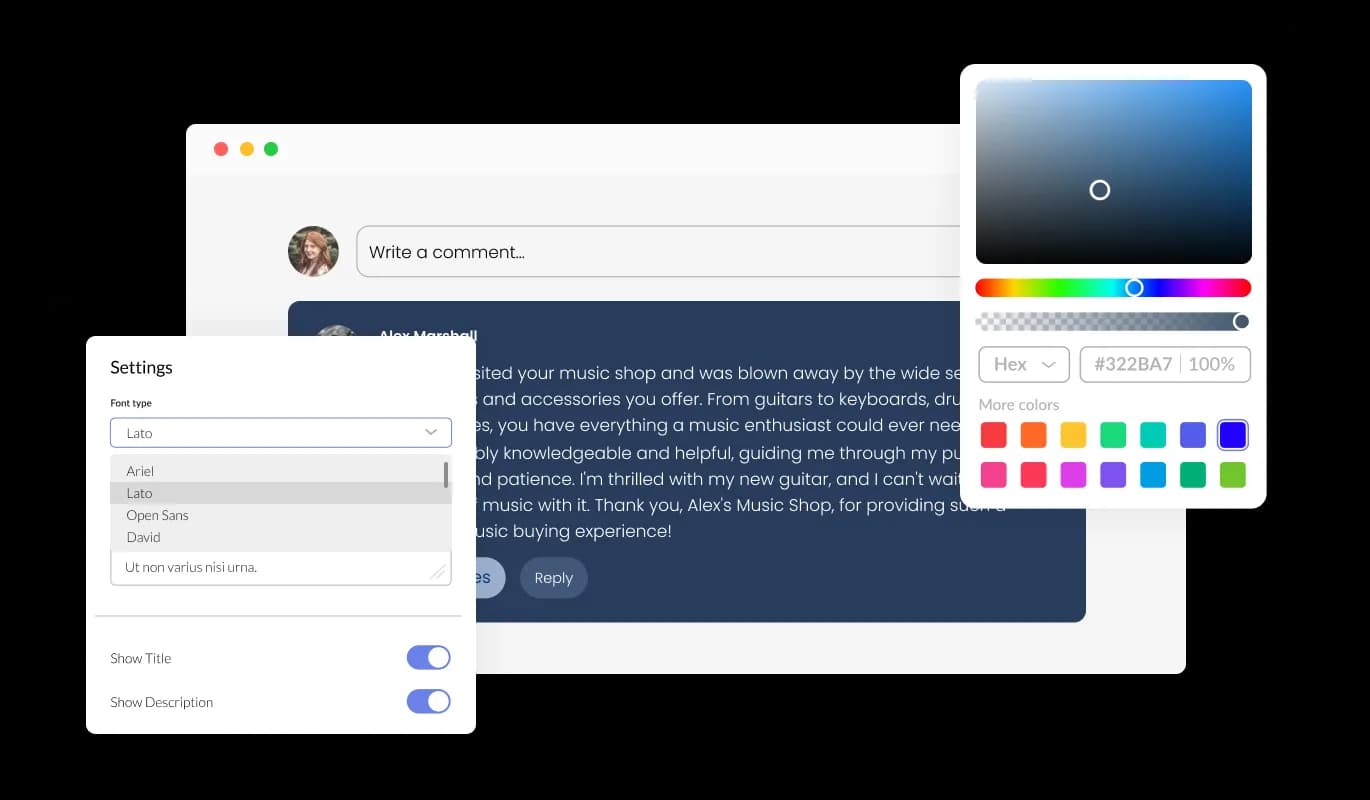
You can access a broad spectrum of customization possibilities with the Comments widget for Stunning to suit your preferences. Personalize color schemes, font styles, spacings, and more to make sure the widget syncs well with your Stunning website's design and visual appeal.

Comments - Enjoy Extensive Customizations with Stunning Comments widget
Comments - Engage Users with Comment Voting on Stunning

Engage Users with Comment Voting on Stunning

The upvote and downvote functionality in our Comments widget for Stunning offers your users a way to convey their opinions about each comment. This function is a user-friendly approach to community self-moderation, promoting valuable discussions and warding off detrimental or negative remarks.

Comments - Be in the Loop with Stunning Comments Email Notifications

Be in the Loop with Stunning Comments Email Notifications

Stunning Comments provides the convenience of choosing email notifications for recent comments to its users. It helps you stay active and informed, making certain you're always aware of important discussions or updates on your website.

Comments - Ensure User Authenticity: Make Email Field Mandatory

Ensure User Authenticity: Make Email Field Mandatory

With a compulsory email field, the Stunning Comments widget guarantees that every comment originates from a legitimate user. This strategy aids in upholding the sincerity of your Stunning website’s discussions and discourages anonymous spamming or trolling.

Comments - Intuitive and User-friendly Stunning Comments widget

Intuitive and User-friendly Stunning Comments widget

The Stunning Comments is designed for ease of use, requiring no coding knowledge. With an intuitive dashboard and drag-and-drop capabilities, customizing the widget becomes effortless.

Experience Full Responsiveness with Stunning Comments widget

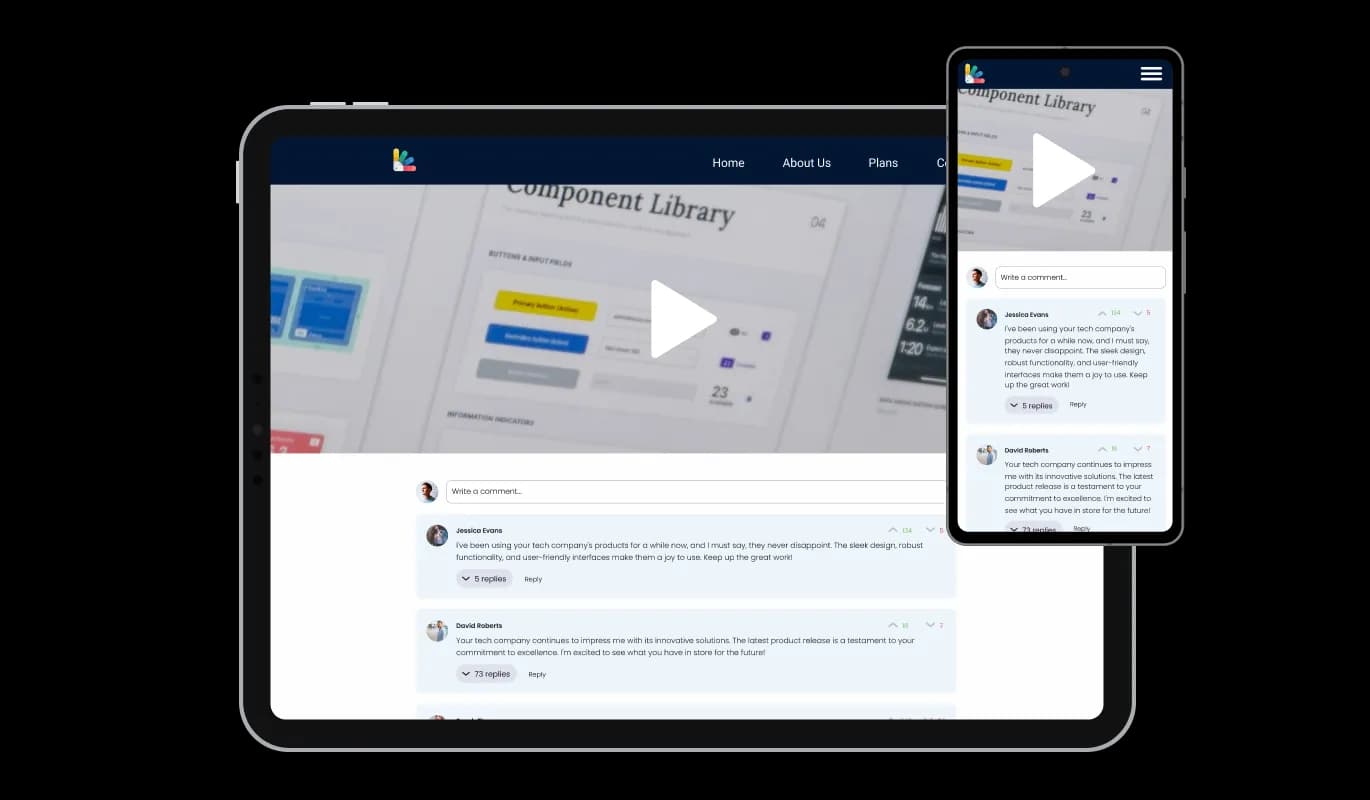
The Stunning Comments widget offers full responsiveness, providing an outstanding look across all devices. With the current mobile-first approach, this ensures your Stunning website continues to be competitive and available to users on diverse platforms.

Comments - Experience Full Responsiveness with Stunning Comments widget

Custom CSS: A Unique Feature of Stunning Comments widget

The design of Stunning Comments emphasizes easy usage, so there's no need for any coding knowledge. This grants you the independence to put a creative spin on further customizing the widget.

Comments - Custom CSS: A Unique Feature of Stunning Comments widget

Effortless Comments Integration for Your Stunning website

Embedding the Comments widget on your website is simple. Just copy the provided code to quickly incorporate the Comments into your Stunning website. Any modifications you make to the widget will be instantaneously reflected on your website, ensuring a seamless user journey.

Comments - Effortless Comments Integration for Your Stunning website

Compatible With All Site Builders, E-Commerce Platforms and Websites

View all supported platforms

FAQ

Installing the Comments widget is straightforward. Once you've customized the widget to your liking, you'll be provided with a code snippet. Simply copy this code and paste it into the HTML of your website where you want the widget to appear.

Absolutely! The Comments widget comes with a variety of skins and extensive customization options. You can adjust color schemes, fonts, and spacing, and even add custom CSS to ensure the widget aligns perfectly with your website's design.

Yes, the Comments widget is fully responsive and optimized for all devices. This ensures that your website remains accessible and user-friendly, regardless of the device your visitors are using.

Yes, you can. The Comments widget gives you the ability to manage and delete unwanted comments. This helps maintain a positive and respectful environment on your website.

Users can choose to receive email notifications for new comments. This keeps them engaged and ensures they never miss out on important discussions on your website.

Yes, to maintain the integrity of discussions, the Comments widget makes the email field mandatory. This ensures that all comments come from real users and helps discourage spam or anonymous trolling.

The upvote and downvote feature allows users to express their opinions on each comment. It's a simple way for your community to self-moderate, promoting positive discussions and discouraging unhelpful or negative comments.

Yes, the Comments widget allows users to reply directly to other comments, creating a threaded conversation. This encourages deeper engagement and discussion among your website's visitors.

Yes, the Comments widget supports multiple languages, making it a great choice for websites with a diverse audience. This ensures that your users can engage in discussions in their preferred language.

Absolutely! User-generated content, like comments, can enhance your website's SEO. As users discuss and use relevant keywords in their comments, it can help your site rank higher in search engine results.

User privacy is a top priority for us. The Comments widget only collects the necessary information for posting comments and sending notifications, and all data is handled in accordance with strict privacy standards.

Yes, the Comments widget displays the number of comments on your posts. This gives users an indication of the level of engagement and can encourage more participation.

Any changes you make to the design or settings of the Comments widget will automatically update on your website. This ensures a seamless user experience and allows you to tweak the widget to your liking at any time.

No, you don't need any coding knowledge to use the Comments widget. It's designed to be user-friendly, with an intuitive dashboard and drag-and-drop functionality for easy customization.