


Verified review
Common Ninja has amazing no-code widgets that would beautify a website built on any builder. It is very easy to use and customise. It has as many widgets for almost everyone willing to make their website impressive.
Try the editor, no signup
Pick a template, customize it, and watch it update live, no signup.
No credit card · Free forever plan
No credit card · Free forever plan
The Common Ninja Comparison Tables widget is a free, no-code table builder that turns a spreadsheet or hand-entered rows into a responsive, side-by-side comparison your visitors can actually read on mobile.
Import a CSV, customize columns and skins, add icons, ratings, badges, and CTAs, then paste one line of embed code on 200+ platforms including Elementor, Divi, Squarespace, Shopify, and Framer.
Setup runs under 3 minutes.
Visitors who reach a comparison page already want to buy. They just need help deciding. A clean side-by-side table converts the indecision into a click instead of sending them to Google to compare on their own. Especially valuable on plan pages, product detail pages, and shortlist articles.
SaaS, agency, and service-based brands lose deals to fuzzy pricing. A comparison table beside the pricing tiers lays out exactly what is and is not in each plan, so prospects pick the right tier instead of bouncing to ask sales.
A side-by-side spec table on your landing page is a direct answer to a 'X vs Y' search query. Highlight the features you have, the ones the competition does not, and let prospects draw their own conclusion before they leave to research.
Affiliate sites, review hubs, and product directories live or die on comparison clarity. A sortable, filterable table with ratings, prices, and 'best for' badges keeps readers on your page long enough to click your outbound link instead of opening five tabs.
Upload a CSV from Google Sheets or Excel and the widget converts every row and column into a styled table cell, or build your table directly in the drag-and-drop editor. Add product names, plans, features, prices, ratings, icons, badges, and CTAs in any cell.
Choose from beautiful pre-built skins or customize fonts, colors, borders, header styles, hover states, and column widths. Pin a column, hide rows on mobile, add search and sort controls, and decide which cells link out to product or pricing pages.
Copy the embed snippet and drop it into any page. Future edits to rows, prices, ratings, or styling push automatically, so updating a comparison across every embed is a single change in the dashboard, not a manual sweep.
Drag a CSV from Google Sheets, Excel, or any spreadsheet tool and the widget builds the entire table for you. No row-by-row data entry, no copy-pasting cells, no rebuilding when your source data changes. Re-import to refresh and styling stays intact.
Hand-coded tables break on mobile. The widget switches automatically to a stacked or horizontal-scroll layout below 768px, hides columns you mark as desktop-only, and keeps the header pinned so a long table stays readable on a phone.
Add a search box for a 50-row product table, let visitors sort by price or rating, paginate long tables so they do not blow out the page height. All toggleable in the editor, no JavaScript required.
Drop a checkmark for a feature, a star rating for a product, a 'Best Value' badge in the header, or a CTA button in the bottom row. Cells are content blocks, not just text, so the table reads like a comparison instead of a wall of plain numbers.
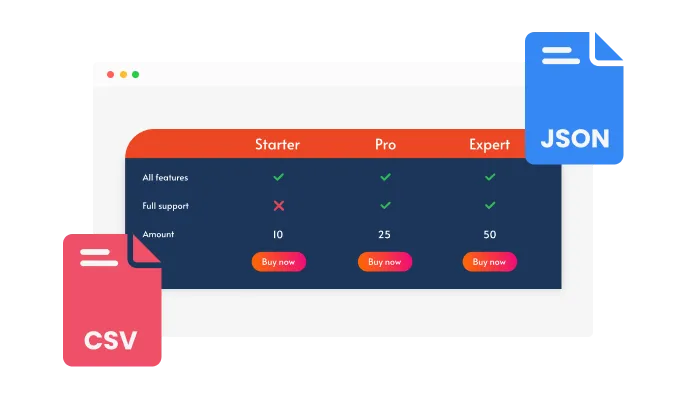
You can easily convert any CSV file into an interactive compare table. With Common Ninja's smart converter, all your data is transferred exactly as it is, including tags, images, buttons, and other supported elements.
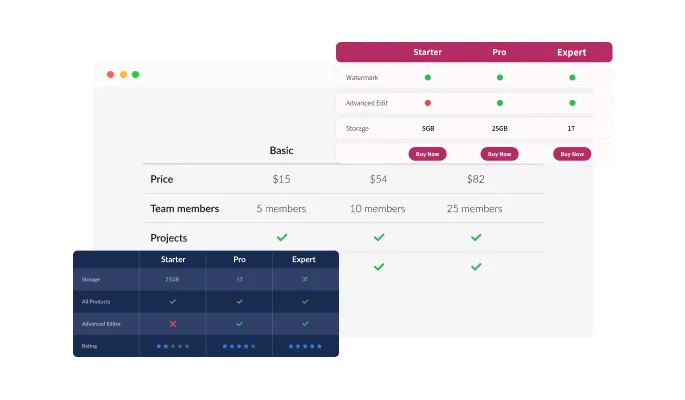
The Comparison Tables widget offers a variety of stunning premade skins that you can use to create comparison tables quickly and easily. Instead of spending hours trying to find the right colors or fonts, simply select a premade skin that you like and start building your comparison table. With a range of styles to choose from, you can find the perfect look and feel to match your brand and style. Whether you want a sleek and modern design, a bold and colorful look, or a clean and minimalistic style, there's something for everyone.
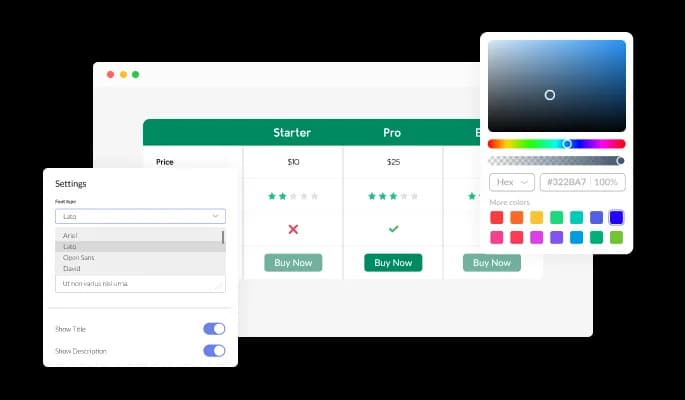
The Comparison Tables widget comes with full customization options, giving you the ability to easily edit the design to match the aesthetic of your website. You can change the colors of the Comparison Tables, buttons, and labels to match your branding. You can also choose from different font options and adjust the font size, style, and color to create a cohesive and professional look. In addition to these design options, you can customize the widget's spacing to ensure it fits seamlessly into your website layout.
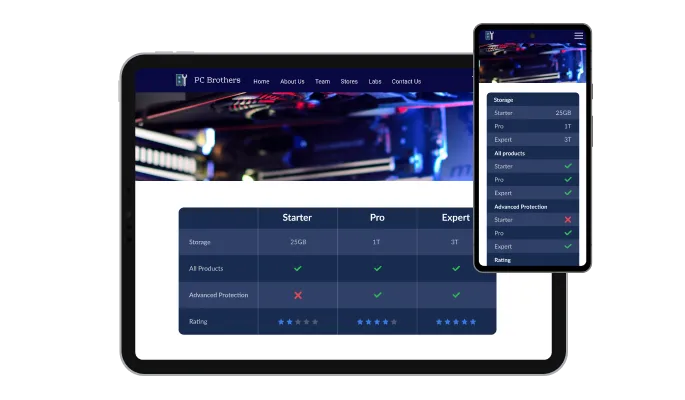
The Comparison Tables widget is a valuable tool for any website. Not only is it fully responsive, meaning it will adjust seamlessly to fit the screen size of any device, but it also has a sleek and modern design that will enhance the overall look of your site. In a world where more and more people are accessing the internet through their phones and tablets, it is crucial to have a website that is optimized for mobile viewing. The Comparison Tables widget will allow you to do just that, giving you an edge over competitors.

Our advanced editor is a powerful tool that gives you complete control over the appearance of the Comparison Tables widget. With this feature, you can easily customize every aspect of the widget's look and feel, from the colors and fonts to the layout and positioning. But if you're feeling particularly creative, you can take your customization to the next level by editing the CSS directly. This gives you the ability to make even more advanced changes to the widget, allowing you to make it your own. Whether you want to make a few simple tweaks or go all out with advanced customizations, our advanced editor has you covered.

To embed the Comparison Tables widget on your website, simply copy and paste the provided code snippet into the HTML of your webpage. Additionally, the widget is designed to be self-updating, meaning that any changes you make to the Comparison Tables Editor will be reflected automatically on your website without the need for any additional manual updates.
The Comparison Tables widget comes with indispensable search and sort options that will further enable your users to access information in the most accessible way.
With Comparison Tables, you can create floating elements to keep the position of column and row headers fixed. Your users won’t get lost when looking at long tables.
The Comparison Tables widget offers a pagination option for the really long comparison tables. Allow your users to read all the information you want comfortably.
The Comparison Tables widget is easy to use and requires no coding knowledge. Our intuitive dashboard with the drag-and-drop feature will enable you to customize the widget any way you’d like to with just a few simple clicks.
Ready to ship a comparison table that converts?
Open the editorNo credit card · CSV import in one click
Common Ninja has amazing no-code widgets that would beautify a website built on any builder. It is very easy to use and customise. It has as many widgets for almost everyone willing to make their website impressive.
Outstanding service. I use their widgets to help me with my web design business and whenever I need help they are very quick to help.
Excellent company with excellent service!!! We used it to build a survey, it was very user friendly. The service was perfect. Amit helped us with every problem and question we had, thank you very much!!!
Common Ninja saved the day when building our website and the customer service Daniel, the co-founder and CEO, provided was amazing.
Yes. The free plan covers one Comparison Tables widget with no time limit, no credit card, and no trial countdown. Upgrade only when you need additional widgets, premium skins, or higher monthly view limits.
No. Build the entire table in a drag-and-drop editor, or import a CSV from Google Sheets or Excel and the widget builds it for you. Paste one line of embed code into your site to publish. Most users finish setup in under 3 minutes.
Yes. Drag a CSV file from Google Sheets, Excel, Numbers, or any spreadsheet tool into the editor and the widget converts every row and column into a styled comparison table. Re-import the file later to refresh data without losing your styling.
Yes. Tables automatically switch to a stacked or horizontal-scroll layout below 768px so a wide comparison stays readable on a phone. You can also mark specific columns as desktop-only to keep the mobile view focused on what matters most.
A hand-coded HTML table works for a 3-row spec sheet but breaks on three things: mobile responsiveness (which means a media-query rewrite), updating the data (every edit means a code commit), and design (CSS for borders, hover states, sticky headers adds up fast). The widget handles all three with a few clicks and one embed snippet.
Yes. In Elementor, drag the HTML widget onto your page and paste the Common Ninja embed snippet. The table renders inline with your design and stays in sync with every edit you make in the Common Ninja dashboard.
Yes. In the Divi Builder, add a Code Module where you want the table and paste the Common Ninja embed snippet. The comparison renders immediately inside your Divi section and inherits your row width.
200+ platforms including Squarespace, Elementor, Framer, Shopify, Divi, Wix, Webflow, WordPress, BigCommerce, Tilda, Unbounce, HighLevel, and any custom HTML page that accepts an embed snippet.
Pick your platform. Each takes under 4 minutes.

Displays pricing options for products or services in a clear and organized format

Visualize data and information using various chart types, including bar, pie, and line graphs, and more

Use tabs to organize content into different parts

A simple slider that lets visitors compare before and after images to see visual changes clearly.

Showcase customer testimonials using a rotating slider
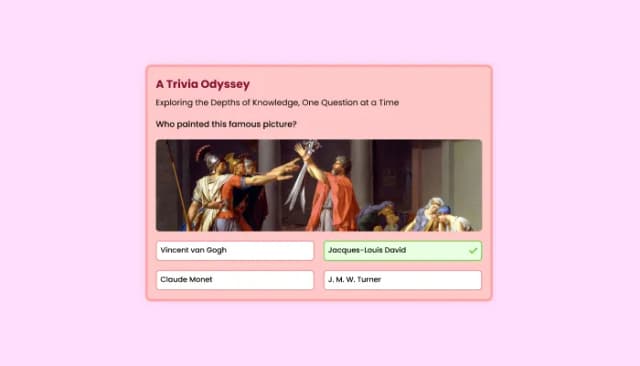
Quiz Maker for easy custom quiz creation and integration.
Yes, you can easily do so by selecting the “Icon Change” option under the “Look & Feel” tab.
Yes, you can! The compare table features full RTL support.
Yes, you can! The widget is fully responsive, but you can also change specific behaviors in the “Settings” tab.
Yes, the widget comes with a sorting feature available.
Yes, the widget comes with a search option available.
Yes, the widget features a pagination option.
Using the Comparison Tables widget is very easy. Simply sign up and start using the free version. There's no need to worry about complicated setup or installation processes, as the Comparison Tables widget is designed to be user-friendly and straightforward. Once you've signed up, you'll have access to all of the basic features and functions of the widget, which you can use to enhance your website and improve your online presence. From there, you can choose to upgrade to the paid version if you want to access more advanced features and capabilities. Regardless of which version you choose, you'll find that the widget is a powerful and easy-to-use tool that can help you take your online presence to the next level.
The Common Ninja Comparison Tables widget is a free tool reach with features and options. While this widget is free to use, it does have a limit on the number of views it can handle. This means that after a certain number of views, the chat button may no longer be visible or functional on your website. It is important to note that this view limit may vary depending on the plan you are using. Despite this limitation, Common Ninja's Comparison Tables is still a valuable tool for businesses looking to increase customer engagement and improve the overall user experience of their website.
The Common Ninja's Comparison Tables widget is a versatile tool for any website builder. This means that you can easily add this widget to your website or store no matter what platform you use to build your website. The Comparison Tables widget will work seamlessly with your platform whether you are using a popular website builder or something more specialized. This means you can enjoy all the benefits of this powerful tool without having to worry about compatibility issues.
It’s very easy to embed Common Ninja’s Comparison Tables widget on your website and the process consists of two steps:
The Comparison Tables widget is designed to comply with the General Data Protection Regulation (GDPR), a set of EU regulations protecting personal data and privacy. When using the Comparison Tables widget, you can be confident that it will not collect or store personal data that could violate GDPR regulations. This ensures that your business is in compliance with these regulations and can protect your customers' data privacy. Overall, the Comparison Tables widget is a secure and reliable tool that can be used to enhance your website without any concerns about GDPR compliance.
No need for coding skills. Our Comparison Tables widget is designed to be easy to use, even for those with limited technical experience. The widget features a user-friendly interface that allows you to easily customize the widget without coding knowledge. You can fully customize the Comparison Tables to match your branding. When you're done, simply copy the provided code and paste it into your website. It's that simple!
Embedding the Comparison Tables widget on your website is a straightforward process. Simply copy the provided code and paste it into the desired location on your website. The widget will seamlessly integrate into your site, allowing you to take advantage of its features and functions. No technical expertise or programming knowledge is required - just copy and paste the code to get started. This simple process allows you to easily add the widget to your website and enhance its functionality without any hassle.
Yes. We are eager to hear your request. Please refer to this page.
here are several benefits to displaying comparison tables on your website:
Yes, a comparison table widget can improve your website's user experience (UX). A comparison table widget can help users quickly find the information they need and make informed decisions by providing a clear, easy-to-use format for comparing different products or services. This can save them time and effort and improve their overall experience on your website.
Additionally, a comparison table widget can be customized to meet your audience's specific needs and preferences. For example, you can allow users to sort and filter the table to focus on specific features or prices, or you can add additional columns or rows to include more detailed information.
A comparison table widget can be a useful and effective tool for improving the UX of your website.
A comparison table widget is a tool that allows users to compare different products or services on your website. It typically includes a table with rows and columns that highlight key features, prices, and other important details about each product or service.
The widget is usually interactive and allows users to sort and filter the table to focus on specific information or compare different products or services. Some comparison table widgets also include additional functionality, such as the ability to click on a product or service to view more details or make a purchase.
Comparison table widgets are often used on e-commerce websites, but they can also be useful for other websites offering multiple products or services. They can help users make informed decisions and improve your website's user experience (UX).
CSV import in one click. Works on 200+ platforms including Elementor, Divi, Squarespace, Shopify, and Framer.
Create your comparison tableNo credit card · Setup in under 3 minutes