


Verified review
Common Ninja has amazing no-code widgets that would beautify a website built on any builder. It is very easy to use and customise. It has as many widgets for almost everyone willing to make their website impressive.
Try the editor, no signup
Pick a template, customize it, and watch it update live, no signup.
No credit card · Free forever plan
No credit card · Free forever plan
The Common Ninja Event List widget is a free, no-code embed that displays a structured list of upcoming events on your website, title, date, time, location, description, and optional cover image per event.
Add events manually in the editor with all the details visitors need to commit (date, time, location, description, image, RSVP or registration link), pick a layout (vertical list, card grid, compact agenda), customize the date and time display format, pick a skin or layer Custom CSS, and paste a one-line embed snippet on Squarespace, WordPress, Shopify, Carrd, Google Sites, Webflow, Wix, and 200+ other platforms.
Use it for community-event calendars, workshop schedules, conference agendas, club meeting lists, performance schedules, or any page where visitors should see what's coming up at a glance without clicking through a date-grid first.
A monthly calendar grid is great for visitors who know the date they want, but most visitors arrive curious about "what's coming up" and don't want to click through every day-cell to find out. An event list shows the next 3, 5, or 10 events in reading order with all the detail visitors need to decide whether to attend.
Title + date + venue + short description all visible per event means a visitor can decide at a glance whether each event is for them. No drilling, no popups, no detail-page round trips. Higher RSVP rate per scroll because the decision happens inline.
An optional cover image per event turns the list from a plain reading column into a visual feed that draws the eye. Especially useful for cultural events, workshops with branded materials, performances with poster art, or community meetings where the imagery adds context.
A Calendar widget renders a month grid. Visitors click days to see what's happening that day. An Event List shows events in chronological reading order without requiring a day-by-day drill. Use this Event List when visitors should scan upcoming events; use the Common Ninja Calendar widget when visitors need to look up a specific date.
Enter each event with title, date, start and end time, location (address or venue name), description, and an optional cover image. Add a link per event for RSVP, registration, or details. Add as many events as your plan supports; reorder via drag-and-drop in the editor.
Choose a layout: vertical list (reading column with each event in a full-width row), card grid (multi-column tile grid), or compact agenda (date-bullet format for tight spaces). Configure date and time display (12 vs 24-hour, short vs long date format), enable intro animations on scroll-into-view, pick a skin from the design library or layer Custom CSS for pixel-level brand match.
Copy the one-line embed snippet and paste it on Squarespace, WordPress, Shopify, Carrd, Google Sites, Webflow, or any of the 200+ supported platforms. Past events auto-hide based on their end date if you enable that option, so the list stays current without manual cleanup. Edits in the Common Ninja editor push to every embed without re-paste.
Vertical list (full-width reading row per event), card grid (multi-column tile grid), compact agenda (date-bullet format for tight spaces). Switch in the editor without re-entering events; each layout reflows responsively across breakpoints.
Pick from a library of pre-designed skins (minimal, magazine, dark-mode, soft-card, community-vibrant) for a fast visual fit. Each skin frames event cards with its own typography, date-badge styling, and divider treatment.
Each event carries date, start/end time, and location (address or venue name) as first-class fields. Display format is configurable (12 vs 24-hour, short vs long date), and time-aware so past events can auto-hide once their end date passes.
Layer Custom CSS over any skin to control card sizing, date-badge styling, image framing, hover animation, RSVP-button styling, and per-breakpoint sizing. The widget integrates with your site's design system without rebuilding from scratch.
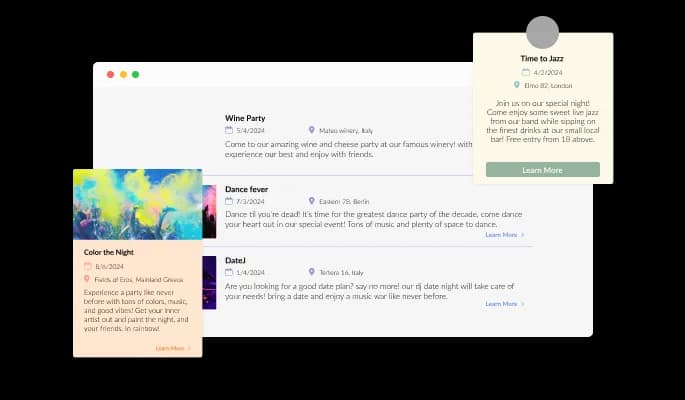
The Event List widget features six layouts with varying image sizes and text layouts, supporting horizontal and vertical design to ensure that the widget fits your design requirements.
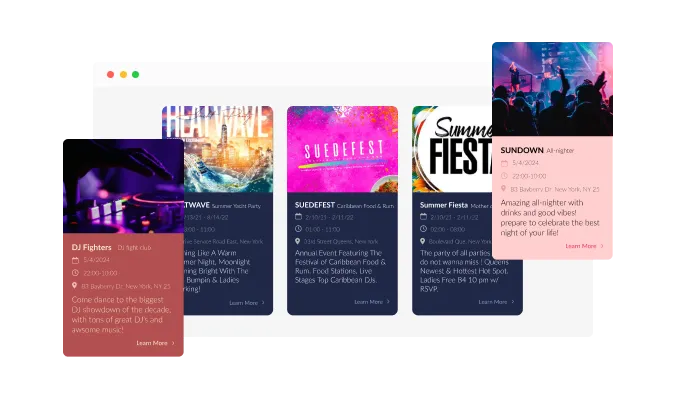
The Event List Widget comes with a variety of beautiful skins that you can choose from so you don’t have to spend much time on extensive customization.
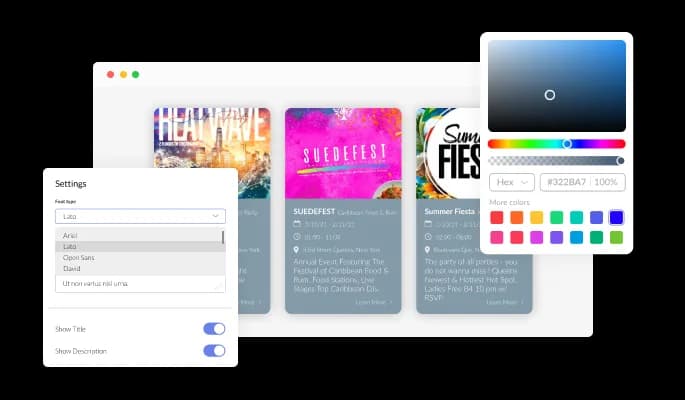
The Event List widget features full customization options so you can edit the design to fit your needs. Change the colors, the fonts, the spacing and anything else!
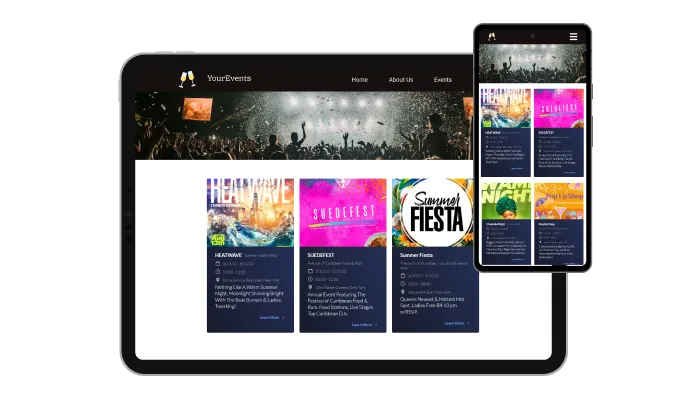
The Events widget is fully responsive and will look great on any device. In the mobile-first world, you will have the edge over your competitors.

As with all of Common Ninja’s widgets, you can add custom CSS to customize the widget and be even more creative.

You can embed the Event List widget on your website, easily, by copying a single line of code. The widget will also be updated automatically with every change you make.
You can add images in the Events widget to show locations, halls, musicians, musical instruments, performers, and more!
The Event List widget is easy to use and requires no coding knowledge. Our intuitive dashboard with the drag-and-drop feature will enable you to customize the widget any way you’d like to with just a few simple clicks.
The Event List widget features the option to enable a gentle animation that the user will see when first accessing the Events List, to make the page less static and more appealing.
The events widget enables you to easily add the location of the event, its time and date to display it to make this information easily visible to your users and improve their experience.
Common Ninja has amazing no-code widgets that would beautify a website built on any builder. It is very easy to use and customise. It has as many widgets for almost everyone willing to make their website impressive.
Outstanding service. I use their widgets to help me with my web design business and whenever I need help they are very quick to help.
Excellent company with excellent service!!! We used it to build a survey, it was very user friendly. The service was perfect. Amit helped us with every problem and question we had, thank you very much!!!
Common Ninja saved the day when building our website and the customer service Daniel, the co-founder and CEO, provided was amazing.
Yes. The free plan covers one Event List widget with no time limit and no credit card. Upgrade only when you need additional widgets, more events per list, advanced filtering, premium skins, or features like ticket-link integration and per-event analytics.
A Calendar widget renders a month grid where visitors click days to see what's scheduled. An Event List shows upcoming events in chronological reading order, title, date, time, location, description per row. Without requiring visitors to click into individual day-cells. Use this Event List when visitors should scan what's coming up; use the Common Ninja Calendar widget when visitors need to look up a specific date or see month-at-a-glance scheduling.
Configurable. Default behavior auto-hides events once their end date passes, keeping the list current without manual cleanup. Switch to manual mode if you want to keep past events visible (useful for archive-style lists where visitors want to see what already happened).
Yes. Add a link per event for RSVP, registration, ticket purchase, or detail page. The link can route to a Common Ninja form widget (RSVP Form, Form Builder) on the same site, to an external ticketing platform (Eventbrite, Lu.ma), or to any URL you want visitors to land on after clicking through.
Configure 12-hour or 24-hour time display, short or long date format ("Mar 15" vs "March 15, 2026"), localized month/day names, and start/end time pairs ("7pm - 9pm"). Set the timezone so the displayed times match visitor expectations.
Build the widget in the Common Ninja editor (add events, pick layout, customize design), copy the embed snippet, and paste it into your site: Squarespace via a Code Block in your section; WordPress via a Custom HTML block (Gutenberg) or Shortcode/Text widget (Classic); Shopify via a Custom HTML section in your theme editor. Edits in the editor push to every embed without re-paste.
Yes. Upload a cover image per event in the editor. The image appears alongside the event title and date in card-grid and vertical-list layouts. Useful for visually-led event sets like performances, workshops with branded materials, or community meetings where imagery adds context.
Yes. All layouts (vertical list, card grid, compact agenda) adapt across mobile, tablet, and desktop breakpoints. Event cards reflow to single-column on narrow screens, date and time stay readable at every viewport, and tap targets for RSVP links stay finger-sized.
Pick your platform. Each takes under 4 minutes.
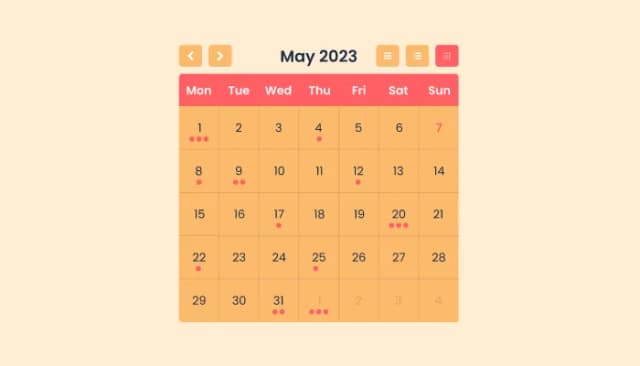
Manage Events, Engage Visitors, and Elevate Your Brand’s Image
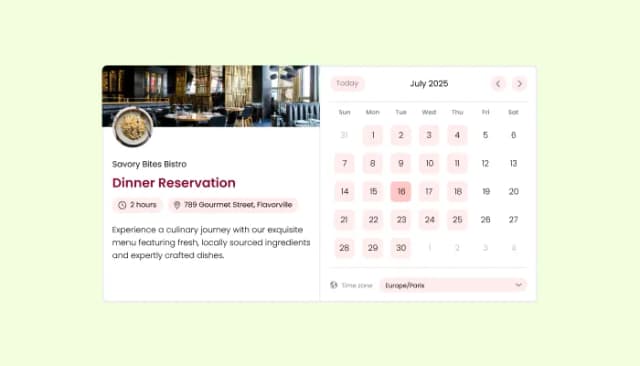
Manage appointments, sync calendars, and send reminders efficiently.
Allow users to register for events, save submissions, enable notifications, and more
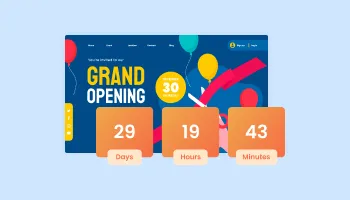
Displays a timer counting down to a specific date or event

Allow users to send messages or inquiries, save submissions, enable notifications, and more

Displays images and captions in diverse layouts and grids, presenting visually appealing arrangements for showcasing multiple images
Yes, there are six layouts from which you can choose under the Templates tab.
Yes, you can easily choose one of five animation options.
Yes, you can easily do so from the Look & Feel tab.
Yes, you can change its size, color, & border.
Yes, you can toggle any element on or off.
Using the Event List widget is very easy. Simply sign up and start using the free version. There's no need to worry about complicated setup or installation processes, as the Event List widget is designed to be user-friendly and straightforward. Once you've signed up, you'll have access to all of the basic features and functions of the widget, which you can use to enhance your website and improve your online presence. From there, you can choose to upgrade to the paid version if you want to access more advanced features and capabilities. Regardless of which version you choose, you'll find that the widget is a powerful and easy-to-use tool that can help you take your online presence to the next level.
The Common Ninja Event List widget is a free tool reach with features and options. While this widget is free to use, it does have a limit on the number of views it can handle. This means that after a certain number of views, the chat button may no longer be visible or functional on your website. It is important to note that this view limit may vary depending on the plan you are using. Despite this limitation, Common Ninja's Event List is still a valuable tool for businesses looking to increase customer engagement and improve the overall user experience of their website.
The Common Ninja's Event List widget is a versatile tool for any website builder. This means that you can easily add this widget to your website or store no matter what platform you use to build your website. The Event List widget will work seamlessly with your platform whether you are using a popular website builder or something more specialized. This means you can enjoy all the benefits of this powerful tool without having to worry about compatibility issues.
The Event List widget is designed to comply with the General Data Protection Regulation (GDPR), a set of EU regulations protecting personal data and privacy. When using the Event List widget, you can be confident that it will not collect or store personal data that could violate GDPR regulations. This ensures that your business is in compliance with these regulations and can protect your customers' data privacy. Overall, the Event List widget is a secure and reliable tool that can be used to enhance your website without any concerns about GDPR compliance.
No need for coding skills. Our Event List widget is designed to be easy to use, even for those with limited technical experience. The widget features a user-friendly interface that allows you to easily customize the widget without coding knowledge. You can fully customize the Event List to match your branding. When you're done, simply copy the provided code and paste it into your website. It's that simple!
Yes. We are eager to hear your request. Please visit our Feature Request page.
There are several potential benefits to displaying an event list widget on your website. Here are a few examples:
An event list widget is a user interface element that displays a list of upcoming events. It is typically found on websites and is often used to promote events and encourage visitors to attend. An event list widget typically includes information such as the event name, date, location, and a brief description. Some event list widgets also allow users to filter or search for events based on specific criteria, such as the type of event or the location. Event list widgets are often used with a calendar feature, allowing users to add events to their calendars easily.
Display upcoming events in chronological order: title, date, time, location, description, and cover image per event. Multiple layouts, auto-hide past events, RSVP-link integration, intro animations, stylish skins, and Custom CSS. Embed on 200+ platforms including Squarespace, WordPress, Shopify, Carrd, Google Sites, Webflow, and Wix.
Create your Event ListNo credit card · Setup in under 5 minutes