Try for free!

Animated Number Counter for Elementor

Show key stats with an animated number counter that draws attention, adds social proof, and helps increase trust and conversions.

Create Animated Number Counter

loved by 500K+ businesses

Elementor
plugineditoreditor

Why Should You Use the Animated Number Counter Widget+?

Use Elementor Animated number counter to Enhance static pages with animation

Using Animated number counter widget, you can add animation to your Elementor website static pages to make them more engaging. Insert the animation in between sections to let your users rest their eyes, or next to a section with lots of text, to highlight the significant bits, or any other way you see fit.

Boost your data's visibility

By using the animation effect in the Animated number counter for Elementor, you are able to easily draw attention to different stats. Your strengths can be displayed, whether it's users, active installations, sales, etc.

Enhance Design with Animated number counter for Elementor

Additionally to the animation effect, Elementor Animated number counter widget can be customized with a large selection of icons, different layout options, premade skins and more to complement any page design. To complement your existing design, you can design and customize it however you like.

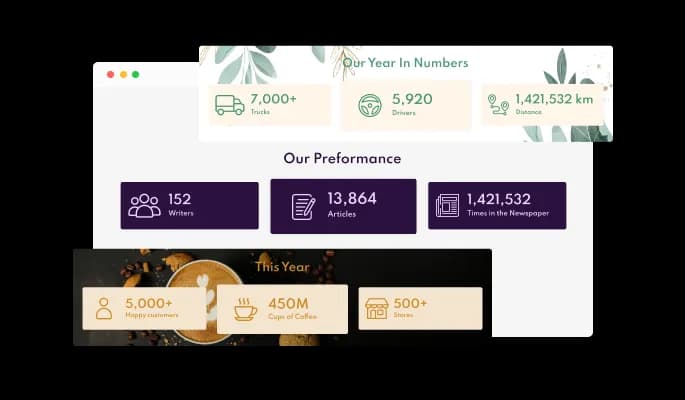
Large Selection of Skins for your Elementor website

Many beautiful skins are available with the Elementor Animated number counter widget, so you don't have to spend time customizing it for your Elementor website. These skins will complement most design color schemes and will enable you to quickly and effortlessly set up a beautiful Animated number counter widget for your Elementor website.

Animated Number Counter - Large Selection of Skins for your Elementor website

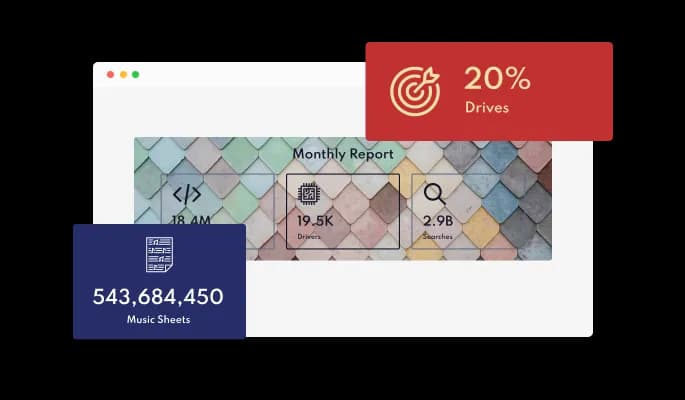
Selection of Stunning layouts for Elementor Animated number counter

Several layouts are available for customizing the Animated number counter widget to make sure it meets the vision and design of your Elementor website.

Animated Number Counter - Selection of Stunning layouts for Elementor Animated number counter

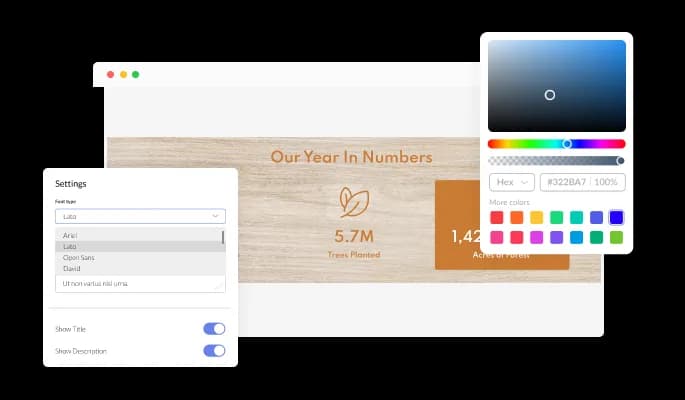
You can fully customize the widget design

The Animated number counter widget for Elementor offers full customization options so you can edit the design to suit your Elementor website needs. Changing colors, fonts, spacing, and everything else is possible!

Animated Number Counter - You can fully customize the widget design
Animated Number Counter - Eye-Catching Animation

Eye-Catching Animation

The Animated Number Counter widget features an entertaining, eye-catching “counting” animation that is sure to add a sense of action to your [platfrom] website, as well as help focus the user’s attention on important information.

Animated Number Counter - Selection Set of Icons for Elementor Animated number counter

Selection Set of Icons for Elementor Animated number counter

A large selection of icons are available for this widget in addition to adding images.

Animated Number Counter - Set the start number

Set the start number

You can customize the Animated number counter widget any way you see fit. If you set the start point of the counter for high numbers, your users will not have to wait long for the counting to end...

Animated Number Counter - Prefixes and suffixes

Prefixes and suffixes

Do you wish to add a plus sign after a number? Or perhaps to denominate that the number refers to users? Or maybe even that the number represents a certain currency? The number can either be prefixed or suffixed to add whatever you want.

Animated Number Counter - Add a call to action to the Animated number counter

Add a call to action to the Animated number counter

Links on the Animated Number Counter widget can make navigation on your Elementor website easier and increase conversions.

Animated Number Counter - Adding and editing a background

Adding and editing a background

Adding a background image to your number counter will really set it apart from other counters and complement how your Elementor website is designed.

Animated Number Counter - A breeze to use widget

A breeze to use widget

Animated number counter for Elementor do not require any coding knowledge. Using the drag-and-drop feature on our intuitive dashboard, you can customize the widget in any way you see fit.

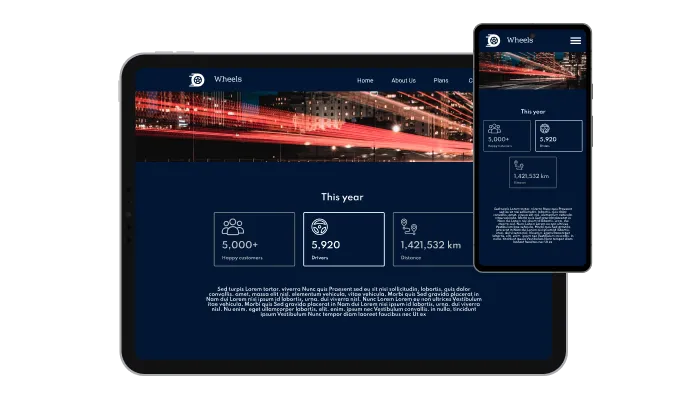
Responsive Design for your Elementor website

The Animated number counter widget for Elementor is 100% responsive and will look wonderful on any device. Having this feature gives you an edge over your competitors in a mobile-first world.

Animated Number Counter - Responsive Design for your Elementor website

Using custom CSS with the Animated number counter for Elementor

In the Animated number counter for Elementor, you can add custom CSS to make the widget even more personalized and creative.

Animated Number Counter - Using custom CSS with the Animated number counter for Elementor

Easy To Embed On Your Elementor website

Embedding your Animated number counter widget on your Elementor website is as simple as copying and pasting one line of code. Every time you make a change, the Elementor Animated number counter will be automatically updated on your Elementor website.

Animated Number Counter - Easy To Embed On Your Elementor website

Compatible With All Site Builders, E-Commerce Platforms and Websites

webflow logoshopify logowix logowordpress logobigcommerce logosqurespace logoweebly logojoomla logoduda logojimdo logomagento logoshift4hsop logounbounce logocarrd logo
View all supported platforms

FAQ

Sure you can. It’s very easy. Just head over to the “Templates” tab, and select the layout you prefer.

Yes, you can easily do so by adding a prefix or a suffix, which will display the symbol before or after the number accordingly.

Yes, you can customize the animation’s duration and delay.

Yes, there is a hover effect that will highlight the selected number. 

Using the Animated Number Counter widget is very easy. Simply sign up and start using the free version. There's no need to worry about complicated setup or installation processes, as the Animated Number Counter widget is designed to be user-friendly and straightforward. Once you've signed up, you'll have access to all of the basic features and functions of the widget, which you can use to enhance your website and improve your online presence. From there, you can choose to upgrade to the paid version if you want to access more advanced features and capabilities. Regardless of which version you choose, you'll find that the widget is a powerful and easy-to-use tool that can help you take your online presence to the next level.

The Common Ninja Animated Number Counter widget is a free tool reach with features and options. While this widget is free to use, it does have a limit on the number of views it can handle. This means that after a certain number of views, the chat button may no longer be visible or functional on your website. It is important to note that this view limit may vary depending on your plan. Despite this limitation, Common Ninja's Animated Number Counter is still a valuable tool for businesses looking to increase customer engagement and improve the overall user experience of their website.

The Common Ninja's Animated Number Counter widget is a versatile tool for any website builder. This means that you can easily add this widget to your website or store no matter what platform you use to build your website. The Animated Number Counter widget will work seamlessly with your platform whether you are using a popular website builder or something more specialized. This means you can enjoy all the benefits of this powerful tool without having to worry about compatibility issues.

The Animated Number Counter widget is designed to comply with the General Data Protection Regulation (GDPR), a set of EU regulations protecting personal data and privacy. When using the Animated Number Counter widget, you can be confident that it will not collect or store personal data that could violate GDPR regulations. This ensures that your business is in compliance with these regulations and can protect your customers' data privacy. Overall, the Animated Number Counter widget is a secure and reliable tool that can be used to enhance your website without any concerns about GDPR compliance.

No need for coding skills. Our Animated Number Counter widget is designed to be easy to use, even for those with limited technical experience. The widget features a user-friendly interface that allows you to easily customize the widget without coding knowledge. You can fully customize the Animated Number Counter to match your branding. When you're done, simply copy the provided code and paste it into your website. It's that simple!

 Yes. We are eager to hear your request. Please visit our Feature Request page.

An animated number counter is a user-interface element that allows a website or application to display a number that increases or decreases over time. This can be used to create an interesting and dynamic visual effect, and it is often used to display statistics or other numerical data. An animated number counter may use a variety of animation techniques, such as smooth transitions, easing, or acceleration, to create a realistic and visually appealing effect. Some animated number counters may also include additional features, such as the ability to customize the animation speed or the number format or display multiple numbers at once. Overall, an animated number counter can be a useful and engaging way to display numerical data on a website or application.

An animated number counter widget can be used to display a wide range of numerical data or statistics on a website or application. Some common examples of content that can be shown on an animated number counter widget include:

  • Total sales or revenue
  • Total number of customers or users
  • Total number of products or items in inventory
  • Total number of orders or transactions
  • Total number of visits or page views
  • Total amount of time spent on the website or app
  • Total distance traveled or calories burned
  • Total number of awards or achievements


In general, any type of numerical data or statistic that can be represented as a single number or a series of numbers can be shown on an animated number counter widget. The widget can be customized to display the numbers in a variety of formats, such as currency, percentage, or decimal, and it can be used to display both positive and negative numbers. Additionally, the widget can be used to display multiple numbers at once, allowing users to compare different data points or statistics easily.

An animated number counter widget can improve a website's user experience (UX) by providing a dynamic and engaging way to display numerical data or statistics. The animation effect of the widget can make the numbers more visually appealing and engaging, which can help to capture the user's attention and keep them interested in the content. Additionally, the animated number counter widget can provide users with a clear and concise way to view numerical data, which can make it easier for them to understand and interpret the information. This can improve the overall usability and user-friendliness of the website, as users can easily access and interact with the numerical data without having to search for it or interpret it in a different format. Overall, an animated number counter widget can be a useful and effective tool for enhancing the UX of a website.

Whether it is better to display an animated number counter with an image or without an image depends on the website or application's specific context and goals. In some cases, displaying the animated number counter with an image can be more effective and visually appealing, as the image can provide additional context and information about the data being displayed. For example, if the animated number counter is being used to display the total number of products sold, an image of the product can provide a more engaging and informative visual representation of the data. On the other hand, in some cases, displaying the animated number counter without an image may be more effective, as it can allow the numbers to be more prominent and easily visible to the user. Additionally, using an image may not always be appropriate or feasible, depending on the nature of the data being displayed or the design of the website. Ultimately, the decision to display an animated number counter with or without an image will depend on the specific goals and needs of the website or application.

Embedding the Animated Number Counter widget on your website is a straightforward process. Simply copy the provided code and paste it into the desired location on your website. The widget will seamlessly integrate into your site, allowing you to take advantage of its features and functions. No technical expertise or programming knowledge is required - just copy and paste the code to get started. This simple process allows you to easily add the widget to your website and enhance its functionality without any hassle.