


Verified review
Common Ninja has amazing no-code widgets that would beautify a website built on any builder. It is very easy to use and customise. It has as many widgets for almost everyone willing to make their website impressive.
Try the editor, no signup
Pick a template, customize it, and watch it update live, no signup.
No credit card · Free forever plan
No credit card · Free forever plan
The Common Ninja Pricing Slider is a free, no-code widget that lets visitors drag a slider to see what a quantity or tier costs. Set the price points, add your discounts, and paste one line of embed code.
It is a calculator rather than a catalogue filter: the visitor moves one handle, and the price, the description, and any volume discount update as they go.
Linear and interval discounts, a slider tooltip, contextual descriptions per step, skins, and custom CSS are all included. Works on 200+ platforms including WordPress, Squarespace, Elementor, Shopify, and Webflow.
Volume pricing hidden behind a contact form loses the people who were not ready to talk yet. A slider lets someone find their own number in seconds, so the conversation starts with a qualified visitor rather than a curious one.
A discount nobody notices does not persuade anyone. When the price per unit visibly drops as the slider moves right, the incentive to buy more becomes the obvious thing on the page rather than a footnote in a table.
Some products have too many tiers for a table to stay readable. A slider collapses twenty rows into one control, and the contextual description tells the visitor what changes at the step they have landed on.
Agencies, freelancers, and consultancies price by hours, seats, or scope, which does not fit a product grid. A slider handles that shape naturally, and gives a prospect a defensible starting number before the first call.
Define the range the slider covers and what each step costs, whether that is users, seats, units, hours, or messages. Each step can carry its own description, so the slider explains the tier as well as pricing it.
Choose a linear discount that scales smoothly with volume, or interval discounts that step down at thresholds you set. Interval discounts are the honest way to show a real price book; linear suits simple per-unit pricing.
Copy the snippet from the Add to Website tab and paste it where the slider belongs. Price changes you make later push to every page carrying the embed, so a price rise is one edit rather than a hunt through your site.
Scale the price smoothly with volume, or step it down at thresholds you define. Interval discounts mirror how real price books work, so the slider can match your actual commercial terms rather than approximating them.
Each position on the slider can carry its own text, so a visitor learns what the tier includes at the same moment they see what it costs. Price without context rarely convinces anyone on its own.
The value follows the handle as it moves, so the number is where the visitor's eye already is. Without it people drag, then hunt the page for what changed.
Ready-made skins so it looks finished immediately, full responsiveness so the handle stays usable on a touchscreen, and custom CSS for exact design matching. One embed snippet, 200+ platforms.
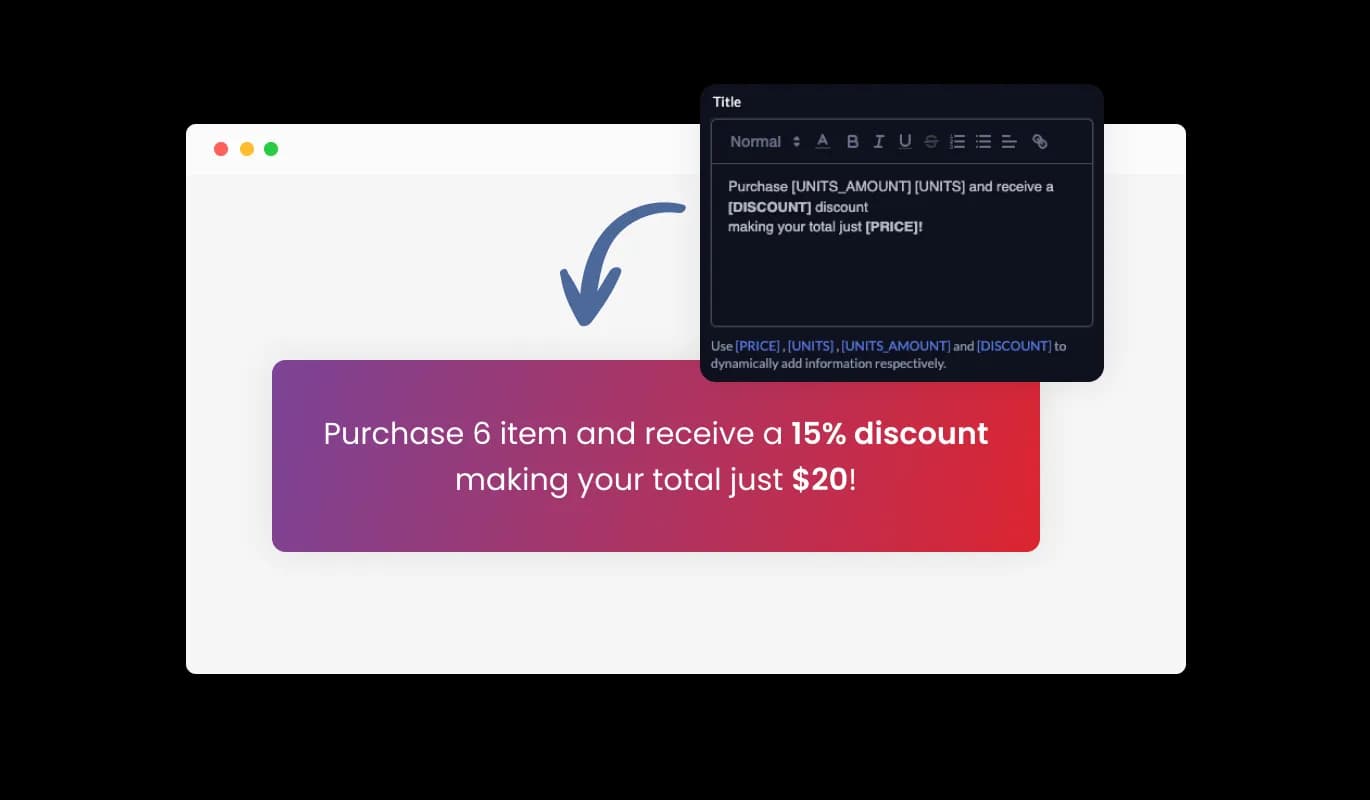
The Pricing Slider goes beyond mere numbers; it offers a narrative. Utilize variables to generate a description that adjusts in real-time based on the slider's position. As users modify the quantity, the description seamlessly updates, providing them with a comprehensive understanding of the price, discount, and items involved. This enhances clarity and ensures users are always informed of their selections.
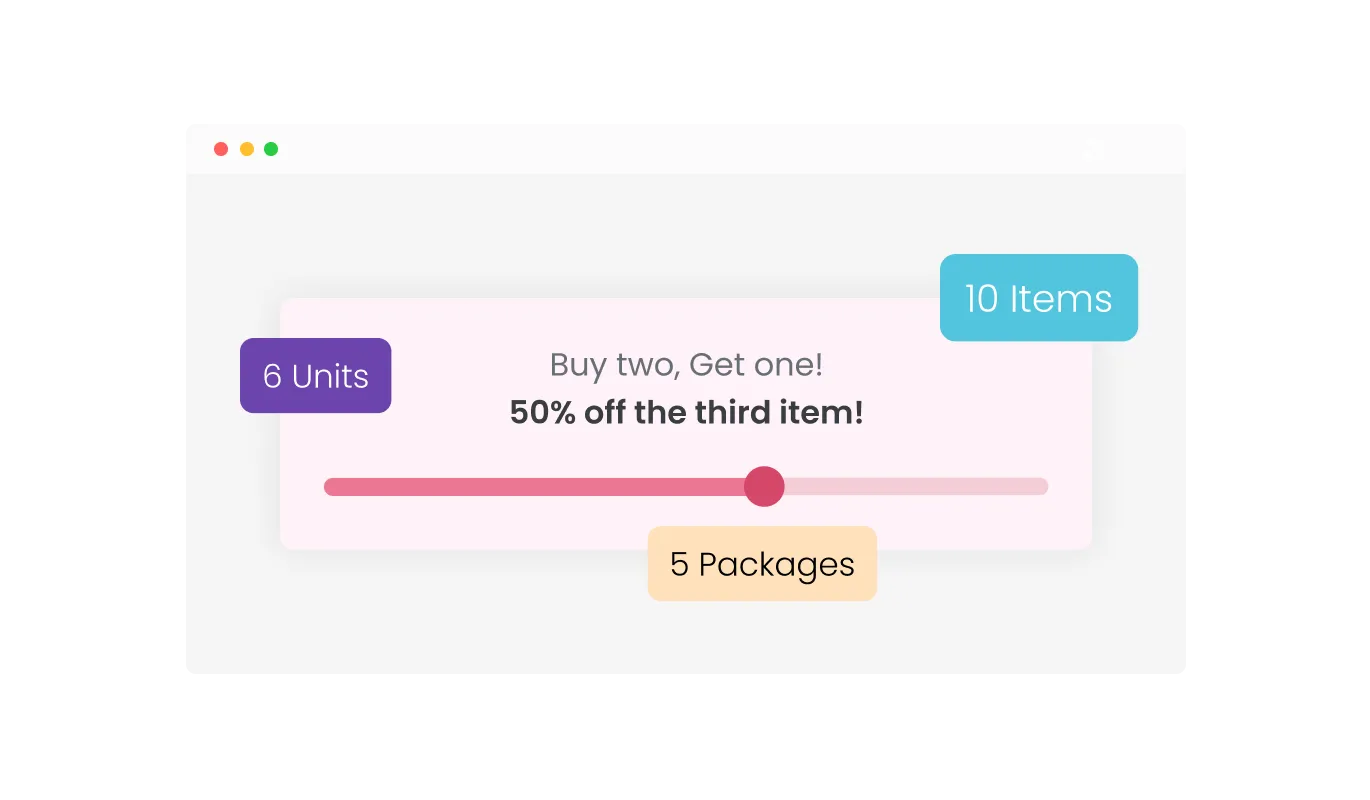
The Pricing Slider enhances user clarity with a tooltip that appears above the slider, detailing the precise item count. Integrate a prefix or suffix to this tooltip, providing context and clarity to the displayed number, ensuring users always grasp the quantity's significance.
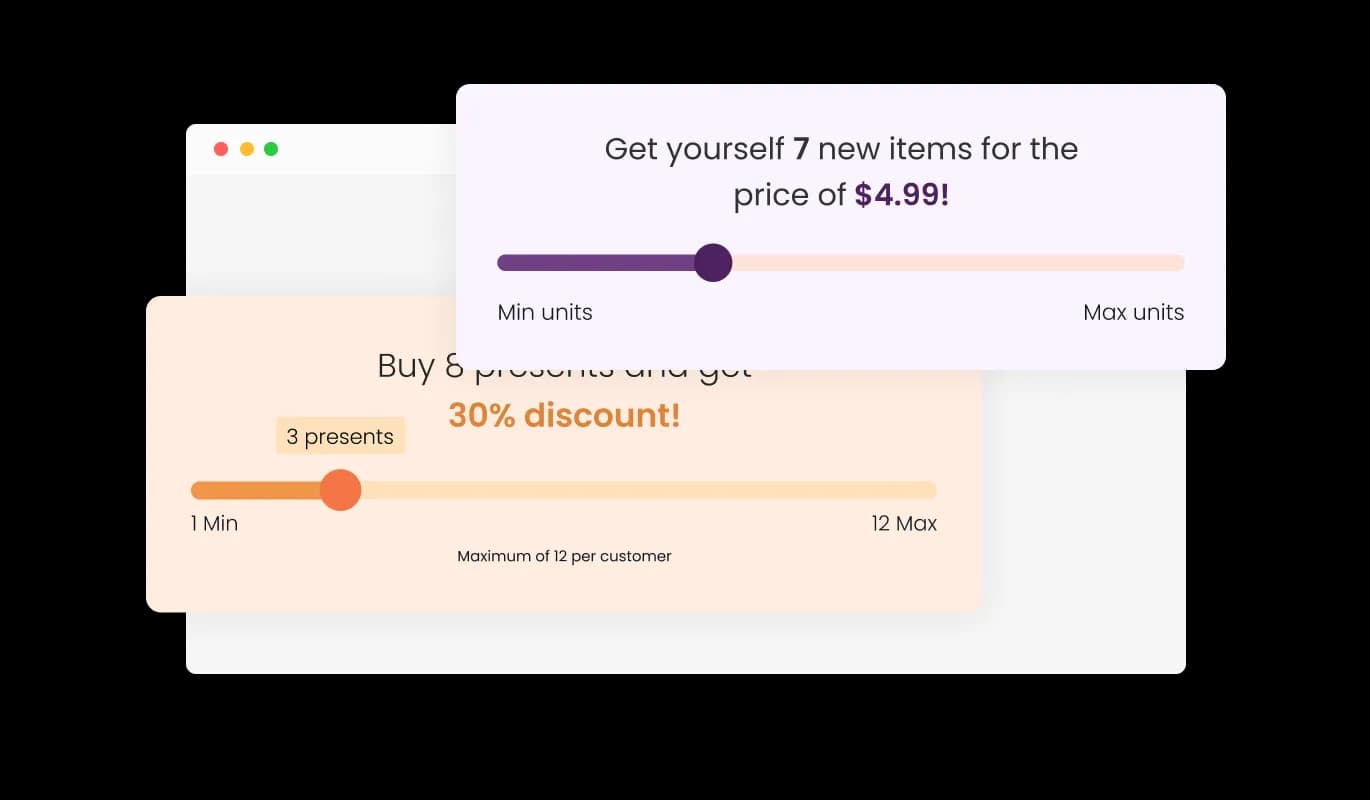
Explore the array of skins with the Pricing Slider Widget. A variety of styles are at your fingertips, allowing swift customization. Seamlessly align the Pricing Slider's aesthetic with your website for a harmonious look and feel.
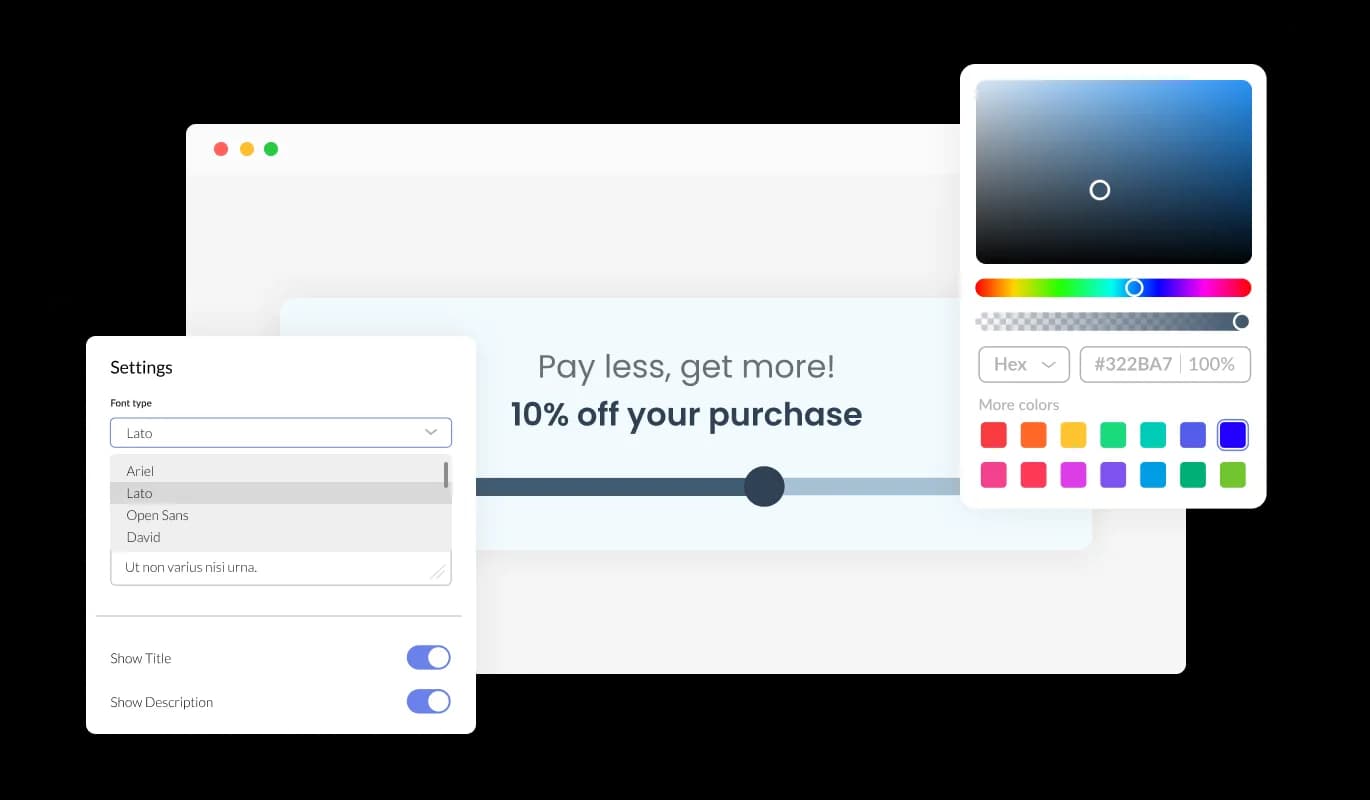
Dive deep into customization with the Pricing Slider Widget. Whether it's adjusting color tones, fonts, or spacing, the widget is crafted to blend with your site. Ensure the Pricing Slider perfectly mirrors your website's ambiance.
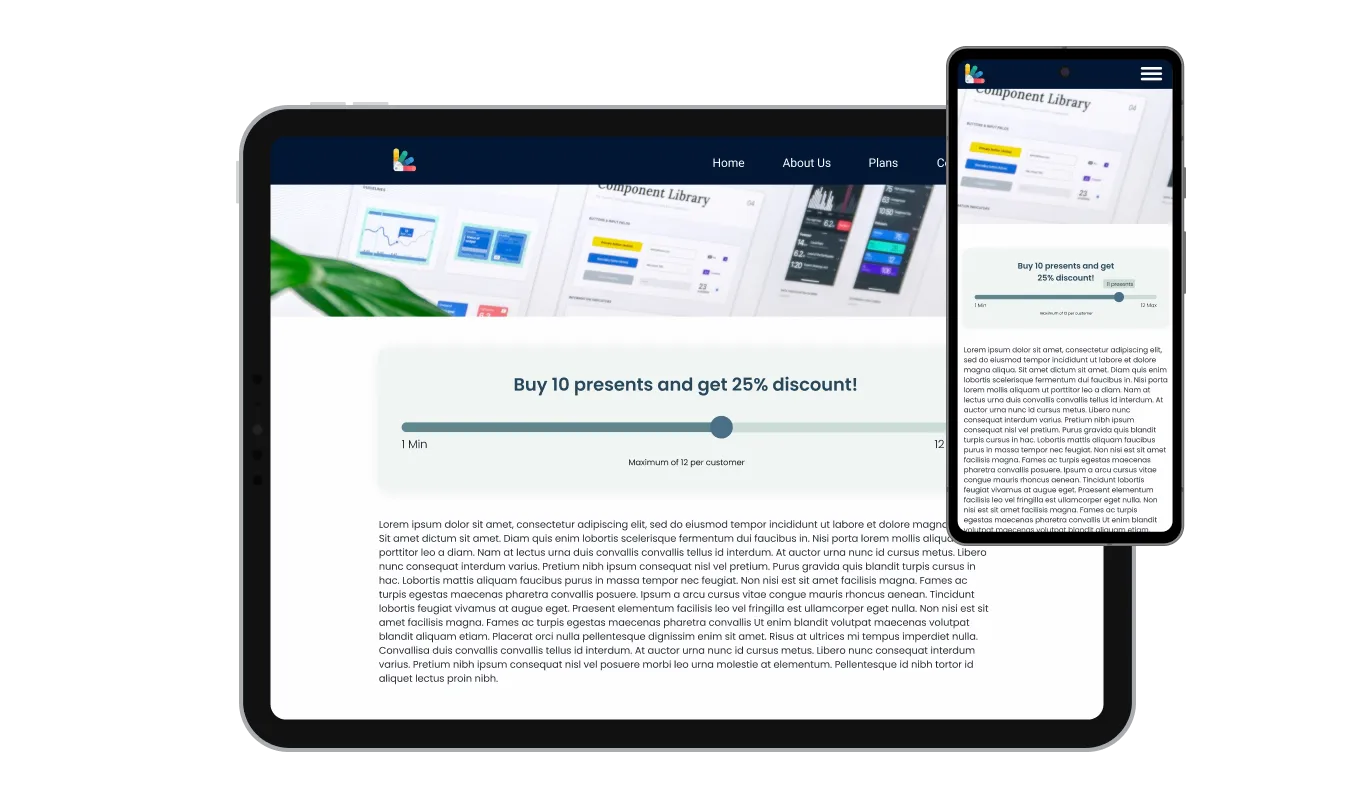
The Pricing Slider Widget is crafted for today's diverse device landscape. It adapts gracefully from desktop to mobile, promising a stellar viewing experience. With the Pricing Slider, your site remains modern and user-centric across all devices.

The Pricing Slider Widget supports custom CSS, enhancing its adaptability. Harness this feature to further mold its appearance. Let your creativity flow and make the Pricing Slider uniquely yours.
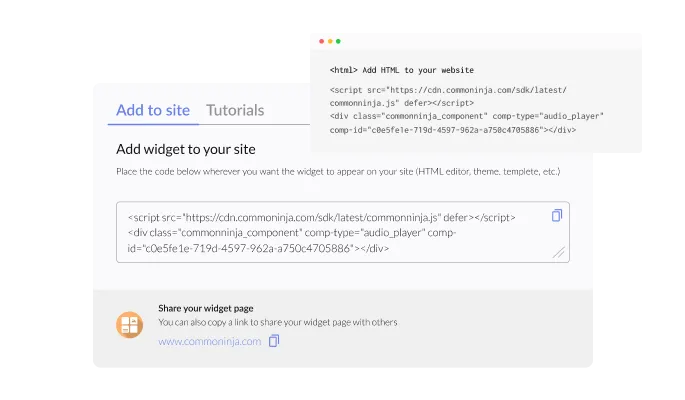
Integrating the Pricing Slider Widget into your website is straightforward. Simply use the provided code for swift incorporation. As you tweak the Pricing Slider, your website will automatically reflect those changes, ensuring visitors always see the most updated version.
With the Pricing Slider, you can effortlessly input specific details tailored to your offerings. Easily define the item names, set the cost per unit, and select the appropriate currency, ensuring the widget aligns with your business's exact requirements.
The Pricing Slider allows for a straightforward discounting approach. Simply input a fixed percentage off, and designate the minimum quantity required for the discount to activate. This ensures customers are rewarded when purchasing in larger quantities.
Diversify your discounting strategy with the Pricing Slider. You can establish multiple discount tiers, assigning specific percentages to particular quantity ranges. This provides flexibility in incentivizing bulk purchases and can cater to varied purchasing behaviors.
The Pricing Slider Widget prioritizes ease of use. No coding knowledge? No problem. Its intuitive drag-and-drop feature ensures any user can customize the Pricing Slider effortlessly.
Build your pricing slider in the editor
Open the editorFree to use · No credit card · No signup to try it
Common Ninja has amazing no-code widgets that would beautify a website built on any builder. It is very easy to use and customise. It has as many widgets for almost everyone willing to make their website impressive.
Outstanding service. I use their widgets to help me with my web design business and whenever I need help they are very quick to help.
Excellent company with excellent service!!! We used it to build a survey, it was very user friendly. The service was perfect. Amit helped us with every problem and question we had, thank you very much!!!
Common Ninja saved the day when building our website and the customer service Daniel, the co-founder and CEO, provided was amazing.
No, and the difference matters. A price range filter has two handles and narrows a product catalogue to items between two prices. This is a pricing calculator: one handle, and moving it shows what a given quantity or tier costs, with any volume discount applied. If you need a catalogue filter, this is not the right widget.
This page is about a pricing slider widget you can put on your own site. Common Ninja's plan prices are on the pricing page, linked in the site navigation at the top of this page.
Anything that scales with a number: users, seats, units, licences, hours, messages, storage, or team size. You define what the range covers and what each step costs, so the slider speaks in your units rather than generic ones.
A linear discount scales smoothly, so the per-unit price falls a little with every step. An interval discount steps down at thresholds you set, for example a lower rate from 50 units and lower again from 200. Interval discounts usually match a real price book, and they make the incentive to reach the next threshold obvious.
No. It shows a price and explains what that price covers, which is the job of a pricing section. Checkout belongs to your store or payment provider, so put your existing buy button or contact link beside the slider.
Enough for realistic pricing, and the practical limit is readability rather than the widget. A slider with too many steps makes it hard to land on a specific value, so if your range is very wide, interval discounts and clear step descriptions do more for a visitor than extra granularity.
Yes, and this is one of the better reasons to use it. Prices live in the widget, so a change pushes to every page carrying the embed. A price rise becomes one edit rather than a search through your site for hardcoded numbers.
Yes, it is responsive and the handle is usable on mobile. Worth testing at phone width all the same: a slider covering a very wide range can be fiddly to land precisely with a thumb, which is an argument for fewer, clearer steps.
Pick your platform. Each takes under 4 minutes.

Displays pricing options for products or services in a clear and organized format
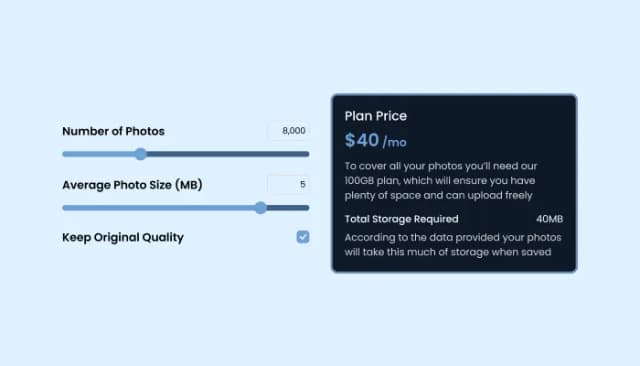
Add a TDEE Calculator to boost engagement and estimate daily calorie needs.
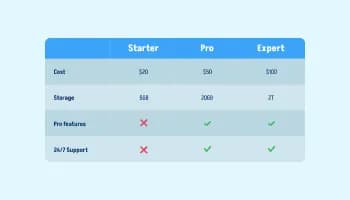
Displays data or features side-by-side, allowing users to compare and contrast the information easily
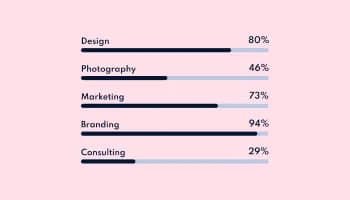
Showcase progress and completion using animated fill-up bars

Displays common questions and answers for quick reference

Allow users to send messages or inquiries, save submissions, enable notifications, and more
The Pricing Slider Widget allows website owners to display varying prices for different quantities of items, offering a dynamic and interactive pricing solution for users.
Absolutely! The Pricing Slider Widget offers a variety of skins and extensive customization options, including colors, fonts, and spacing, to seamlessly blend with your website's design.
Yes, the Pricing Slider Widget is fully responsive and is designed to provide an optimal viewing experience on all devices, be it desktop, tablet, or mobile.
Embedding is simple. You'll be provided with a code that you can copy and paste into your website's desired location. Any updates to the widget will automatically reflect on your site.
Not at all. The Pricing Slider Widget is designed to be user-friendly, with intuitive drag-and-drop features. Even without coding expertise, customization is a breeze.
Yes, the Pricing Slider Widget allows for the addition of custom CSS, giving users greater flexibility and creative freedom in tailoring its appearance.
The widget provides features like linear and interval discounts. You can set a fixed percentage or establish tiered discounts based on item quantities through the widget's dashboard.
There's no strict limit, but for optimal user experience, it's recommended to keep the number of price points manageable and clear for your website visitors.
The Pricing Slider is designed to be compatible with most modern website platforms. However, to ensure compatibility with a specific platform, it's best to consult our technical documentation or contact our support team.
The dynamic description adjusts in real-time based on the slider's position. As users change the quantity, the description updates to provide clarity on the price, discount, and items involved.
Any updates made via the widget dashboard will automatically reflect on your website. If there are major version updates, we'll provide clear instructions for a seamless transition.
Yes, the Pricing Slider supports multi-language functionality. You can adjust language settings in the widget dashboard to cater to diverse audiences.
We offer dedicated support for the Pricing Slider Widget. If you face any challenges, you can reach out to our support team for prompt assistance.
The Pricing Slider Widget comes with a clear pricing structure. While we offer different packages to cater to varying needs, there are no hidden charges. Always review the package details or contact our sales team for specific pricing information.
Let visitors drag to find their own price, with linear or interval volume discounts, a description for each step, an interactive tooltip, ready-made skins, full responsiveness, and custom CSS. Change prices once and every page updates. Embed on 200+ platforms including WordPress, Squarespace, Elementor, Shopify, and Webflow.
Create your pricing sliderFree to use · No credit card · No coding