


Verified review
Common Ninja has amazing no-code widgets that would beautify a website built on any builder. It is very easy to use and customise. It has as many widgets for almost everyone willing to make their website impressive.
The Common Ninja Quotes Carousel widget is a free, no-code embed that rotates inspirational quotes, mission statements, or short messages on your website in a single visual frame.
Enter the quotes you want to display, attribute each to an author, pick a layout (single-quote rotation, multi-card slider, ticker), tune autoplay and slide timing, customize the design with skins or Custom CSS, configure arrows and pagination, and paste a one-line embed snippet on WordPress, Notion, Squarespace, Shopify, Google Sites, Webflow, and 200+ other platforms.
Use it for mission-statement bands on homepages, motivational quote rotations on Notion personal pages, brand-philosophy strips on About pages, and any moment where a short, well-styled message should rotate through visitor attention.
A homepage hero with a single static quote is decoration. A rotating quote band. "We build for makers", "Speed is a feature", "Less, but better". Surfaces your brand voice from multiple angles in the same visual real estate. Useful for About pages, hero bands, and the moments visitors decide whether your brand resonates.
A list of 5 favorite quotes takes 5 sections of vertical space. A carousel rotates through them in a single frame. The visitor still sees every quote, but the page stays tight. Useful for Notion personal pages, sidebar slots, and any context where vertical real estate is limited.
Static text fades into the background after the first glance. A quote that fades in, sits, and gives way to the next quote draws attention back without feeling pushy. The rotation cadence is tunable: fast for energetic brands, slow and contemplative for reflective ones.
A Testimonials slider is for customer quotes with attribution, name, photo, company, role. Designed for social-proof and trust-building. A Quotes Carousel is for inspirational, mission, or philosophical quotes. Designed for tone-setting and emotional resonance. Use this Quotes Carousel for brand voice; use the Common Ninja Testimonials widget when customer attribution is the conversion lever.
Enter each quote text and author (optionally also a title, role, or context). Add as many quotes as your plan supports: short mission statements, longer essay-style passages, single-word affirmations. Reorder via drag-and-drop in the editor; the live widget updates without re-paste.
Choose a layout: single-quote rotation (one large quote at a time, autoplay between them), multi-card slider (2-3 quotes visible at once, swipe through), ticker (horizontal-scrolling marquee). Configure autoplay timing, arrow and pagination style, carousel size, and pick a skin or layer Custom CSS for pixel-level brand match.
Copy the one-line embed snippet and paste it on WordPress, Notion, Squarespace, Shopify, Google Sites, Webflow, or any of the 200+ supported platforms. Edits in the Common Ninja editor push to every embed without re-paste. Swap quotes, change pacing, switch skins, and the live page updates.
Single-quote rotation (one large quote at a time, autoplay between them), multi-card slider (2-3 quotes visible, swipe through), ticker (horizontal-scrolling marquee for top-of-page bands). Switch layouts in the editor without re-entering quotes.
Tune time-per-quote, autoplay-on-load or autoplay-on-hover, pause-on-hover for readability, arrow and dot pagination style. Carousel size scales to fit your section, from compact sidebar slots to full-width hero bands.
Pick from a library of pre-designed skins (minimal, magazine, dark-luxe, soft-pastel, brand-vibrant) for a fast visual fit. Each skin frames the quote with its own typography, accent colors, and divider styling.
Layer Custom CSS over any skin to control quote-mark styling, typography weight, line-height, attribution-line positioning, arrow and dot shapes, and per-breakpoint sizing. The widget integrates with your site's design system without rebuilding from scratch.
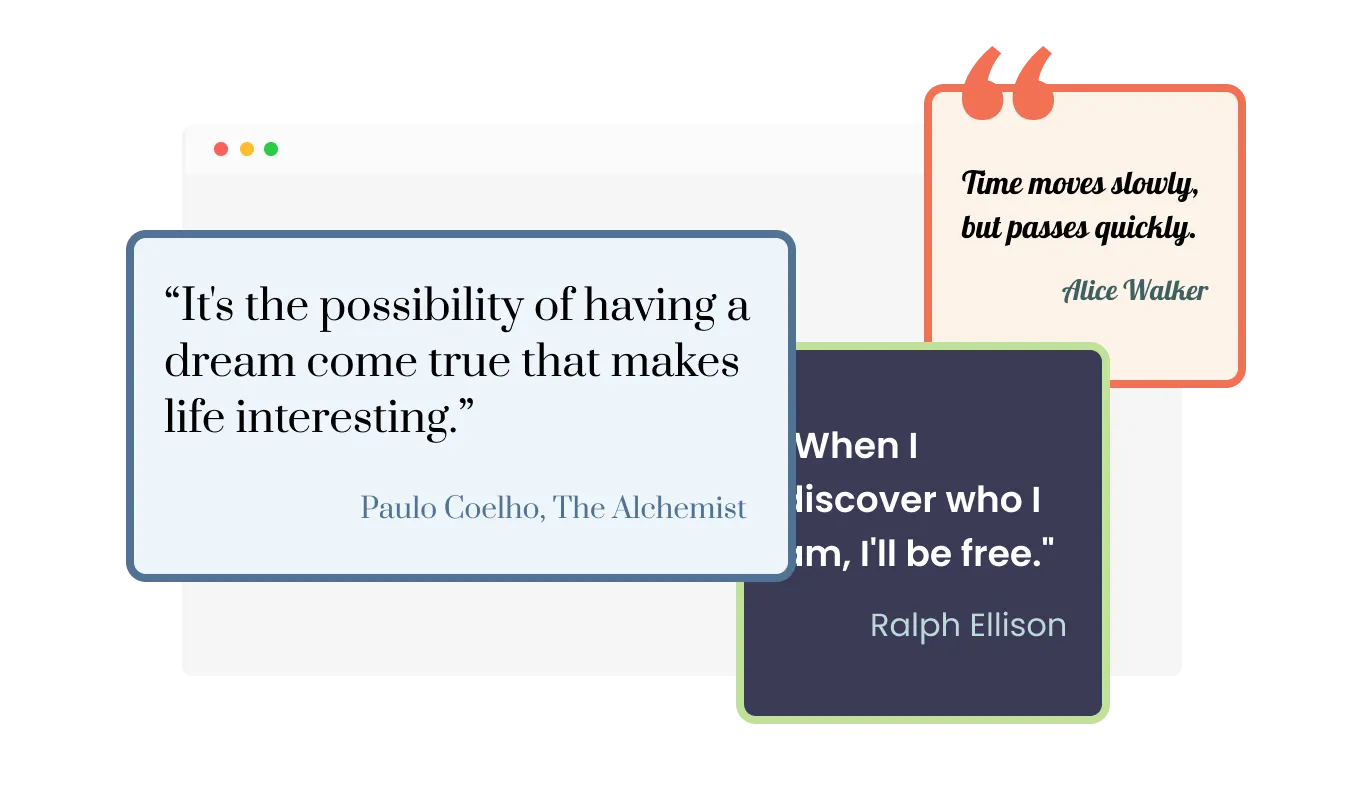
The Quotes Carousel widget comes with the option to change the carousel’s sizes, from small, to large, vertical, or horizontal, you make the widget fit your specific needs. This flexibility allows you to showcase quotes in various ways, depending on the layout and design of your website. Whether you want to highlight a single quote or display multiple quotes at once, the Quotes Carousel widget can accommodate your needs. With the ability to customize the size, the Quotes Carousel widget gives you complete control over how you present quotes on your website.
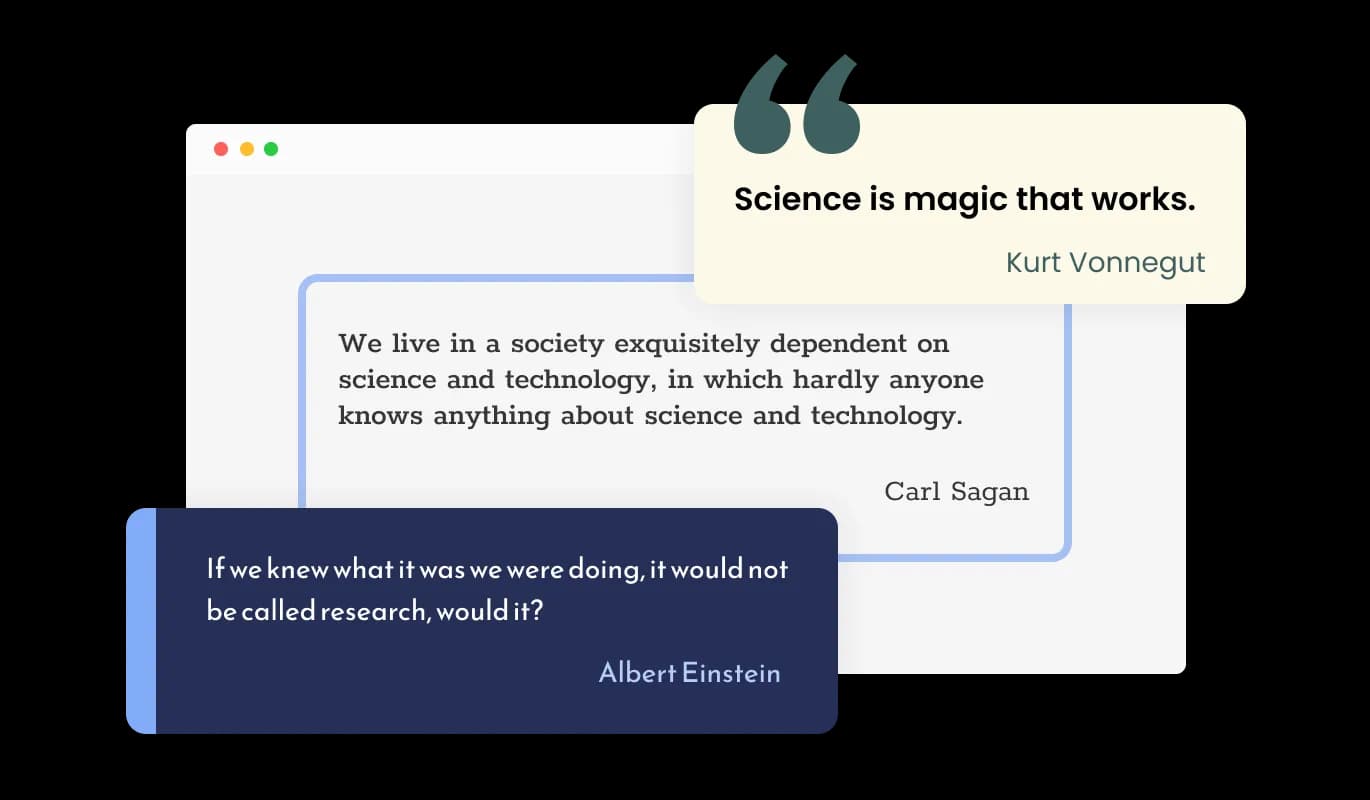
The Quotes Carousel widget comes with the option to choose from three types of quote displays, with quote marks, highlighted, or standard. This feature allows you to present quotes in a way that best suits your website's design and the type of quotes you're featuring. With these different display options, the Quotes Carousel widget allows you to present quotes in a way that is most effective and impactful for your audience and to provide a unique visual experience for your visitors, and make your website stand out.
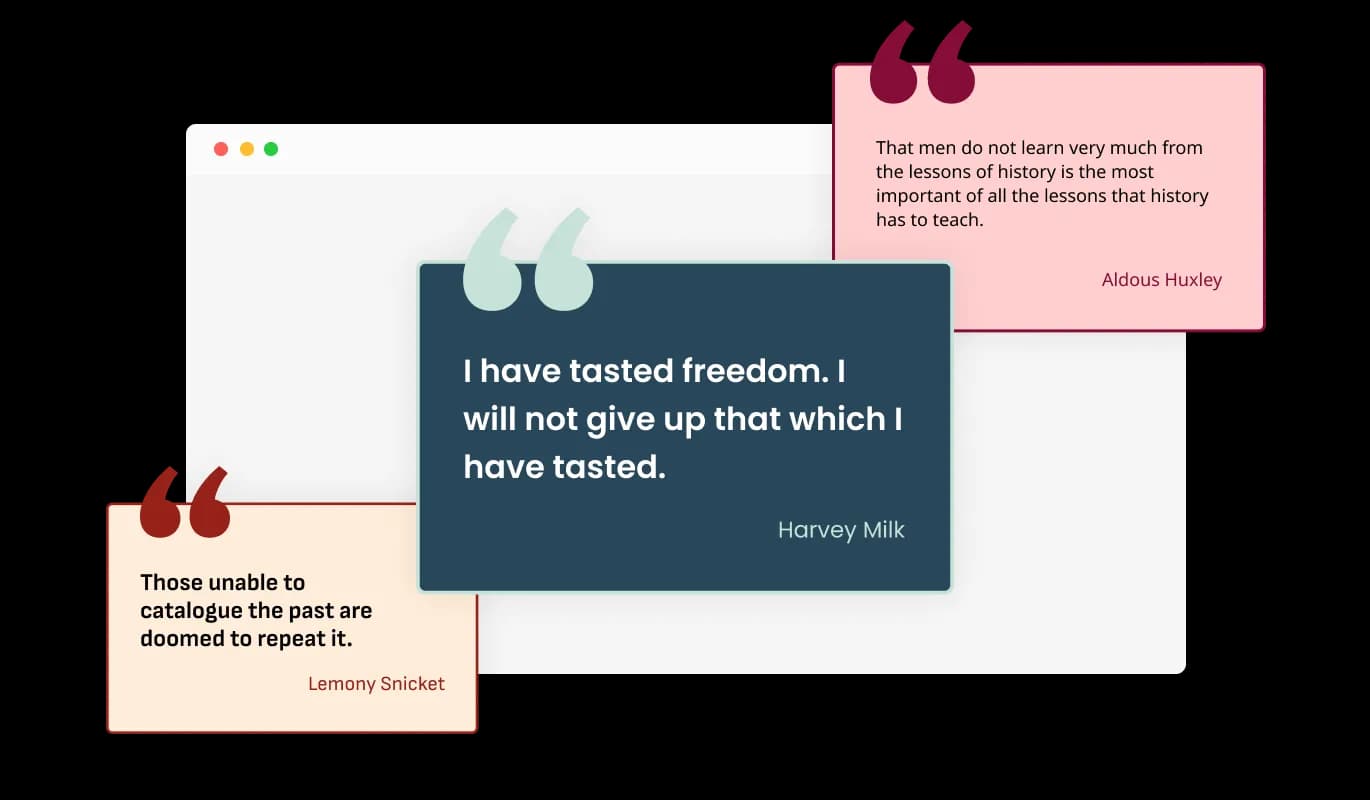
Start from a library of pre-built skins instead of designing from scratch. Each one sets typography, spacing, and color as a coherent look, built for different site styles, so you can pick the closest match and adjust from there.
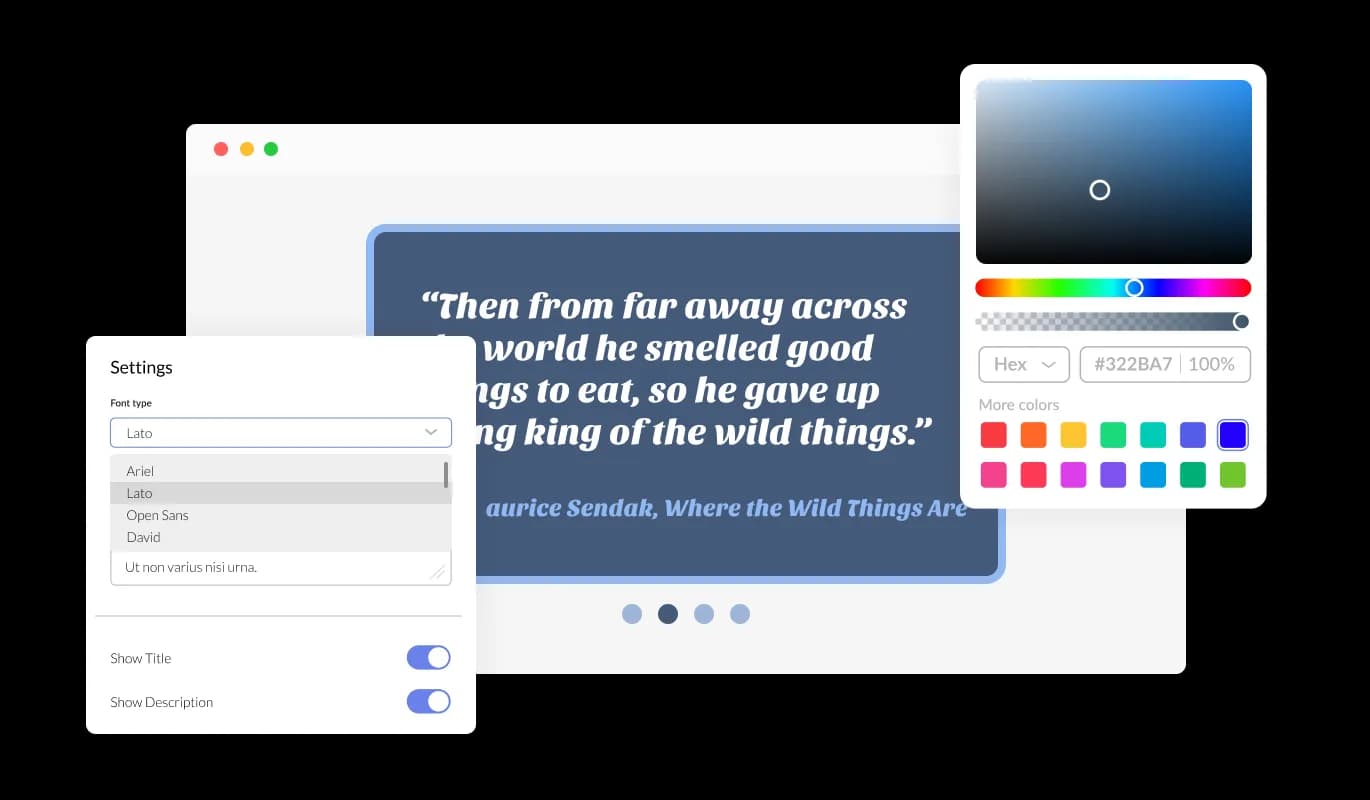
Change colors, fonts, spacing, transition effects, the layout, and how each quote is displayed. Everything previews live as you edit, so you can try a few directions before committing, and the result can either stand out or blend into the page.
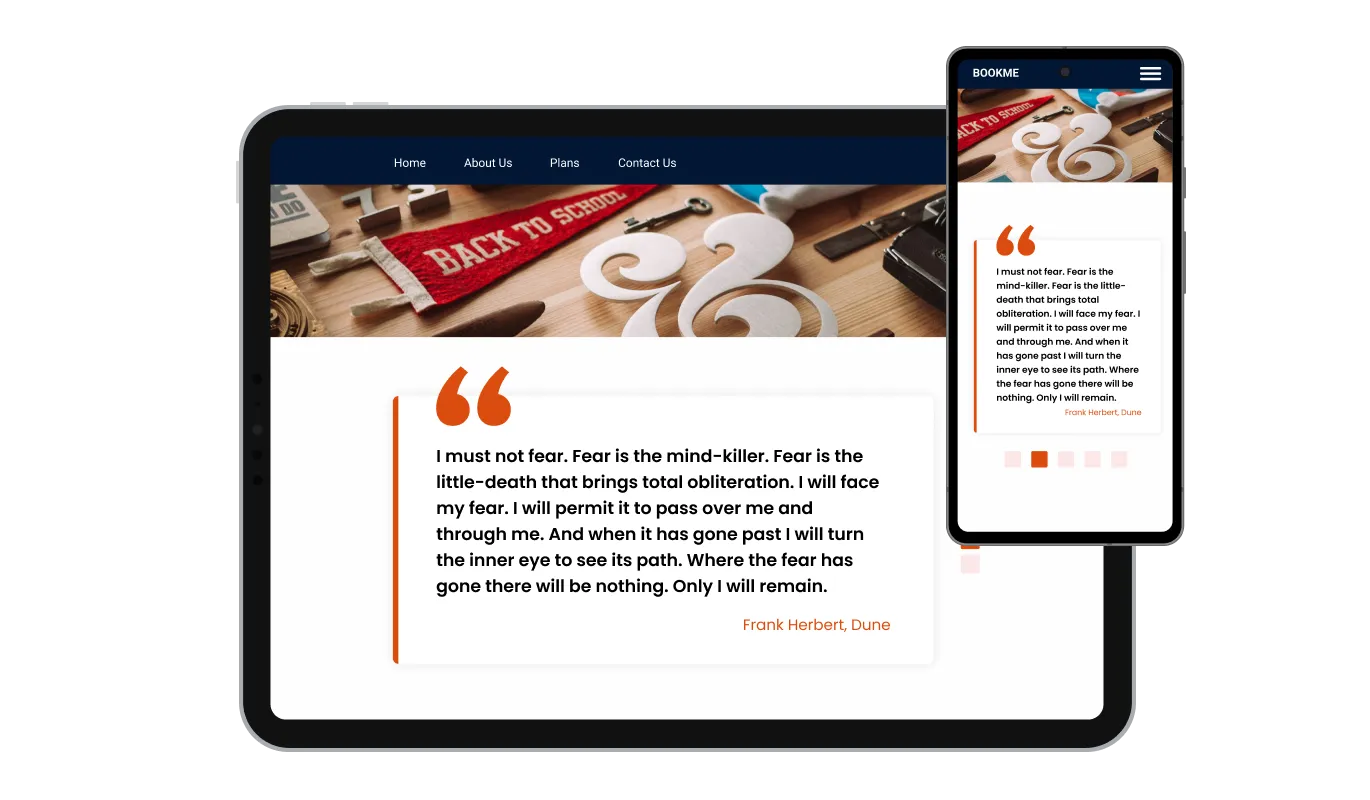
The Quotes Carousel widget is fully responsive and will look great on any device. In a mobile-first world, this feature will put you ahead of your competitors. With more and more people accessing the internet through their smartphones and tablets, your website must be optimized for mobile devices.

As with all of Common Ninja's widgets, the Quotes Carousel widget also provides the option to add custom CSS, which allows you to take your customization to the next level and be even more creative. Custom CSS will enable you to create custom styles and design elements that are unavailable through built-in customization options.

Embedding the Quotes Carousel widget on your website is easy, simply copy a single line of code, and paste it into the HTML of your webpage. This allows you to quickly and easily add the widget to your website without any complicated setup or installation process. Once the widget is embedded, it will automatically update with every change you make, so you don't have to worry about manually updating the Quotes widget every time you make a change. This feature can save you a lot of time and effort and ensure that your Quotes Carousel is always up-to-date and accurate.
With the option to change the arrow types of the Quotes Carousel slider, and the pagination icons below, you can further customize the widget and make it fit your design requirements.
The Quotes Carousel widget comes with the options to control the speed at which the quotes slide, and how much time should be spent on the quote. You can use these options to tailor your user’s experience.
The Quotes Carousel widget comes available with multiple layouts that you can choose from to make sure it fits your overall website design and style. This allows you to create a cohesive look and feel across your website by matching the Quotes Carousel widget's design with the rest of the elements on your website.
The Quotes Carousel widget is easy to use and requires no coding knowledge. Our intuitive dashboard with the drag-and-drop feature will enable you to customize the widget any way you’d like to with just a few simple clicks.
Let your brand voice rotate through your homepage
Open the editorNo credit card · Setup in under 5 minutes
Common Ninja has amazing no-code widgets that would beautify a website built on any builder. It is very easy to use and customise. It has as many widgets for almost everyone willing to make their website impressive.
Outstanding service. I use their widgets to help me with my web design business and whenever I need help they are very quick to help.
Excellent company with excellent service!!! We used it to build a survey, it was very user friendly. The service was perfect. Amit helped us with every problem and question we had, thank you very much!!!
Common Ninja saved the day when building our website and the customer service Daniel, the co-founder and CEO, provided was amazing.
Yes. The free plan covers one Quotes Carousel widget with no time limit and no credit card. Upgrade only when you need additional carousels, more quotes per carousel, premium skins, advanced rotation effects, or features like per-quote click-tracking and A/B variants.
A Testimonials Slider is for customer quotes with full attribution, name, photo, company, role, sometimes a star rating. Designed for trust-building and social proof. A Quotes Carousel is for inspirational, mission, or philosophical quotes. Designed for setting tone and emotional resonance. Use this Quotes Carousel for brand voice and mission moments; use the Common Ninja Testimonials widget when customer attribution is the conversion story.
Yes. Each quote can carry an author (and optionally a title, role, or context line) below the main text. Useful for famous quotes with attribution, executive statements with the speaker's role, or community quotes with credit to the source. Leave the author blank for anonymous or universal quotes.
Single-quote rotation (one large quote visible at a time, autoplay between them. Best for mission statements and hero bands), multi-card slider (2-3 quotes visible at once, swipe through. Good for grid-like sections), ticker (horizontal-scrolling marquee. Useful for top-of-page bands or announcement strips). Switch in the editor without re-entering quotes.
Yes. Configure autoplay on load (rotation starts when the page loads), autoplay on hover (rotation starts when the visitor hovers over the carousel), or manual-only (visitors swipe or click arrows to advance). Set time-per-quote in seconds and configure pause-on-hover so visitors can stop the rotation to read.
Build the widget in the Common Ninja editor (add quotes, pick layout, customize design), copy the embed snippet, and paste it into your site: WordPress via a Custom HTML block (Gutenberg) or Shortcode/Text widget (Classic); Notion via /embed with the embed URL; Squarespace via a Code Block in your section. Edits in the editor push to every embed without re-paste.
Yes. Notion is one of the top platforms for this widget. Add your favorite quotes in the editor, embed in your Notion page, and the carousel rotates them through automatically. Useful for portfolio pages with mission statements, About pages with philosophical reflections, or daily-affirmation strips on personal dashboards.
Yes. Each layout (single-quote, multi-card, ticker) adapts across mobile, tablet, and desktop breakpoints. Quote text reflows to fit narrow viewports, arrow buttons stay tappable, the ticker pauses on tap so mobile visitors can read a passing quote, and pagination dots resize to stay finger-sized.
Pick your platform. Each takes under 4 minutes.

Showcase customer testimonials using a rotating slider

Showcases images in a rotating or sliding manner

Showcases videos in a rotating or sliding manner

Display the latest posts from any RSS feed

A dynamic display that showcases brief news snippets or updates through continuous scrolling

Easily craft engaging, personalized popups to boost conversions.
Yes, you can easily do so from the “Templates” tab.
Yes, there are lots of beautiful skins that you can choose from to save time and start using the widget as quickly as possible.
It’s simple. All you need to do is to sign up and start using the free version.
Common Ninja’s Quotes Carousel widget is free to use. It is limited to a certain amount of views, however.
Common Ninja’s Quotes Carousel widget is compatible with ALL current and future website builders.
Yes, the Quotes Carousel widget is GDPR-compliant.
No. Using our Quotes Carousel widget is very simple. The widget comes with an intuitive drag-and-drop interface and fully customizable options. Once you’ve finished editing the widget to your liking, all you need to do is copy the provided code and add it to your website.
Yes. We are eager to hear your request. Please visit our Feature Request page.
A quote carousel is a type of widget or tool that allows you to display quotes on a website in a rotating or sliding manner. It is often used to showcase inspiring or meaningful quotes from famous figures, industry leaders, or customers. The quotes are typically displayed in a visually appealing way, often accompanied by an image or background. The carousel feature allows the quotes to rotate or slide through automatically or manually by the user, providing an engaging and dynamic experience for visitors to the website. The Quotes Carousel widget also allows for customization of design, layout, size, and display options to match the website's style and design.
There are several benefits to adding a quotes carousel to your website, including:
Rotate inspirational quotes, mission statements, or brand-voice messages in a single visual frame, single / multi-card / ticker layouts, configurable autoplay timing, author attribution, stylish skins, and Custom CSS. Embed on 200+ platforms including WordPress, Notion, Squarespace, Shopify, Google Sites, and Webflow.
Create your Quotes CarouselNo credit card · Setup in under 5 minutes