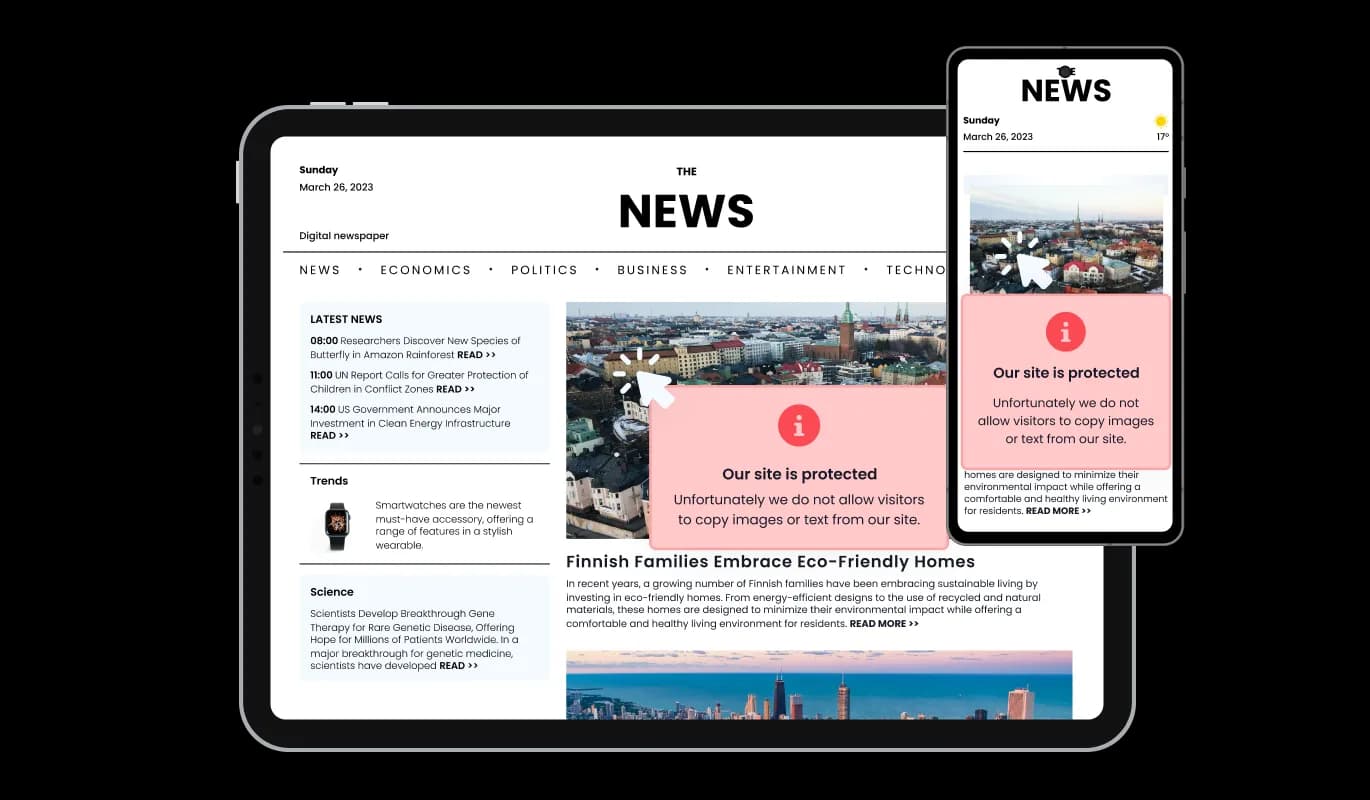

Right Click Protection for Moodle

Use right click protection to prevent copying by disabling right click actions, protecting your content and reducing unauthorized reuse on your site.

Create Right Click Protection

loved by 500K+ businesses

Moodle
plugineditor

Why Should You Use the Right Click Protection Widget+?

Enhanced your Moodle website Content Security

The widget we've developed for your Moodle website ramps up content security by nullifying right-click functionalities, barring unauthorized downloads, and inhibiting keyboard shortcuts for actions like copy and paste. It reinforces the protection of your valuable content, like images and words, from any unauthorized usage and theft.

Retain Your Professional Profile

By fortifying your Moodle content against illicit downloads, you inspire visitors to interact or buy your work through the right channels. This not only upholds your professional reputation but also instills a sense of trust and dependability within your audience.

Boost Your Content's Copyright Protection

This Moodle widget provides an additional layer of protection for your content's copyrights, discouraging unauthorized use and distribution. By disabling right-click actions and other theft methods, you help ensure that your copyrighted material remains exclusive to your Moodle website and maintain control over its distribution, preserving the value and integrity of your intellectual property.

Personalized Notification with Custom Icons or Images

Add a spark to your message by incorporating your own icon or image, introducing an eye-catching aspect to the copyright protection notification. Pick from diverse icons or include your own image to create a unique and interactive experience for the visitors of your Moodle website.

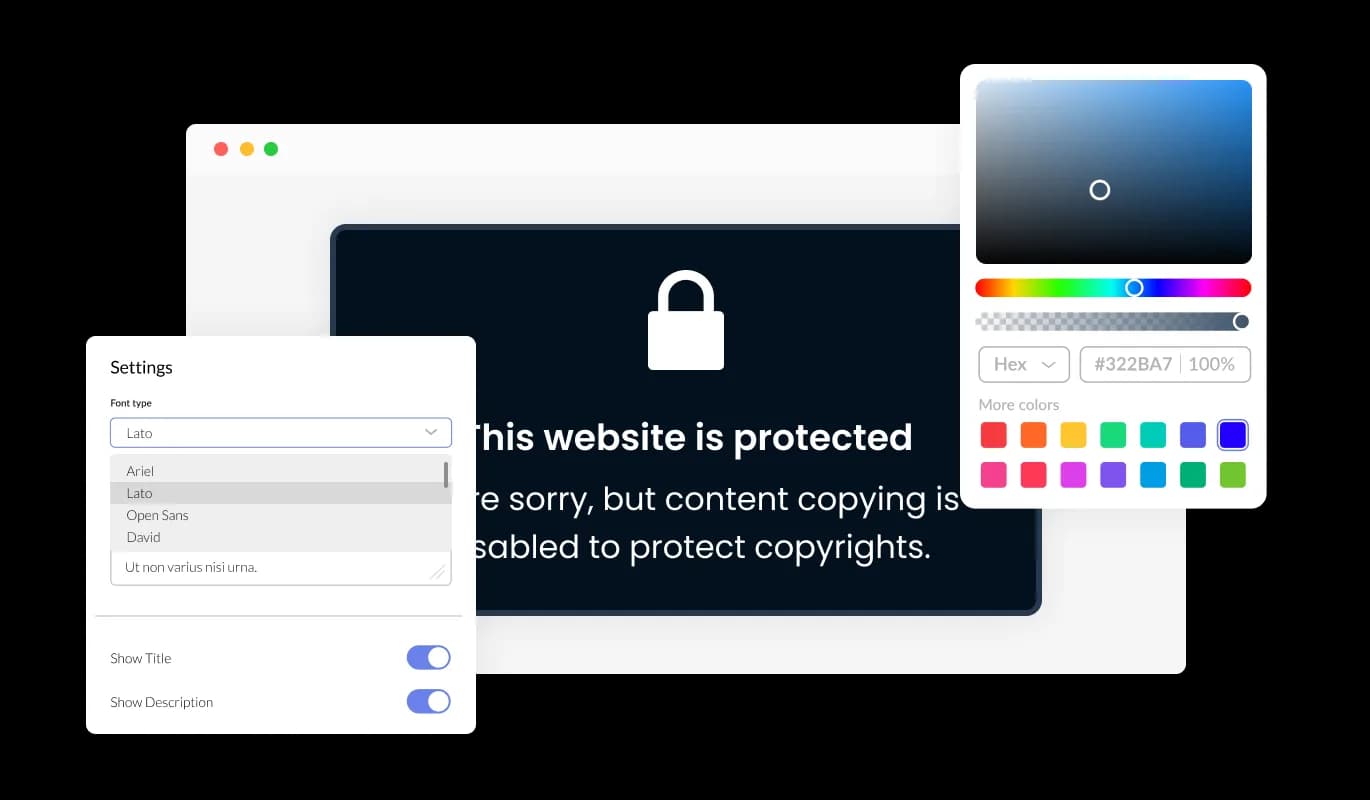
Right Click Protection - Personalized Notification with Custom Icons or Images

Total Customization Features

With the Right Click Protection widget for Moodle, you enjoy broad customization capabilities to adapt every element to your liking and needs. You have full control over the widget's appearance, ensuring it matches your desired style.

Right Click Protection - Total Customization Features

Responsive on All Devices

The Right Click Protection for Moodle is built to be fully responsive, adapting perfectly to different screen sizes and devices, including desktops, tablets, and smartphones. This enhances the overall Moodle website experience.

Right Click Protection - Responsive on All Devices
Right Click Protection - Personalized Content Security

Personalized Content Security

With this Moodle Right click protection widget, you have the ability to decide the types of content to safeguard on your Moodle website, from images and background images to text, or even to disable specific keyboard keys. The adaptability ensures that the protection level can be tweaked to match your unique Moodle website needs, centering on the content of greatest importance to you while ensuring a top-notch user experience. Selective content protection lets you concentrate on protecting the most critical facets of your website. Configure the protection settings to affirm your content's exclusivity, while ensuring a comfortable and friendly experience for your visitors.

Right Click Protection - Customizable Alert for Copyrighted Content

Customizable Alert for Copyrighted Content

When a user attempts to right-click on your protected content, the Moodle Right click protection displays a customizable message, informing them that the site content is protected for copyright purposes. This acts as a friendly cue of your content's ownership and the significance of respecting intellectual property rights. Adopt a customizable protection message to inform visitors about the importance of respecting your copyrights, while concurrently maintaining a professional and consistent tone throughout your Moodle website. This feature helps reinforce the value of your content and promotes responsible online behavior.

Right Click Protection - Seamless Navigation with Right Click Protection

Seamless Navigation with Right Click Protection

The Right Click Protection widget on Moodle is structured to be user-oriented, offering straightforward access and comprehension of the protection protocol. The intuitive interface fosters user engagement, allowing them to navigate the widget easily and retrieve needed information without any difficulty. This significantly elevates the overall website experience.

Tailor-made Appearance with CSS

Similar to our other widgets, you can tailor the appearance of the Right Click Protection widget using your own CSS. If you possess coding abilities, you can effortlessly enhance the widget's visual allure and align it with your preferred design aesthetic by incorporating your unique CSS code.

Right Click Protection - Tailor-made Appearance with CSS

Smooth Integration on Any website

The Right Click Protection widget for Moodle is designed to be effortlessly integrated into your website, even if you have basic technical skills. You can swiftly incorporate the widget into your Moodle website without needing extensive development expertise or resources, ensuring a smooth and seamless implementation process.

Right Click Protection - Smooth Integration on Any website

Compatible With All Site Builders, E-Commerce Platforms and Websites

View all supported platforms

FAQ

The Right Click Protection Widget is a tool designed to disable the right-click functionality and prevent content copying on websites. It helps website owners protect their copyrighted content from being easily copied or downloaded by visitors.

By adding the right-click protection widget to your website, you can safeguard your content from unauthorized copying and protect your intellectual property. It helps maintain the exclusivity and value of your original material, reducing the risk of plagiarism and content misuse.

The right-click protection widget is suitable for a wide range of websites, including but not limited to blogs, online portfolios, e-commerce sites, educational platforms, content-driven websites, and any website where content protection and copyright preservation are important.

The right-click protection widget disables the right-click function on your website, making it difficult for users to access the context menu that allows the copying or downloading of content. It adds a layer of deterrent to discourage casual or unauthorized copying of text and images.

Yes, users can still access the website content even without the ability to right-click or copy. The right-click protection widget primarily aims to prevent easy copying or downloading of content, but visitors can still view and engage with the content on your website.

Yes, the right-click protection widget often provides customization options for the message displayed when users attempt to right-click or copy content. You can tailor the message to convey your specific copyright policies, add explanations, or include contact information for further inquiries.

Yes, many right-click protection widgets offer the option to choose your own icon or image to enhance the message displayed. This allows you to add a visual element that aligns with your branding or content, making the message more visually appealing and engaging.

Generally, the right-click protection widget is designed to be compatible with most popular web browsers. However, it's recommended to check the widget's documentation or specifications to ensure compatibility with the specific browsers you want to support.

The impact on the performance or loading speed of the website by the right-click protection widget is typically minimal. These widgets are designed to be lightweight and efficient, ensuring they do not significantly affect the website's performance or increase loading times.

Embedding the right-click Protection widget on your website is a straightforward process. Simply copy the provided code and paste it into the desired location on your website. The widget will seamlessly integrate into your site, allowing you to take advantage of its features and functions. No technical expertise or programming knowledge is required - just copy and paste the code to get started. This simple process allows you to easily add the widget to your website and enhance its functionality without any hassle.

Yes. We are eager to hear your request. Please refer to this page.