Try for free!

TDEE Calculator

Create custom calculators that let visitors enter values, get results, and make confident choices that support your business.

Create a TDEE Calculator

loved by 500K+ businesses

plugineditoreditor

Why Should You Use the TDEE Calculator Widget+?

Turn the TDEE Calculator Into a Lead Generation Tool

A TDEE Calculator can help turn casual visitors into engaged prospects by giving them a practical reason to interact with your website. People are more likely to stay longer when they receive a useful estimate tied to their health or fitness goals. This creates more opportunities to guide them toward coaching plans, meal programs, memberships, or other services.

Keep Visitors on Your Website Longer

Interactive tools give people a reason to spend more time exploring your content instead of leaving after reading one page. A visitor who checks their calorie needs may continue to browse workout plans, nutrition advice, or product recommendations on your site. That extra engagement can support stronger performance across key website metrics.

Make the TDEE Calculator Part of a Stronger Content Strategy

A TDEE Calculator can strengthen pages focused on weight management, fitness coaching, wellness programs, or nutrition services. It adds practical value to informational content and makes those pages more useful for search visitors. This can help your site attract relevant traffic while supporting the business goals behind your content.

Flexible Input Fields in the TDEE Calculator

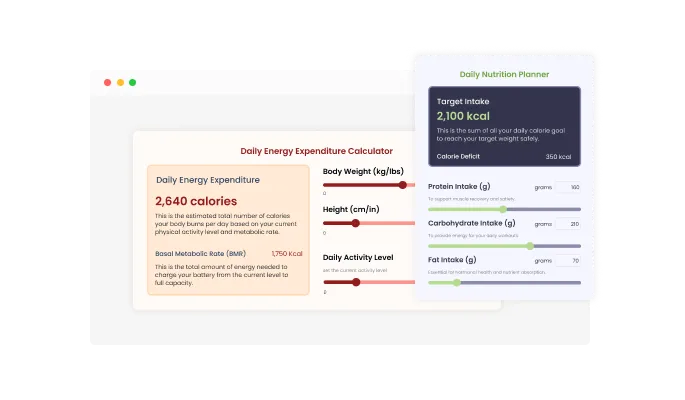
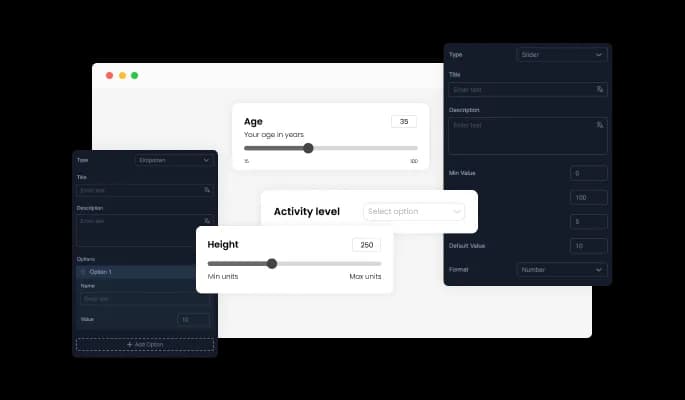
The TDEE Calculator allows you to create and customize a wide range of input fields to match your specific use case. You can add elements like sliders and dropdowns, and define values such as minimums, maximums, steps, and formats to guide user input. This flexibility makes it easy to adapt the tool into a Calorie Needs Calculator, Daily Calorie Calculator, or Energy Expenditure Calculator that fits your website’s goals.
TDEE Calculator - Flexible Input Fields in the TDEE Calculator

Smart Conditional Logic for the TDEE Calculator

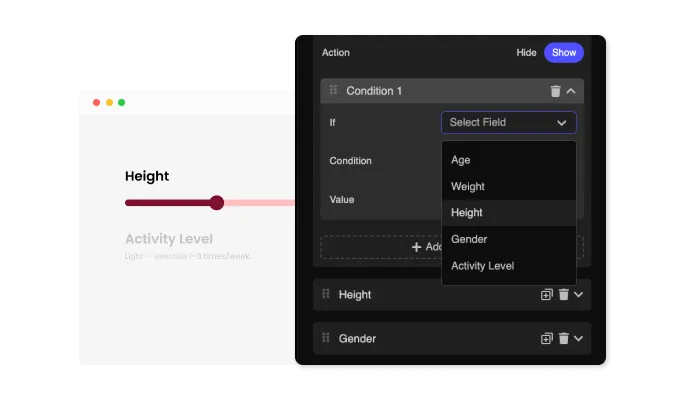
The TDEE Calculator lets you show or hide fields based on the values users select in other parts of the form. This makes it possible to create a more dynamic Calorie Needs Calculator, Daily Calorie Calculator, or Energy Expenditure Calculator that adjusts to different goals, activity levels, or input types. The result is a cleaner and more relevant experience that helps visitors focus only on the information that applies to them.

TDEE Calculator - Smart Conditional Logic for the TDEE Calculator

Advanced Formulas for the TDEE Calculator

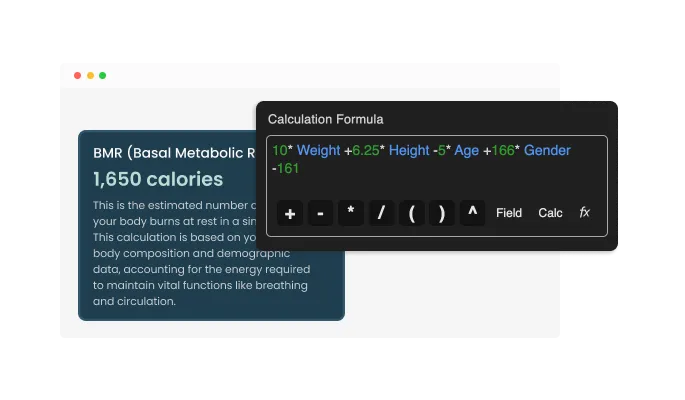
The TDEE Calculator supports complex calculations built around detailed formulas and custom logic. Using the fields you add, you can create a Daily Calorie Calculator, Calorie Needs Calculator, or Energy Expenditure Calculator that delivers accurate results based on your business requirements. This gives you the flexibility to offer more precise estimates and more useful outcomes for visitors on your website.

TDEE Calculator - Advanced Formulas for the TDEE Calculator

Clear Result Presentation for the TDEE Calculator

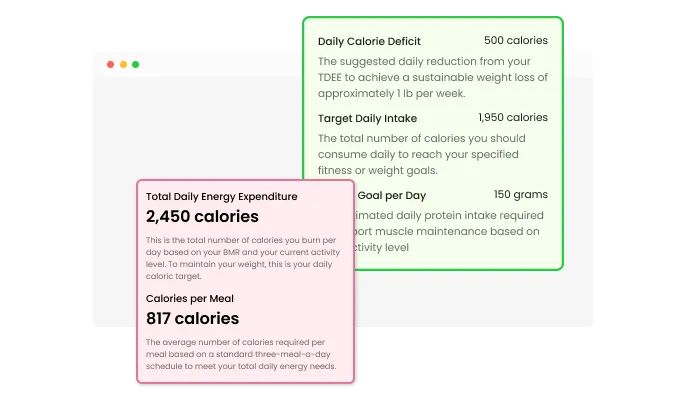
The TDEE Calculator lets you customize how results are displayed so the final output matches your preferred wording and presentation style. This helps you present calorie estimates in a way that feels clear, relevant, and consistent with the rest of your website. Whether you use it as a Calorie Needs Calculator, Daily Calorie Calculator, or Energy Expenditure Calculator, the results can be tailored to fit your business language and user

TDEE Calculator - Clear Result Presentation for the TDEE Calculator

Ready-Made Design Skins for the TDEE Calculator

The TDEE Calculator comes with a selection of pre-designed skins that help you match the widget to your website’s look and feel. This allows you to present your Calorie Needs Calculator, Daily Calorie Calculator, or Energy Expenditure Calculator in a visually consistent way without spending extra time on design. With minimal effort, you can integrate a polished and cohesive element into your site.

TDEE Calculator - Ready-Made Design Skins for the TDEE Calculator
TDEE Calculator - Drive Conversions with a Built-In Call-to-Action

Drive Conversions with a Built-In Call-to-Action

The TDEE Calculator allows you to add a call-to-action button directly within the widget to guide users toward the next step. Whether you’re using it as a Calorie Needs Calculator, Daily Calorie Calculator, or Energy Expenditure Calculator, you can connect results to actions like form submissions, service inquiries, or product pages. This helps turn user engagement into meaningful interactions that support your website’s goals.

TDEE Calculator - Multiple Layout Options for the TDEE Calculator

Multiple Layout Options for the TDEE Calculator

The TDEE Calculator includes several layout options so you can choose the one that fits your website’s design and structure. This makes it easier to present your Calorie Needs Calculator, Daily Calorie Calculator, or Energy Expenditure Calculator in a way that feels natural within your existing pages. With the right layout, the widget can support both your visual style and the way visitors interact with your content.

TDEE Calculator - Easy Setup for the TDEE Calculator

Easy Setup for the TDEE Calculator

The TDEE Calculator is built to be simple to use, with no coding needed to customize it for your website. Its intuitive dashboard makes it easy to adjust settings, fields, and design preferences in just a few clicks. Whether you’re creating a Calorie Needs Calculator, Daily Calorie Calculator, or Energy Expenditure Calculator, the setup process stays accessible for users of any skill level.

Fully Customizable TDEE Calculator Design

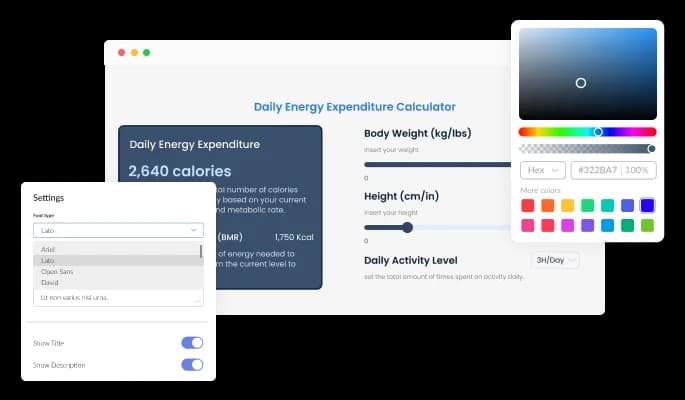
The TDEE Calculator gives you full control over its appearance so it can match the style of your website. You can customize elements like colors, fonts, spacing, and other design details to create a polished and consistent look. Whether you present it as a Calorie Needs Calculator, Daily Calorie Calculator, or Energy Expenditure Calculator, it can be tailored to fit both your branding and your page layout.

TDEE Calculator - Fully Customizable TDEE Calculator Design

Responsive Design for the TDEE Calculator

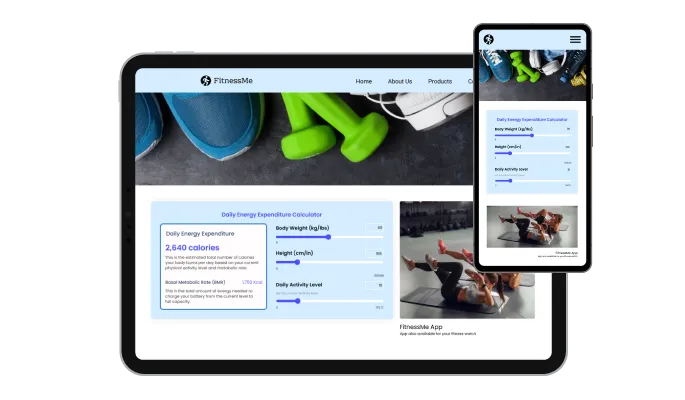
The TDEE Calculator is fully responsive, ensuring it displays smoothly across desktops, tablets, and mobile devices. This allows your Calorie Needs Calculator, Daily Calorie Calculator, or Energy Expenditure Calculator to remain accessible and easy to use for all visitors. A consistent experience across devices helps maintain usability and supports engagement on any screen size.

TDEE Calculator - Responsive Design for the TDEE Calculator

Advanced Customization with Custom CSS

The TDEE Calculator supports custom CSS, giving you the ability to fine-tune its design and behavior beyond standard settings. This allows developers and designers to create a Calorie Needs Calculator, Daily Calorie Calculator, or Energy Expenditure Calculator that aligns precisely with their website’s style and interaction requirements. With this added flexibility, the widget can be adapted to meet even the most specific design needs.

TDEE Calculator - Advanced Customization with Custom CSS

Easy Embedding for the TDEE Calculator

Embedding the TDEE Calculator on your website is simple and requires only a single line of code. This makes it quick to add a Calorie Needs Calculator, Daily Calorie Calculator, or Energy Expenditure Calculator to any page without complicated setup. Once embedded, any updates you make are automatically reflected, keeping your widget current with minimal effort.

TDEE Calculator - Easy Embedding for the TDEE Calculator

Compatible With All Site Builders, E-Commerce Platforms and Websites

webflow logoshopify logowix logowordpress logobigcommerce logosqurespace logoweebly logojoomla logoduda logojimdo logomagento logoshift4hsop logounbounce logocarrd logo
View all supported platforms

FAQ

The TDEE Calculator is an interactive tool that helps website visitors estimate their daily calorie needs based on personal inputs. It can function as a Calorie Needs Calculator, Daily Calorie Calculator, or Energy Expenditure Calculator, depending on how you configure it. This makes it a practical addition for websites focused on fitness, nutrition, or wellness.

You can customize the TDEE Calculator by adjusting its fields, design, and calculation logic to match your website’s goals. This includes modifying colors, fonts, spacing, and input types to create a consistent look and feel. The flexibility allows you to tailor the calculator to different use cases while keeping it aligned with your brand.

Yes, the TDEE Calculator supports conditional logic that lets you show or hide fields based on user input. This helps you build a more interactive Calorie Needs Calculator or Energy Expenditure Calculator that adapts to different scenarios. As a result, visitors only see the fields that are relevant to them, improving clarity and usability.

The TDEE Calculator can perform advanced calculations using custom formulas based on the inputs you define. This allows you to create anything from a simple Daily Calorie Calculator to more detailed energy expenditure estimations. The flexibility ensures that the results match your specific business or content requirements.

Yes, the TDEE Calculator is fully responsive and works smoothly across desktops, tablets, and mobile devices. This ensures that your Calorie Needs Calculator or Daily Calorie Calculator remains accessible to all users, regardless of how they access your site. A consistent layout across devices helps maintain usability and engagement.

Embedding the TDEE Calculator is simple and requires only a single line of code. Once added, it integrates seamlessly into your website without complex setup. Any changes you make in the editor are automatically updated, so your widget always stays current.

Yes, you can include a call-to-action button directly within the TDEE Calculator. This allows you to guide users from checking their Daily Calorie Calculator results to taking the next step, such as signing up or exploring services. It helps connect user interaction with meaningful actions on your site.

The TDEE Calculator allows you to apply custom CSS for deeper design and functionality control. This is especially useful if you want your Energy Expenditure Calculator to match very specific styling or interaction requirements. It gives developers and designers more flexibility beyond the default settings.

You can add a variety of input fields such as sliders, dropdowns, and numeric inputs to the TDEE Calculator. Each field can be customized with properties like minimum and maximum values, steps, and formats. This makes it easy to build a precise and structured Calorie Needs Calculator tailored to your audience.

Yes, the TDEE Calculator allows you to control how results are formatted and presented. You can adjust the wording, structure, and style of the output to match your website’s tone. This ensures that your Daily Calorie Calculator results are clear and aligned with your content.

No, the TDEE Calculator is designed to be easy to use without any coding knowledge. Its interface allows you to set up and customize your calculator through simple controls. This makes it accessible whether you’re creating a basic Energy Expenditure Calculator or a more advanced setup.

Yes, you can create multiple calculations within a single TDEE Calculator. This allows you to handle different formulas or scenarios in one place, depending on user input. It’s useful for building more comprehensive tools without needing multiple widgets.

The TDEE Calculator includes a selection of pre-designed skins to match different website styles. This helps you quickly create a visually consistent Calorie Needs Calculator without starting from scratch. It also reduces the time needed for design customization.

You can choose from multiple layout options to fit the TDEE Calculator into your website structure. This makes it easier to align the widget with your page design and user flow. Different layouts help you present the calculator in a way that suits your content.

Yes, any updates you make to the TDEE Calculator are automatically reflected on your website. This means your Daily Calorie Calculator or Energy Expenditure Calculator always shows the most up-to-date version. It simplifies maintenance and ensures consistency without extra work.