





Change Chat Background
The Telegram chat for Lander allows you to change the chat’s background to make it fit your Lander landing page’s design, make your chat stand out, or reinforce brand awareness via well-crafted company backgrounds.
Make it easy for users to get in touch with you via Telegram Chat if they need support or more information that isn't readily available on your Lander landing page.
By answering your Lander landing page users' questions promptly in a Telegram chat integration for Lander, you can expedite their decision-making process. The more informed they are, the better decisions they are going to make.
Consider a more personalized communication method that makes your Lander landing page users feel important and well taken care of.
The Telegram chat for Lander allows you to change the chat’s background to make it fit your Lander landing page’s design, make your chat stand out, or reinforce brand awareness via well-crafted company backgrounds.
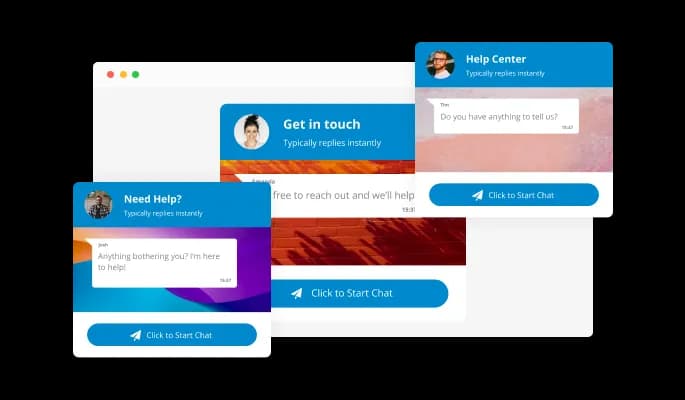
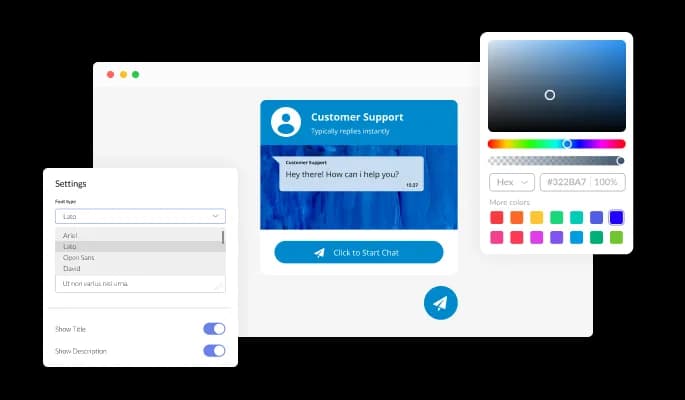
The Telegram chat integration for Lander can be customized to meet your Lander landing page requirements. Colors, fonts, spacing, and everything else can be changed!
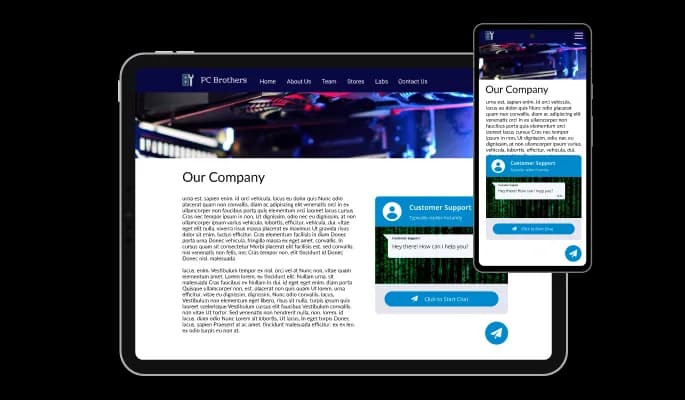
The Telegram chat integration for Lander is 100% responsive and will look wonderful on any device. As a result, your Lander landing page will stand out in a mobile-first world.

The Telegram chat integration offers multiple icons to choose from that can be used to complement your Lander landing page design and communicate the message you want to communicate.

The Telegram chat integration for Lander features the ability to toggle the messages’ time on or off. For a more minimal, visually pleasant design, leave it on to show users how fast your replies are.

It is not necessary to have coding experience to work on Telegram chat for Lander. Our intuitive dashboard with the drag-and-drop feature will enable you to customize the integration any way you’d like to with just a few simple clicks.
As with the rest of Common Ninja's integrations, Telegram chat for Lander can be further customized using custom CSS.

By copying and pasting one line of code, you can embed the Telegram chat integration on your Lander landing page. The Lander Telegram chat will also be updated automatically on your Lander landing page with every change you make.

Yes, you can change the contact name.
Yes, you can easily do so in the Telegram Chat settings.
Yes, you can upload your own image that will show on the Telegram chat.
Yes, you can do so from the dashboard.
Yes, you can.
Yes, you can easily do so from the dashboard.
Yes, you can. Enter the Editor to change the text of the Telegram Chat button.
Yes, you can easily do so.
Yes, you can easily do so from the “Look & Feel” tab.
Yes, you can.
Using the Telegram Chat widget is very easy. Simply sign up and start using the free version. There's no need to worry about complicated setup or installation processes, as the Telegram Chat widget is designed to be user-friendly and straightforward. Once you've signed up, you'll have access to all of the basic features and functions of the widget, which you can use to enhance your website and improve your online presence. From there, you can choose to upgrade to the paid version if you want to access more advanced features and capabilities. Regardless of which version you choose, you'll find that the widget is a powerful and easy-to-use tool that can help you take your online presence to the next level.
The Common Ninja Telegram Chat widget is a free tool reach with features and options. While this widget is free to use, it does have a limit on the number of views it can handle. This means that after a certain number of views, the chat button may no longer be visible or functional on your website. It is important to note that this view limit may vary depending on the plan of the widget you are using. Despite this limitation, Common Ninja's Telegram Chat is still a valuable tool for businesses looking to increase customer engagement and improve the overall user experience of their website.
The Common Ninja's Telegram Chat widget is a versatile tool for any website builder. This means that you can easily add this widget to your website or store no matter what platform you use to build your website. Whether you are using a popular website builder or something more specialized, the Telegram Chat widget will work seamlessly with your platform. This means you can enjoy all the benefits of this powerful tool without having to worry about compatibility issues.
It’s very easy to embed Common Ninja’s Telegram Chat Button app on your website and the process consists of two steps:
The Telegram Chat widget is designed to comply with the General Data Protection Regulation (GDPR), a set of EU regulations protecting personal data and privacy. When using the Telegram Chat widget, you can be confident that it will not collect or store personal data that could violate GDPR regulations. This ensures that your business is in compliance with these regulations and can protect your customers' data privacy. Overall, the Telegram Chat widget is a secure and reliable tool that can be used to enhance your website without any concerns about GDPR compliance.
No need for coding skills. Our Telegram Chat widget is designed to be easy to use, even for those with limited technical experience. The widget features a user-friendly interface that allows you to easily customize the widget without coding knowledge. You can fully customize the Telegram Chat to match your branding. When you're done, simply copy the provided code and paste it into your website. It's that simple!
Embedding the Telegram Chat widget on your website is a straightforward process. Simply copy the provided code and paste it into the desired location on your website. The widget will seamlessly integrate into your site, allowing you to take advantage of its features and functions. No technical expertise or programming knowledge is required - just copy and paste the code to get started. This simple process allows you to easily add the widget to your website and enhance its functionality without any hassle.
Yes. We are eager to hear your request. Please refer to this page.
A Telegram Chat Widget is a component you can embed on your website to create a chat window that connects directly to a Telegram chat group or channel. When visitors to your website click on the widget, they will be able to send messages to the chat group or channel and receive replies in real time.
The chat widget is useful for websites that want to offer a quick and easy way for visitors to ask questions or get support. It can also be used to facilitate communication between website visitors and the website owner or other members of the chat group.
There are several benefits to adding a Telegram Chat Button to your website:
A Telegram Chat Button can be a useful tool for improving customer service, increasing engagement, and facilitating communication with visitors to your website.