


Verified review
Common Ninja has amazing no-code widgets that would beautify a website built on any builder. It is very easy to use and customise. It has as many widgets for almost everyone willing to make their website impressive.
Try the editor, no signup
Pick a template, customize it, and watch it update live, no signup.
No credit card · Free forever plan
No credit card · Free forever plan
The Common Ninja Trust Badges widget is a free, no-code way to display security, payment, and guarantee badges on your website. Pick your badges, choose a layout, and paste one line of embed code.
It ships with a gallery of ready-made badge designs, and you can upload your own so certifications you actually hold sit alongside them.
Multiple layouts and design skins, full control over colours, fonts, sizes, and spacing, responsiveness, and custom CSS are all included.
Handing over card details to an unfamiliar site is the point where people hesitate. Recognised payment marks beside the button answer the question of who is processing this without the buyer having to go looking.
An accreditation, an industry membership, or a security audit is invisible on a web page unless you show it. Uploading your own marks is how those become part of the impression the site makes.
A money-back guarantee or a returns promise reduces the perceived risk of a first order. Stating it as a badge next to the button puts it where the decision happens rather than in a policy page.
A large retailer carries its own reputation. A new store, a small brand, or an unfamiliar domain does not, and that is exactly where visible signals of who handles the payment do the most work.
Choose from the gallery, or upload the marks for certifications, memberships, and payment providers you genuinely have. A badge is a claim, so the ones worth showing are the ones that are true.
Pick the arrangement that fits the space, then adjust colours, sizes, and spacing. Badges work as a quiet row near a decision point, not as a feature band competing with your own content.
Copy the snippet from the Add to Website tab and paste it near the checkout button, the form, or the footer. Swapping a badge later updates every page carrying the embed.
A range of professionally designed badges covering the common security, payment, and guarantee marks, so a row can be assembled without opening a design tool.
Add the marks for certifications, memberships, and accreditations you actually hold, which are the badges that carry real weight because they are specific to you.
Several arrangements and ready-made skins, so a badge row can sit as a discreet strip under a checkout button or as a fuller block in a footer.
Colours, fonts, sizes, and spacing are all adjustable so badges sit at a weight that supports the page, with custom CSS for anything the built-in settings do not reach.

The Trust Badges widget offers a diverse gallery of professionally designed badges, allowing you to easily find the perfect fit for your website. Whether you need badges for security, shipping, or customer guarantees, the selection ensures you can quickly implement trustworthy icons without needing to design them from scratch. This feature saves time and ensures your site has high-quality visuals that boost customer confidence.

The Trust Badges widget provides a variety of layout options, allowing you to display your badges in a way that best suits your website’s design. Whether you prefer horizontal, vertical, or grid layouts, you can arrange the badges to complement your site’s structure and visual flow. This flexibility ensures that trust elements are prominently showcased without disrupting the overall user experience.

With the Trust Badges widget, you have complete control over customization. You can modify the colors, fonts, sizes, and spacing to ensure the badges fit perfectly with your website’s branding. This extensive flexibility allows you to create trust badges that not only enhance security and trust but also maintain your site’s unique aesthetic.

The Trust Badges widget is designed to be fully responsive, ensuring that your badges look great on all devices, whether it’s a desktop, tablet, or smartphone. This guarantees that your trust indicators are always visible and appealing, delivering a consistent experience to users regardless of the device they are using.

The Trust Badges widget is built with simplicity in mind, requiring no coding skills to customize or integrate. With an intuitive dashboard, you can easily add or modify badges to suit your preferences, making it accessible for users of all technical levels while enhancing your website’s credibility without any hassle.

For those looking for even more control, the Trust Badges widget supports custom CSS. This feature allows developers and designers to further personalize the look and functionality of the badges. Whether it's adjusting spacing, animations, or other design elements, custom CSS ensures the badges can be tailored to fit your exact vision.

Embedding the Trust Badges widget is straightforward and requires just a single line of code. This simple integration ensures that anyone can add the widget to their website quickly, without the need for technical expertise. Plus, the widget automatically updates with every change, ensuring that your trust badges are always up-to-date without extra effort.
The Trust Badges widget allows you to upload your own custom-designed badges, giving you full creative control over the trust symbols displayed on your site. This feature is perfect for businesses that want to maintain a unique visual identity or emphasize specific guarantees. By uploading your own badges, you ensure that every element on your website, including trust indicators, aligns perfectly with your brand’s image.
The Trust Badges widget offers a range of beautifully designed skins, making it easy to find a style that aligns with your brand and website’s look. Whether your site has a modern, minimalist, or traditional design, the skins reduce the need for extensive customization, allowing you to quickly add badges that seamlessly match your site's visual appeal.
Common Ninja has amazing no-code widgets that would beautify a website built on any builder. It is very easy to use and customise. It has as many widgets for almost everyone willing to make their website impressive.
Outstanding service. I use their widgets to help me with my web design business and whenever I need help they are very quick to help.
Excellent company with excellent service!!! We used it to build a survey, it was very user friendly. The service was perfect. Amit helped us with every problem and question we had, thank you very much!!!
Common Ninja saved the day when building our website and the customer service Daniel, the co-founder and CEO, provided was amazing.
The honest answer is that it depends on the badge and the site, and you should be sceptical of any specific percentage quoted at you. What is defensible is narrower: recognised payment marks near a checkout button answer a real question a buyer is asking at that moment, and an unfamiliar site benefits from that more than a well-known one. Treat it as removing a hesitation rather than as a lever that lifts a number.
No, and it is the fastest way to do real damage. Displaying a certification mark you do not hold is a false claim about your business, and depending on the mark it can be trademark infringement. Show what you have, and upload your own marks for the ones that are genuinely yours.
Next to the decision. Beside the checkout or add-to-cart button, under a form's submit, or in the footer. A badge row in a hero band is decoration, because at that point nobody has decided anything yet.
Three to five. Beyond that the row reads as a wall of logos and people stop resolving them individually, which loses the recognition that made the badges worth showing.
Yes, and those are usually the more valuable ones. An industry accreditation or a membership specific to your field says something a generic secure-checkout badge cannot.
The widget is responsive across desktop, tablet, and mobile. Check the row on a narrow screen, because five badges that sit neatly in a line on desktop can wrap into something untidy on a phone.
It is one embed snippet rather than a plugin. As with any images, keep uploaded badge files sized for how they are displayed rather than uploading a large logo file for a small mark.
Yes. Multiple layouts and design skins, plus control over colours, fonts, sizes, and spacing, with custom CSS on top. Note that some payment and certification marks have brand guidelines about recolouring, so check before restyling those.
Pick your platform. Each takes under 4 minutes.
Displays multiple logos in a scrolling or rotating manner

Showcase customer testimonials using a rotating slider
A reviews badge shows your ratings clearly to build trust and support higher conversions.
Displays ratings and reviews from multiple platforms in a customizable box
Payment method logos display accepted payment options clearly to build trust and support purchases.
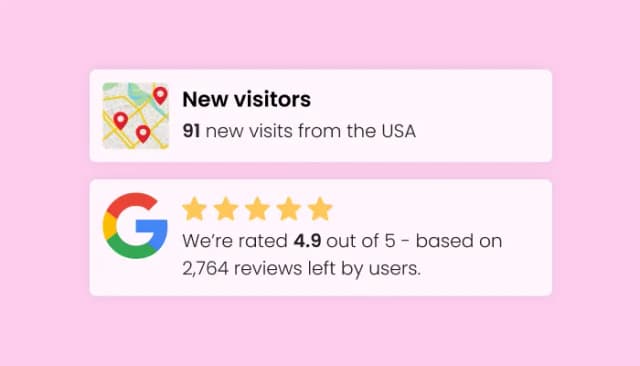
Display user interactions to build trust and boost conversions.
The Trust Badges widget allows you to display security, shipping, and guarantee badges on your website, increasing customer trust and boosting conversion rates. By showcasing these badges, you reassure users about the credibility and security of your business.
Yes, the Trust Badges widget is fully customizable. You can adjust colors, fonts, sizes, and spacing to ensure that the badges blend seamlessly with your website's branding and design.
No, you don’t need any coding skills to use the Trust Badges widget. It is designed with an intuitive interface, making it easy for anyone to add and customize badges with just a few clicks.
Yes, the Trust Badges widget allows you to upload your own custom-designed badges. This gives you complete creative control and ensures your site maintains a unique and branded appearance.
The Trust Badges widget offers a wide selection of premade badges for guarantees, security, shipping, customer support, and more. These badges are professionally designed to help build trust with your customers instantly.
Absolutely! The Trust Badges widget is fully responsive, ensuring that the badges look great and function perfectly across all devices, including desktops, tablets, and smartphones.
Embedding the Trust Badges widget is simple. All you need to do is copy and paste a single line of code into your website. The widget will automatically update whenever you make changes in the editor.
Yes, you can add as many badges as needed. The Trust Badges widget supports multiple badges, and you can easily organize and arrange them in different layouts to suit your design.
Yes, the Trust Badges widget offers various layout options, such as horizontal, vertical, and grid layouts, allowing you to display badges in a way that complements your website’s design.
Trust Badges provide visual reassurance to your customers that their transactions and data are secure, or that your company offers important guarantees (like free shipping or money-back offers). This builds confidence, reduces cart abandonment, and encourages customers to complete their purchases.
Yes, for more advanced users, the Trust Badges widget supports custom CSS. This allows you to apply your own styling for more detailed customization and to match your website's design exactly as you want.
You can choose from a wide selection of premade badges based on your business needs (e.g., SSL security, free shipping, money-back guarantee). You can also upload custom badges to highlight specific trust factors that are most relevant to your audience.
Yes, you can add the Trust Badges widget to any page of your website. This flexibility allows you to place badges on key pages, such as checkout, product, or landing pages, to maximize their impact.
No, the Trust Badges widget is optimized for performance and will not negatively impact your website’s loading speed. It’s lightweight and designed to integrate seamlessly with your site.
Display security, payment, guarantee, and certification badges where buyers decide, from a gallery of ready-made designs or your own uploads. Multiple layouts and design skins, full control over colours, fonts, sizes, and spacing, responsiveness across every device, and custom CSS. Embed on 200+ platforms including WordPress, Shopify, Wix, Webflow, and Squarespace.
Create your badge rowNo credit card · No coding