
Video Carousel for Webador

Showcase videos with a video carousel that rotates or slides clips, improves visual design, and keeps visitors watching and engaged.

Create a Video Carousel

loved by 500K+ businesses

Webador
plugineditor

Why Should You Use the Video Carousel Widget+?

Elevate Your website's Visual Appeal with a Webador Video Carousel

Choose from a variety of gorgeous videos to elevate the design of your website with the Webador Video Carousel. The Video Carousel's customizable size and slider options make it easy to create a personalized video experience that suits your Webador website.

Save Space on your webpage

The video carousel widget for Webador is advantageous because it occupies minimal space, leaving room for other content. Unlike Video galleries that take up a lot of space, the video carousel widget can show as many videos as you want, from within a fixed position, and in an interactive manner. Additionally, you can create different carousels for different categories, and avoid building additional pages for different categories.

Use the Video Carousel for Webador to Increased Engagement

The Video Carousel widget is an ideal tool for drawing in and engaging widget visitors, promoting what your business has to offer, and boosting your conversion rates. The video carousel available on Webador includes analytics that allow you to monitor user engagement and behavior, giving you the information you need to refine your content strategy and optimize your video marketing for better results.

Supporting Various video hosting services

With the Video Carousel for Webador, you can incorporate videos from a wide range of hosting platforms, including YouTube, SoundCloud, Facebook, Vimeo, Twitch, Streamable, Wistia, DailyMotion, Mixcloud, Vidyard, and Kaltura. Displaying videos from multiple hosting platforms on your Webador website can provide a diverse range of video content that caters to your users' preferences. This, allows you to leverage the strengths of each hosting platform.


Video Carousel - Supporting Various video hosting services

Use Different Video Size

Whether you want a small, large, vertical, or horizontal video carousel, the Webador Video Carousel widget allows you to customize the size and orientation of your app to meet your exact specifications. With the ability to customize the size and orientation of your video carousel, you can create a more visually appealing and user-friendly experience on your Webador website, improving the overall quality of your content. By having the option to change the size of the video carousel for Webador, you can ensure that it fits seamlessly into the layout of your website, without disrupting the overall design. The Video Carousel widget allows you to choose either a vertical or horizontal orientation, depending on the layout of your Webador website and the nature of the video content you wish to display.

Video Carousel - Use Different Video Size

Fully Customizable widget Design

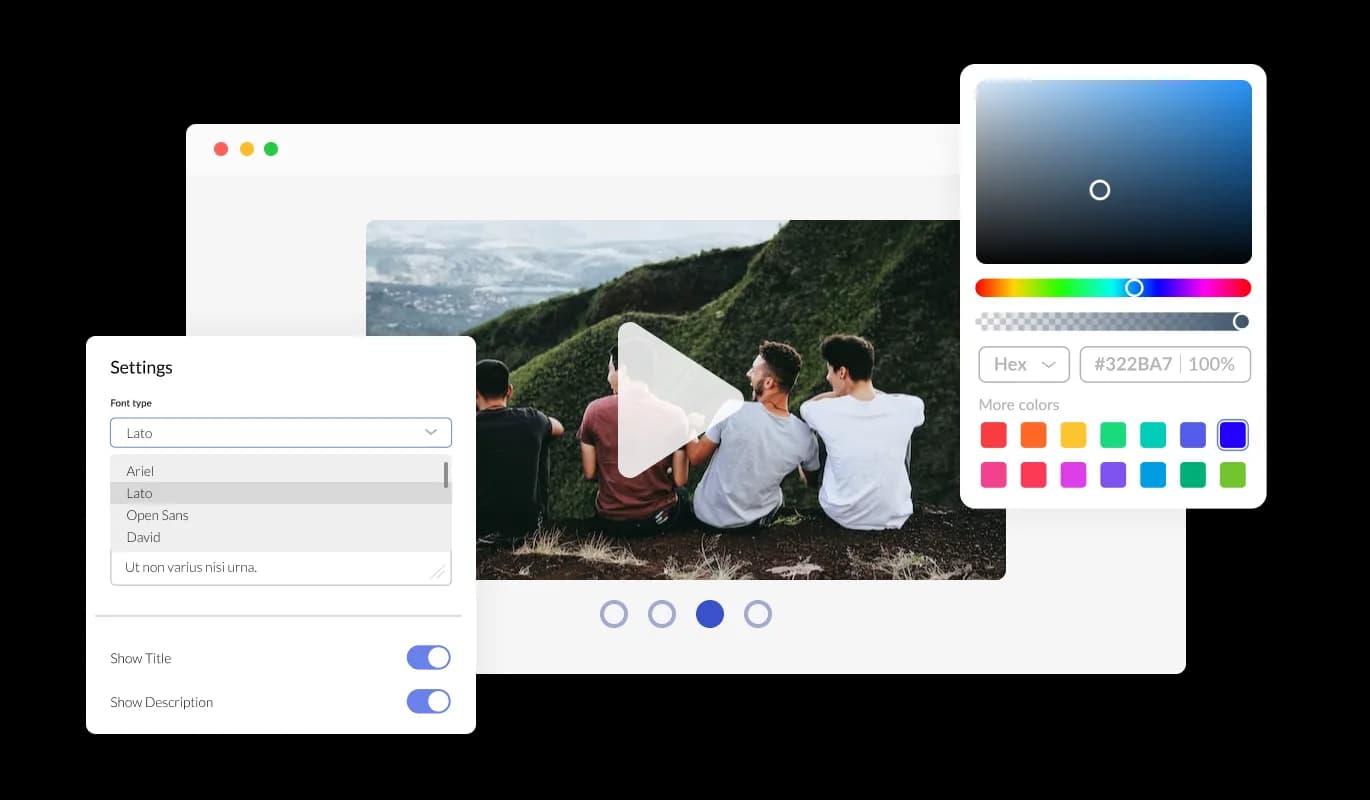
Our Webador Video Carousel widget comes with full customization capabilities so you can tailor the design to suit your needs. Modify the colors, fonts, spacing, and any other design elements. Creating a visually appealing and unified look for your websites is made easier with the powerful customization abilities of your Webador video carousel. By customizing your video carousel widget's look&feel, you can make it consistent with the style and branding of your Webador website. By doing this, you can enhance your professional image and credibility, which can foster trust among your users.

Video Carousel - Fully Customizable widget Design
Video Carousel - Use Arrows & Pagination

Use Arrows & Pagination

The Video carousel widget allows you to change the arrow types of the slider and pagination icons, enabling you to fully customize the appearance of your widget to suit your design preferences.

Video Carousel - Time allocated per slide and speed of slider motion

Time allocated per slide and speed of slider motion

The Video Slider for Webador comes with the options to control the speed at which the videos slide, and how much time should be spent on the videos. You can use these options to tailor your user’s experience.

Video Carousel - Webador Video Carousel Multiple Layouts

Webador Video Carousel Multiple Layouts

Customize the Video Carousel for Webador to complement your Webador website's design and style by choosing from a variety of layouts.

Video Carousel - A breeze to use widget

A breeze to use widget

With the Video carousel for Webador, you don't need to know any coding. Using the drag-and-drop feature on our intuitive dashboard, you can customize the widget in any way you see fit.

Using custom CSS with the Video carousel for Webador

Video carousel for Webador also allows you to add custom CSS, allowing for even more customization and creativity. Through custom CSS, you can create styles and design elements not available through the built-in customization options. Using custom CSS, you can create visually striking designs tailored to your needs.

Video Carousel - Using custom CSS with the Video carousel for Webador

Simple To Embed On Your Webador website

You can easily embed the Video carousel widget on your Webador website by copying a single line of code. The Video carousel updates automatically to reflect any changes you make. Copy and paste the code for widget into your Webador website's HTML code to integrate it.

Video Carousel - Simple To Embed On Your Webador website

Compatible With All Site Builders, E-Commerce Platforms and Websites

View all supported platforms

FAQ

Yes, you can easily do so from the “Templates” tab.

It’s simple. All you need to do is to sign up and start using the free version.

Common Ninja’s Video Carousel widget is free to use. It is limited to a certain amount of views, however.

Yes, the Video Carousel widget is GDPR-compliant.

No. Using our Video Carousel widget is very simple. The widget comes with an intuitive drag-and-drop interface and fully customizable options. Once you’ve finished editing the widget to your liking, all you need to do is copy the provided code and add it to your website.

Yes. We are eager to hear your request. Please visit our Feature Request page.

You can use videos from these video hosting platforms, on the video carousel:

  • YouTube
  • SoundCloud
  • Facebook
  • Vimeo
  • Twitch
  • Streamable
  • Wistia
  • DailyMotion
  • Mixcloud
  • Vidyard
  • Kaltura.

A video carousel is a graphical user interface element commonly used in websites that displays multiple videos horizontally or vertically in a scrolling manner, allowing users to browse and select from a list of videos.

It is a popular design pattern for presenting video content and is often used in video-sharing platforms, e-commerce sites, and social media networks.

Using a video carousel on your website can provide several benefits, including:

  1. Improved user engagement: Video carousels can make it easier for users to discover and view multiple videos, increasing their chances of engaging with your content.
  2. Better content organization: By grouping related videos in a carousel, you can create a more organized and intuitive navigation experience for your users.
  3. Space efficiency: Video carousels allow you to display multiple videos in a relatively small amount of space, making them ideal for sites or pages with limited real estate.
  4. Enhanced visual appeal: A well-designed video carousel can be an aesthetically pleasing addition to your website, adding a dynamic and visually interesting element to your content.
  5. Higher conversion rates: Video carousels can be an effective tool for showcasing products or services, and may lead to higher conversion rates by providing more information and visual content to potential customers.