


Verified review
Common Ninja has amazing no-code widgets that would beautify a website built on any builder. It is very easy to use and customise. It has as many widgets for almost everyone willing to make their website impressive.
Try the editor, no signup
Pick a template, customize it, and watch it update live, no signup.
No credit card · Free forever plan
No credit card · Free forever plan
The Common Ninja Video Slider is a free, no-code widget that plays a set of videos as a slideshow on any website. Add the video links, pick a layout, and paste one line of embed code.
It pulls from multiple video hosts rather than tying you to one, so a slider can mix a YouTube clip, a Vimeo film, and a hosted file in the same sequence.
Videos can open in a popup instead of playing inline, and the size, hover effect, layout style, and CSS are all yours to set. Works on 200+ platforms including Webflow, Shopify, WordPress, Squarespace, and Wix.
A page can rarely afford four stacked video players, and visitors will not scroll through them anyway. A slider puts a whole set in a single block, so people browse rather than commit to the first thing they see.
Video is what closes the gap between a photo and a decision. A slider of short clips beside the buy button covers the angles a still cannot: how it moves, how big it is, how it works in a hand.
Videos accumulate across platforms over the years. Embedding each host's own player leaves a page of mismatched frames and controls, while one slider gives them a single consistent presentation.
Portfolios and customer video testimonials both work better as a set than as a single pick. A slider lets a visitor sample three or four in the time they would have given one, which is usually all the attention you get.
Paste links from the video hosts you already use. You are not restricted to one platform, so a slider can carry a YouTube demo, a Vimeo showreel, and a self-hosted clip together in whatever order you choose.
Choose a layout style and video size, pick a hover effect, and decide whether a click plays the video in place or opens it in a popup. Popup playback is the better choice when the slider sits in a narrow column.
Copy the snippet from the Add to Website tab and paste it where the slider belongs. Changes you make later push to every page carrying the embed, without re-pasting the code.
Add videos from the platforms you already publish on rather than migrating everything to one host. The slider handles the mix and presents them all the same way.
Play in place when there is room, or open the video in a popup so a small slider can still show it full size. That one setting is what makes a video slider work inside a sidebar or a narrow column.
Set the video size, choose a layout style, and add a hover effect so the slider signals it is interactive. Small touches, but they are what stop a slider reading as a static image.
Scales to the screen width so a slider does not overflow on a phone, and a custom CSS field handles exact design matching. One embed snippet, 200+ platforms, nothing to install.

The Video Slider widget supports an array of video hosting platforms, including YouTube, SoundCloud, Facebook, Vimeo, Twitch, Streamable, Wistia, DailyMotion, Mixcloud, Vidyard, and Kaltura. By displaying videos from various platforms, you can offer your website users a diverse selection of video content that caters to different preferences, enabling you to capitalize on the unique advantages of each hosting platform.

The Video Slider widget features the option to adjust the video sizes within the slider, from small to large, vertical or horizontal, you can tailor the widget to meet your specific requirements. The ability to customize the size and orientation of your video slider is an essential feature that can improve your website's visual appeal and usability. By having the option to modify the size of the video slider widget, you can ensure its seamless integration into your website's layout without disrupting the overall design. Additionally, you can choose between vertical or horizontal orientations, depending on the type of video content you wish to display and your website's layout.
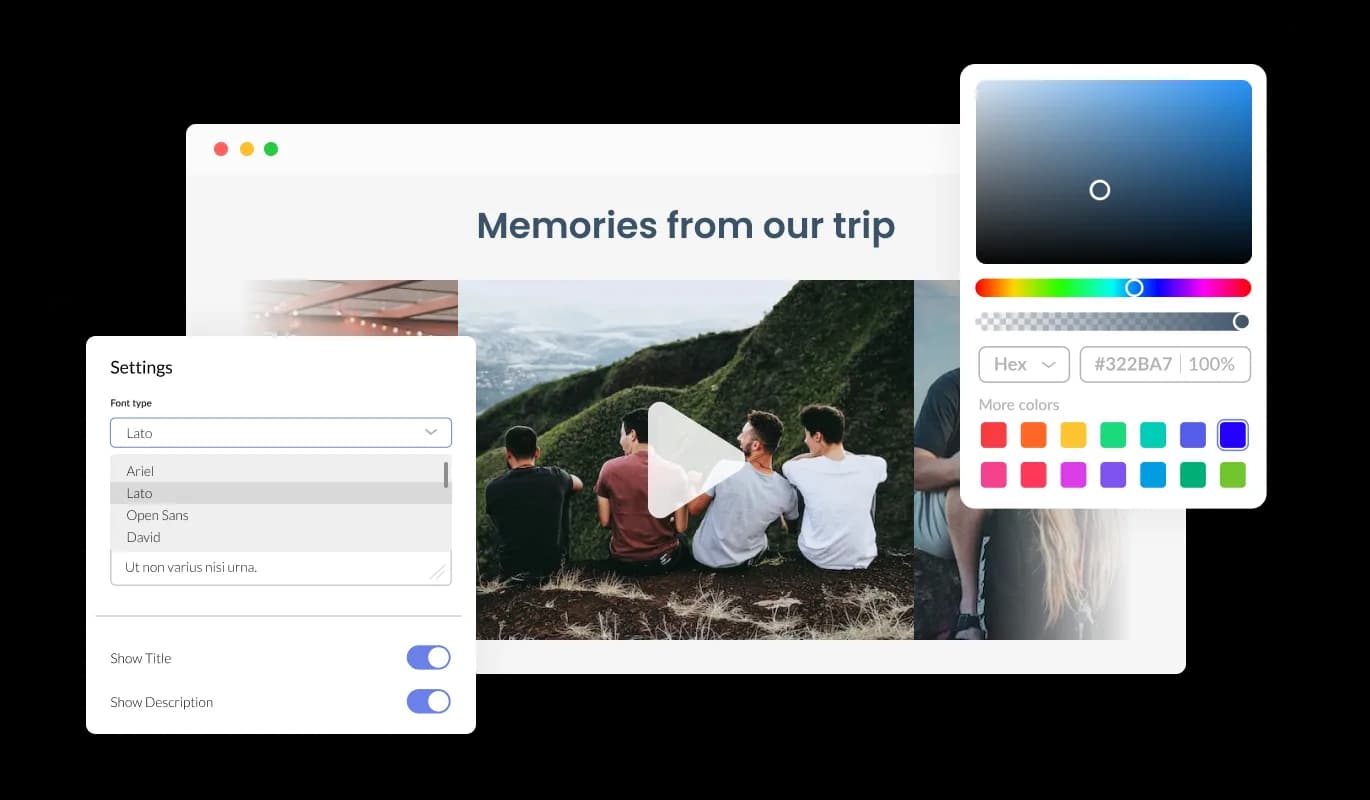
The Video Slider widget offers complete customization, letting you adapt its design to fit your website's look. You can readily tweak colors, fonts, spacing, and more, ensuring a seamless integration with your site. A real-time preview function lets you experiment until you find the ideal design combination, enhancing user experience while achieving your aesthetic goals.
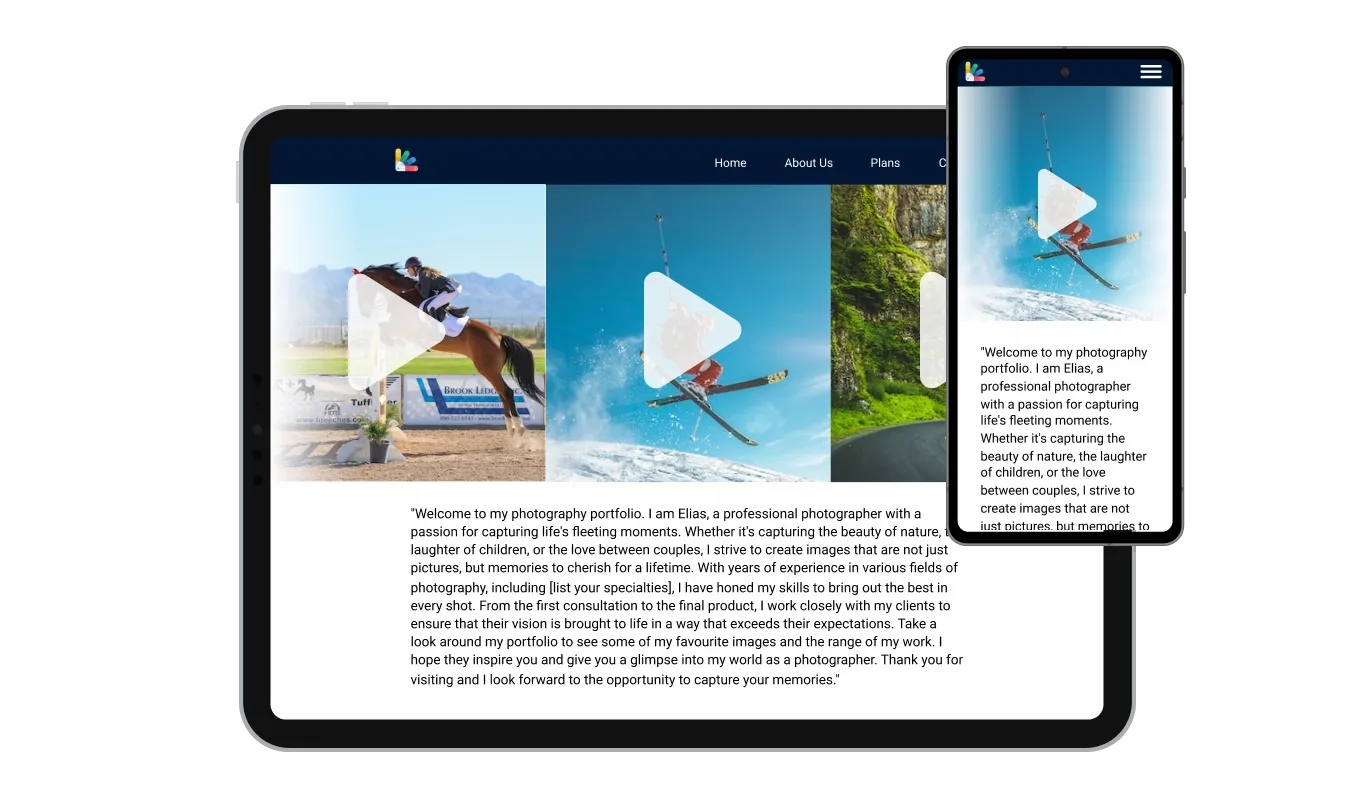
The Video Slider widget is designed to be fully responsive, delivering an optimized user experience across all devices, from desktops to mobiles. In today's mobile-first world, its adaptability ensures a smooth, intuitive website navigation for all visitors, giving your site a competitive edge in terms of functionality and design.

The Video Slider widget lets you go beyond built-in options by incorporating custom CSS for a truly unique touch. This feature empowers you to adjust size, shape, and position or create new styles from scratch. This extensive customization promotes perfect alignment with your site's aesthetic and enhances the user experience.

Easily embed the Video Slider widget on your website by copying a single line of code. The Video Slider will update automatically with each modification you make. Copy the code for the widget and paste it into your website's HTML code. Place the code in the appropriate section of your website, such as the footer or header.
The Video Slider widget incorporates hover effects, adding an extra layer of visual flair to elevate the user experience on your pages. This interactive feature not only enhances the aesthetic appeal but also fosters a dynamic, user-centric environment that keeps visitors intrigued and engaged.
The Video Slider widget features two layout styles: carousel and grid. Select from these options to tailor the widget to your website's design. Whether you need a fluid, continuous carousel for a cinematic experience or a structured grid for easy browsing, the Video Slider provides the flexibility to align with your design vision.
The Video Slider widget introduces an immersive and elegant Lightbox feature, allowing users to open and view videos in a responsive overlay on your website. This sophisticated functionality offers an enhanced, distraction-free video-watching experience, seamlessly blending with your site's design and maintaining user engagement.
The Video Slider widget is simple to use and does not require any coding expertise. Our intuitive dashboard, complete with drag-and-drop functionality, empowers you to customize the widget to your liking with just a few clicks.
Build your video slider in the editor
Open the editorFree to use · No credit card · No signup to try it
Common Ninja has amazing no-code widgets that would beautify a website built on any builder. It is very easy to use and customise. It has as many widgets for almost everyone willing to make their website impressive.
Outstanding service. I use their widgets to help me with my web design business and whenever I need help they are very quick to help.
Excellent company with excellent service!!! We used it to build a survey, it was very user friendly. The service was perfect. Amit helped us with every problem and question we had, thank you very much!!!
Common Ninja saved the day when building our website and the customer service Daniel, the co-founder and CEO, provided was amazing.
No, and it is worth saying plainly. This is a hosted widget: you build the slider in an editor and paste one embed line into your page. There is no slider markup, CSS, or JavaScript for you to maintain. If you specifically want source code to own and modify, a widget is the wrong tool and a library is the right one.
The slider supports multiple video hosting platforms rather than locking you to one, so you can add links from the services you already publish on and mix them in a single slider. Paste the links in the editor and each one is presented in the same consistent frame.
Yes, and it is a setting rather than a workaround. Popup playback lets a small slider in a narrow column still show a video at a watchable size, which is usually the right choice in a sidebar or beside product details.
The slider shows thumbnails and only loads a player when a visitor plays something, so the page does not arrive carrying multiple video players. That is the main reason to use a slider rather than stacking several native embeds down the page.
Yes. You set the sequence in the editor, so the slider is a deliberate running order rather than whatever a channel happened to publish last. That matters for a showreel or a demo sequence where the first clip is doing the persuading.
The slides are interactive, so a visitor can play a video or open it in the popup view. If what you need is a slider where each image links to a product or article rather than plays a video, an image slider or a card carousel is the better fit.
Yes, the slider is responsive and scales to the screen width. Video is wide, so check the size setting at phone width: a slider sized for a desktop three-across layout can leave very small thumbnails on mobile.
Yes. Each slider is its own widget with its own video list and settings, so a homepage showreel and a product page demo set can be entirely different. On the free plan each widget counts separately against your plan's widget allowance.
Pick your platform. Each takes under 4 minutes.

Showcases videos in a rotating or sliding manner

Showcases videos from various sources in a variety of visually appealing layouts and grids

Showcases images in a rotating or sliding manner

Displays a series of images in a slideshow format

Displays images and captions in diverse layouts and grids, presenting visually appealing arrangements for showcasing multiple images

Displays multiple logos in a scrolling or rotating manner
The Video Slider widget is a customizable and responsive tool that allows you to showcase videos on your website. It supports multiple video hosting platforms and offers various layout styles and customization options to help you create an engaging and visually appealing video display.
Yes, the Video Slider widget is fully customizable. You can adjust colors, fonts, spacing, and other design elements to create a widget that seamlessly integrates into your website's design. You can also apply custom CSS to further refine the widget and make it truly unique.
Yes, the Video Slider widget is designed to be responsive and function smoothly across all devices, including desktop computers, laptops, tablets, and smartphones. This ensures an optimal user experience regardless of the device used to access your website.
The Video Slider widget supports a variety of video hosting platforms, including YouTube, SoundCloud, Facebook, Vimeo, Twitch, Streamable, Wistia, DailyMotion, Mixcloud, Vidyard, and Kaltura. This allows you to showcase a diverse range of video content from multiple sources.
Yes, you can transform the Video Slider into a powerful conversion tool by making the videos clickable. This enables users to easily access additional content or take specific actions after watching the video.
Absolutely! The Video Slider widget is designed to be user-friendly and requires no coding knowledge. The intuitive dashboard, complete with drag-and-drop functionality, allows you to customize the widget with just a few simple clicks.
Embedding the Video Slider widget on your website is easy. Simply copy the provided single line of code and paste it into your website's HTML code, in the appropriate section such as the footer or header. The widget will update automatically with each modification you make.
Play videos from multiple hosts as one slideshow, with popup or inline playback, adjustable video size, layout styles, hover effects, full responsiveness, and custom CSS. Embed on 200+ platforms including Webflow, Shopify, WordPress, Squarespace, and Wix.
Create your video sliderFree to use · No credit card · No coding