


Verified review
Common Ninja has amazing no-code widgets that would beautify a website built on any builder. It is very easy to use and customise. It has as many widgets for almost everyone willing to make their website impressive.
The Common Ninja Audio Player is a free, no-code audio embed that adds a customizable music, podcast, or MP3 player to any website.
Upload tracks, stream from external URLs, set custom skin colors, layout, and playback controls, then paste one line of embed code on 200+ platforms including Canva, Google Sites, Notion, Blogger, and Neocities.
Setup runs under 4 minutes.
Audio creates intimacy that text and video can't match. Whether it's a podcast episode, a founder story, or a guided tour of your service, an embedded player turns passive visitors into engaged listeners.
Artists, authors, and creators can let visitors preview their work without leaving the site. Stream samples, full tracks, chapter previews, or sound design clips with full control over what plays and when.
A subtle ambient track or branded soundscape keeps visitors lingering on key pages. Set autoplay carefully, give users an obvious mute control, and the right audio bump can lift session length without feeling intrusive.
Embed sermons, lectures, interviews, language lessons, or meditation tracks anywhere on your site. Audio Player gives non-streaming brands a way to publish episodic content without leaving for Spotify or Apple Podcasts.
Add MP3s directly, paste external streaming URLs, or pull from a hosted playlist. Mix and match sources, name each track, and order the playlist however you like.
Drag-and-drop skin colors, button styles, autoplay, loop, and shuffle behavior in a live preview editor. Match the player to your brand without touching CSS.
Copy the embed snippet and drop it anywhere on your site. Future edits to the playlist or styling push automatically, with no need to re-embed the code.
Add as many tracks as your plan allows. Mix uploaded MP3 files with external URLs, hosted playlists, or single streaming links. Reorder anytime without re-embedding.
Change skin colors, button styles, layout, or autoplay behavior and watch the player update in real time inside the editor. No publish-and-pray cycle.
Tap-friendly controls, sticky mini-player option, and responsive sizing across phones, tablets, and laptops. The audio waveform and seek scrubber stay legible at every breakpoint.
When the visual editor runs out, drop in custom CSS for any element. Build unique hover states, animation timing, or pixel-perfect spacing without touching the rest of your site.
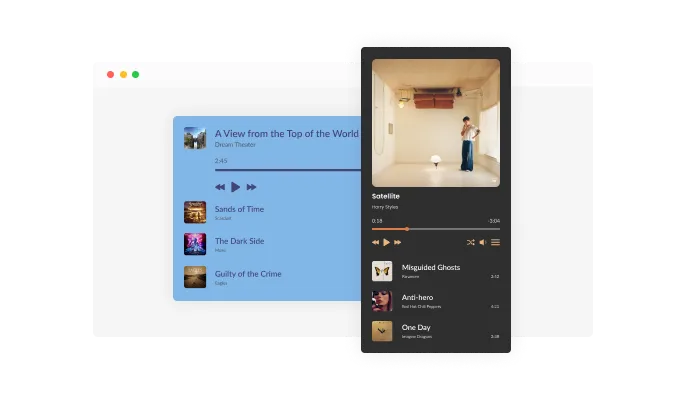
The Audio Player Widget lets you create playlists that display cleanly and professionally on your website. You can show track titles, include cover images, or use a simple list layout for a minimal listening experience.
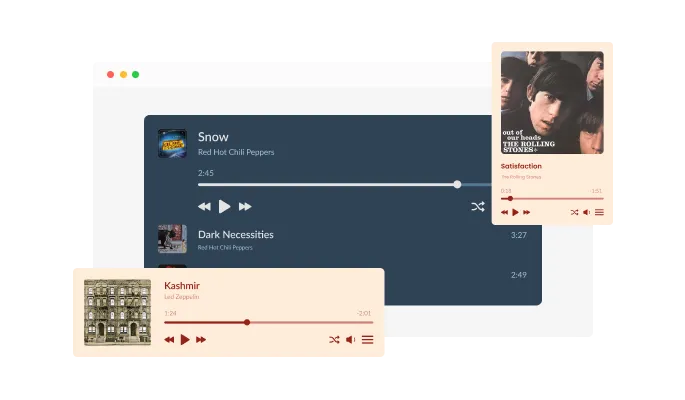
Choose from several layout formats depending on how you want the Audio Player Widget to appear. Use a compact inline player, a wider featured layout, or embed the player directly inside content sections.
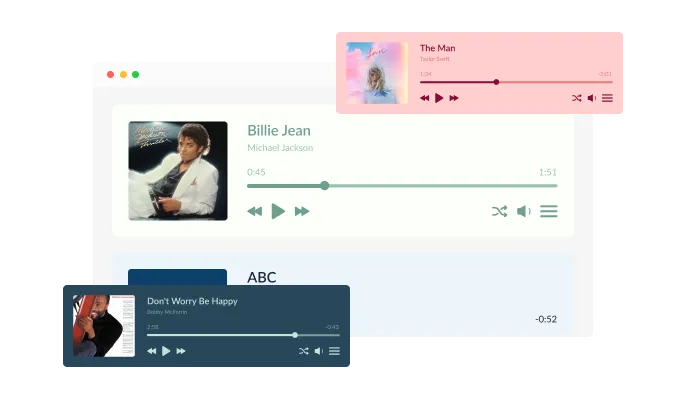
Give your Audio Player Widget an instant professional look with a selection of ready-made design skins. Each skin blends smoothly with modern website styles and keeps playback controls clear and accessible.
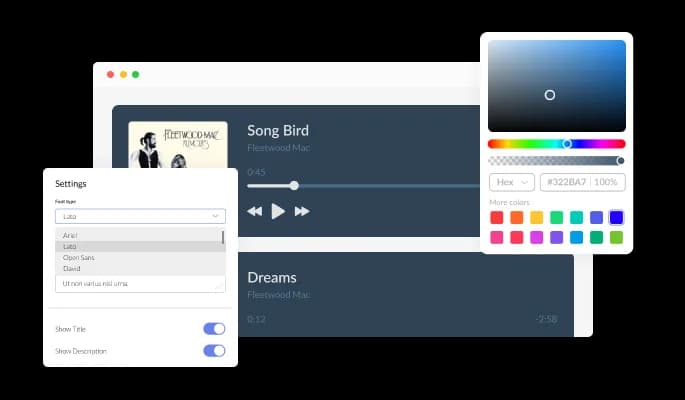
Adjust colors, fonts, icons, and spacing to ensure the Audio Player Widget fits your brand identity. The editor makes it easy to create a seamless visual experience without technical effort.
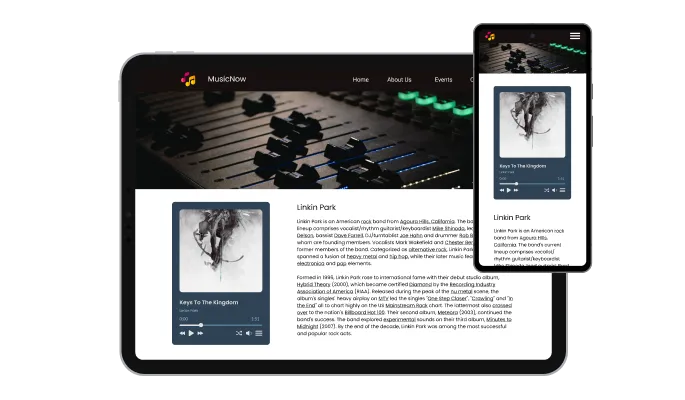
The widget automatically adapts to desktops, tablets, and mobile screens. The Audio Player Widget ensures smooth playback and easy interaction on any device.

For deeper design control, you can apply custom CSS to the Audio Player Widget. Customize spacing, transitions, and interface details to match advanced themes or UI systems.

Embedding the Audio Player Widget takes just a moment. Copy the code from your dashboard and paste it into an HTML or embed block on your site. Any edits you make inside Common Ninja update automatically on your published website.
The Audio Player widget supports MP3 files, hosted URLs, and various online audio sources. This allows you to embed voice recordings, podcasts, narration, and background audio from multiple locations.
Listeners can use familiar features like play, pause, seeking, and volume adjustment. The Audio Player Widget also includes an optional shuffle setting, which you can enable or disable in the Settings panel.
Place the Audio Player Widget at the top or bottom of your page, inside your content, or as a sticky player that stays visible while visitors browse. All positioning options are controlled inside the editor.
The Audio Player Widget is simple to set up and manage. You can upload audio files, adjust the layout, and customize the design through an intuitive editor without any coding. All changes update instantly on your website, making the entire process quick and effortless.
Common Ninja has amazing no-code widgets that would beautify a website built on any builder. It is very easy to use and customise. It has as many widgets for almost everyone willing to make their website impressive.
Outstanding service. I use their widgets to help me with my web design business and whenever I need help they are very quick to help.
Excellent company with excellent service!!! We used it to build a survey, it was very user friendly. The service was perfect. Amit helped us with every problem and question we had, thank you very much!!!
Common Ninja saved the day when building our website and the customer service Daniel, the co-founder and CEO, provided was amazing.
Yes. The free plan covers a single audio player widget with no time limit, no credit card, and no trial countdown. Upgrade only when you need more views, premium skins, or advanced playlist features.
No. Build the entire player in a drag-and-drop editor, add your tracks, customize the look, then paste one line of embed code into your site. Most users finish setup in under 4 minutes.
MP3 is the standard format. You can upload MP3 files directly or paste external streaming URLs (including hosted MP3s, .ogg, or .wav links) and the player streams them inline without any plugin or app install.
Yes. Build a playlist with as many tracks as your plan allows, name each one, set the order, and let listeners skip, shuffle, or repeat. Mix uploaded files with external streaming URLs in the same playlist.
Yes. Skin colors, button styles, layout density, control visibility, and font are all editable in a live-preview editor. Custom CSS is available for pixel-perfect tweaks beyond what the visual editor exposes.
Yes. Touch-friendly controls, responsive sizing, and an optional sticky mini-player make playback feel native on phones and tablets. The waveform and seek scrubber stay legible at every screen size.
Yes. Autoplay, loop, and shuffle are all toggleable in the editor. Note that browsers restrict autoplay-with-sound by default, so combine autoplay with a muted-start option for the smoothest first-load experience.
200+ platforms including Canva, Google Sites, Notion, Blogger, Neocities, Shopify, WordPress, Wix, Webflow, Squarespace, and any custom HTML page that accepts an embed snippet.
Pick your platform. Each takes under 4 minutes.
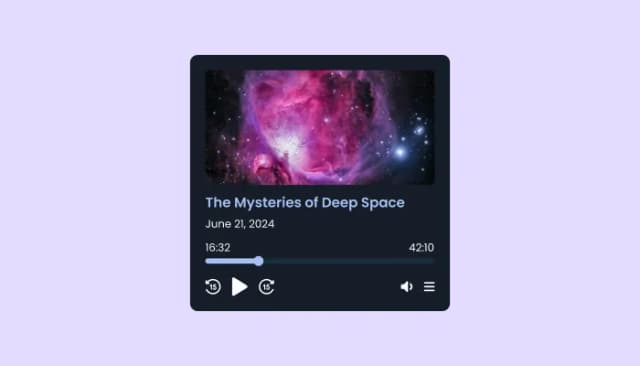
Embed and manage podcasts on your site with customizable, responsive, and user-friendly Podcast Player.
Showcases videos in a rotating or sliding manner

Showcases videos from various sources in a variety of visually appealing layouts and grids

Display the latest posts from your YouTube channel

Keep Videos in View as Users Scroll Through Your Site

Display the latest posts from your Vimeo channel
Yes, you can link any audio file in the audio player widget.
Yes, the audio player widget supports file uploads.
Yes, you can easily do so from within the “Look & Feel” tab on your dashboard.
Yes, you can easily do so from within the “Look & Feel” tab on your dashboard.
Yes, you can easily do so from within the “Look & Feel” tab on your dashboard.
Yes, you can easily do so from within the “Settings” tab on your dashboard.
Yes, you can easily do so from within the “Settings” tab on your dashboard.
Yes, you can easily do so from within the “Settings” tab on your dashboard.
Yes, you can easily do so from within the “Settings” tab on your dashboard.
Using the Audio Player widget is very easy. Simply sign up and start using the free version. There's no need to worry about complicated setup or installation processes, as the Audio Player widget is designed to be user-friendly and straightforward. Once you've signed up, you'll have access to all of the basic features and functions of the widget, which you can use to enhance your website and improve your online presence. From there, you can choose to upgrade to the paid version if you want to access more advanced features and capabilities. Regardless of which version you choose, you'll find that the widget is a powerful and easy-to-use tool that can help you take your online presence to the next level.
The Common Ninja Audio Player widget is a free tool reach with features and options. While this widget is free to use, it does have a limit on the number of views it can handle. This means that after a certain number of views, the chat button may no longer be visible or functional on your website. It is important to note that this view limit may vary depending on the plan you are using. Despite this limitation, Common Ninja's Audio Player is still a valuable tool for businesses looking to increase customer engagement and improve the overall user experience of their website.
The Common Ninja's Audio Player widget is a versatile tool for any website builder. This means that you can easily add this widget to your website or store no matter what platform you use to build your website. The Audio Player widget will work seamlessly with your platform whether you are using a popular website builder or something more specialized. This means you can enjoy all the benefits of this powerful tool without having to worry about compatibility issues.
It’s very easy to embed Common Ninja’s Audio Player widget on your website and the process consists of two steps:
The Audio Player widget is designed to comply with the General Data Protection Regulation (GDPR), a set of EU regulations protecting personal data and privacy. When using the Audio Player widget, you can be confident that it will not collect or store personal data that could violate GDPR regulations. This ensures that your business is in compliance with these regulations and can protect your customers' data privacy. Overall, the Audio Player widget is a secure and reliable tool that can be used to enhance your website without any concerns about GDPR compliance.
No need for coding skills. Our Audio Player widget is designed to be easy to use, even for those with limited technical experience. The widget features a user-friendly interface that allows you to easily customize the widget without coding knowledge. You can fully customize the Audio Player to match your branding. When you're done, simply copy the provided code and paste it into your website. It's that simple!
Embedding the Audio Player widget on your website is a straightforward process. Simply copy the provided code and paste it into the desired location on your website. The widget will seamlessly integrate into your site, allowing you to take advantage of its features and functions. No technical expertise or programming knowledge is required - just copy and paste the code to get started. This simple process allows you to easily add the widget to your website and enhance its functionality without any hassle.
Yes. We are eager to hear your request. Please refer to this page.
There are several reasons why you might want to use an audio player widget on your website.
First, it can be a useful way to add audio content to your website without taking up a lot of space or disrupting the design of your site. An audio player widget allows you to embed audio files, such as music or podcasts, within an on your website. This can be a more visually appealing and user-friendly way to present audio content than a traditional audio player.
Second, using an audio player widget can help improve your website's user experience by making it more interactive and engaging. By allowing your visitors to listen to audio content directly on your website, you can provide a more immersive and interactive experience that can keep visitors on your site longer and encourage them to explore more.
Third, using an audio player widget can help improve your website's search engine optimization (SEO). Including relevant keywords and phrases in the audio content, you add to your audio player can improve the chances that your website will appear in search results for those terms. This can help drive more website traffic and increase your visibility online.
Overall, using an audio player widget on your website can be a useful way to add audio content visually appealingly, improve the user experience, and boost your website's SEO.
An audio player widget may indirectly improve a website's search engine optimization (SEO). An audio player widget allows users to listen to audio files directly on a website without downloading the files or opening them in a separate application. This can improve the user experience on a website, as users can easily access and listen to the audio files without having to leave the website or switch between applications. A good user experience can signal to search engines that the website is valuable and relevant, which can improve its search engine rankings. Additionally, if an audio player widget allows users to search for specific words or phrases within an audio file, this can make it easier for users to find the information they are looking for, which can also improve the user experience and contribute to better search engine rankings. Overall, while an audio player widget itself may not directly improve SEO, it can indirectly contribute to better search engine rankings by improving the user experience on a website.
Yes, an audio player widget can improve a website's user experience (UX). An audio player widget allows users to listen to audio files directly on a website without downloading the files or opening them in a separate application. This can provide a more seamless and user-friendly experience, as users can easily access and listen to the audio files without having to leave the website or switch between applications. An audio player widget may also include features such as play/pause, volume control, and the ability to skip to specific parts of the audio file. These features can make it easier for users to control and interact with the audio content, which can improve the overall user experience on a website.
An audio player widget is a pre-designed, interactive element that can be added to a website or application to play audio files. It is typically created using a web development tool or JavaScript library, and it can be easily customized to meet a website's or application's specific needs.
Audio player widgets are often used to play music or other audio content on a website or application. They can be configured to play a single audio file or a playlist of multiple files. Some audio player widgets also allow users to control the volume, pause and resume playback, and skip to different parts of the audio file.
An audio player widget can enhance the user experience on a website or application by allowing users to easily control audio content. It can also be a useful tool for presenting audio content professionally and visually appealingly, which can increase the credibility and value of the presented content.
Works on 200+ platforms. Trusted by 500K+ businesses.
Create your audio playerNo credit card · Setup in under 4 minutes