


Verified review
Common Ninja has amazing no-code widgets that would beautify a website built on any builder. It is very easy to use and customise. It has as many widgets for almost everyone willing to make their website impressive.
Try the editor, no signup
Pick a template, customize it, and watch it update live, no signup.
No credit card · Free forever plan
No credit card · Free forever plan
The Common Ninja Bluesky Feed is a free, no-code widget that embeds a live feed of Bluesky posts on any website. Paste a handle, choose a layout, and add one line of embed code.
The feed pulls new posts on its own, so the section stays current without you editing the page. Layouts, ready-made skins, ticker animation, and custom CSS are built in.
Handy for anyone who moved to Bluesky and wants their site to show it: a personal site, a newsroom, a project page, or a company account posting updates. Works on 200+ platforms including WordPress, Wix, Squarespace, Zenfolio, and Carrd.
If you moved off another network, your site is where people still find you. A live Bluesky feed shows the account is active and gives them somewhere to follow, instead of a social icon linking to somewhere you abandoned.
Short posts are easier to keep up than articles. A feed turns that habit into a section of your site that is always current, which is often the only thing on a small site that changes at all.
For anyone building in public, the feed is the running log: what shipped, what broke, what changed. Putting it beside the project itself saves visitors a trip to another site to work out whether the thing is still alive.
Post once and the website follows. No monthly reminder to swap a featured quote, and no risk of a social section quietly aging into something that makes the site look abandoned.
Paste the Bluesky handle you want to display, whether that is a default handle or one on your own domain. The widget pulls the recent posts with their text and images, so there is nothing to copy across by hand.
Pick a layout and one of the ready-made skins, then set how each post reads: the date and time format, how many characters to show so cards stay level, and whether the feed scrolls as a ticker. Custom CSS covers anything the settings do not.
Copy the snippet from the Add to Website tab and paste it into the page. The feed keeps pulling new posts, so the section reflects what you posted today without another trip to the editor.
Choose what the widget follows rather than being locked to a single view, and change it later from the editor without touching the page the embed already sits on.
Grid, list, and slider style layouts with ready-made skins, plus an optional ticker so the feed can take one strip of the page rather than a full section.
Bluesky posts range from three words to a full paragraph. Capping the visible characters keeps a grid tidy rather than ragged, and the date and time format is yours to set.
Full right-to-left rendering for Arabic, Hebrew, Persian, and Urdu layouts, and a custom CSS field for exact design matching. One embed snippet, 200+ platforms, nothing to install or maintain.
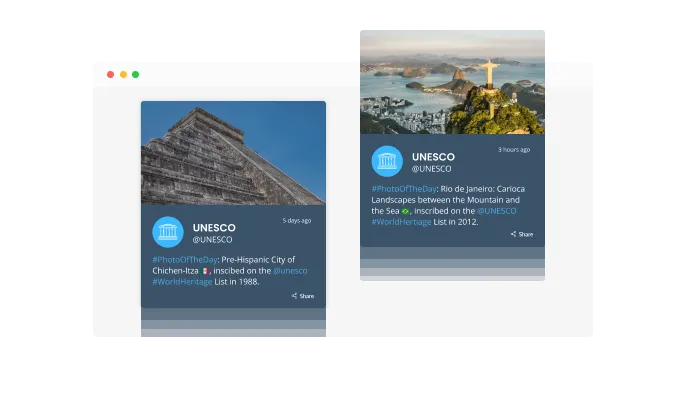
Add a scrolling ticker animation to your feed to highlight important content. This feature of the Bluesky Feed widget draws the visitor's attention to key updates, adding a dynamic touch to your site.

Keep your feed current without any manual updates. The Bluesky Feed widget refreshes automatically, providing your visitors with the latest posts in real-time to keep them engaged.
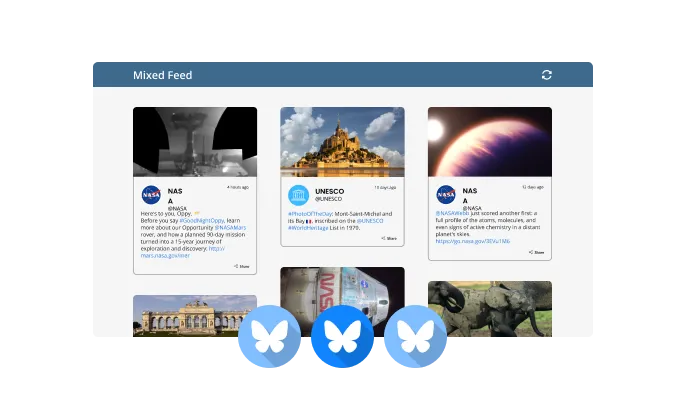
Display your Bluesky content in a variety of ways, such as a Tabs layout or a Mixed feed. This flexibility ensures that your feed seamlessly fits your website's design and meets your audience's engagement preferences.
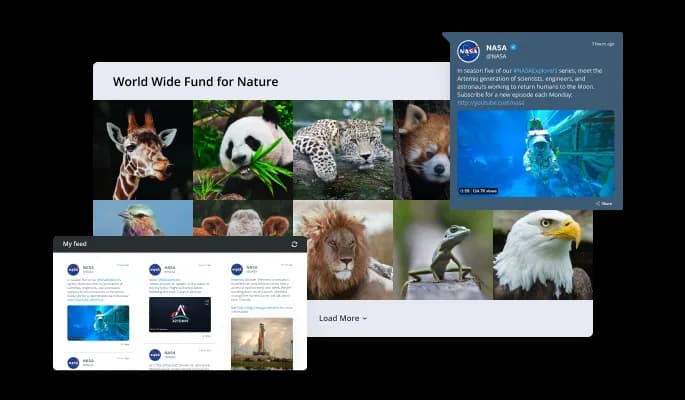
Select from different layout styles, including grid, list, or carousel, to present your Bluesky feed. These layout options allow you to enhance user interaction while complementing your website’s overall look and feel.
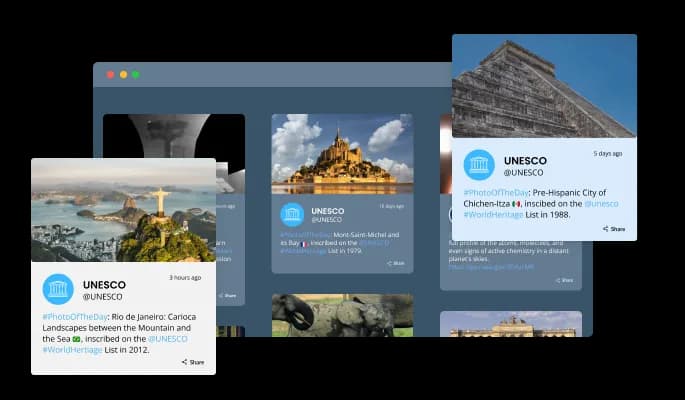
Choose from various pre-made skins to match your website’s aesthetic with minimal effort. Bluesky Feed’s design skins provide a quick way to enhance your site's visual appeal without needing extensive customization.
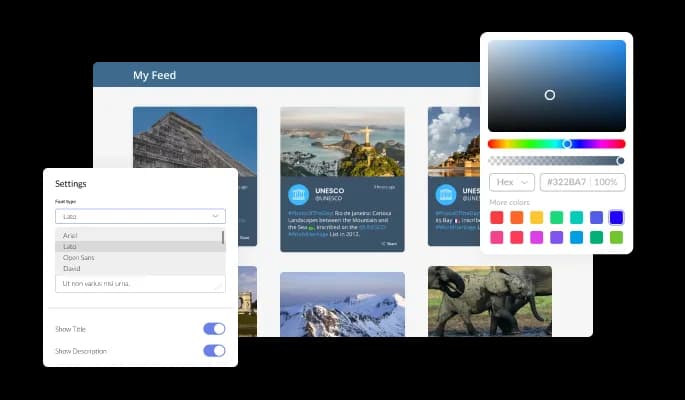
Tailor the Bluesky Feed to align perfectly with your brand's style. From color schemes to font selections and spacing adjustments, you have the freedom to craft a feed that fits seamlessly into your website's unique design.
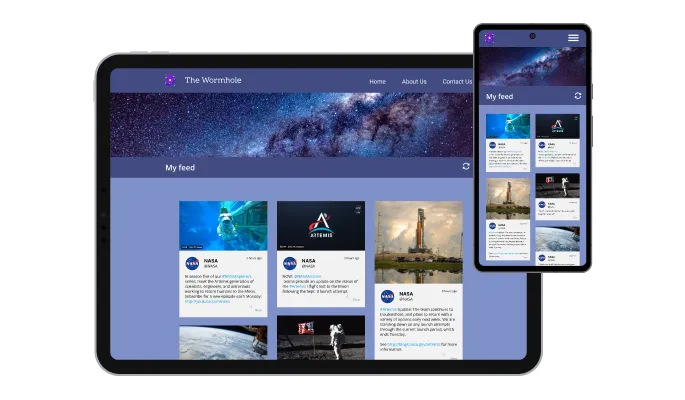
Bluesky Feed automatically adapts to all screen sizes, ensuring a consistent and attractive presentation on desktops, tablets, and mobile devices. This responsiveness guarantees an optimal user experience regardless of how visitors access your site.

For those seeking deeper customization, Bluesky Feed offers support for custom CSS. This feature lets you apply advanced styling, providing a way to perfectly tailor the widget's look and behavior to your specific requirements.

Adding Bluesky Feed to your site is hassle-free. Simply copy and paste a single line of code, and the widget integrates seamlessly. It also updates automatically, ensuring your visitors always see the latest content.
Choose how the date and time appear on your Bluesky posts with flexible formatting options. This allows you to match the feed's date display with your website's overall design and user preferences.
Adjust the character limit of displayed posts to suit your website’s layout. Shorter text can make the Bluesky Feed more compact, optimizing space and ensuring a neat, organized appearance.
Bluesky Feed supports right-to-left languages, making your content accessible to a global audience. This feature ensures that visitors using languages like Arabic or Hebrew can easily read and interact with your feed.
Designed for simplicity, the Bluesky Feed widget requires no coding knowledge. It features an intuitive dashboard and drag-and-drop functionality, allowing you to effortlessly customize the feed to match your website’s style and enhance user engagement without technical hassle.
Build your Bluesky feed in the editor
Open the editorFree to use · No credit card · No signup to try it
Common Ninja has amazing no-code widgets that would beautify a website built on any builder. It is very easy to use and customise. It has as many widgets for almost everyone willing to make their website impressive.
Outstanding service. I use their widgets to help me with my web design business and whenever I need help they are very quick to help.
Excellent company with excellent service!!! We used it to build a survey, it was very user friendly. The service was perfect. Amit helped us with every problem and question we had, thank you very much!!!
Common Ninja saved the day when building our website and the customer service Daniel, the co-founder and CEO, provided was amazing.
Open the editor, paste the Bluesky handle, choose a layout and skin, then copy the snippet from the Add to Website tab and paste it into your page. It works anywhere you can add an HTML block, and nothing gets installed on your site.
Yes. Bluesky lets you use your own domain as your handle, and the widget accepts either form, so a default handle and a custom-domain handle both work. If you change your handle later, update it in the editor and the embed on your page keeps working without being re-pasted.
No. The widget reads public posts, so you paste a handle and Common Ninja handles the rest. There is no app password to generate, no API key, and no request quota for you to keep an eye on.
Yes, for public accounts, which covers featuring a partner, a founder alongside a company site, or people posting about your work. Posts from accounts that have been made private or deleted will not appear, since the widget only reads what Bluesky serves publicly.
No, and the words overlap confusingly. A custom feed inside Bluesky is an algorithm that decides which posts users see in the app, and a starter pack is a shareable list of accounts to follow. This widget is neither. It takes posts from an account and displays them on your own website.
The feed loads in the browser, so treat it as something visitors see rather than as content that will rank. Use it as social proof and as a reason to stay on the page, not as a replacement for writing your own.
If Bluesky cannot be reached the widget shows the posts it last retrieved rather than an error block, so the page does not break. If the account itself goes quiet the feed will not empty out, it will simply age, so point it at an active account or take the section down.
Yes. Each feed is a separate widget with its own handle and settings, so a company account can sit on the homepage and a personal one on an about page. On the free plan each widget counts separately against your plan's widget allowance.
Pick your platform. Each takes under 4 minutes.

Display the latest posts from your Instagram page

Display a feed of the latest posts from a Facebook user or page

Display the latest tweets from your X

Display the latest posts from your Linkedin page

Display the latest posts from any RSS feed

Display the latest posts from any platform and website's RSS feed
Adding Bluesky Feed is easy. Copy the embed code provided in the widget’s dashboard and paste it into your website’s HTML. The feed will automatically integrate and display your Bluesky content.
Yes, the Bluesky Feed widget offers extensive customization options. You can change colors, fonts, spacing, and more to ensure the feed matches your website's overall design.
Absolutely! The Bluesky Feed refreshes automatically, pulling in new posts in real-time. This ensures your website always displays the latest content without requiring manual updates.
Yes, you can filter posts based on specific hashtags, users, or keywords. This allows you to showcase the most relevant content and better tailor the feed to your audience's interests.
Yes, Bluesky Feed is fully compatible with RTL languages like Arabic and Hebrew, ensuring your content is accessible to a diverse, global audience.
Yes, you can easily adjust the character length of the posts shown in the feed. This helps create a more compact display, optimizing space on your website.
Yes, Bluesky Feed is designed to be fully responsive. It automatically adapts to different screen sizes, offering a smooth user experience on desktops, tablets, and mobile devices.
Yes, Bluesky Feed is designed to be fully responsive. It automatically adapts to different screen sizes, offering a smooth user experience on desktops, tablets, and mobile devices.
No coding knowledge is needed to set up or customize Bluesky Feed. The widget comes with an intuitive dashboard and drag-and-drop functionality, making it accessible to users of all skill levels.
Yes, Bluesky Feed supports custom CSS, allowing you to add advanced styles and customization to match your website's unique look and feel.
Within the widget’s settings, you can choose from a variety of layout options, including grid, list, and carousel. This flexibility lets you display the feed in the format that best suits your site.
Bluesky Feed supports different types, including Tabs and Mixed feeds. This versatility allows you to present your content in the way that best engages your visitors.
Bluesky Feed automatically refreshes at regular intervals to keep your content up-to-date. The update frequency can be adjusted in the widget settings to suit your needs.
Yes, you can add multiple instances of the Bluesky Feed widget to one website. Each feed can be customized separately, displaying different content or layouts as needed.
A live Bluesky feed that refreshes itself, with multiple layouts, ready-made skins, ticker animation, post length control, RTL support, and custom CSS. Works with custom-domain handles. Embed on 200+ platforms including WordPress, Wix, Squarespace, Zenfolio, and Carrd.
Create your Bluesky feedFree to use · No credit card · No coding