


Verified review
Common Ninja has amazing no-code widgets that would beautify a website built on any builder. It is very easy to use and customise. It has as many widgets for almost everyone willing to make their website impressive.
Try the editor, no signup
Pick a template, tweak the date, colors and text, and watch it update live, no signup.
No credit card · Free forever plan
No credit card · Free forever plan
The Common Ninja Countdown Timer is a free, no-code countdown widget that builds urgency around launches, sales, deadlines, and events.
Set a target date and time, pick a layout and skin, customize labels, colors, and the completion behavior, then paste one line of embed code on 200+ platforms including Canva, Notion, Google Sites, Squarespace, and Carrd.
Setup runs under 3 minutes.
A visible countdown turns "coming soon" into a moment visitors return for. Product launches, collection drops, beta openings, and limited releases all benefit from a clock that makes the wait part of the campaign instead of a delay.
Flash sales, coupon expirations, free-shipping windows, and end-of-quarter pushes convert harder when the deadline is on the page. A countdown next to the CTA gives visitors a reason to click now instead of later.
Workshops, livestreams, conference sessions, fundraising telethons, and ticketed shows all need a visible time-to-go. Pair the countdown with the registration CTA so visitors know exactly when to show up and where to click.
Build an audience before the doors open. Pair a countdown with an email-capture so visitors get notified the second the timer hits zero, so you start launch day with a warm list instead of cold traffic.
Pick the moment your countdown is racing toward: a sale, a product launch, a webinar, a deadline. Set the time zone, decide whether to show days, hours, minutes, and seconds, and write the title visitors see above the timer.
Drag-and-drop a layout, choose a skin, set digit and label colors, pick fonts, and decide what happens when the timer hits zero: show a custom message, fire confetti, redirect to a URL, or hide the widget. All in a live preview editor.
Copy the embed snippet and drop it anywhere on your site. Future edits to the date, labels, or styling push automatically, so you can change the target without touching the embed code again.
Show all four units for a long-horizon launch, or just hours and minutes for a flash sale. Hide leading zeros, switch between digit and word formats, and customize the separator characters in the live editor.
Decide exactly what happens when the timer hits zero. Show a custom message, redirect to a launch URL, fire a confetti animation, or hide the widget entirely. Different campaigns can end different ways.
Run a global countdown to a single launch moment, or start a fresh timer for each visitor the second they land. Useful for limited-time offers, abandoned-cart nudges, and onboarding sequences. Switch between modes in the editor.
Change the layout, skin, colors, fonts, or completion behavior and watch the countdown update in real time inside the editor. No publish-and-pray cycle.
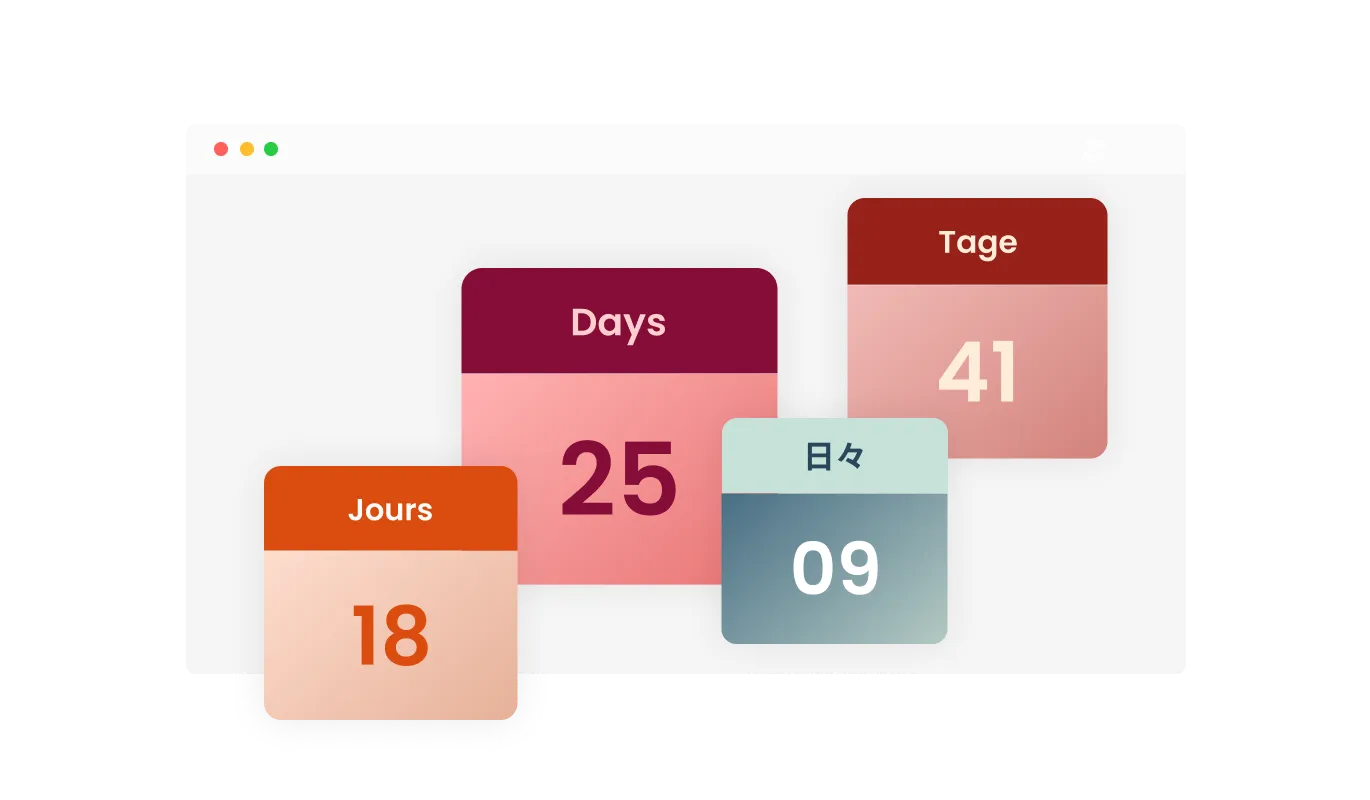
The Countdown widget offers the flexibility to personalize the titles or labels for days, hours, minutes, and seconds, allowing you to make the timer more relevant to your specific event or promotion. Tailor the labels to your audience and context, ensuring a more engaging and meaningful user experience.
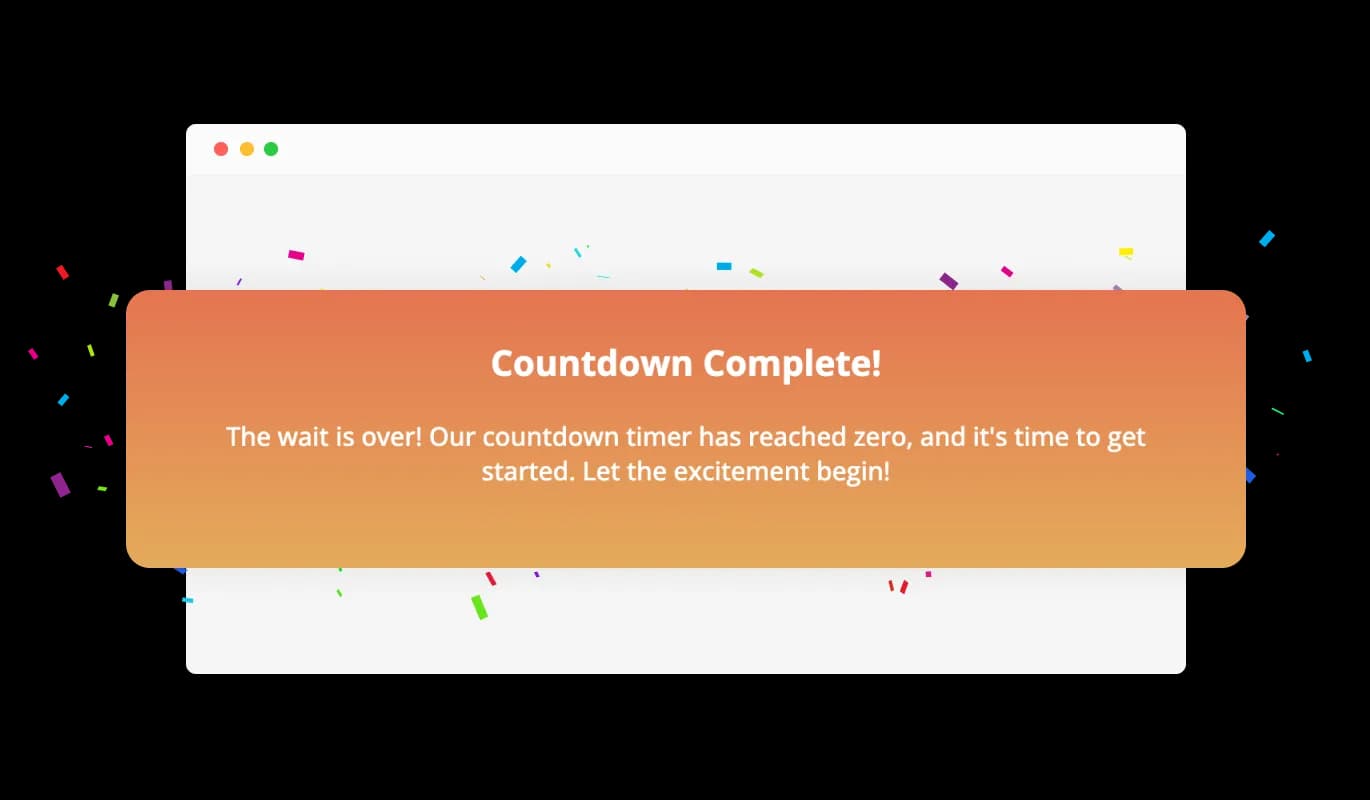
Upon reaching the countdown's end, the Countdown widget can showcase a vibrant confetti animation and reveal a tailored message to mark the occasion. This attention-grabbing element amplifies the excitement and engagement, providing users with a memorable experience as they engage with your event or promotion at the culmination of the countdown.
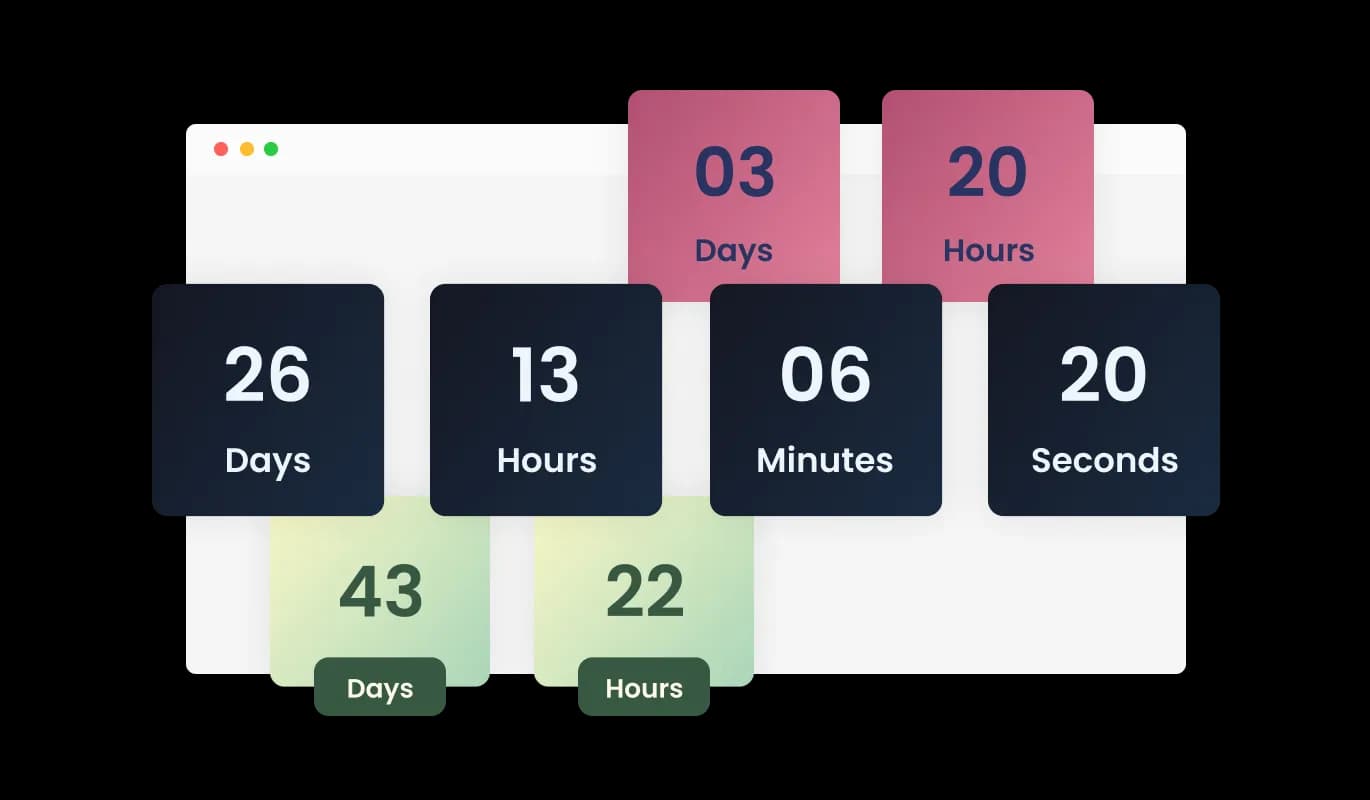
With a selection of design skins available, the Countdown widget can easily be tailored to match your website's aesthetic. Choose from different pre-built themes and effortlessly adapt the widget's appearance to blend seamlessly with your site's overall design.
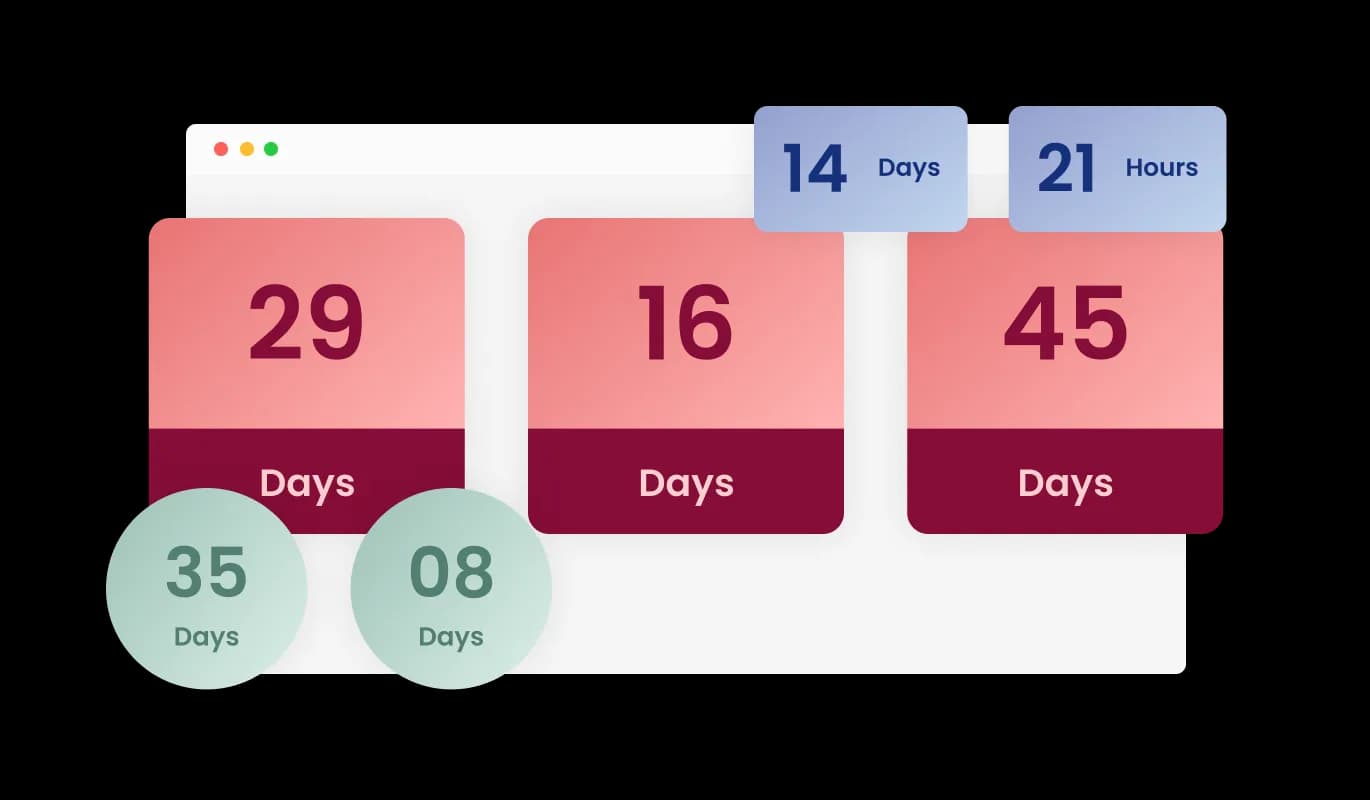
The Countdown widget offers various layout options, allowing you to choose the style that best suits your website's design. Select from a range of presentation formats, including horizontal, vertical, or circular timers, to create an attractive and visually appealing countdown display.
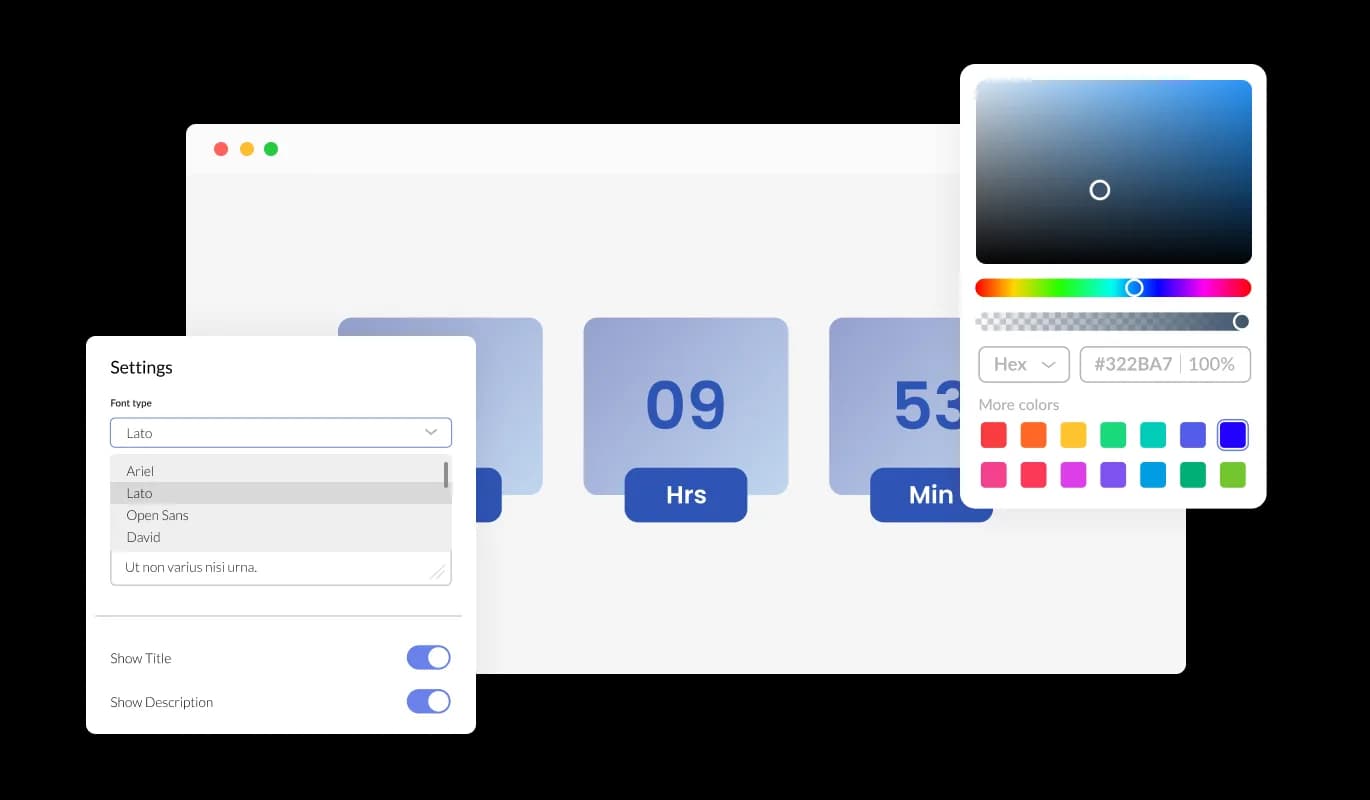
Control the look and feel of your Countdown timer by adjusting colors and fonts to match your brand identity. With a wide array of color options and a vast selection of fonts, you can easily create a countdown timer that complements your website's design language.
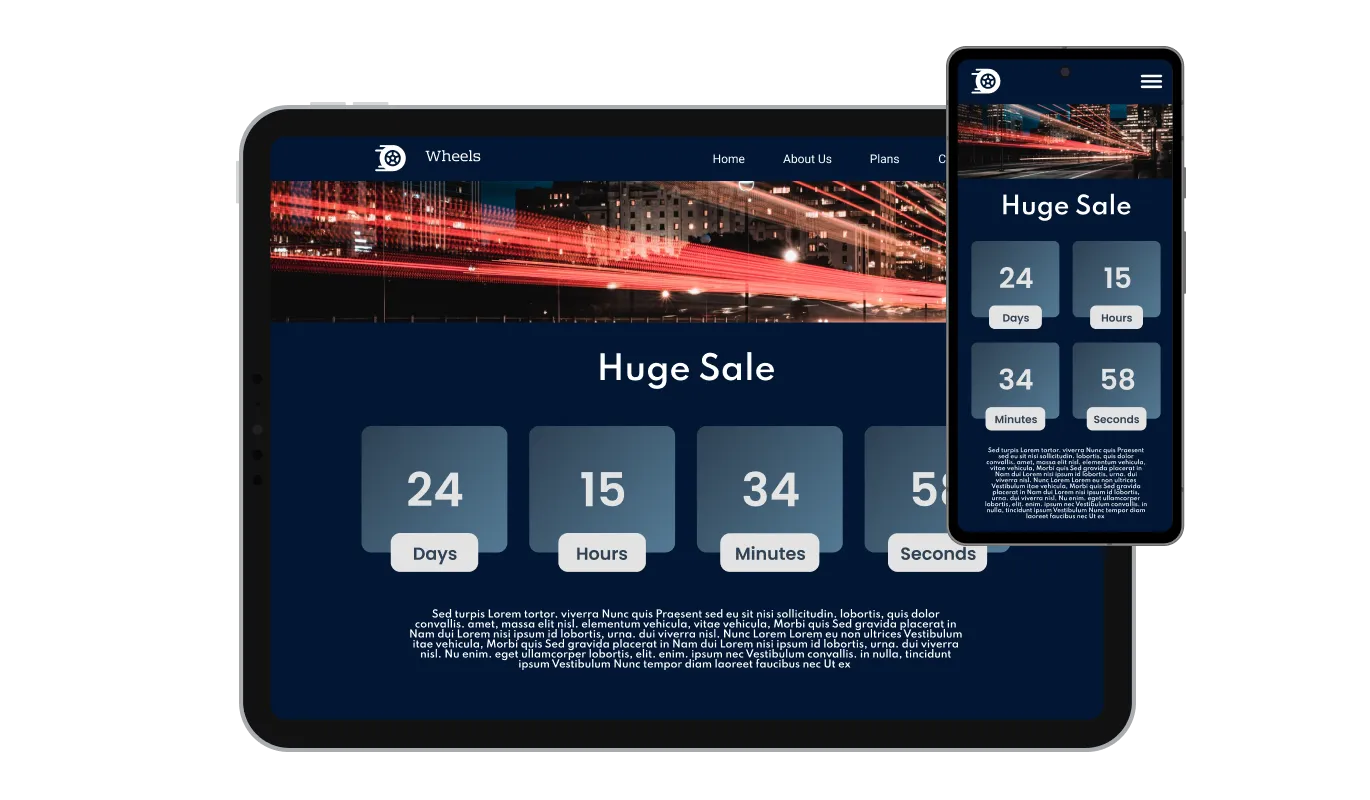
The Countdown widget boasts a responsive design that ensures optimal display and functionality across various devices and screen sizes. Whether your visitors are accessing your website via desktop, tablet, or mobile, the countdown timer will automatically adapt to deliver a seamless and visually appealing experience, keeping your website professional and engaging at all times.

For those looking to dive deeper into customization, the Countdown widget provides full CSS control. This feature allows advanced users or web developers to fine-tune the appearance and behavior of the timer, ensuring that it aligns perfectly with their specific design vision and requirements.

The Countdown widget is designed to work seamlessly with various website builders and platforms, ensuring smooth integration with your site. Its user-friendly setup process allows you to quickly add the countdown timer to your website without any technical difficulties or compatibility issues.
The Countdown widget features captivating animations for number transitions, adding a dynamic and engaging element to your timer. Customize the animation style and speed to suit your preferences and make your countdown timer stand out to your website visitors.
The Countdown widget offers the unique feature of creating an evergreen timer, which sets a personalized countdown for each visitor, beginning the moment they enter the website. This individualized approach fosters a sense of urgency and engagement, as users experience a tailored countdown that directly corresponds to their visit, making your event or promotion even more compelling.
The Countdown widget is incredibly user-friendly, requiring no coding skills or technical expertise to implement on your website. Its intuitive interface and simple setup process make it accessible to users of all experience levels, allowing anyone to create and customize a countdown timer with ease.
The Countdown Timer is easy to use and requires no coding knowledge. The intuitive drag-and-drop editor lets you pick a target date, customize colors and behavior, and ship your timer in just a few clicks.
Common Ninja has amazing no-code widgets that would beautify a website built on any builder. It is very easy to use and customise. It has as many widgets for almost everyone willing to make their website impressive.
Outstanding service. I use their widgets to help me with my web design business and whenever I need help they are very quick to help.
Excellent company with excellent service!!! We used it to build a survey, it was very user friendly. The service was perfect. Amit helped us with every problem and question we had, thank you very much!!!
Common Ninja saved the day when building our website and the customer service Daniel, the co-founder and CEO, provided was amazing.
Yes. The free plan covers a single Countdown Timer widget with no time limit, no credit card, and no trial countdown. Upgrade only when you need additional widgets, premium skins, or higher monthly view limits.
No. Build and customize the entire countdown in a drag-and-drop editor, then paste one line of embed code into your site. Most users finish setup in under 3 minutes.
You set a target date and time in the editor. The widget calculates the remaining time in the visitor's browser and animates the digits as each second ticks down. When the timer reaches zero, the widget runs whatever completion behavior you picked: message, redirect, confetti, or hide.
Yes. Switch the timer mode to per-visitor and the countdown starts the moment each person lands on the page. Useful for limited-time offers, abandoned-cart nudges, and onboarding sequences where you want individualized urgency, not a global deadline.
Pick the behavior in the editor: display a custom completion message, redirect to a URL (a launch page, a checkout, a registration form), fire a confetti animation, or hide the widget entirely. Different campaigns can end different ways without rebuilding the timer.
Yes. Type /embed in your Notion page, paste the Common Ninja embed link, and resize the block. The countdown ticks down live inside the Notion document. Common pattern: drop the timer above a Notion-hosted launch announcement or product page.
Yes. Open your Canva design, click Apps, search for Embed, and paste the Common Ninja embed link. The countdown runs live inside the Canva canvas. Use it on shareable Canva websites, presentations, or social media campaign templates.
200+ platforms including Canva, Notion, Google Sites, Squarespace, Carrd, WordPress, Shopify, Wix, Webflow, Framer, Tilda, Hostinger, Showit, and any custom HTML page that accepts an embed snippet.
Pick your platform. Each takes under 4 minutes.
Displays a countdown clock, with multiple effects and styles

Easily craft engaging, personalized popups to boost conversions.
Promot coupon and discount with a popup
Interactive Scratch Card for users to unveil prizes, aiding lead generation.
Interactive wheel offering rewards to boost user engagement, gather leads and increase conversions.
Showcase statistics, metrics, or countdowns in an animated visually appealing display
A Countdown widget is a versatile tool that can be added to any website, allowing you to display a customizable timer that counts down to a specific date, time, or duration. It can be used to create urgency, promote events, or engage visitors with personalized experiences based on their visit duration.
Adding the Countdown widget to your website is a simple process, with no coding skills required. After customizing the widget's appearance and settings, you will be provided with a code snippet. Copy this code and paste it into the desired location within your website's HTML or use your website builder's specific widget placement method.
Yes, the Countdown widget offers extensive customization options, including multiple layouts, design skins, color schemes, and font selections. You can also adjust the animation style, and choose to display custom titles or labels for days, hours, minutes, and seconds.
The Countdown widget is designed to be compatible with a wide range of website builders and platforms. Its user-friendly setup and integration process ensure seamless implementation on most websites without any technical difficulties or compatibility issues.
Yes, the Countdown widget offers an evergreen timer feature that sets a personalized countdown for each visitor, beginning the moment they enter the website. This creates a tailored experience for each user and encourages engagement by fostering a sense of urgency.
Yes, you can create a custom message that will be displayed when the countdown reaches its end. This allows you to provide tailored information or instructions to your website visitors upon completion of the timer.
Yes, the Countdown widget includes an optional confetti animation that can be activated when the timer reaches zero. This eye-catching and festive feature adds an extra layer of excitement and interaction, creating a memorable experience for users.
Yes, the Countdown widget is designed with a responsive layout, ensuring that it functions and displays optimally across various devices and screen sizes, including desktop, tablet, and mobile.
Yes, the Countdown widget provides full CSS control, allowing advanced users or web developers to fine-tune the appearance and behavior of the timer according to their specific design vision and requirements.
There is no specific limit to the number of Countdown widgets you can add to your website. You can use multiple instances of the widget for different events, promotions, or purposes across your site.
Yes, the Countdown widget allows you to customize the titles or labels for days, hours, minutes, and seconds, making the timer more relevant and engaging for your specific event or promotion.
Yes, the Countdown widget offers a selection of pre-built design skins that you can choose from, allowing you to quickly adapt the widget's appearance to blend seamlessly with your website's design.
Absolutely! The Countdown widget is an excellent tool for promoting sales, events, product launches, or any time-sensitive offer. By creating a sense of urgency and anticipation, the timer encourages website visitors to engage with your promotion or event.
Yes, the Countdown widget allows you to customize the style of the number transition animations. You can choose from a range of animation options to make your countdown timer more visually appealing and engaging for your website visitors.
Yes, you can set the Countdown widget to reset automatically after it reaches zero, making it suitable for recurring events or promotions. By specifying the duration between resets, the timer will continue to count down to each new occurrence, keeping your website visitors informed and engaged.
Yes, the Countdown widget is designed to be GDPR compliant. It does not collect or store any personally identifiable information from your website visitors, ensuring that their privacy is protected and your website remains compliant with data protection regulations.
Yes. We are eager to hear your request. Please refer to this page.
Works on 200+ platforms. Trusted by 500K+ businesses.
Create your countdown timerNo credit card · Setup in under 3 minutes