


Verified review
Common Ninja has amazing no-code widgets that would beautify a website built on any builder. It is very easy to use and customise. It has as many widgets for almost everyone willing to make their website impressive.
The Common Ninja FAQ widget is a free, no-code embed that adds a styled, expandable FAQ accordion to any website.
Add questions and answers, group them into categories, customize the accordion design, and paste one line of embed code on 200+ platforms including Hostinger, Carrd, Canva, Wix, Webflow, Elementor, Framer, and Squarespace.
Built-in FAQPage JSON-LD schema for SEO, multiple FAQ skins, mobile-responsive accordion behavior, and a category filter so visitors can find their question without scrolling. Use it to deflect support tickets, answer pre-sale objections, document policies, and help search engines understand your page.
Visitors who reach a sales page or a pricing page have specific blocking questions: shipping cost, refund policy, plan differences, account setup, integration support. A well-organized FAQ answers them on the page they're already reading, which is faster than emailing support and more honest than burying the answer in a deep policy page.
The widget emits FAQPage JSON-LD schema on every page it embeds, which gives Google the structured data needed to show your questions and answers as rich results in search. The richer SERP listing wins clicks the bare-blue-link version would have lost to a competitor.
The WordPress plugin directory has dozens of FAQ plugins of wildly varying quality. The Common Ninja FAQ widget is not a native WordPress plugin (it's a one-line embed snippet, which works on WordPress via a Custom HTML block) but you avoid plugin bloat, plugin-update cycles, and the security exposure of yet another active plugin. Same accordion, same FAQ schema, no plugin to maintain.
An HTML <details> / <summary> accordion gets you the open-close mechanic but no FAQ schema, no styling library, no category filter, no rich-text answer editor, and no dashboard to update questions without redeploying the site. The widget gives you all of that with edits-go-live behavior so updating an answer takes one save in the editor.
Type or paste each question with its full answer. Format the answer with rich text: bold, italics, lists, links, even images for screenshots of a process. Group questions into categories (Shipping, Returns, Account, Pricing) if your FAQ runs long enough that a flat list would feel overwhelming.
Pick a skin from the design library (minimal, boxed, separator, card-style), choose your expand icon (+ / arrow / custom SVG), set the typography and spacing, and decide whether multiple items can stay open at once or only one at a time. Layer Custom CSS for pixel-level brand match.
Copy the one-line embed snippet and paste it into your page on Hostinger, WordPress, Wix, Carrd, Webflow, Elementor, Framer, or any of the 200+ supported platforms. The widget injects FAQPage schema automatically so Google can show your answers as rich results in search.
Vertical accordion, grouped by category, side-by-side two-column layout, or a numbered list. Switch layouts anytime in the editor without retyping questions. Each layout is mobile-responsive by default.
Pick from a library of pre-designed skins covering minimal, boxed, separator-only, card-style, and dark-mode variants. Each skin is a fully styled starting point; tune typography, spacing, expand-icon style, and colors from there.
Format each answer with bold, italics, bullet lists, numbered lists, internal and external links, and inline images (helpful for screenshots of a process or a step-by-step setup). Answers are not limited to a single paragraph.
The accordion adjusts spacing, expand-icon size, and tap-target area across mobile, tablet, and desktop. On phones, each question is a generous touch target. On desktop, hover affordances make it clear which item will open next.
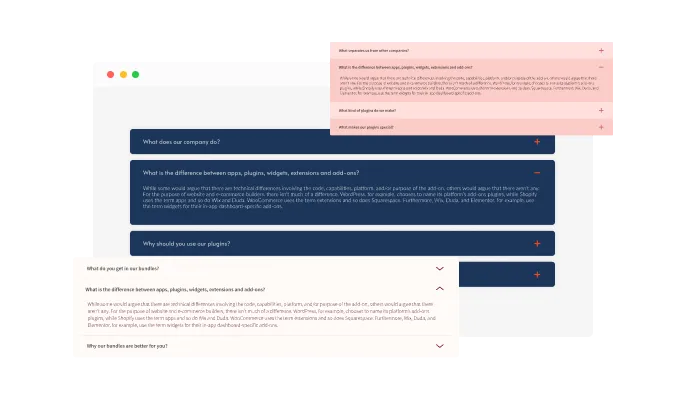
The FAQ Accordion widget features multiple layouts and lets you choose the right layout for your website. Classic, clean, bubbles, and more — the choice is yours.
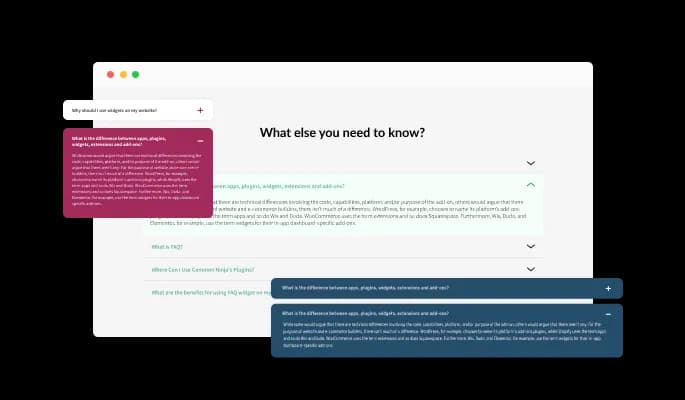
The FAQ widget comes with a variety of beautiful skins that you can choose from so you don’t have to spend much time on extensive customization.
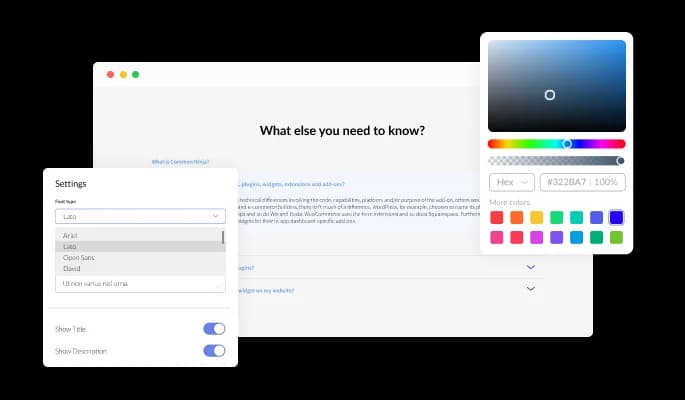
The FAQ widget features full customization options so you can edit the design to fit your needs. Change the colors, the fonts, the spacing and anything else!
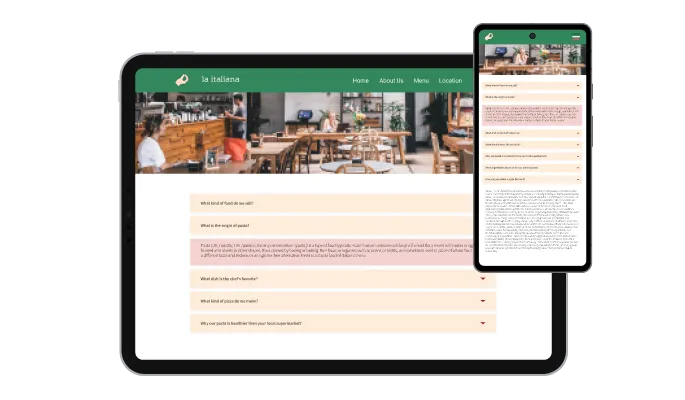
The FAQ widget is fully responsive and will look great on any device. In a mobile-first world, this feature will put you ahead of your competitors.

As with all of Common Ninja’s widgets, you can add custom CSS to customize the FAQ widget and be even more creative.
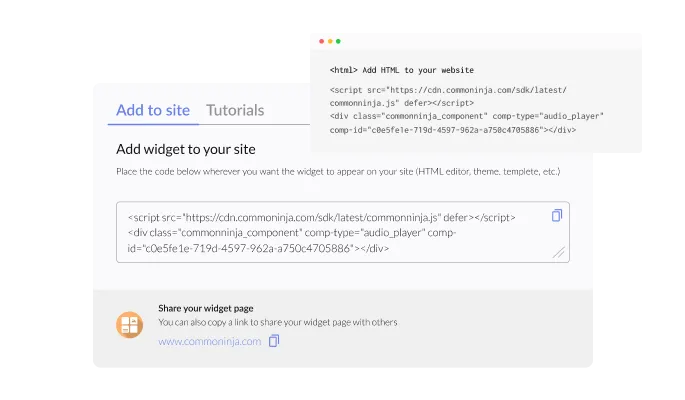
You can embed the FAQ Accordion widget on your website easily by copying a single line of code. The widget will also be updated automatically with every change you make.
The FAQ widget features various behavior modifications like opening multiple questions one at a time, keeping opened ones open, or opening all questions at once — the choice is yours!
The FAQ widget features the ability to divide your questions into separate categories for a better navigation experience. Not only that, but it also allows you to use Emojis for those categories!
The FAQ widget features multiple icons for you to choose from. Do you want a downward-facing arrow to open the FAQ’s answer? Or maybe a plus sign? We’ve got the most commonly used icons available for you to choose from.
The FAQ widget is easy to use and requires no coding knowledge. Our intuitive dashboard with the drag-and-drop feature will enable you to customize the widget any way you’d like to with just a few simple clicks.
Build an FAQ that does the answering for you
Open the editorNo credit card · Setup in under 5 minutes
Common Ninja has amazing no-code widgets that would beautify a website built on any builder. It is very easy to use and customise. It has as many widgets for almost everyone willing to make their website impressive.
Outstanding service. I use their widgets to help me with my web design business and whenever I need help they are very quick to help.
Excellent company with excellent service!!! We used it to build a survey, it was very user friendly. The service was perfect. Amit helped us with every problem and question we had, thank you very much!!!
Common Ninja saved the day when building our website and the customer service Daniel, the co-founder and CEO, provided was amazing.
Yes. The free plan covers one FAQ accordion with no time limit and no credit card. Upgrade only when you need additional FAQ widgets, premium skins, more questions per widget, or advanced features like category filtering and analytics.
No, it's an embeddable widget, not a native WordPress plugin. It works on WordPress through a Custom HTML block (Gutenberg) or a Code module (in any page builder like Elementor, Divi, Avada, or WPBakery). You get the same accordion, the same FAQ schema, and editor-side edits push to every embed without re-paste, while avoiding plugin bloat and plugin-update cycles. WordPress users searching for an FAQ plugin can use this widget as the alternative.
A generic accordion widget gives you the open-close mechanic for any content (product specs, sidebar menus, mobile navigation). The FAQ widget is the specialized version: optimized question-and-answer layout, category grouping by Q-and-A topic, built-in FAQPage JSON-LD schema for SEO (which a generic accordion doesn't emit), and tuned defaults for the specific layout patterns that work for FAQ pages.
Yes. The widget emits FAQPage JSON-LD schema on every page it embeds, listing every question and answer in the structured format Google needs to consider showing them as rich results in search. Rich results are not guaranteed (Google decides per query) but the schema is present and valid, which is the prerequisite for being considered.
Build the FAQ in the Common Ninja editor (questions, answers, layout, skin), copy the one-line embed snippet, and paste it into your site: Hostinger via the Embed/HTML element on the page; Wix via Embed Code → Embed HTML; Carrd via an Embed element set to Code; Webflow via an Embed element; Elementor via an HTML widget; Framer via a Code Embed element. Edits in the editor push to every embed without re-pasting.
Yes. Assign each question to a category (Shipping, Returns, Account, Pricing, Technical), and turn on the category filter to show tabs or pills above the accordion so visitors can jump to the section they care about. Categories are optional — a short FAQ can stay as a flat list without grouping.
Yes, and you decide. The accordion has two modes: single-open (opening a new question closes the previous one — good for short FAQs where focus matters) and multi-open (every question stays open until the visitor closes it — good for long FAQs where visitors might want to compare answers side by side).
Yes. Embed multiple FAQ widgets on the same page — one for product FAQs, another for shipping, another for billing. Each has its own questions, skin, and category set. Just be careful with FAQ schema: only one FAQPage schema per page is best practice for SEO, so if you embed multiple, consider disabling schema on all but the primary widget in the editor.
Pick your platform. Each takes under 4 minutes.

Allow users to send messages or inquiries, save submissions, enable notifications, and more

Easily craft engaging, personalized popups to boost conversions.
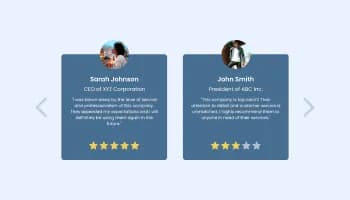
Showcase customer testimonials using a rotating slider
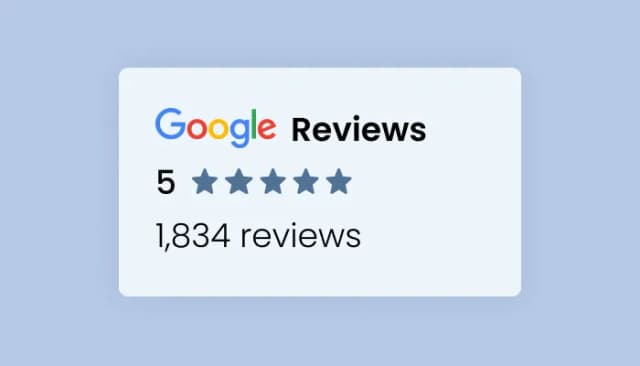
Present Google reviews for your business on your website
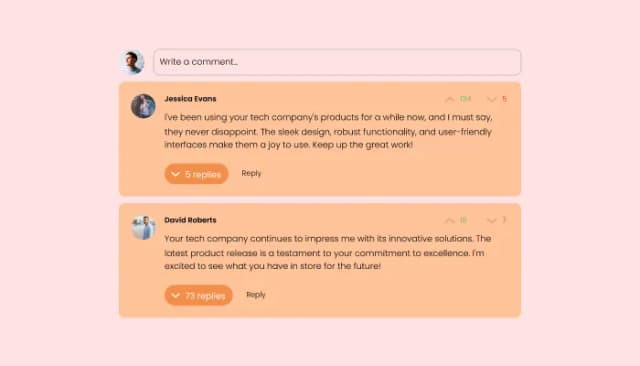
Comments system with upvote/downvote, email notifications, reply threads, and moderation tools.
Add a WhatsApp chat button to your website, allowing users to start a chat using WhatsApp.
Yes, you can easily group FAQs under different categories via the “Categories” tab on the dashboard.
Yes, you can easily change the expanded icons via the “Look & Feel” tab on your dashboard.
Yes, you can! The FAQ Accordion widget features full RTL support.
Yes, the FAQ Accordion widget features a search option that you can toggle on or off.
Yes, you can change how the widgetopens FAQs via the “Settings” tab on the widget’s dashboard.
Yes, you can! You can do this from within the “Look & Feel” tab on the widget’s dashboard.
Using the FAQ Accordion widget is very easy. Simply sign up and start using the free version. There's no need to worry about complicated setup or installation processes, as the FAQ Accordion widget is designed to be user-friendly and straightforward. Once you've signed up, you'll have access to all of the basic features and functions of the widget, which you can use to enhance your website and improve your online presence. From there, you can choose to upgrade to the paid version if you want to access more advanced features and capabilities. Regardless of which version you choose, you'll find that the widget is a powerful and easy-to-use tool that can help you take your online presence to the next level.
The Common Ninja FAQ Accordion widget is a free tool reach with features and options. While this widget is free to use, it does have a limit on the number of views it can handle. This means that after a certain number of views, the chat button may no longer be visible or functional on your website. It is important to note that this view limit may vary depending on the plan you are using. Despite this limitation, Common Ninja's FAQ Accordion is still a valuable tool for businesses looking to increase customer engagement and improve the overall user experience of their website.
The Common Ninja's FAQ Accordion widget is a versatile tool for any website builder. This means that you can easily add this widget to your website or store no matter what platform you use to build your website. The FAQ Accordion widget will work seamlessly with your platform whether you are using a popular website builder or something more specialized. This means you can enjoy all the benefits of this powerful tool without having to worry about compatibility issues.
It’s very easy to embed Common Ninja’s FAQ widget on your website and the process consists of two steps:
The FAQ Accordion widget is designed to comply with the General Data Protection Regulation (GDPR), a set of EU regulations protecting personal data and privacy. When using the FAQ Accordion widget, you can be confident that it will not collect or store personal data that could violate GDPR regulations. This ensures that your business is in compliance with these regulations and can protect your customers' data privacy. Overall, the FAQ Accordion widget is a secure and reliable tool that can be used to enhance your website without any concerns about GDPR compliance.
No need for coding skills. Our FAQ Accordion widget is designed to be easy to use, even for those with limited technical experience. The widget features a user-friendly interface that allows you to easily customize the widget without coding knowledge. You can fully customize the FAQ Accordion to match your branding. When you're done, simply copy the provided code and paste it into your website. It's that simple!
Embedding the FAQ Accordion widget on your website is a straightforward process. Simply copy the provided code and paste it into the desired location on your website. The widget will seamlessly integrate into your site, allowing you to take advantage of its features and functions. No technical expertise or programming knowledge is required - just copy and paste the code to get started. This simple process allows you to easily add the widget to your website and enhance its functionality without any hassle.
Yes. We are eager to hear your request. Please refer to this page.
There are several reasons why you might want to use an FAQ (frequently asked questions) widget on your website.
First, an FAQ widget can help provide your visitors with clear and concise information. By answering common questions in advance, you can save your visitors the time and effort of contacting you or searching for the information themselves. This can improve the user experience on your website and make it more convenient for your visitors to find the information they need.
Second, an FAQ widget can help improve your website's search engine optimization (SEO) by providing more content for search engines to index. Including a wide range of relevant keywords and phrases in your FAQs can improve the chances that your website will appear in search results for those terms. This can help to drive more traffic to your website and increase your visibility online.
Third, an FAQ widget can help to improve customer service by providing quick and easy answers to common questions. By providing detailed and accurate answers to frequently asked questions, you can help to reduce the number of customer support inquiries you receive and free up time and resources for more complex or challenging issues. This can improve the overall efficiency of your customer service operations and help to build trust and credibility with your customers.
An FAQ accordion is an interface element used to display a list of frequently asked questions (FAQs) on a website. The accordion allows users to view the questions and answers one at a time by clicking on the question. When a user clicks on a question, the answer to that question is revealed below it. The other questions remain hidden, creating a compact and organized display of information. The accordion design allows users to easily access and browse the FAQs without having to scroll through a long list of questions and answers.
Yes, an FAQ page can be good for SEO. An FAQ page provides an opportunity to include a variety of relevant keywords and phrases on your website, which can help improve your search engine rankings. An FAQ page can also provide helpful information to users, which can increase their time on your website. This can signal to search engines that your website is valuable and relevant, which can also improve your rankings. In addition, an FAQ page can help improve the user experience on your website, making it more likely that users will share your content and link to your website, both of which can also help with SEO.
The terms FAQ and Q&A are often used interchangeably, but they actually have slightly different meanings. FAQ stands for "Frequently Asked Questions," and it refers to a list of common questions and answers about a particular topic or product. An FAQ page is usually organized by topic, with each question and answer presented in a clear and concise manner. The purpose of an FAQ page is to provide users with quick and easy access to information they may be looking for.
Q&A, on the other hand, stands for "Questions and Answers." This term is typically used to describe a format or format where users can ask and answer questions on a particular topic. For example, a Q&A forum or website allows users to post questions and receive answers from other users or experts. The purpose of a Q&A format is to facilitate discussion and sharing of knowledge on a specific topic.
Yes, FAQs can be a good element of user experience (UX) design. An FAQ page provides users with quick and easy access to information they may be looking for, which can improve their overall experience on a website. By anticipating and addressing common questions and concerns, an FAQ page can also help to reduce friction and improve the user's ability to find what they need on a website. In addition, an organized and well-designed FAQ page can make a website feel more professional and trustworthy, which can also improve the user experience. Overall, incorporating an FAQ page into a website's design can be a useful way to improve the user experience.
Styled accordion with categories, rich-text answers, multiple skins, and built-in FAQPage JSON-LD schema for SEO. Embed on 200+ platforms including Hostinger, WordPress, Wix, Carrd, Webflow, Elementor, and Framer.
Create your FAQNo credit card · Setup in under 5 minutes