Image Carousel for Progress Sitefinity

Showcase images with an image carousel that rotates or slides visuals, improves design, and draws attention to key content.

Create Image Carousel

loved by 500K+ businesses

Progress Sitefinity
plugineditor

Why Should You Use the Image Carousel Widget+?

Enhance Your website's Look with an Image Carousel

Enhance your Progress Sitefinity website's design with the Image Carousel widget, by selecting from a wide range of stunning photos and customizing the carousel's options to create the perfect fit for your website. With Image carousel for Progress Sitefinity, you can effortlessly upload and organize your images and customize the design to align with your Progress Sitefinity website's theme. With the carousel, your visitors can easily browse through multiple images without leaving your website. This feature can showcase products, services, or portfolio items.

Highlight your projects using the Image Carousel for Progress Sitefinity

With Image Carousel widget, you can showcase photos and images on a portfolio website in an eye-catching way, for example. A carousel can also be set up to rotate automatically through the images, drawing attention to each one. Increasing the visibility and appreciation of users' work can help them promote their work to a larger audience.

Boosted Interaction.

Using the Progress Sitefinity Image Carousel widget is an excellent way to engage visitors with your website. A rotating collection of images makes it easy for visitors to browse through images quickly and easily. Visitors can access additional information and other parts of your Progress Sitefinity website with the help of captions and links included in the carousel.

Image Carousel Slide Size

If you want your carousel images to fit your specific needs, the Image carousel for Progress Sitefinity allows you to change the sizes - from small to large, vertical to horizontal. In addition to adding captions to images, the widget provides the capability to direct visitors to other pages on your Progress Sitefinity website. The carousel functionality allows for smooth and intuitive movement between images, making it an engaging and interactive experience.

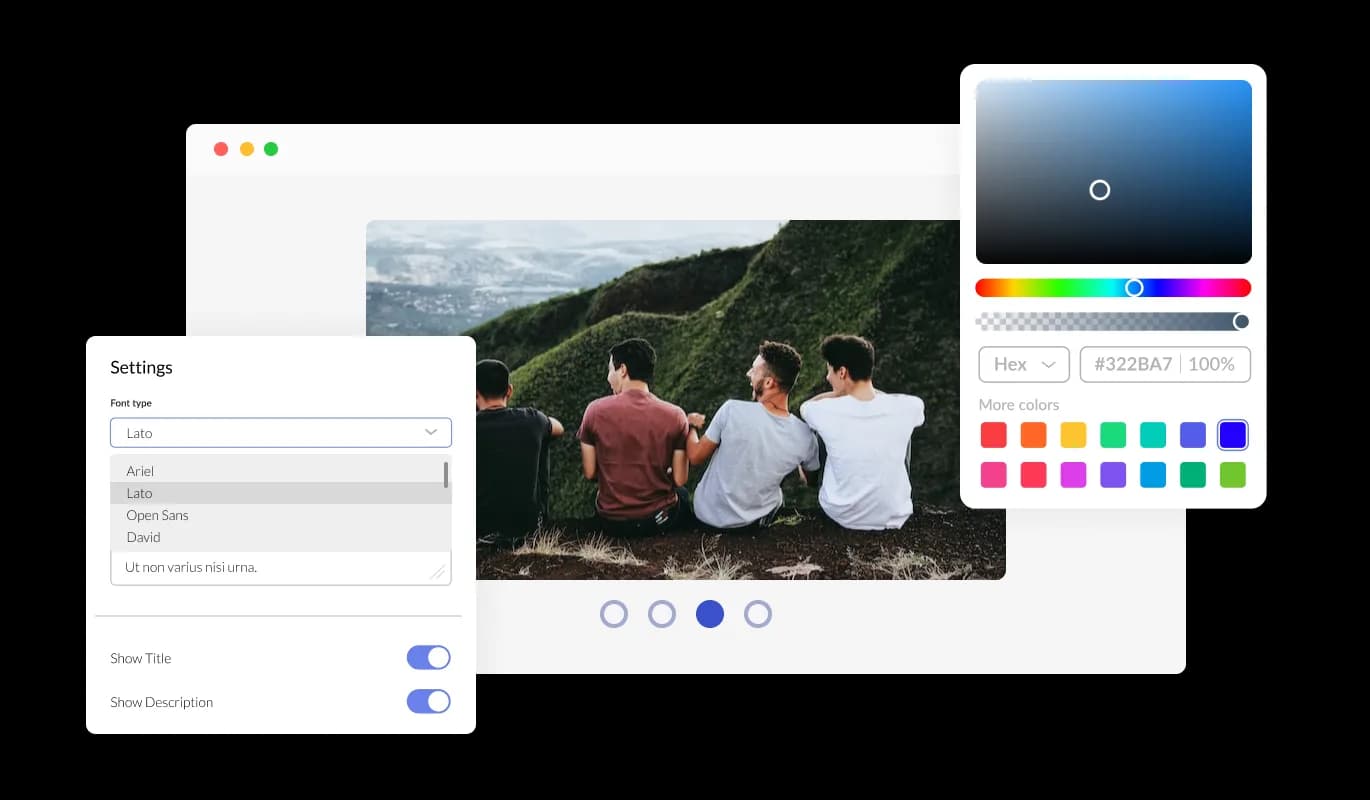
Image Carousel - Image Carousel Slide Size

Fully Customizable Image Carousel

The Image carousel for Progress Sitefinity offers complete customization options, so you can tailor the design to meet your needs. The Image carousel for Progress Sitefinity allows you to change the colors, fonts, spacing, and various other design elements to create a tailored look and feel. In order to create a visually appealing and cohesive design that matches the look and feel of your website, you can modify the background color, the text color, and even the hover effects color. It is also possible to change the fonts. You can create a design that stands out visually with a wide range of font options. This can be particularly useful for businesses that want to create a consistent brand identity across all their online platforms.

Image Carousel - Fully Customizable Image Carousel

Perfectly Responsive Design for your Progress Sitefinity website

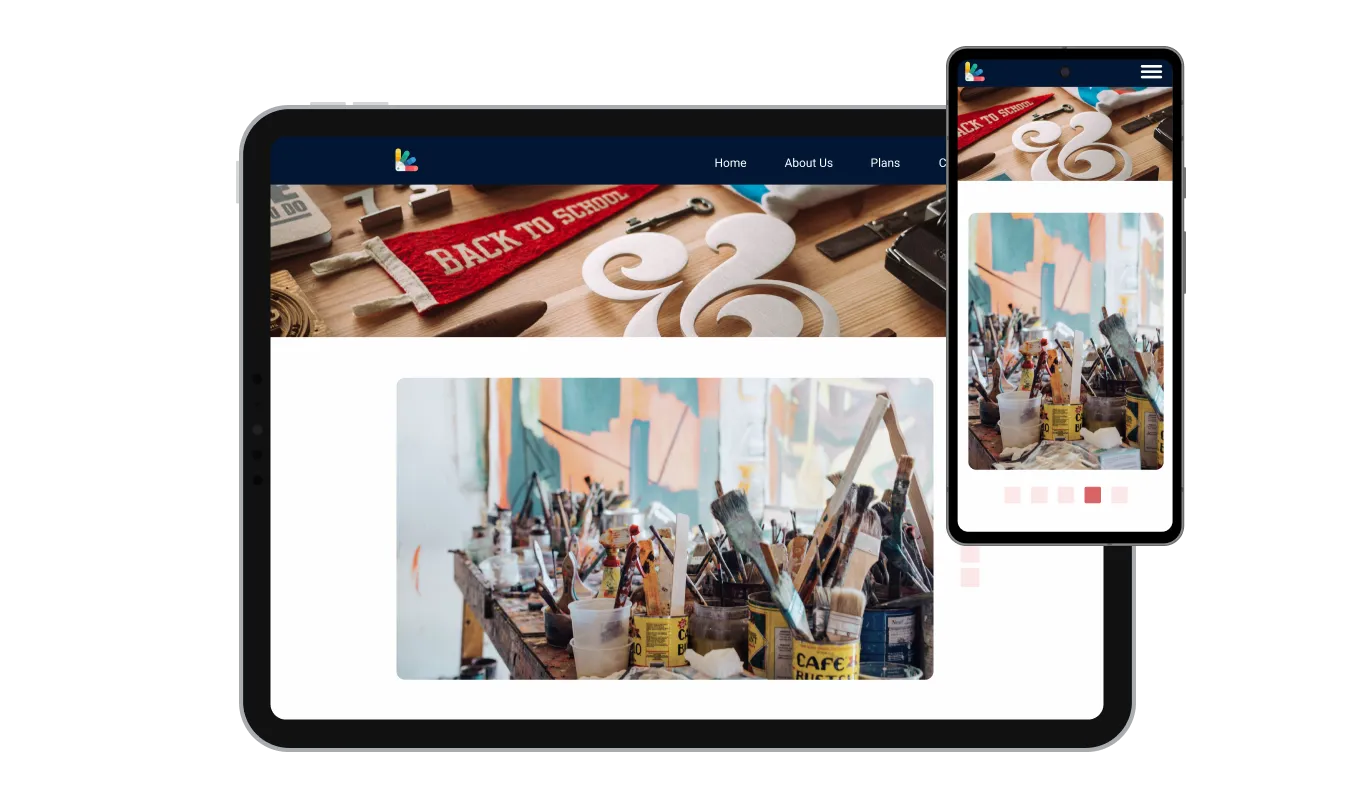
The Progress Sitefinity Image carousel widget is fully responsive and will look great on any device, this feature can give you a significant advantage over your competitors in today's mobile-first world. Mobile device optimization is increasingly important because more and more people access the internet through their smartphones and tablets. The responsive design of the Image carousel widget ensures that it will automatically adjust to the size and resolution of the device it is being viewed on, providing a seamless and consistent user experience across all devices. Your users can view and interact with your Image carousel for Progress Sitefinity whether they are using a desktop computer, a tablet, or a smartphone.

Image Carousel - Perfectly Responsive Design for your Progress Sitefinity website
Image Carousel - Arrows & Pagination

Arrows & Pagination

With the option to change the arrow types of the slider, and the pagination icons below, you can further customize the Image carousel widget and make it fit your design requirements.

Image Carousel - Carousel Speed and Duration per Image

Carousel Speed and Duration per Image

The Image carousel provides options for controlling the pace of image transitions and the amount of time spent on each image. Apply these options to adapt your user's browsing.

Image Carousel - Progress Sitefinity Image carousel Multiple Layouts Options

Progress Sitefinity Image carousel Multiple Layouts Options

Choose the perfect layout for your website with the various options offered by the Progress Sitefinity Image Carousel widget.

Image Carousel - An Easy To Use widget

An Easy To Use widget

There is no need for coding knowledge when using the Image carousel for Progress Sitefinity. Using the drag-and-drop feature on our intuitive dashboard, you can customize the widget in any way you see fit.

Customizing the Image carousel for Progress Sitefinity CSS

Similarly to all of Common Ninja's widgets, the Image carousel for Progress Sitefinity allows for the addition of custom CSS, allowing for further customization. Custom CSS allows you to create styles and design elements not available through built-in customizations. Using custom CSS, you can create visually striking designs tailored to your needs. Custom CSS can also be used to create unique and engaging interactions and animations that can help to improve the user experience.

Image Carousel - Customizing the Image carousel for Progress Sitefinity CSS

Easy To Embed On Your Progress Sitefinity website

Copy and paste a single line of code into your HTML to embed the Image carousel for Progress Sitefinity on your website. With this method, you can quickly and easily add the Image carousel widget to your Progress Sitefinity website without any complicated installation or setup. Once the widget is embedded, it will automatically update with every change you make, so you don't have to worry about manually updating the Image carousel widget every time you make a change. This feature can save you a lot of time and effort, and ensure that your Progress Sitefinity Image carousel is always up-to-date and accurate.

Image Carousel - Easy To Embed On Your Progress Sitefinity website

Compatible With All Site Builders, E-Commerce Platforms and Websites

webflow logoshopify logowix logowordpress logobigcommerce logosqurespace logoweebly logojoomla logoduda logojimdo logomagento logoshift4hsop logounbounce logocarrd logo
View all supported platforms

FAQ

Yes, you can easily do so from the “Templates” tab.

It’s simple. All you need to do is to sign up and start using the free version.

The Common Ninja Image Carousel widget is a free tool reach with features and options. While this widget is free to use, it does have a limit on the number of views it can handle. This means that after a certain number of views, the chat button may no longer be visible or functional on your website. It is important to note that this view limit may vary depending on the plan of the widget you are using. Despite this limitation, the Common Ninja Image Carousel is still a valuable tool for businesses looking to increase customer engagement and improve the overall user experience of their website.

Common Ninja's Image Carousel widget is a versatile tool that can be used on any website builder. This means that you can easily add this widget to your site no matter what platform you use to build your website. Whether you are using a popular website builder or something more specialized, the Image Carousel widget will work seamlessly with your platform. This means you can enjoy all the benefits of this powerful tool without having to worry about compatibility issues. So if you want to add interactive hotspots to your images and take your website to the next level, the Image Carousel widget from Common Ninja is a great choice.

The Image Image Carousel is designed to comply with the General Data Protection Regulation (GDPR), a set of EU regulations protecting personal data and privacy. When using the Image Carousel widget, you can be confident that it will not collect or store personal data that could violate GDPR regulations. This ensures that your business complies with these regulations and can protect your customers' data privacy.

The Image Carousel widget is a secure and reliable tool that can enhance your website without any concerns about GDPR compliance.

Our Image Carousel widget is designed to be easy to use, even for those with limited technical experience. The widget features a drag-and-drop interface that allows you to add images to your Image Carousel without coding knowledge easily. You can fully customize the Image Carousel to match your branding, including the size, color, and shape. When you're done, copy the provided code and paste it into your website.

Yes. We are eager to hear your request. Please visit our Feature Request page.

An image carousel widget is a user interface element that displays multiple images in a rotating or sliding fashion. It is commonly used on websites to showcase a collection of images, such as product images, gallery images, or featured images. The images are typically displayed in a loop, with the ability to navigate through them using arrows or dots, and often include the ability to click on an image to view it in a larger size.

The image carousel widget is a useful tool for highlighting multiple images in a limited space and can be used to enhance the visual appeal of a website.

An image carousel can be used for various purposes on a website. Some common uses include:

  • Showcasing products: An image carousel can display multiple images of a product, allowing visitors to view different angles and details.
  • Highlighting featured images: Use an image carousel to feature different images on the homepage, such as new products, promotions, or events.
  • Creating photo galleries: An image carousel can create an interactive photo gallery where visitors can navigate different images.
  • Displaying testimonials: Use an image carousel to show customer testimonials with images of the customers, making them more relatable.
  • Showcasing brand images: Use an image carousel to display a collection of brand images, such as logos, mascots, or product images.
  • Showcasing team members: Use an image carousel to showcase team members, along with their names, title, and brief description.

There are several benefits to adding an image carousel to your website:

  • Increased visual appeal: An image carousel can add visual interest and dynamism to your website, making it more engaging for visitors.
  • Highlighting multiple images: An image carousel allows you to display multiple images in a limited space, making it a great way to showcase a collection of images.
  • Increased user engagement: An image carousel can be interactive, allowing visitors to navigate through the images, increasing user engagement and time spent on the website.
  • Increased click-through rates: By adding captions and links to images, an image carousel can increase click-through rates and guide visitors to other pages on your website.
  • Showcasing multiple products or services: An image carousel can be used to display multiple products or services, which can be useful for e-commerce or service-based websites.
  • Enhancing the user experience: Image carousel can be used to present information in a dynamic, easy-to-digest format that can help visitors quickly find what they are looking for and make it more engaging.