


Verified review
Common Ninja has amazing no-code widgets that would beautify a website built on any builder. It is very easy to use and customise. It has as many widgets for almost everyone willing to make their website impressive.
The Common Ninja Logo Slider widget is a free, no-code logo carousel that auto-scrolls through your clients, partners, press mentions, or featured-in logos in a clean horizontal marquee.
Pick a slider or static grid layout, link each logo to its destination, tune direction, speed, and hover effects, then paste one line of embed code on 200+ platforms including Webflow, Framer, Wix, Squarespace, and Shopify.
A row of recognizable client or partner logos signals to visitors who do not know your brand yet that you have shipped real work for real customers. It belongs above the fold on the home hero and earns its slot on the pricing page and the partner directory too.
Agencies, consultancies, and SaaS companies showcase client logos as conversion currency. A clean auto-scrolling logo bar signals an established book of business in a way a written list never can, and it scales as the client roster grows.
When publications cover your product, a press logo bar locks in the validation. Place it under the hero with a quiet header line and let the marquee do the social-proof work without paragraphs of copy.
Conferences, fundraisers, and community sites recognize sponsors and exhibitors in a logo wall that fits anywhere on the page. The auto-scroll handles 5 logos or 50 without breaking the layout, and every logo links to the sponsor site.
Drag in client, partner, press, or sponsor logos from your computer, paste image URLs, or pick from the built-in icon library. Reorder them by drag and drop, and each logo carries its own link, alt text, and tooltip caption.
Choose a continuous auto-scrolling slider or a static grid. Set the scroll direction (left or right), speed, and pause-on-hover behavior. Layer hover effects such as grayscale-to-color, opacity shift, or subtle scale so logos feel interactive without distracting from the page.
Copy the embed snippet and drop it into your site. Future logo additions or edits push live automatically, so swapping a client logo, adding a new press mention, or changing the scroll speed is a single change in the dashboard, not a code commit.
Set the carousel to scroll left or right at the pace that matches your page rhythm. Toggle pause-on-hover so visitors can read a logo they recognize, and the marquee resumes when their cursor leaves.
Each logo carries its own destination URL, so a client logo links to the case study, a press logo links to the article, a partner logo opens the partner page. Track outbound clicks per logo for attribution.
Render the logos in muted grayscale by default and snap to full color on hover, or use opacity and scale shifts for a quieter cue. The motion signals interactivity without competing with your headline.
Use the slider layout for a press or partner marquee that auto-cycles, or the static grid for a packed client wall where every logo is visible at once. Switch between them in one click without re-uploading.
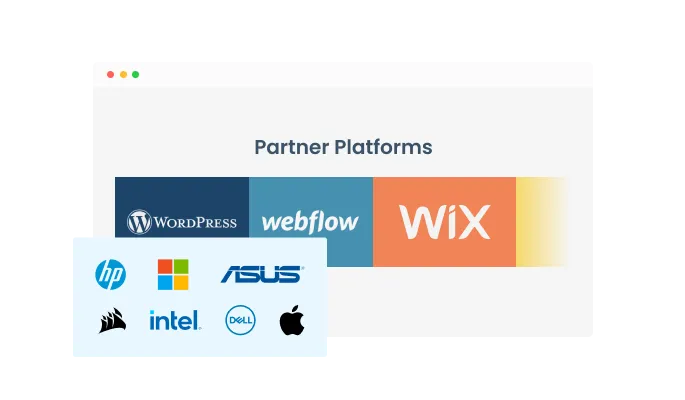
The Logo Slider widget has two layout options — a carousel (slider) and a grid, enabling you to select the best design for your brand.
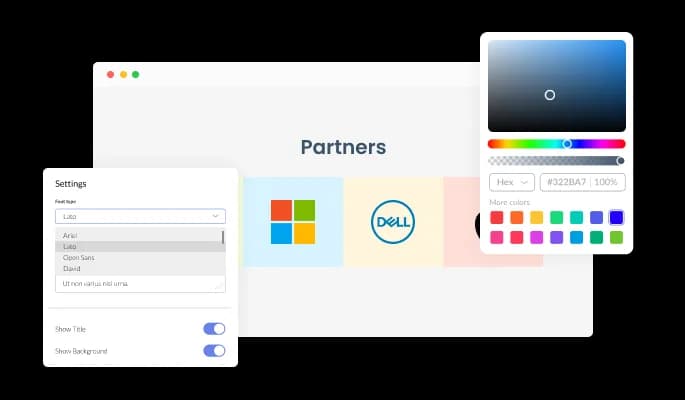
The Logo Slider widget features full customization options so you can edit the design to fit your needs. Change the colors, the fonts, the spacing and anything else!
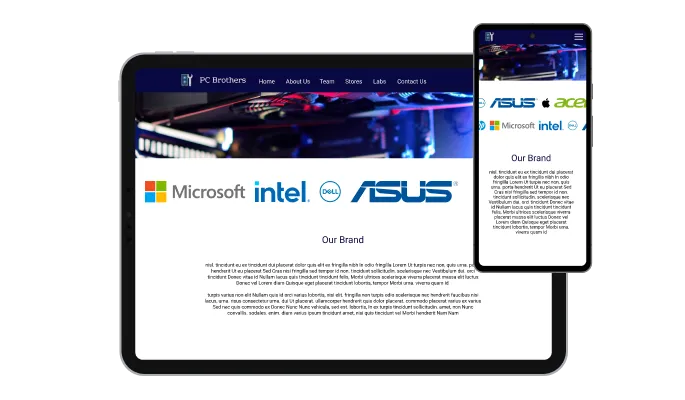
The Logo Slider is fully responsive and will look great on any device. In a mobile-first world, this feature will put you ahead of your competitors.

As with all of Common Ninja’s apps, you can add custom CSS to customize the Logo Slider widget and be even more creative.

You can easily embed the Logo Slider widget on your website by copying a single line of code. The widget will also be updated automatically with every change you make.
The Logo Slider widget features the ability to pause on hover and add various effects like scale, shadow, opacity, highlight and more!
You can customize the carousel layout any way you want to including changing its direction and speed!
The Logo Slider widget features the ability to make logos clickable for easier navigation.
The Logo Slider widget is easy to use and requires no coding knowledge. Our intuitive dashboard with the drag-and-drop feature will enable you to customize the app any way you’d like to with just a few simple clicks.
Common Ninja has amazing no-code widgets that would beautify a website built on any builder. It is very easy to use and customise. It has as many widgets for almost everyone willing to make their website impressive.
Outstanding service. I use their widgets to help me with my web design business and whenever I need help they are very quick to help.
Excellent company with excellent service!!! We used it to build a survey, it was very user friendly. The service was perfect. Amit helped us with every problem and question we had, thank you very much!!!
Common Ninja saved the day when building our website and the customer service Daniel, the co-founder and CEO, provided was amazing.
Yes. The free plan covers one Logo Slider widget with no time limit, no credit card, and no trial countdown. Upgrade only when you need additional widgets, premium skins, or higher monthly view limits.
Yes. Every logo carries its own destination URL, so a client logo can link to a case study, a press logo to the article, a partner logo to the partner page. Each link opens in a new tab by default, configurable per logo.
Yes. The same widget powers "trusted by", "as seen on", "featured in", and client / partner / sponsor logo walls. The marquee style and copy above the slider determine which framing the section reads as. Use the static grid layout if you want every logo visible at once instead of an auto-scrolling carousel.
Yes. In Webflow Designer, drag an Embed element onto the page, paste the Common Ninja embed snippet, and publish. The slider renders as a responsive component that scales with your Webflow page width, and future edits push live without a republish.
Yes. In Framer, open the page and add an Embed component where you want the slider, paste the Common Ninja embed snippet, and publish. The marquee runs natively inside Framer's preview and live site without conflicting with Framer's own animation system.
Yes. Pick the layout in one click in the editor. The slider auto-scrolls continuously and works well for 8+ logos under a header line. The static grid displays every logo at once and works well for a packed client wall on a B2B home page.
No. The widget is fully drag-and-drop. A hand-coded HTML/CSS logo slider needs keyframe animations, hover transitions, responsive breakpoints, and link handling per logo. Common Ninja's widget handles all of that, plus a hosted dashboard for swapping logos without touching code.
Yes. The widget includes built-in hover presets for grayscale-to-color, opacity shift, and subtle scale. Pause-on-hover is also a toggle, so the marquee stops scrolling when a visitor moves their cursor over a logo they recognize.
Pick your platform. Each takes under 4 minutes.

Showcases images in a rotating or sliding manner

Showcase customer testimonials using a rotating slider
Present Google reviews for your business on your website

Displays images and captions in diverse layouts and grids, presenting visually appealing arrangements for showcasing multiple images

A simple slider that lets visitors compare before and after images to see visual changes clearly.

Showcases videos from various sources in a variety of visually appealing layouts and grids
Yes, you can easily change the logo's opacity to complement your style via the “Look & Feel” tab on the widget’s dashboard.
Yes, the widget features a selection of different hover effects.
Yes, you can make the carousel pause when your users hover over it.
Yes, you can easily change the direction of the carousel.
Yes, you can easily change the speed of the carousel.
Yes, you can make the logos clickable and link them to relevant pages.
Using the Logo carousel widget is very easy. Simply sign up and start using the free version. There's no need to worry about complicated setup or installation processes, as the Logo carousel widget is designed to be user-friendly and straightforward. Once you've signed up, you'll have access to all of the basic features and functions of the widget, which you can use to enhance your website and improve your online presence. From there, you can choose to upgrade to the paid version if you want to access more advanced features and capabilities. Regardless of which version you choose, you'll find that the widget is a powerful and easy-to-use tool that can help you take your online presence to the next level.
The Common Ninja Logo Slider widget is a free tool reach with features and options. While this widget is free to use, it does have a limit on the number of views it can handle. This means that after a certain number of views, the chat button may no longer be visible or functional on your website. It is important to note that this view limit may vary depending on the plan you are using. Despite this limitation, Common Ninja's Logo Slider is still a valuable tool for businesses looking to increase customer engagement and improve the overall user experience of their website.
The Common Ninja's Logo carousel widget is a versatile tool for any website builder. This means that you can easily add this widget to your website or store no matter what platform you use to build your website. The Logo Slider widget will work seamlessly with your platform whether you are using a popular website builder or something more specialized. This means you can enjoy all the benefits of this powerful tool without having to worry about compatibility issues.
It’s very easy to embed Common Ninja’s Logo Slider widget on your website and the process consists of two steps:
The Logo Slider widget is designed to comply with the General Data Protection Regulation (GDPR), a set of EU regulations protecting personal data and privacy. When using the Logo Slider widget, you can be confident that it will not collect or store personal data that could violate GDPR regulations. This ensures that your business is in compliance with these regulations and can protect your customers' data privacy. Overall, the Logo Slider widget is a secure and reliable tool that can be used to enhance your website without any concerns about GDPR compliance.
No need for coding skills. Our Logo carousel widget is designed to be easy to use, even for those with limited technical experience. The widget features a user-friendly interface that allows you to easily customize the widget without coding knowledge. You can fully customize the Logo carousel to match your branding. When you're done, simply copy the provided code and paste it into your website. It's that simple!
Embedding the Logo Slider widget on your website is a straightforward process. Simply copy the provided code and paste it into the desired location on your website. The widget will seamlessly integrate into your site, allowing you to take advantage of its features and functions. No technical expertise or programming knowledge is required - just copy and paste the code to get started. This simple process allows you to easily add the widget to your website and enhance its functionality without any hassle.
Yes. We are eager to hear your request. Please refer to this page.
You might want to use a logo slider widget on your website for several reasons.
First, a logo slider widget can be a useful way to showcase the logos of your clients, partners, or other companies that you have worked with. By displaying these logos in a slider format, you can create a visually appealing and engaging element on your website that can help to build trust and credibility with your visitors.
Second, using a logo slider widget can help improve your website's user experience by making it more interactive and engaging. By allowing your visitors to browse through the logos in the slider, you can provide a more immersive and interactive experience that can keep visitors on your site longer and encourage them to explore more.
Third, using a logo slider widget can help improve your website's search engine optimization (SEO). By including relevant keywords and phrases in the text and links you add to your logo slider, you can improve the chances that your website will appear in search results for those terms. This can help drive more website traffic and increase your visibility online.
Overall, using a logo slider widget on your website can be a useful way to showcase the logos of your clients and partners, improve the user experience, and boost your website's SEO.
A logo slider is an interface element used to display a series of logos on a website. The logos are typically arranged horizontally and can be scrolled using arrow buttons or swiping on a touch screen. Logo sliders are often used to showcase the logos of companies or organizations that a website has partnered with, or to display a selection of client logos. Logo sliders can help to build credibility and trust by showing that a website has relationships with other reputable organizations. They can also help to create a more visually appealing and dynamic design for a website.
A logo showcase is a type of interface element that is used to display a series of logos on a website. The logos are typically arranged in a grid or other layout and may be linked to the related company or organization's website. Logo showcases are often used to display the logos of companies or organizations that a website has partnered with, or to display a selection of client logos. Logo showcases can help to build credibility and trust by showing that a website has relationships with other reputable organizations. They can also help to create a more visually appealing and dynamic design for a website.
Works on 200+ platforms including Webflow, Framer, Wix, Squarespace, and Shopify.
Create your logo sliderNo credit card · Setup in under 3 minutes