


Verified review
Common Ninja has amazing no-code widgets that would beautify a website built on any builder. It is very easy to use and customise. It has as many widgets for almost everyone willing to make their website impressive.
Try the editor, no signup
Pick a template, customize it, and watch it update live, no signup.
No credit card · Free forever plan
No credit card · Free forever plan
The Common Ninja MP3 Player is a free, no-code audio player for any website. Upload your files or point it at hosted URLs, choose a layout, and paste one line of embed code.
It plays uploaded MP3s, external URLs, and a range of online audio sources, with play, pause, seek, volume, and an optional shuffle mode.
Playlists can show track names and cover artwork or run stripped back, and the player can sit inline in a section, span a wider block, or stay fixed to the page.
A player on your own site is the one place the music is not surrounded by someone else's recommendations. Cover art, track titles, and a full playlist make a release page feel finished.
Listeners who arrive from search will not leave to open an app. An inline player means the episode starts where they landed, and the show notes stay on the same page.
Recorded articles, guided meditations, language lessons, and sermons all reach people who will listen but will not read. Publishing both costs one embed and widens who the page works for.
Sample packs, ringtones, sound effects, and audiobooks are bought after being heard. A player next to the buy button removes the step where someone leaves to find a preview.
Upload MP3 files or point the player at URLs you already host. Hosting large files elsewhere and linking them keeps the page light, which matters more for audio than for almost anything else you embed.
A compact inline player suits a single track in an article. A full playlist with cover art suits an album, a podcast archive, or a sermon library. Decide whether track images and durations are shown.
Copy the snippet from the Add to Website tab and paste it where the player belongs. Adding a track later updates every page carrying the embed.
Play files you upload, files you already host elsewhere, and a range of online audio sources, so the player fits whether your audio lives on your server or somewhere else entirely.
Play, pause, seek through the track, and volume, with an optional shuffle mode. Nothing here needs explaining to a listener, which is the point of using the conventional set.
Show track names and cover images, or strip the list back to something minimal. Artwork turns a list of filenames into something that looks like a release.
Sit the player inline within a section, give it a wider feature block, or place it at the top or bottom of the page so it stays available while a visitor scrolls.

Create MP3 playlists that blend smoothly with your website layout and content structure. Display track names, add cover artwork, or use a simplified list view to keep the listening experience clear, organized, and visually aligned with the rest of your site.

Decide how your MP3 Player is presented by choosing from multiple display formats. Use a compact inline player, feature audio in a wider layout, or embed playlists directly within content sections to maintain visual consistency and improve content flow.

Give your MP3 Player a refined look instantly with professionally designed visual styles. These ready to use designs work well with modern websites, keeping playback controls visible, intuitive, and accessible across devices.

Adjust colors, typography, icons, and spacing to ensure the MP3 Player fits seamlessly into your brand. The customization options allow you to create a consistent visual experience without code, helping your audio feel like a native part of your website.

The MP3 Player automatically adjusts to desktop, tablet, and mobile displays. It delivers consistent playback and easy interaction across all screen sizes, ensuring your audio content remains accessible and usable on any device.

For more precise design control, you can extend the MP3 Player styling with custom CSS. Fine tune spacing, animations, and interface details to align with advanced layouts, design systems, or custom UI frameworks.

Adding the MP3 Player to your site is fast and simple. Copy the embed code from your dashboard and place it into an HTML or embed block. Any updates you make within the editor are reflected instantly on your live website, without additional setup.
The MP3 Player supports locally uploaded MP3 files, external URLs, and a range of online audio sources. This flexibility lets you embed voice recordings, podcast episodes, narrated content, or background audio from different locations while keeping playback consistent and reliable.
Give listeners familiar and easy to use playback controls, including play, pause, progress seeking, and volume adjustment. The MP3 Player also offers an optional shuffle mode that can be turned on or off from the settings, allowing you to control how tracks are played.
Position the MP3 Player exactly where it fits best on your website. Place it at the top or bottom of a page, embed it within content sections, or enable a sticky player that stays visible as visitors scroll. All placement options are managed directly from the editor.
Setting up the MP3 Player is fast and straightforward. Upload your audio files, choose a layout, and customize the design using a visual editor with no coding required. Any change is applied instantly, making it easy to fine tune your audio experience in real time.
Common Ninja has amazing no-code widgets that would beautify a website built on any builder. It is very easy to use and customise. It has as many widgets for almost everyone willing to make their website impressive.
Outstanding service. I use their widgets to help me with my web design business and whenever I need help they are very quick to help.
Excellent company with excellent service!!! We used it to build a survey, it was very user friendly. The service was perfect. Amit helped us with every problem and question we had, thank you very much!!!
Common Ninja saved the day when building our website and the customer service Daniel, the co-founder and CEO, provided was amazing.
Link to hosted files when the audio is long. A one-hour episode is a large download, and serving it from your own page alongside everything else is the fastest way to make a site feel slow. Uploading suits short clips and samples.
Plan on no. Browsers block autoplay with sound on almost every modern setup, and the ones that allow it will get the visitor reaching for the back button. Let people press play.
Yes, placement options include fixing the player to the top or bottom of the page rather than sitting inline. That suits a site where listening continues while browsing, and it is intrusive anywhere else.
MP3 is the safe answer and the one every browser handles. If you are exporting from a session, exporting to MP3 rather than a less common format removes a whole class of playback problems before they happen.
Yes, track images can be shown or hidden, along with track duration and the player time display. Artwork is worth including for music and podcasts and worth dropping for a plain list of recordings.
Yes, the player adapts across desktop, tablet, and mobile. Test on mobile data as well as WiFi, because audio that streams fine on a desk connection is where a slow first load becomes obvious.
Yes, shuffle is optional. Leave it off for anything with an order that matters, like an audiobook, a course, or a mixed album.
Yes. Ready-made styles, plus control over colours, typography, icons, and spacing, with custom CSS for finer detail.
Pick your platform. Each takes under 4 minutes.
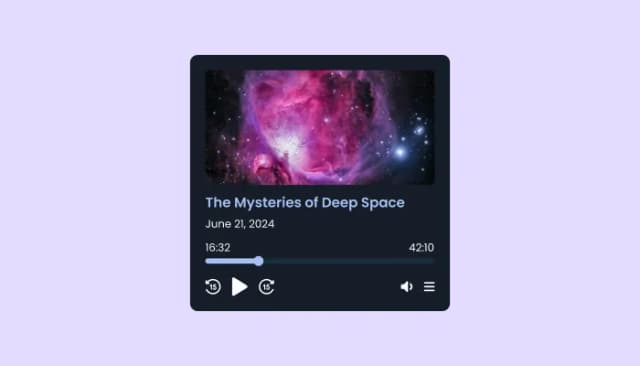
Embed and manage podcasts on your site with customizable, responsive, and user-friendly Podcast Player.

Showcases videos from various sources in a variety of visually appealing layouts and grids
Showcases videos in a rotating or sliding manner

Keep Videos in View as Users Scroll Through Your Site

Display the latest posts from any RSS feed
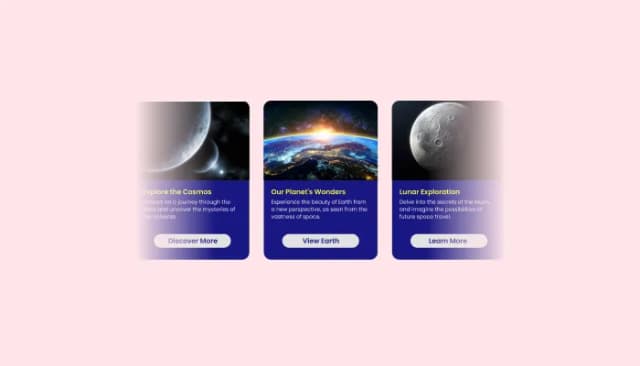
Create interactive content sliders to showcase images, text, and buttons with customizable options.
An MP3 Player widget is an embeddable audio component that lets you play MP3 files directly on your website. It allows visitors to listen to music, podcasts, narration, or spoken content without leaving the page, using a clean and accessible audio interface.
An MP3 Player helps you present audio content in a clear and structured way. It improves accessibility, supports different content consumption preferences, and keeps visitors engaged longer by offering an alternative to text based content.
Yes. Audio playback gives visitors more flexibility in how they consume content. Users can listen while browsing, multitasking, or using mobile devices, which often leads to longer sessions and better overall engagement.
Indirectly, yes. While audio itself is not indexed like text, structured audio content can increase engagement, reduce bounce rates, and strengthen topical relevance. These signals support SEO and help AI powered search engines understand your content context better.
Yes. You can upload MP3 files directly into the MP3 Player and manage them from the editor without any technical setup.
Yes. The MP3 Player supports external audio URLs and hosted sources, allowing you to play audio from different platforms or servers while keeping everything in one player.
Yes. You can choose from multiple layout styles depending on how you want the player to appear, such as compact inline layouts or wider featured playlist views.
Yes. The MP3 Player includes pre designed skins that you can apply instantly, along with manual styling options to better match your website design.
Yes. You can place the MP3 Player at the top or bottom of a page, embed it inside content sections, or enable a sticky player that stays visible while visitors scroll.
Yes. For deeper design control, you can apply custom CSS to adjust spacing, transitions, and interface details to match advanced layouts or design systems.
Yes. Shuffle playback can be enabled or disabled from the settings, allowing you to control how tracks are played in playlists.
Yes. You can toggle playlist cover images on or off to keep a visual rich layout or a more minimal list style.
Yes. The MP3 Player allows you to control whether the playback time is visible in the player interface.
Yes. You can toggle the time display for each playlist item independently to simplify the playlist view if needed.
You can get started by creating a widget in your Common Ninja dashboard, uploading or linking your audio files, and customizing the player appearance.
No. Embedding is simple and does not require technical knowledge. You just copy the embed code and paste it into your website.
No. The entire setup and customization process is handled through a visual editor, with no coding required.
The MP3 Player works with all major website builders and platforms that support custom embeds, including WordPress, Wix, Webflow, Shopify, Squarespace, and more.
Common Ninja offers a free plan with basic features, along with paid plans that unlock additional customization and advanced options.
Yes. The MP3 Player is designed to meet GDPR requirements and does not collect personal user data by default.
Play uploaded files, hosted URLs, and online audio sources, with play, pause, seek, volume, and optional shuffle, playlists that show track names and cover artwork, inline, wide, or page-anchored placement, ready-made styles, full responsiveness, and custom CSS. Embed on 200+ platforms including WordPress, Shopify, Wix, Webflow, and Squarespace.
Create your playerNo credit card · No coding