
Try for free!

Pomodoro Timer for Webflow

Add a Pomodoro timer to your site so users can structure focus and break cycles, improving time management and productivity.

Create a Pomodoro Widget

loved by 500K+ businesses

Webflow
plugineditoreditor

Why Should You Use the Pomodoro Timer Widget+?

Boost Productivity with the Pomodoro Timer for Webflow

The Pomodoro plugin for Webflow helps users break their work into focused intervals, improving efficiency and reducing procrastination. By integrating it into your Webflow website, you provide visitors with a structured way to manage their time effectively. This leads to better work habits and increased task completion rates.

Keep Users Engaged on Your Webflow website

A built-in Pomodoro Timer plugin encourages visitors to stay longer on your Webflow website by offering a valuable productivity tool. Whether they are studying, working, or managing tasks, the plugin helps them maintain focus while remaining on your page. This extended session time can improve engagement metrics and SEO performance.

Enhance User Experience with a Practical Tool

Adding a Pomodoro Timer to your Webflow website provides visitors with a helpful, real-world tool they can use immediately. Unlike static content, this interactive feature adds real value by assisting users in time management. A more engaging and useful website leads to repeat visits and higher retention.

Variety of Webflow Pomodoro Timer Design Skins

The Pomodoro plugin for Webflow offers multiple pre-designed skins, allowing you to choose a style that fits seamlessly with your Webflow website’s aesthetics. Whether you prefer a minimalistic look or a bold, eye-catching design, you can select a skin that enhances your site’s appearance. This feature ensures a visually appealing experience without the need for extensive customization.
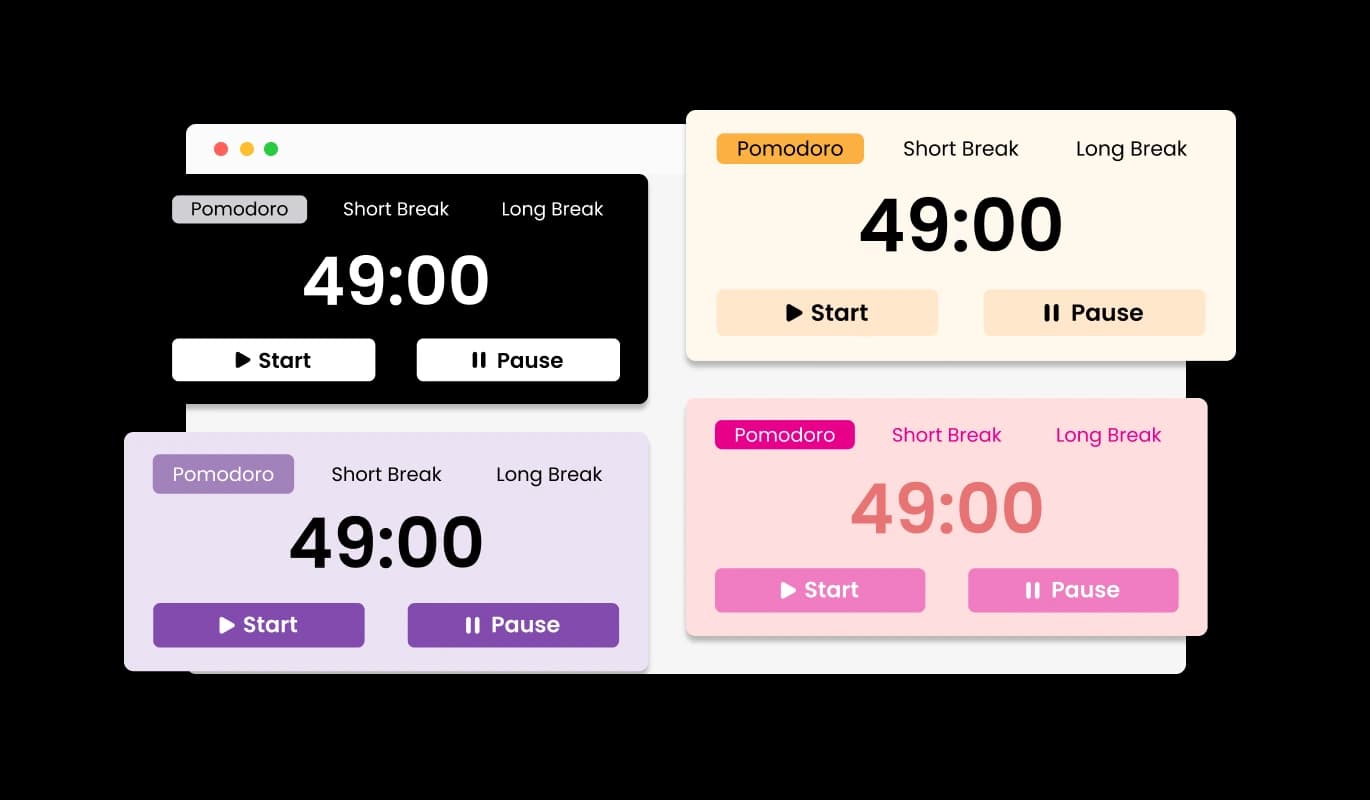
Pomodoro Timer - Variety of Webflow Pomodoro Timer Design Skins

Fully Customizable Pomodoro Timer for Webflow

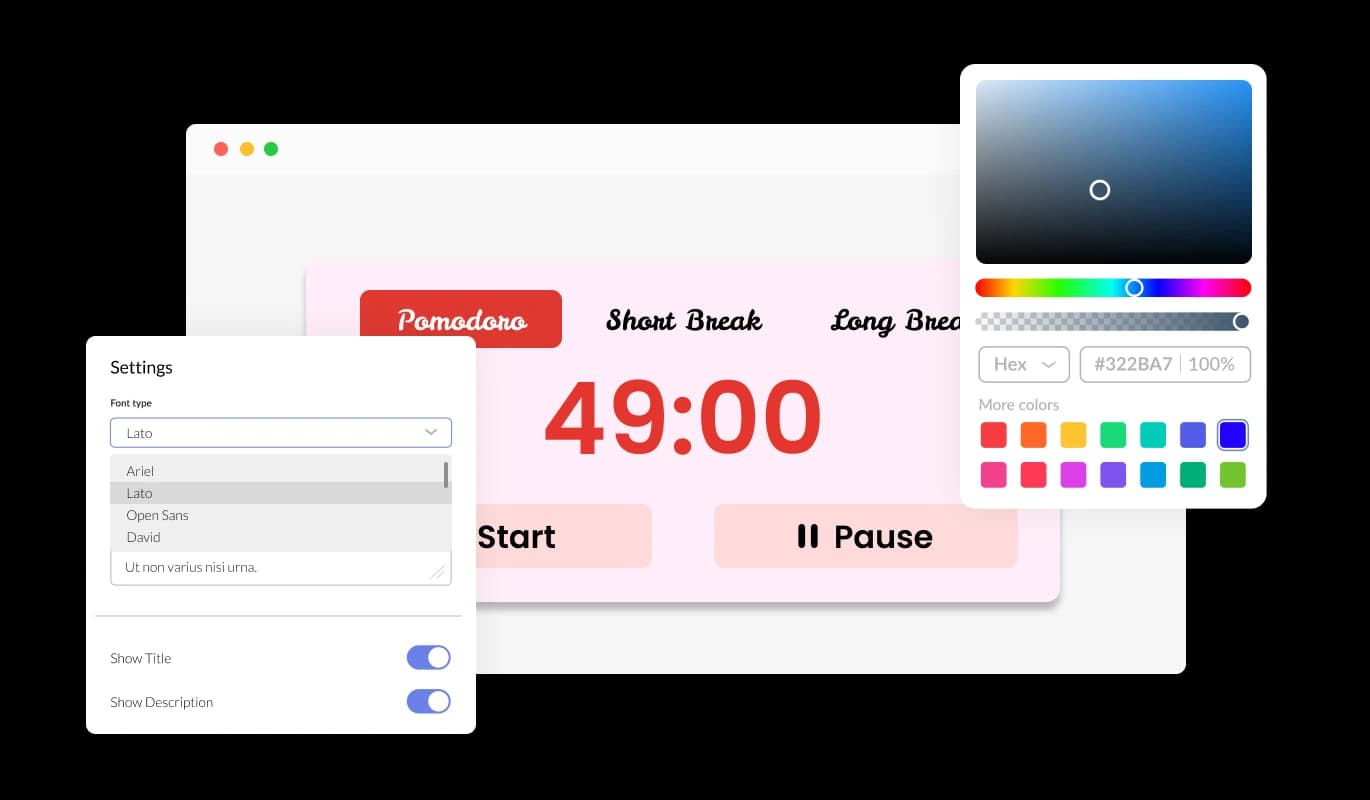
The Pomodoro Webflow's plugin comes with extensive customization options, enabling you to modify colors, fonts, and other visual elements. You can tailor the plugin to match your Webflow website’s branding, ensuring a cohesive and professional look. This flexibility allows you to create a Pomodoro timer that aligns perfectly with your design preferences.

Pomodoro Timer - Fully Customizable Pomodoro Timer for Webflow

Perfectly Responsive Pomodoro Widget

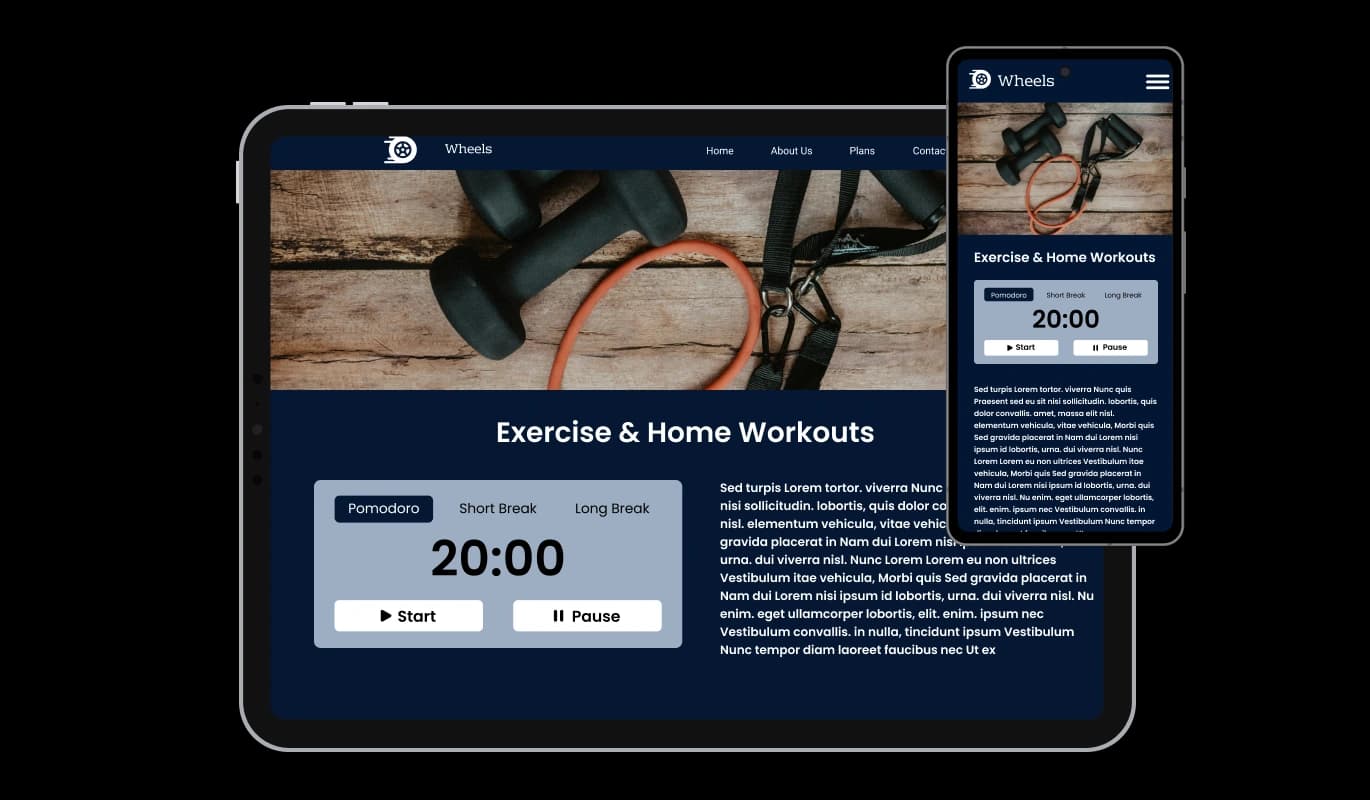
Designed for all devices, the Webflow Pomodoro plugin adapts seamlessly to desktops, tablets, and smartphones. Whether users are working from a computer or tracking their time on the go, the plugin maintains a smooth and functional experience. This ensures accessibility and usability across different screen sizes.

Pomodoro Timer - Perfectly Responsive Pomodoro Widget
Pomodoro Timer - Customize Your Webflow Pomodoro Timer Settings

Customize Your Webflow Pomodoro Timer Settings

The Pomodoro plugin for Webflow allows you to set your own work and break durations, giving you complete control over your time management. You can adjust the Pomodoro session length, short breaks, and long breaks to match your personal workflow. This flexibility ensures that the timer adapts to your productivity style, whether you're following the classic 25-minute method or a customized schedule.

Pomodoro Timer - Personalized Labels for Better Organization

Personalized Labels for Better Organization

With the Webflow Pomodoro plugin, you can rename each timer session to suit your needs. Whether you prefer "Focus Time" instead of "Pomodoro" or "Recharge" instead of "Short Break," custom labels help you stay organized. This makes the widget more intuitive and aligned with your work habits, improving your time-tracking experience.

Pomodoro Timer - Easy-to-Use Webflow Pomodoro Timer

Easy-to-Use Webflow Pomodoro Timer

No coding skills are required to set up and customize the Webflow Pomodoro Timer plugin. With an intuitive interface, users can easily adjust timer settings, labels, and appearances with just a few clicks. This user-friendly design makes it simple for anyone to integrate and modify the plugin according to their needs.

Custom CSS for Advanced Styling

For those who want more control over the plugin’s design, the Webflow Pomodoro Timer plugin supports custom CSS. This feature allows developers and designers to apply unique styles and modifications beyond the default customization options. It ensures that the widget can be finely tuned to match any specific branding or visual requirements.

Pomodoro Timer - Custom CSS for Advanced Styling

Effortless Embedding on Any Webflow websites

Adding the Pomodoro Timer to your Webflow website is quick and easy, requiring just a single line of code. Once embedded, any updates or changes you make to the plugin will automatically reflect on your site. This seamless integration ensures that your visitors always experience the latest version without additional maintenance efforts.

Pomodoro Timer - Effortless Embedding on Any Webflow websites

Compatible With All Site Builders, E-Commerce Platforms and Websites

webflow logoshopify logowix logowordpress logobigcommerce logosqurespace logoweebly logojoomla logoduda logojimdo logomagento logoshift4hsop logounbounce logocarrd logo
View all supported platforms

FAQ

The Pomodoro Widget is a time management tool that helps users break their work into focused intervals, typically 25 minutes long, followed by short breaks. Based on the Pomodoro Technique, this widget improves productivity and concentration by encouraging structured work sessions. It’s perfect for students, professionals, and anyone looking to enhance their focus.

Yes! The Pomodoro Widget allows you to set custom durations for work sessions, short breaks, and long breaks. You can also personalize the session names to better match your workflow, making the timer fully adaptable to your productivity needs.

Absolutely! The Pomodoro Widget is fully responsive and works seamlessly on desktops, tablets, and smartphones. No matter what device users are on, the timer adjusts for an optimal experience.

No coding is required! The widget is designed to be easy to use, with a simple setup and customization process. You can adjust the settings, colors, and labels effortlessly through the user-friendly interface.

Embedding the Pomodoro Widget is quick and simple. Just copy and paste a single line of code into your website, and the timer will be ready to use. Any updates you make will automatically sync without requiring additional maintenance.

Yes! The Pomodoro Widget offers multiple design skins and customization options, allowing you to modify colors, fonts, and styles to match your website’s branding. You can also use custom CSS for more advanced styling.

The widget maintains your settings as long as the session remains active. However, session persistence may depend on the platform it’s embedded on. If you need permanent tracking, consider integrating additional tools for saving progress.

The Pomodoro Widget is available with a free version that includes essential features. Additional premium features may be available for users who need advanced customization or integrations.

While the Pomodoro Widget is primarily designed for individual time management, teams can use it to synchronize focus sessions. If you need collaborative tracking, you may need additional team productivity tools alongside it.

The Pomodoro Widget encourages users to work in short, focused intervals followed by breaks, reducing burnout and improving concentration. This structured approach helps users maintain efficiency and complete tasks more effectively.

Yes! You have full control over break durations, and you can set both short and long breaks according to your preferences. If you prefer a continuous workflow, you can set breaks to zero minutes.

The Pomodoro Widget generally requires an internet connection for embedding and syncing changes, but the timer itself may continue running if the browser remains open. For a fully offline experience, a desktop timer may be a better solution.

Yes! You can embed the Pomodoro Widget on multiple websites by copying and pasting the provided code. Any updates or changes will automatically reflect across all embedded instances.

No, the Pomodoro Widget is lightweight and optimized for performance. It loads efficiently and will not negatively impact your website’s speed or user experience.